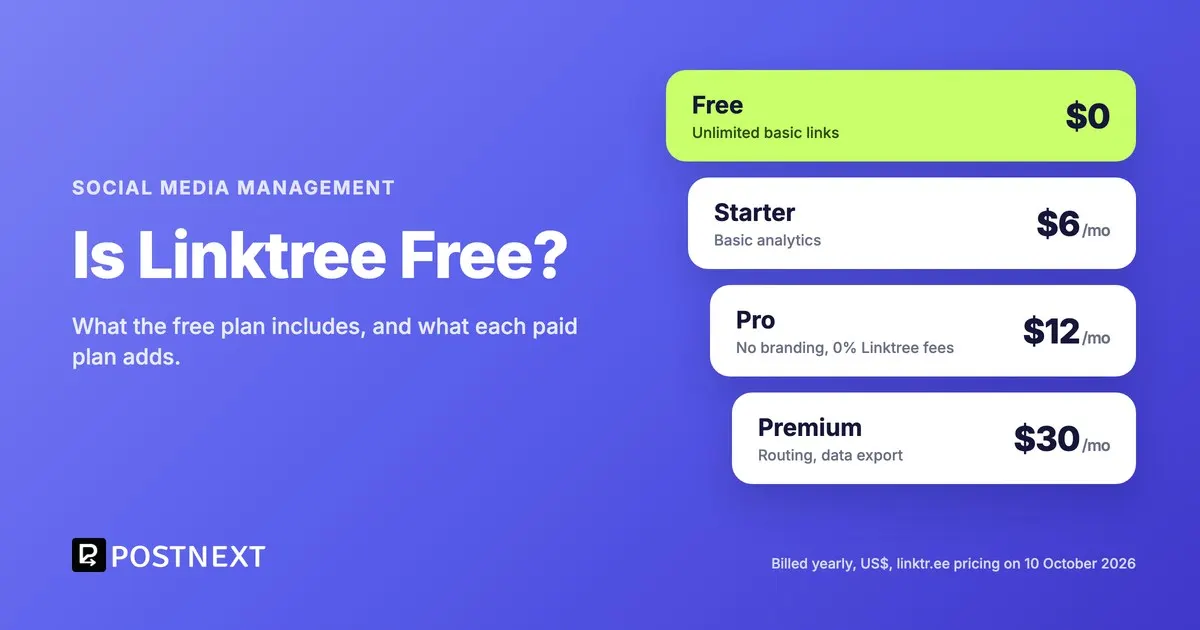
Yes. Linktree has a Free plan that costs $0 a month and gives you a linktr.ee page with unlimited basic links and a form that collects email addresses and phone numbers. Linktree calls it “free with restrictions”. Analytics, unlimited featured links, removing the Linktree branding and selling without Linktree’s fee are on the paid plans, which start at $6 a month billed yearly or $8 month to month.
Key Takeaways
- Linktree’s Free plan costs nothing and covers unlimited basic links plus email and phone sign-ups.
- Starter ($6 a month billed yearly, $8 monthly) is where the pricing page lists basic analytics and unlimited featured links.
- Pro ($12 a month billed yearly, $15 monthly) removes the Linktree branding and lets you sell with 0% Linktree fees. It starts with a 7-day free trial.
- Every sale still pays Stripe’s processing fee, 2.9% + $0.30 per purchase, whatever plan you are on.
- If the reason you would upgrade is click analytics, compare other tools’ free plans first: some include analytics at no cost.
Linktree plans and prices at a glance
| Plan | Billed yearly | Billed monthly | What the plan adds |
|---|---|---|---|
| Free | $0 | $0 | Unlimited basic links, email and phone sign-ups |
| Starter | $6 a month | $8 a month | A personalised Linktree, unlimited featured links, basic analytics |
| Pro | $12 a month | $15 a month | No Linktree branding, custom designs, selling with 0% Linktree fees, mailing list integrations |
| Premium | $30 a month | $35 a month | Link rules and routing, AI integrations, all-time analytics, data export, social media scheduling, Instagram auto-replies |
Prices are in US dollars, read from Linktree’s pricing page on 10 October 2026. Each plan includes everything in the plans above it, and Pro and Premium both open with a 7-day free trial. Agencies and larger teams get a custom plan through Linktree’s sales team.
What does the Linktree free plan include?
The Free plan gives you a linktr.ee page with unlimited basic links and a sign-up form for email addresses and phone numbers. That covers the core job of a link in bio: one address in your Instagram or TikTok profile that leads to everything else you share. It is a plan, not a trial: the pricing page lists it at $0 a month alongside the paid plans.
Linktree is the best-known name in this category, and that counts for something. It says more than 70 million people use it, so a linktr.ee address is likely to look familiar to the person deciding whether to tap. If you only need a short list of links and you want the most recognisable address, the Free plan does that job well.
If the phrase itself is new to you, our guide on what link in bio means explains why posts point to the profile at all. For a link that only needs to live for a day, a story can carry its own: see our guide to the Instagram story Link sticker.
What do you lose on the free plan?
Going by Linktree’s own plan list, a free page does not include analytics, keeps the Linktree branding and gets unlimited featured links only once you move to Starter. Custom designs, mailing list integrations and selling without Linktree’s fee start on Pro. Link rules, data export, all-time analytics and Instagram auto-replies need Premium.
Of those, analytics is the one that changes how you use the page. A link in bio page earns its place when you can see which link people tap after a post goes out, and adjust the order or drop the dead links. On Linktree that starts on Starter, which costs $72 a year on yearly billing.
How much the branding matters depends on who the page is for. On a personal page a small logo at the bottom is easy to live with. A shop or a clinic that wants the page to look like its own site will want it gone, and on Linktree that means Pro.
Does Linktree take a cut of your sales?
On the lower plans, yes. Linktree charges a transaction fee on purchases made through your page, and the size of that fee depends on your plan, while Pro and Premium list selling with 0% Linktree fees. Separately, Stripe takes 2.9% + $0.30 per purchase of a digital product or course on every plan, and commission payouts from Linktree Shops carry a $0.25 Stripe fee per payout.
Two details are easy to miss. Shops and sponsored links are available only to Linktree users in the United States, and paid digital products are limited to certain countries, so check eligibility before you plan around them. And if most of your income comes through the page, compare the fee on your plan as well as the monthly price, because the fee grows with every sale while the subscription stays flat.
Which Linktree plan do you actually need?
Pick by the one thing you need most. If your page holds a handful of links and you never check the numbers, Free is enough. If you want to see which link gets tapped, the minimum on Linktree is Starter. If you sell products or courses through the page, Pro removes Linktree’s fee and its branding. Premium only makes sense if you need visitor routing, data exports or its scheduling.
Most people who ask whether Linktree is free are really asking whether they can skip paying for analytics. On Linktree they cannot, so that is the line worth comparing across tools before you upgrade.
Are there free alternatives to Linktree with analytics?
Yes. Some link in bio tools include click analytics on their free plans. PostNext’s Free plan is one of them: one published page with every block type, view and click analytics, templates and a QR code, in exchange for a small Made with PostNext badge. Paid PostNext plans add more pages, a custom domain and the option to remove the badge.
| Free plan | Linktree Free | PostNext Free |
|---|---|---|
| Links and blocks | Unlimited basic links | Every block type, including links, products, bookings and email sign-up |
| Click analytics | Not in the plan list (from Starter) | Views, clicks per link, top link, 14-day trends, source, device and country |
| Email sign-ups | Email and phone sign-ups | Email sign-up block with CSV export |
| Branding | Linktree branding (removed on Pro) | Small Made with PostNext badge (removed on paid plans) |
| Address | A linktr.ee address | postnext.io/s/ plus the name you choose |
Where Linktree is ahead is selling. Its digital products, courses powered by Kajabi and, in the US, its affiliate marketplace go further than a link in bio that sits inside a social media scheduler. Where PostNext’s link in bio page differs is that it lives in the same account you schedule posts from: a post you publish can pin itself to the top of the page, and analytics shows which platform each visit came from.
Moving is not much work either way. PostNext can import a public Linktree page, bringing over up to 25 links, the social icons and the profile header for you to check before you publish. For a wider comparison, see our list of Linktree alternatives, and once your page is ready, the steps to add the link to your Instagram bio take a minute.
Frequently Asked Questions
Is Linktree completely free?
The Free plan is. It costs $0 a month and includes unlimited basic links and email and phone sign-ups. Analytics, featured links without limits, removing the branding and selling without Linktree’s fee are on the paid plans, which start at $6 a month billed yearly.
How much is Linktree Pro?
Linktree Pro costs $12 a month billed yearly, which is $144 a year, or $15 billed month to month. It starts with a 7-day free trial. These are the US dollar prices on Linktree’s pricing page in October 2026.
Can you remove the Linktree logo for free?
No. Removing the Linktree branding is listed as a Pro feature, so it starts at $12 a month on yearly billing. If branding is your main reason to upgrade, compare that line across tools: PostNext, for example, removes its badge on any paid plan.
Does the Linktree free plan have analytics?
Not according to Linktree’s plan list, which places basic analytics on Starter and all-time analytics on Premium. If you need to see which link people tap without paying, choose a link in bio tool whose free plan includes click analytics.
What is the cheapest Linktree plan?
Starter, at $6 a month billed yearly ($72 a year) or $8 billed monthly. It adds a personalised page, unlimited featured links and basic analytics to everything in Free.
Can I move my Linktree to another tool?
Yes. Your links are yours to copy anywhere, and some tools import them for you. PostNext imports a public Linktree page, including up to 25 links, the social icons and the profile header, and lets you review everything before the new page goes live.
Related reading
- Top AI Instagram Scheduling Tools for 2026
- Content Distribution Strategy: A Practical Guide for Growth
- How to Get Your First 1,000 Followers on Social Media
- Top Social Media Automation Platforms for Freelancers 2026
- How to Add a Link to an Instagram Story in 2026
Sources
- Linktree, linktr.ee/s/pricing, plans, prices, billing periods and free trials (10 October 2026)
- Linktree Help Center, “Understanding transaction and processing fees on Linktree” (October 2026)
- PostNext, postnext.io/features/link-in-bio, Free plan contents, analytics and Linktree import (October 2026)