Skip to content
Social media scheduler with auto-publishing

Schedule Posts on 7 Social Platforms in Minutes

Stop juggling multiple apps and tabs. PostNext lets you plan, schedule, and publish content across all your social channels in minutes. Use AI to write captions and hashtags, and let the queue fill each channel's posting slots.

7 days free. The trial asks for a card; cancel before it ends and you pay nothing.
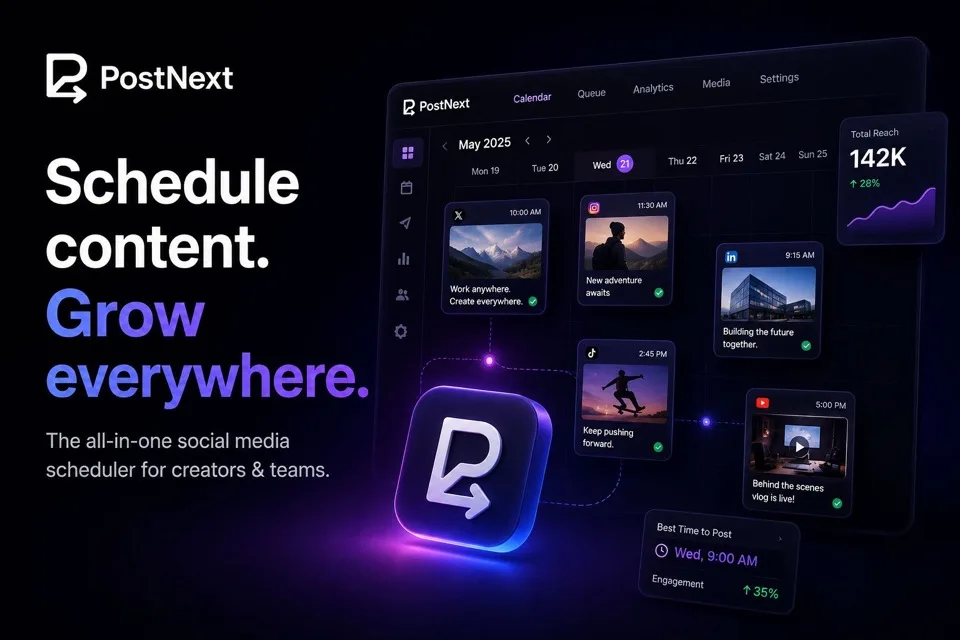
The PostNext content calendar, showing posts scheduled across X, Instagram, LinkedIn, TikTok and YouTube with reach and best-time-to-post analytics

Published through official APIs

Every post goes out through each platform's official API using OAuth 2.0. We never store your passwords and never scrape. Your accounts stay in good standing.

Connect All Your Social Media Accounts

Schedule and publish content across Instagram, TikTok, X (Twitter), LinkedIn, YouTube, Threads, and Bluesky - all from one unified platform.

Explore all available platforms

One calendar for every channel

See what is scheduled where, drag a post to reschedule it, and publish to all your channels from one place.
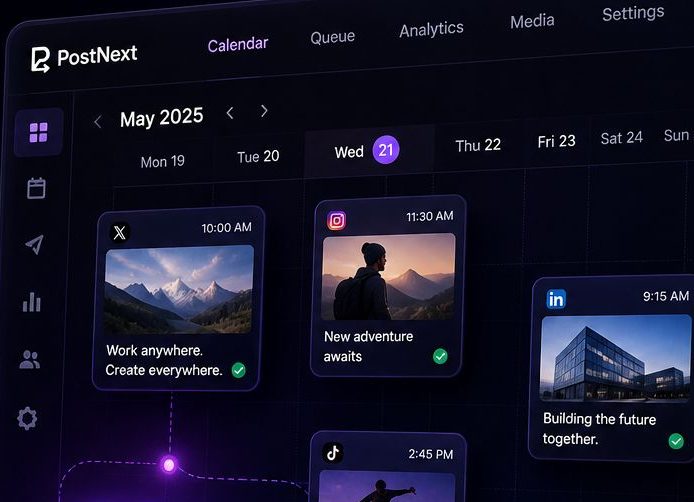
The PostNext calendar showing a week of scheduled posts across X, Instagram and LinkedIn with times and previews

Content Planners

Three planners. One brand profile.

Plan blog content, brand-consistent social posts, or solo-creator content, all from one wizard, in one brand voice.

The free link in bio tool built into your scheduler

One page for your links, shop, newsletter and latest posts. Put it in your Instagram and TikTok bio, see what people tap, and change it without editing a single profile.
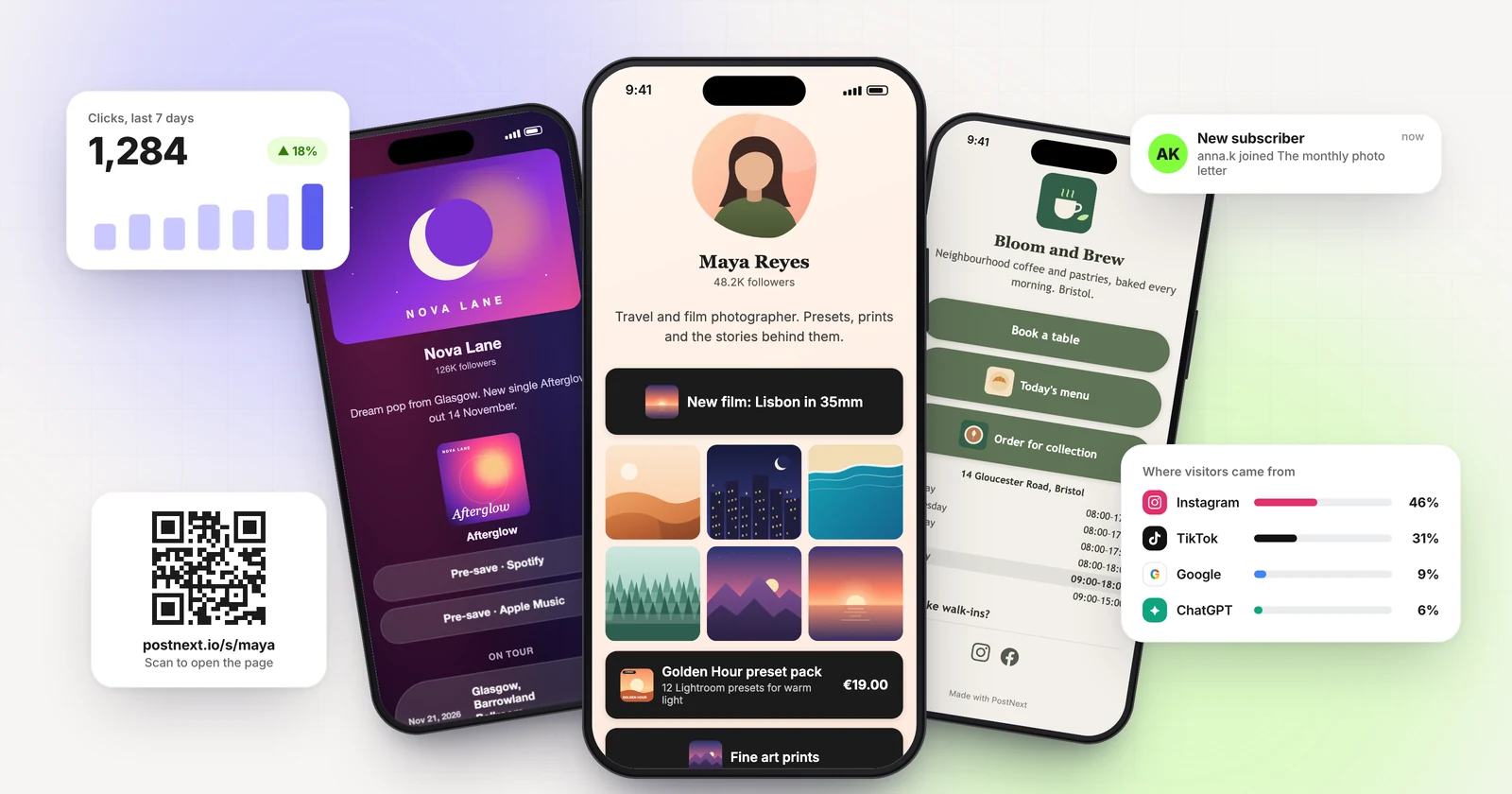
A PostNext link in bio page on a phone, with click analytics and a QR code

See how the link in bio page works


Recurring posts and posting slots

Everything Creators Need to Grow

SCHEDULE & AUTO-PUBLISH

Auto-publish to Instagram, TikTok, X, LinkedIn, YouTube, Threads and Bluesky at the time you choose. Schedule posts, Reels, Stories, Shorts and videos, or import up to 100 posts from a CSV.

Auto-Publish Scheduling


Schedule posts to publish automatically at the time you choose, or add them to the queue to fill each channel's posting slots.

Content Templates Library


Save your best captions as templates, share them with your team and insert them into any post.

Posting Slots and Queue


Set posting times for each channel, then add posts to the queue and each one takes the next free slot. Paid plans add best-time suggestions from your own results.

Link in bio


Share one link with all your content, custom themes, a QR code and click analytics. Built into PostNext.


Stop wasting time on manual posting. Let AI and automation handle the repetitive work while you focus on creating great content.

Visual Content Planning

Drag-and-Drop Calendar View

First Comment on LinkedIn


Add a first comment with links or hashtags, posted automatically right after your LinkedIn post goes live.

Recurring Posts


Put a post on repeat: daily, weekly, or monthly, with an end date or run count you control.

Email Alerts


Get an email when a post fails to publish or a channel needs reconnecting, so nothing quietly stops.


Your Instagram posts on the TV in your shop, clinic or salon

Connect Instagram, create a slideshow in one click, scan a QR code on the TV. New posts appear on their own and the screen keeps playing through Wi-Fi drops.
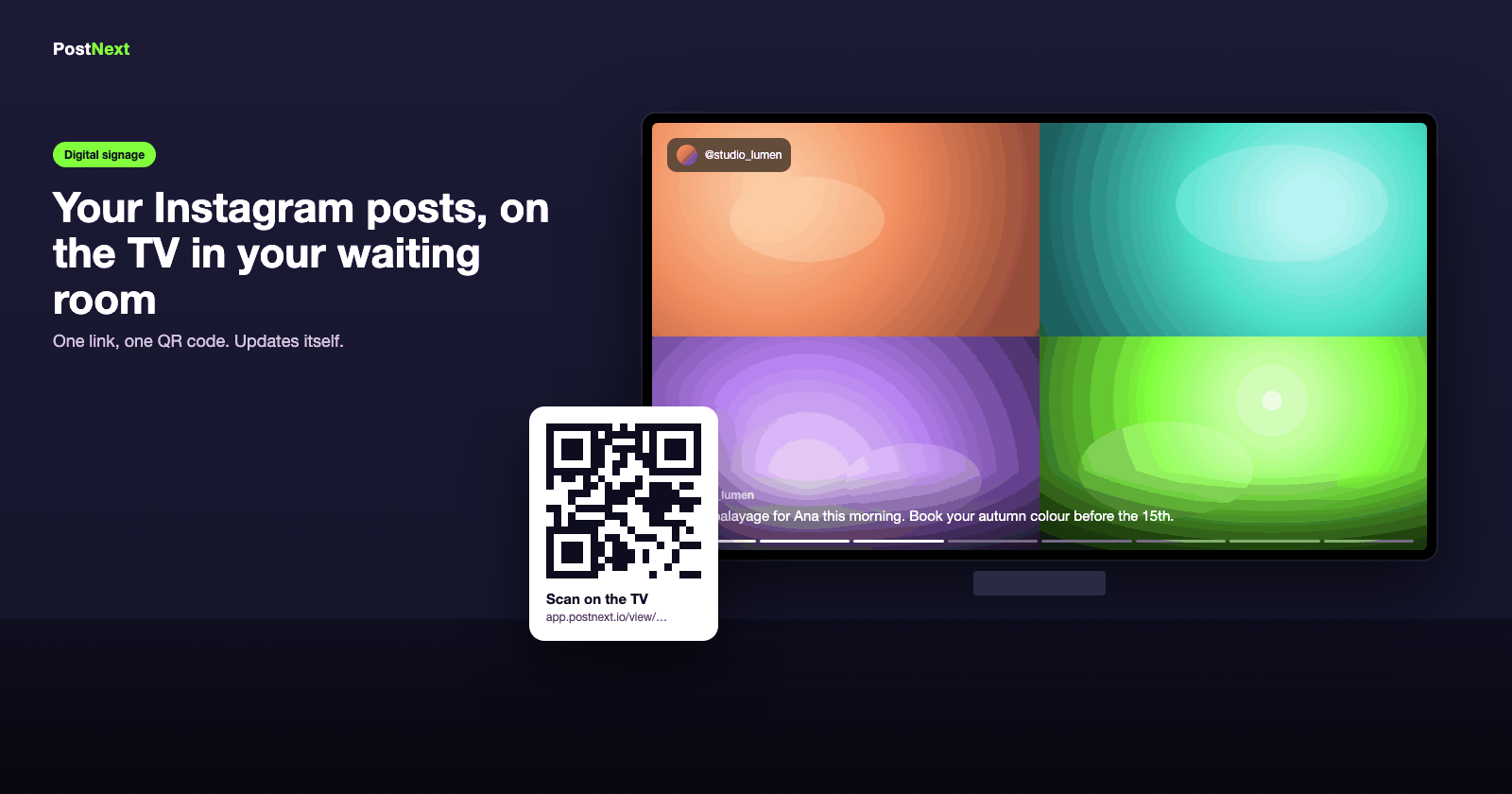
A waiting-room TV playing an Instagram slideshow, with a QR code card beside it

All about Instagram digital signage

Pick the plan that fits you best.

You can always switch plans later. Cancel anytime.

Annually
Save up to 40%
Monthly

Every plan starts with a 7-day free trial that asks for a card, with lower limits until the first payment. Cancel before it ends and you pay nothing and keep the free plan: 1 channel, 10 posts and 10 AI credits a month.

PostNextPremium
$19
/ month
For creators and small brands running up to 15 accounts.
    • 15 connected accounts
    • 1 user account
    • 1,000 posts a month
    • Unlimited ideas
    • 10 GB Storage
    • 150 AI credits per month
PostNextBusiness
$49
/ month
For busy brands that need 20 accounts and more AI credits.
    • 20 connected accounts
    • 1 user account
    • 1,000 posts a month
    • Unlimited ideas
    • 50 GB Storage
    • 500 AI credits per month
PostNextTeams
$7
/ user / month
from $35 / monthDesigned for teams and agencies managing multiple clients. Minimum 5 seats required.
    • 5 connected accounts / user
    • Unlimited user accounts
    • 1,000 posts a month / user
    • Unlimited ideas
    • 10 GB Storage / user
    • 50 AI credits per month / user


Grow your social media presence with confidence

The social media management tool for creators and brands. Schedule, publish, and analyze across all your channels, all in one place.

7 channels from one calendar

Social media scheduler FAQ

How PostNext compares to other AI schedulers and content calendars

What is an AI social media scheduler?

An AI social media scheduler combines post scheduling with AI content generation, so you draft, schedule, and publish without juggling separate tools. PostNext generates captions, hashtags, blog posts, and images from one workspace, then publishes them to seven channels on a visual calendar.

Which social media platforms does PostNext support?

PostNext schedules and publishes to X, Instagram, TikTok, YouTube, LinkedIn, Threads, and Bluesky: seven channels from one calendar. You can tailor the text and media for each channel, in formats such as Reels, Shorts and threads.

Is PostNext a content calendar or a scheduler?

Both. PostNext gives you a visual content calendar to plan posts weeks or months ahead, plus a queue that fills each channel's posting slots in order. You can drag posts between dates, tag them, and preview every channel before publishing.

Is there a free version of PostNext?

Yes. Every new account starts with a 7-day free trial of a paid plan, which asks for a card. If you cancel before it ends, you are not charged and you keep the free plan: one social channel, 10 posts and 10 AI credits a month. Paid plans add more channels, team workspaces, brand profiles, and higher AI quotas.

How is PostNext different from Buffer, Hootsuite, or Later?

The main difference is how you pay. Buffer charges per channel, Hootsuite per user and Later per social set, while PostNext Premium and Business include a set number of accounts and AI credits. PostNext also adds a WordPress blog generator, a link in bio page and Instagram digital signage. See our comparison pages for side-by-side breakdowns.

Can PostNext write blog posts as well as social posts?

Yes. PostNext includes a WordPress blog AI generator that drafts full articles with SEO metadata and featured images, then schedules the social rollout from the same calendar. Most social schedulers stop at captions.

How does PostNext help me pick the best posting time?

On paid plans, the date picker suggests your three strongest weekday-and-hour slots for a channel, based on how your own posts performed over the last 90 days; click one to use it. You can also set posting slots per channel for the queue, or pick any exact time yourself.

Can I manage multiple brands or clients in PostNext?

Yes. Brand profiles isolate voice, assets, and channel logins per brand so you can switch in one click without cross-talk. Team workspaces add role-based access, drafts review, and shared content libraries, which suits agencies and multi-brand teams.
×