Key Takeaways
What Matters Most for Instagram Scheduling in 2026
Instagram’s native scheduling is a straightforward, free option for solo creators and small brands. However, it has clear limits: no built-in Stories scheduling, no multi-account support, and caps on how many posts you can queue and how far ahead. For those managing multiple brands or needing to automate Stories, these restrictions are significant.
Third-party AI schedulers – such as SocialBee and Pallyy – offer visual planning tools, multi-account dashboards, and AI-driven content creation. Teams and agencies benefit from collaboration workflows, approvals, and analytics that native options lack. If you’re running multi-channel campaigns or need post recycling, these tools are designed for you. See our expert comparison of AI schedulers for more details.
Choosing the right scheduling method depends on your posting volume, content mix, and the level of automation or analytics your workflow requires. Platform feature comparisons are essential before committing. While AI-powered schedulers can simplify your process, subscription costs may not suit every budget. Assess your needs carefully before investing in advanced tools.
Instagram Scheduling in 2026: Toolbox or Swiss Army Knife?
Think of Instagram scheduling in 2026 as choosing between a basic toolbox and a Swiss Army knife. The native Instagram scheduler is your reliable toolbox: simple, free, and effective for straightforward tasks. It’s ideal when you know exactly what needs to be done and don’t require extra features. But when your strategy involves managing multiple accounts, collaborating with a team, or optimizing every aspect of your content, you need something more versatile – a Swiss Army knife packed with specialized tools for the demands of modern Instagram marketers.
The Simple Toolbox: Native Instagram Scheduling
Instagram’s own in-app scheduler lets you plan Posts and Reels ahead of time, within limits on how far ahead and how many per day. It’s quick, familiar, and free. For solo creators or small businesses managing a single account, this simplicity is a real advantage. You open the app, set your post, and move on.
But the toolbox has limits. Stories remain unsupported by the native scheduler. If you manage more than one account, you’ll quickly encounter limitations – there’s no multi-account management or batch scheduling. High-volume creators, agencies, and brands running coordinated campaigns will outgrow these built-in capabilities fast.
The Swiss Army Knife: AI-Powered Schedulers
Third-party, AI-powered Instagram schedulers – like SocialBee, Pallyy, and Viraly – combine automation, analytics, and cross-platform publishing in one package. Need to schedule Stories, carousels, or the first comment? Want to analyze engagement trends and recycle evergreen content? These tools deliver those features.
Most integrate with other social platforms, so you can plan campaigns across Facebook, TikTok, and X from a single dashboard. Advanced features include team collaboration, approval workflows, and AI-generated captions to help you maintain consistency without creative fatigue. Agencies and larger brands value these extras, even with the added subscription cost. For a detailed look at how automation can improve engagement, see these practical automation features.
Key Insight: The right Instagram scheduling tool in 2026 fits your workflow – choose simplicity for solo efforts or advanced AI-powered features for complex, multi-channel campaigns.
Why the Choice Matters
The gap between basic and advanced scheduling is wider than ever. If you’re only posting a few times a week and don’t need deep analytics, the native tools are sufficient. But if you need to juggle multiple brands, generate AI-powered captions, or streamline content approvals, the Swiss Army knife approach is worth the investment. As AI continues to influence social media, features like predictive analytics and automated campaign templates are becoming standard.
Choosing your tool isn’t just about convenience – it’s about aligning with your marketing strategy, scale, and goals. For a direct comparison of which features matter most, see this side-by-side comparison of AI scheduling tools. The bottom line: the toolbox gets the job done, but the Swiss Army knife prepares you for everything else you’ll encounter.
Side-by-Side Comparison: Native vs. AI-Powered Instagram Scheduling
How the Four Main Scheduling Methods Stack Up
Choosing the right Instagram scheduling method is about matching the tool to your content ambitions and team needs. Whether you’re a solo creator posting twice a week, a small business coordinating launches, or an agency juggling multiple brands, the technical differences matter. Here’s a structured breakdown of the four dominant approaches in 2026: the Instagram native app, Meta Business Suite, popular third-party tools like SocialBee or Planable, and API-based integrations.
| Dimension | Native App | Meta Business Suite | Third-Party Tools | API-Based |
|---|---|---|---|---|
| Supported Post Types | Posts, carousels, Reels, no Stories | Posts, Reels, Stories, carousels | All types: Posts, Reels, Stories, carousels, first comment, some support ads | Depends on API evolution; typically Posts, Reels, limited Stories support via partners |
| User Limitations | One account at a time, daily and date-range caps | Instagram and Facebook accounts linked to your business | Multi-account, client workspaces, bulk scheduling | Multi-account, developer-level setup, requires technical resources |
| Collaboration Features | None – single user only | Basic team access, but minimal workflow tools | Advanced: post approvals, comments, roles, shared calendars | Customizable if built, typically limited without third-party UI |
| Analytics | Basic in-app insights post-publish | More detailed analytics than native, web-accessible | Comprehensive dashboards, AI-driven insights, historical data export | Data available via API, but requires manual setup and reporting |
| AI Capabilities | None | None | Integrated AI (caption suggestions, content planning, hashtag tools, scheduling optimization) | Possible if layered on by developers; not native |
| Pricing | Free | Free | Freemium (limits), paid tiers for full features, agency pricing | Developer costs, free up to API limits, but time-intensive |
Key Differences: Which Approach Fits Who?
The Instagram native app is straightforward, accessible to anyone with a public account, and ideal for solo creators who post infrequently or manage only one brand. The daily cap and single-account limit are rarely an issue for individuals, but quickly become restrictive when scaling up or managing multiple campaigns. The absence of Stories scheduling is another major gap, often forcing users to bounce between tools or platforms.
Meta Business Suite adds desktop-based scheduling, includes Stories, and supports both Instagram and Facebook accounts – handy for small businesses needing broader coverage. Still, collaboration tools are basic, and there is no AI help or approval flow, which agencies and multi-brand managers usually need.
Third-party tools bring advanced features: bulk scheduling, true multi-account support, and granular roles for team members. Collaboration is built in, making it possible for teams to manage approvals, comment on drafts, and track changes. Most importantly, these tools increasingly embed AI-driven features – from caption generation to optimal post timing recommendations and visual grid planning. For a practical look at these features, check out our comparison of top AI scheduling tools.
API-based approaches are flexible but technical. They’re often used by developers or companies that want to build custom workflows or integrate Instagram scheduling into their own software. The downside: you need technical expertise, and collaboration or analytics features only exist if you build them yourself or add third-party solutions.
What AI-Powered Scheduling Actually Adds
Third-party tools like SocialBee and Pallyy go beyond automation – they improve content quality and workflow. With AI, you get caption suggestions tailored to your brand, hashtag recommendations, and analytics that help you refine your strategy. For agencies and large teams, AI also automates repetitive tasks and makes high-volume scheduling manageable.
There’s a trade-off: these platforms come with a subscription cost, and sometimes, API or platform changes can temporarily restrict certain features. For most professionals, the time saved and the ability to collaborate and analyze at scale far outweigh the price. For solo users who value simplicity and zero cost, the native or Business Suite options might be enough. But for anyone managing campaigns, brands, or clients, the AI-powered approach is quickly becoming the new standard.
Core Features That Define Instagram Scheduling Tools
Key Insight: In 2026, the most effective Instagram scheduling platforms combine AI-driven automation, visual planning, and collaborative workflows to serve everyone from solo creators to agency teams.
AI-Driven Content Creation and Scheduling
AI is now central to modern Instagram scheduling. Manual caption writing and guesswork around posting times are fading for those using advanced tools. AI can auto-generate on-brand captions, surface trending hashtags, and recommend content ideas tailored to your audience. This shift saves time and multiplies productivity, especially for users juggling multiple accounts or platforms.
Posting time optimization is another area where AI excels. Instead of relying on generic “best times,” leading Instagram scheduling apps analyze your specific audience engagement patterns. The algorithm identifies when your followers are most active and schedules posts accordingly. See this comparison of top AI scheduling tools for details.
Bulk scheduling and cross-platform posting are now standard. Instead of scheduling each post individually, you can queue entire campaigns at once, then deploy them across Instagram, Facebook, TikTok, and other networks. For agencies and team-based marketers, these automation capabilities are essential for maintaining a steady publishing cadence without burnout. For more on automation’s impact, this post covers key automation features.
Visual Planning and Calendar Views
Instagram is all about aesthetics. Visual content calendars and grid planning are now expected. The ability to preview your feed, drag and drop images, and see how posts will look together is central to maintaining a visually cohesive profile. Some schedulers are built around grid planners and media libraries, letting you experiment with post order and color themes before a single image goes live.
For creators and brands focused on curation, this feature minimizes surprises and enforces visual consistency. Agencies managing multiple clients rely on calendar views with approval workflows so teams can coordinate, review, and adjust content plans in real time. Whether mapping out a product launch or maintaining brand tone, a comprehensive visual planner is essential.
Integrated Analytics and Collaboration
The advanced end of the spectrum is defined by integrated analytics dashboards and team collaboration. Social media managers expect tools that break down engagement data by post type, time of day, and hashtag performance. For teams, multi-user support, post approval flows, and unified inboxes are now baseline requirements. These features don’t just improve efficiency – they enable more strategic, data-driven campaigns and reduce the friction of back-and-forth communication. For workflow tips, see our workflow guide for remote teams.
As Instagram scheduling demands grow, so do expectations for the tools behind the scenes. The difference between a basic scheduler and a best-in-class platform comes down to how well it blends visual planning, AI automation, and collaborative analytics into one experience.
PostNext: AI Scheduling Powerhouse for Instagram Marketers
How PostNext Streamlines Instagram Scheduling
If you’re managing Instagram for a brand or agency, you already know the challenge: consistency drives results, but juggling post ideas, visuals, and captions week after week can lead to burnout. PostNext automates the repetitive work and gives marketers a smarter way to plan, create, and refine content in one package.
The foundation is a visual content calendar that makes drag-and-drop scheduling intuitive. You see your upcoming posts, campaigns, and gaps at a glance. Need to rearrange posts? Just move them. Unlike the native Instagram scheduler, which omits Stories, PostNext publishes feed posts, carousels of 2 to 10 images or videos, Reels and image Stories. Video Stories are not supported yet, and a grid preview of upcoming posts is not available yet. If you are planning carousel content, 25 Instagram carousel ideas give slide-by-slide outlines.
Where PostNext helps most is its AI-generated captions. Instead of staring at a blank slate, you get on-brand caption and hashtag suggestions from your topic, in the tone stored in your Brand Profile. On paid plans, the date picker also shows the three slots where your own Instagram posts earned the most engagement over the last 90 days. This not only saves time – it helps you break out of creative ruts, something manual scheduling rarely achieves. For more on how AI is changing content planning, see AI Tools Transform Content Planning for 2026.
Once your posts are set, cross-posting queues an editable variant for TikTok, X, LinkedIn and other connected channels (Facebook is coming soon), eliminating redundant work. PostNext’s analytics then close the loop with reach, likes, comments and engagement rate for each Instagram post, plus follower growth, so you can see which posts perform best. If analytics is a priority, don’t miss AI Social Media Analytics Platforms for Influencers: A 2026 Comparison.
Your Instagram bio link is covered too: every plan, Free included, comes with a link in bio page, and with auto-pin on, each post you publish goes to the top of it. If you are on Linktree now, check what its free plan includes before paying for analytics there.
Workflow Evolution: Manual vs. AI-Powered Scheduling
Most marketers underestimate how much time and creative energy is lost in manual planning. Here’s how a typical week shifts when you move from spreadsheets to PostNext’s AI-powered workflow:
| Before | After |
|---|---|
| • Brainstorm post ideas in a doc, then match images manually • Write captions from scratch for each post • Track posting times and engagement in a separate spreadsheet • Copy and paste content to Instagram, repeat for each platform • Spend hours tallying likes and comments to guess what worked | • Drag images onto the PostNext calendar – on paid plans, suggested slots come from your past engagement • AI generates draft captions and hashtag ideas, editable in-line • Preview each post as it will look on Instagram and see calendar gaps instantly • Cross-post an editable variant to TikTok or X • Analytics dashboard reveals best-performing content |
Before/After Example: Weak vs. Strong Scheduling Workflow
| Weak/Generic Approach | Strong/Specific Approach with PostNext |
|---|---|
| “Schedule posts for the week in Google Sheets, copy captions from old campaigns, set phone alarms to remind me to post, and check Instagram Insights for performance at the end of the week.” | “Import all campaign visuals into PostNext’s calendar. Let AI suggest captions and optimal times. Drag posts to adjust the calendar. Schedule once and automate cross-platform publishing. Review analytics mid-week to adjust next week’s lineup in minutes.” |
The “after” workflow doesn’t just save time – it puts data-driven suggestions and creative inspiration on autopilot. You spend less time on logistics and more on fine-tuning what actually drives reach and engagement. For agency teams or growing brands, this shift is the difference between stagnating and scaling. For more tips on creating an efficient social media workflow, check out How to Build a Scalable Social Media Workflow for Teams.
How Pallyy, Viraly, and SocialBee Stand Out
Pallyy: The Visual Grid Specialist
If your Instagram scheduling workflow revolves around visual planning, Pallyy is designed for you. The platform’s Instagram-first design sets it apart – everything from the interface to the feature set prioritizes visual organization and ease of use. The Instagram Grid Planner is the centerpiece: drag images, rearrange posts, and instantly preview your feed to ensure it tells a cohesive story. For brands and creators who focus on the look and feel of their profile, being able to see the grid before publishing is a strategic advantage.
Pallyy supports the main Instagram post types, including Stories, Reels, and carousels. The platform also enables easy media management with a drag-and-drop calendar and post previews, making it approachable even for those new to third-party schedulers.
Pallyy is best for users who prioritize visual strategy over complex automation. If you need extensive evergreen content recycling or advanced analytics, you may outgrow its capabilities. For a detailed look at how visual-first scheduling tools compare, check out our guide to scheduling video and visual content across social platforms in 2026.
Viraly: Clean Interface, Practical Analytics
Viraly stands out with a clean interface and a feature set that balances simplicity with flexibility. For creators and small businesses who want to move quickly, its intuitive dashboard minimizes distractions. The scheduler covers the main Instagram formats, and it includes link-in-bio pages and first comment scheduling (PostNext offers both as well). Having a native link-in-bio tool means you can drive traffic to offers, content, or stores without third-party add-ons.
First comment scheduling is a practical touch for those who prefer to keep hashtags or additional context out of the main caption. Viraly’s analytics dashboard offers insights on reach and engagement without overwhelming users.
If you’re looking for a broader perspective on entry-level automation tools and how they stack up for agency clients, read our comparison of social media automation platforms for agencies.
SocialBee: AI Copilot and Content Recycling Engine
SocialBee approaches Instagram scheduling with an AI-powered workflow and a focus on content longevity. It organizes posts into content categories with AI-assisted scheduling suggestions. This is especially valuable if you manage large content libraries or need to maintain consistent posting without repeating yourself manually.
Evergreen content is SocialBee’s other standout. The platform makes it easy to recycle top-performing posts, keeping your feed active even when you’re short on new material. For teams, SocialBee offers collaboration tools and approval workflows. Agencies and larger businesses will appreciate the multi-account management and engagement feeds, which streamline client work and reporting.
The learning curve is steeper than with entry-level tools, but the payoff is significant for advanced users. For a direct feature-by-feature breakdown of SocialBee against PostNext and other leading AI platforms, see our 2026 AI social media analytics platform comparison.
Each of these tools brings something unique, whether it’s visual storytelling, practical automation, or AI-driven workflow design. The right fit depends on your priorities – whether you value simplicity, depth, or creative control. In 2026, picking the right Instagram scheduling tool is less about checking boxes and more about matching your workflow to the features that matter for your brand or business.
Scheduling Stories, Reels, and Carousels: What’s Actually Possible in 2026?
Where Instagram Native Scheduling Still Falls Short
Even as Instagram scheduling becomes standard practice in 2026, there are limits to what you can do inside the official Instagram app. The native scheduler covers single-image posts, carousels, and Reels – so long as your account is public. But Stories remain a blind spot: you still can’t schedule Stories directly in the Instagram app, a gap that frustrates anyone trying to batch content. There are also caps on how many posts you can schedule per day and how far ahead. For solo creators with straightforward needs, that’s workable. The moment you need to manage multiple accounts, coordinate campaigns, or automate Stories, these limits become apparent.
How Meta Business Suite and Third-Party Tools Fill the Gaps
The Meta Business Suite changes the picture. On desktop, you can schedule not just regular posts and Reels but also Stories. It’s a free solution for the Instagram and Facebook accounts linked to your business. For agencies or anyone who needs approvals, AI help or other networks, though, it’s not enough.
This is where third-party Instagram scheduling tools – like SocialBee, Pallyy, and Planable – become essential. These platforms use Meta’s Content Publishing API to schedule most Instagram content types, including Stories where the API allows, across multiple accounts. Features like bulk scheduling, cross-platform planning, and collaboration workflows are not available in the native app. If you want to manage a team, approve posts, or run complex campaigns, these platforms are your practical route. For more on AI-powered scheduling, see our comparison of top AI scheduling tools.
Quick Reference: What Can You Schedule Where?
| Content Type | Native App | Meta Business Suite | Third-Party Tools |
|---|---|---|---|
| Posts (Single Image/Video) | Yes (with daily and date-range caps) | Yes | Yes (multi-account, bulk options) |
| Carousels | Yes | Yes | Yes |
| Reels | Yes | Yes | Yes |
| Stories | No | Yes | Yes |
| Bulk Scheduling | No | No | Yes (varies by tool) |
| Multi-Account Scheduling | No | Accounts linked to your business | Yes (ideal for teams/agencies) |
As you weigh your scheduling options, focus on where you need flexibility – like Story automation or managing several profiles. If advanced analytics, AI captioning, or team collaboration matter, third-party platforms like PostNext and others are your practical route. For agency-specific decision factors and workflow tips, explore our agency-oriented automation platform comparison. The core divide in 2026 is simple: native scheduling covers the basics, but anything beyond that requires a dedicated tool built for real-world complexity.
When Third-Party AI Instagram Schedulers Are the Better Choice
1. Managing Multiple Brands or Clients with Teams
If you’re juggling several Instagram accounts – for different brands, business units, or clients – third-party AI schedulers like SocialBee or Pallyy are built for this complexity. Instagram’s native scheduling works one account at a time (unless you switch profiles), and Meta Business Suite covers only Meta’s own networks. That’s limiting the moment you scale. With a tool like PostNext, you can grant team access, assign roles, and keep all your calendars in one place, which is essential for agencies and social media managers running campaigns for multiple stakeholders.
2. Campaigns Requiring Approval Workflows and Collaboration
In an agency or busy in-house environment, approval workflows are more than a luxury – they’re a requirement. Third-party schedulers let you route posts for review, collect feedback from clients or managers, and automate the publishing process once content is approved. This is far ahead of the native tools, which offer no formal approval flows or unified inboxes. For a full breakdown of workflow options for teams, check out this guide to building scalable social media workflows.
3. Bulk Scheduling, Analytics, and Content Recycling at Scale
If you’re publishing dozens of posts a week – or running recurring campaigns – bulk scheduling and content recycling become essential. PostNext, for example, imports a CSV of up to 100 posts at once and lets you set any post to repeat on a daily, weekly or monthly cadence for evergreen content. Instagram’s native scheduler has daily caps and lacks any true bulk upload or recycling functions. Plus, the analytics you get from third-party tools are typically more granular, giving you actionable data on what’s working.
4. Scheduling Stories and Evergreen Content
Instagram’s official scheduler still does not support Stories for most accounts, and it lacks extensive features for evergreen content. If Stories are a core part of your strategy, you need a third-party tool. PostNext publishes image Stories (not video Stories yet, and Instagram’s API does not publish captions, stickers or links on Stories). Automatic reposting of high performers is not available in PostNext, but you can set any post to repeat on a fixed schedule. This is particularly critical for brands running multi-format campaigns or aiming for hands-off, year-round visibility.
Native Instagram scheduling works for solo creators or businesses with simple needs. But once you hit real volume, require collaboration, or need advanced analytics, switching to a dedicated AI-powered Instagram scheduling platform is the clear move.
Honest Limitations: What Both Approaches Can’t Solve (Yet)
API Roadblocks and Platform Volatility
Instagram scheduling may feel automated, but neither native nor AI-powered schedulers can sidestep the shifting rules set by Instagram itself. API restrictions frequently dictate what’s possible for third-party platforms. When Instagram updates its API or changes its policies, features like Stories scheduling or cross-posting can break overnight, leaving tool providers scrambling to patch their integrations. Every third-party service is exposed to this. Even Meta Business Suite isn’t immune; its own feature set can lag behind as Instagram experiments with new content types.
Content Type and Workflow Gaps
Native scheduling has made progress, but it’s still limited. Stories are unsupported in Instagram’s native scheduler, and bulk actions or advanced multi-account workflows are missing. Third-party apps fill some of those gaps, but even the best-in-class tools can’t schedule every content type without interruption – especially as new formats appear. Advanced ad scheduling, first-comment workflows, or automated reposts of evergreen content are still restricted by what Instagram’s API allows at any given moment.
For companies managing complex campaigns or agencies coordinating dozens of clients, these limitations mean some degree of human intervention will always be required. You can compare how different platforms handle these nuances in posts like Comparing AI Social Media Scheduling Features: Instagram, LinkedIn, Facebook, and Twitter in 2026.
Edge Cases: Private Accounts and Ads
Private accounts remain an unsolved problem for automation. Neither the native app nor AI-powered tools can push content or schedule posts for private profiles – this is locked down by Instagram policy. Similarly, not every ad format is open to third-party scheduling. Even the most advanced apps must work within Instagram’s allowed endpoints, so certain promotions or ad campaigns will have to stay manual until the platform opens more doors.
Automation isn’t risk-free, either. As covered in this analysis of automation risks, overreliance on scheduling tools can backfire if Instagram changes its rules or flags automated activity as suspicious. The smart move is to treat automation as an efficiency booster, not a replacement for oversight or adaptability.
The bottom line: even with the sophistication of 2026’s best tools, Instagram scheduling remains bounded by factors outside any vendor’s control. The most resilient social media managers keep a close eye on platform changes and know when to step in manually for campaigns that matter most.
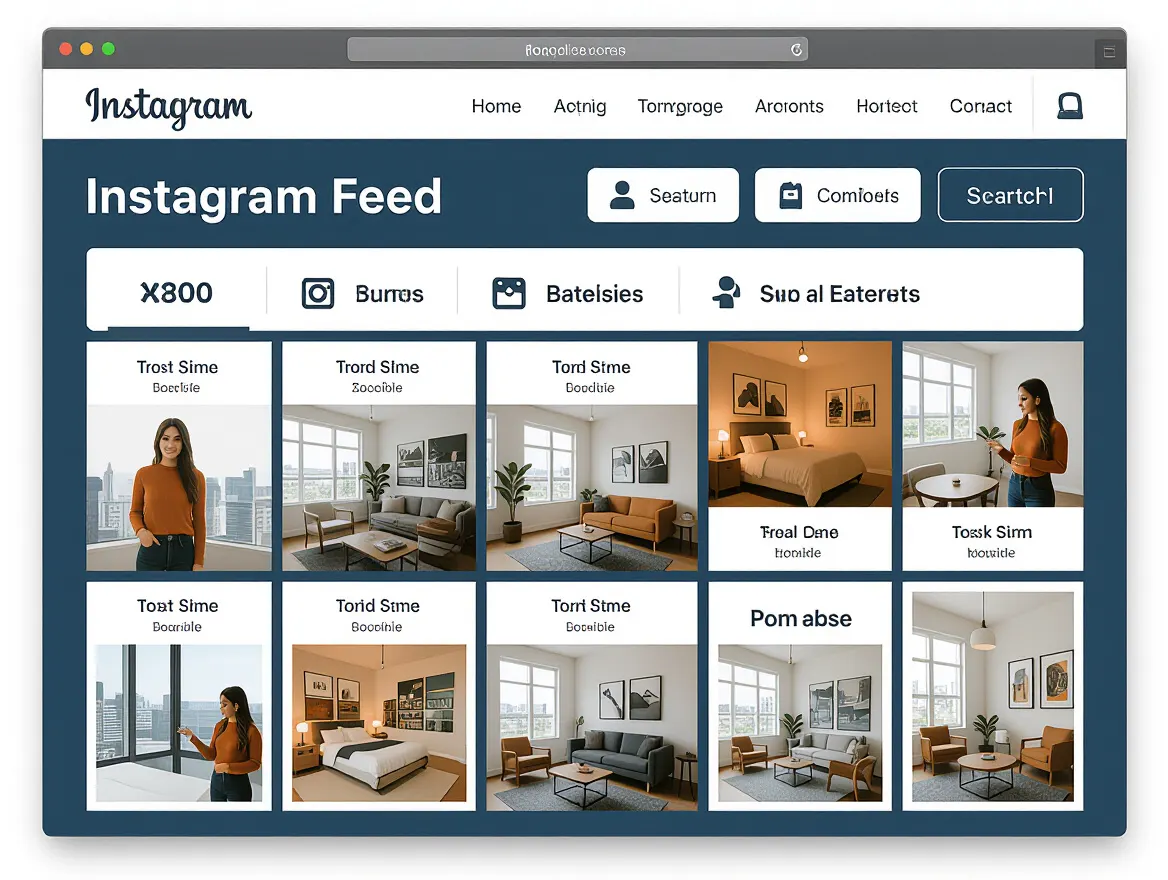
Decision Framework: How to Choose the Right Instagram Scheduling Tool
When it comes to Instagram scheduling in 2026, the best tool for you depends on your unique content demands, collaboration needs, and budget. Agencies juggling multiple brands often require a different toolkit than a solo content creator. Use the framework below to find your fit – and remember, sometimes a hybrid workflow is the smartest play.
| Decision Factor | PostNext | Alternative Schedulers |
|---|---|---|
| Audience Size & Account Volume | Up to 15 or 20 connected accounts depending on plan, or 5 per user on Teams, with Brand Profiles to separate brands. | Account limits and how they are priced vary; check each vendor’s pricing page. |
| Workflow & Collaboration | The Teams plan has admin and member roles, a single approval step (approve or request changes), and a read-only preview link you can send to clients. | Planable and Hootsuite also offer collaboration, with their own approval setups. |
| Content Type Support | Schedule Posts, carousels, Reels and image Stories from a single dashboard (video Stories not yet). AI captions help scale production. | Pallyy stands out for its visual grid planner, but native Instagram scheduling still does not support Stories. Alternative tools may excel in evergreen content recycling (e.g., SocialBee). |
| AI-Powered Features | Integrated AI suggestions for captions, hashtags and images; best-time slots on paid plans. Per-post reach, likes, comments and engagement rate for Instagram. | Viraly and SocialBee integrate AI, but depth varies. Some tools focus more on analytics, others on creation support. |
| Budget | A free plan plus tiered paid plans; AI credits are capped per month and some features, like best-time suggestions and exports, are on paid plans only. | Pricing models vary; compare current vendor pricing pages. |
Choose PostNext if:
- You manage multiple brands or several accounts and need to streamline collaboration between team members. Agencies often cite unified dashboards and approval workflows as critical, as detailed in this agency platform comparison.
- Your workflow relies on AI-generated captions, automated scheduling, and core engagement analytics across platforms.
- You want feed posts, carousels, Reels and image Stories from a single tool, without juggling multiple apps or browser tabs.
- A simple approval step is enough for your team, and you can collect client feedback through a read-only preview link.
- You want to try before you pay. Every new account starts with a 7-day free trial (a card is required); cancel before it ends and you keep the free plan of one channel and 10 posts a month.
Choose a Third-Party Alternative if:
- You’re a solo creator or small business with only one or two Instagram accounts. Native Instagram scheduling covers the basics without monthly fees.
- Visual planning is your top priority. Pallyy’s Instagram Grid Planner and drag-and-drop calendar make it ideal for creators focused on feed aesthetics.
- You need extensive evergreen content recycling. Tools built around content categories and reposting queues, such as SocialBee, focus on this.
- Stories scheduling is less important. If you post mainly to the Instagram feed or Reels, native tools or simple alternatives suffice.
- Your workflow is tightly integrated with other platforms, and you value cross-network scheduling (Facebook, TikTok, X) from a single dashboard. Many alternatives provide broader reach, especially for small teams managing diverse channels.
Is a Hybrid Approach Worth It?
Sometimes, the smartest way to handle Instagram scheduling is to combine native and third-party tools. Agencies managing multiple clients often use PostNext for core workflows – multi-account scheduling, analytics, approvals – but supplement with Pallyy or native Instagram tools for visual content planning or last-minute single-post updates. Hybrid approaches shine when:
- You need flexibility between bulk scheduling for campaigns and quick, on-the-fly posts or Stories.
- Certain team members prefer working in-app for spontaneous content while others rely on the main scheduling calendar.
- Budget constraints mean you must mix and match free native features with paid advanced scheduling for only your most critical accounts.
This kind of hybrid stack is especially common among agencies and teams aiming to balance cost control and process efficiency. For a deeper breakdown on optimizing team workflows, see the expert guide to scalable social media workflows.
No single tool fits every creator or brand. Matching your Instagram scheduling platform to your content needs, collaboration style, and budget leads to results that feel tailored, not forced.
Pro Tips and Workflow Optimizations for Instagram Scheduling
Supercharge Efficiency with AI-Powered Captions and Smart Timing
Instagram scheduling in 2026 is about removing friction from your creative workflow. AI tools now handle much of the caption work. Instead of staring at a blank box, you can prompt PostNext or a competitor to suggest captions tailored to your image, target keywords, and trending hashtags. These platforms also recommend optimal posting times based on recent engagement analytics, so you’re not guessing when your audience is active.
| Before | After (with AI & Automation) |
|---|---|
| Manually write captions for each post, search for popular hashtags, and choose a posting time at random. | Use AI to generate on-brand captions, auto-insert relevant hashtags, and schedule for the exact time your audience engages most – often with a single click. |
The improved version minimizes decision fatigue, boosts consistency, and helps you capitalize on high-traffic windows every time.
Bulk Scheduling: The Real Time Saver
Bulk scheduling, offered by PostNext and most leading competitors, lets you queue a week or month’s worth of Instagram content in one session. Instead of slotting each post individually, you can import assets, apply templates, and schedule en masse. This can save significant time for marketing teams and solo creators alike.
| Before | After |
|---|---|
| Schedule each post one by one, constantly switching between images, copy, and publish times. | Import a batch of images, apply captions, preview the lineup, and schedule all posts in a single workflow. |
The difference is clear – bulk tools change Instagram scheduling from a daily chore to a strategic, once-a-week task.
Feed Visualization: Maintain a Consistent Brand Aesthetic
You can now preview your Instagram grid before publishing, a feature pioneered by tools like Pallyy and now expected from serious platforms. Feed visualization prevents mismatched colors, awkward layouts, or off-brand visuals from slipping through. This is crucial for brands where visual identity drives engagement and loyalty.
Team Approval Workflows: Safeguard Quality and Compliance
For agencies and larger teams, integrated approval workflows reduce the risk of last-minute mistakes or off-message posts. Rather than emailing screenshots or chasing approvals, you can require review and sign-off inside your scheduling tool. This supports brand safety and keeps content production streamlined. For workflow strategies, see this guide on scalable social media workflows.
The most effective marketers in 2026 aren’t working harder; they’re building repeatable, automated systems that let them focus on creativity and results. If you’re still scheduling posts individually or relying on spreadsheets, now’s the time to rethink your process.
Frequently Asked Questions
What is the best way to schedule Instagram Stories in 2026?
The most effective way to schedule Instagram Stories in 2026 is through a third-party tool that uses Meta’s Content Publishing API, since Story scheduling is not available in Instagram’s native app. Check what each tool supports: PostNext, for example, publishes image Stories but not video Stories, and the API does not publish captions, stickers or links on Stories.
Can I use Instagram scheduling tools for multiple accounts?
Yes, third-party Instagram scheduling tools like PostNext and SocialBee are designed to handle multiple accounts efficiently. They offer features such as multi-account management, team collaboration, and role assignments, making them ideal for agencies and social media managers handling several brands or clients.
How does AI improve Instagram content scheduling?
AI improves Instagram content scheduling by offering automated caption generation, optimal posting time recommendations, and hashtag suggestions. These capabilities help streamline content creation, enhance engagement, and ensure posts reach your audience at the right times.
What are the main limitations of native Instagram scheduling?
Native Instagram scheduling is limited by its inability to schedule Stories, lack of multi-account support, and caps on daily scheduled posts. It also lacks advanced features like bulk scheduling and detailed analytics, which are available in third-party tools.
Which Instagram scheduling tool is best for agencies?
For agencies, PostNext is a solid choice for multi-account scheduling, team collaboration with a single approval step, and AI captions. It covers feed posts, carousels, Reels and image Stories. Agencies that need multi-level approvals, listening or video Stories should look at larger suites.
Is bulk scheduling possible with free Instagram tools?
Bulk scheduling is not supported by Instagram’s native tools, but it is available in many third-party platforms. While some offer free plans, advanced bulk scheduling capabilities typically require a paid subscription.
How do I choose between native and third-party Instagram schedulers?
Your choice depends on your needs. If you manage multiple accounts or require advanced features like AI-driven analytics and bulk scheduling, third-party tools are preferable. For simple, single-account management, Instagram’s native scheduler may suffice.
Are there risks to using third-party Instagram scheduling apps?
Third-party apps rely on Instagram’s API, which can change and potentially affect functionality. It’s important to choose a reputable tool with a history of adapting to platform updates to minimize risks.
Understanding these nuances helps you choose the Instagram scheduling approach that fits your content goals and team structure – whether you’re a solo creator or managing a complex, multi-brand calendar.
Made with PostNext tool