Channels
Channels
PostNext connects to seven social channels. You manage all of them from a single workspace so you can compose, schedule, and publish without switching between platforms.
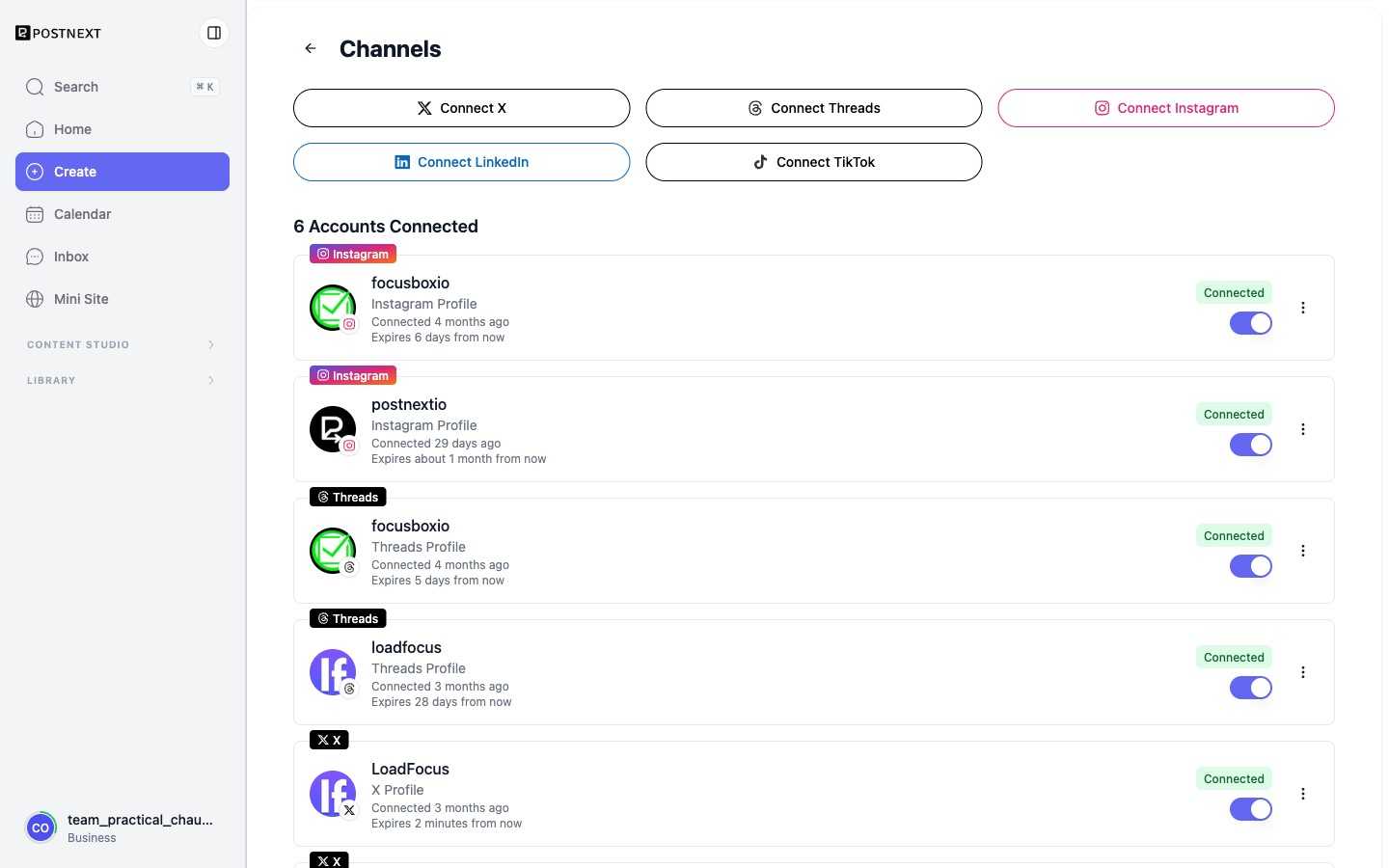
Supported channels
| Channel | Notes |
|---|---|
| X (Twitter) | Text and media posts. |
| Image and video posts. | |
| Text and media posts. Video has stricter handling: large or unsupported video formats are rejected. PostNext guards against publishing invalid video to LinkedIn. | |
| Threads | Text and media posts. |
| TikTok | Video posts. |
| Bluesky | Text posts up to 300 characters and up to 4 images. Video is not supported. Connects with an app password rather than OAuth. |
| YouTube | Video posts published to your channel. |
Connecting a channel
Go to your channel settings and follow the authorization flow for the channel you want to add. You will be redirected to the platform to grant PostNext permission to post on your behalf. Once authorized, the channel appears in your connected channels list. Bluesky is the one exception: instead of a redirect, you enter your handle and a Bluesky app password.
For a step-by-step walkthrough, see Connect Your First Channel.
Disconnecting a channel
You can disconnect a channel at any time from your channel settings. Scheduled posts targeting that channel will not be published after disconnection.
Channel limits and token expiry
The number of channels you can connect depends on your plan. See Managing Your Plan and Limits for the limits that apply to your plan.
Most channel connections rely on OAuth tokens issued by each platform; Bluesky uses an app password instead. The Channels screen lists every connected account with a status toggle, when it was connected, and when its token expires, so you can see at a glance which connections need attention. When a token expires you will need to reconnect that channel to restore publishing, and PostNext will notify you when a reconnect is needed.