AI Carousels
AI Carousels
AI Carousels turns a single topic into a finished, on-brand carousel for Instagram and TikTok. PostNext writes the hook and every slide, renders each slide to an image in your brand style, and lets you review and edit before scheduling. Generation uses your monthly AI credits.
Creating a carousel
Open AI Carousels from the sidebar and select New carousel. The wizard collects everything PostNext needs:
- Brand: the brand profile whose voice, colours, and logo the carousel uses.
- Topic: what the carousel is about. Leave it blank to let the AI choose a topic from your brand.
- What's working: optional hooks, formats, or angles that perform well for you, so the AI leans into them.
- How many: the number of slides to generate, from 1 to 10.
- Platform: Instagram or TikTok. This sets the slide size and aspect ratio.
- Channel: the connected account the draft is sent to when you publish.
Select Generate and PostNext writes the copy and renders the slides. The carousel appears in your list straight away and updates from Generating to the finished images as each slide completes, so there is no need to refresh.
Styles
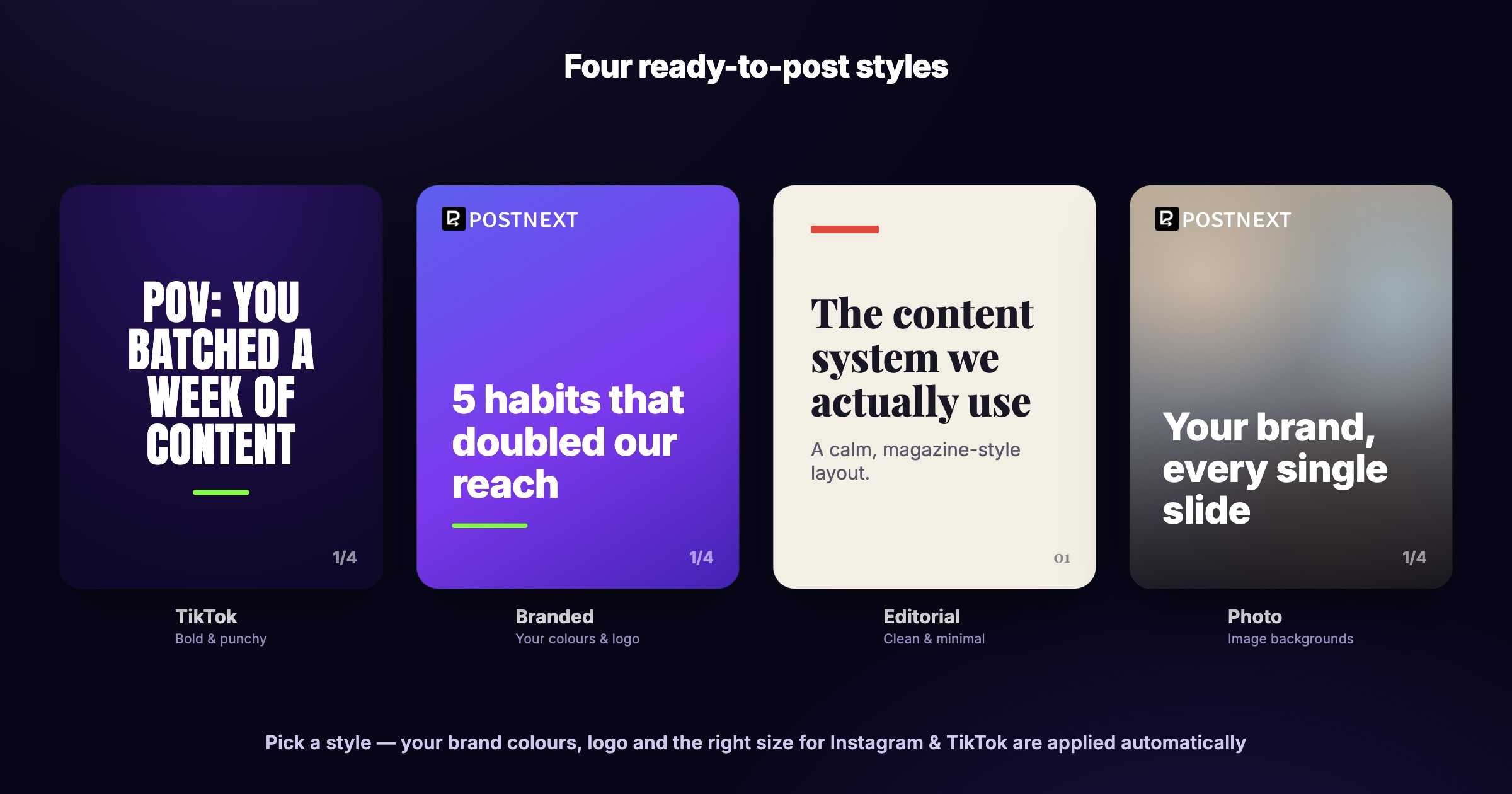
Every carousel is rendered in one of four styles. Your brand colours and logo are applied automatically, and each style is sized correctly for Instagram and TikTok.
- TikTok: bold, punchy, full-bleed text built to stop the scroll.
- Branded: your brand colours and logo with a clean headline and accent.
- Editorial: a calm, minimal, magazine-style layout.
- Photo: text over an image background.
Backgrounds
Choose how each slide's background is rendered:
- Gradient: a clean brand-coloured gradient. This is free and does not use extra credits.
- AI image: a custom AI-generated background for every slide. This produces the richest result and uses more credits, because an image is generated per slide.
Brand logo
By default, carousels use the logo from your brand profile. You can also upload a logo just for this carousel, and choose where it appears, in a corner, on the cover slide only, or hidden. Leave it on None if you do not want a logo on the slides.
Reference images
You can upload a reference image to guide the look of the carousel:
- Use as cover: your image becomes the cover slide and the AI writes the rest.
- Match this style: PostNext reads the colours and mood of your image and renders the slides to match it.
Reviewing and editing
Open any carousel to review it slide by slide. You can edit the text on any slide, change the caption and hashtags, and switch a slide's background. Re-render or reshuffle the backgrounds in one click until it looks right. Everything stays editable until you publish.
Publishing
When the carousel is ready, send it to your drafts. From there it joins the rest of your content and you can schedule it to Instagram and TikTok from the same calendar as your other posts.
Credits and availability
AI Carousels draws from your monthly AI credit allowance. Writing the slide copy uses credits per carousel, and AI image backgrounds use additional credits per slide; gradient backgrounds add no rendering cost. The Free plan does not include AI credits, so AI Carousels requires a paid plan. See Managing Your Plan and Limits for the credit amounts that apply to your plan.