Creating and Editing Drafts
Creating and Editing Drafts
A draft is an unpublished post. It holds your content and media until you are ready to schedule or publish it. Drafts let you prepare posts in advance without committing them to a specific time.
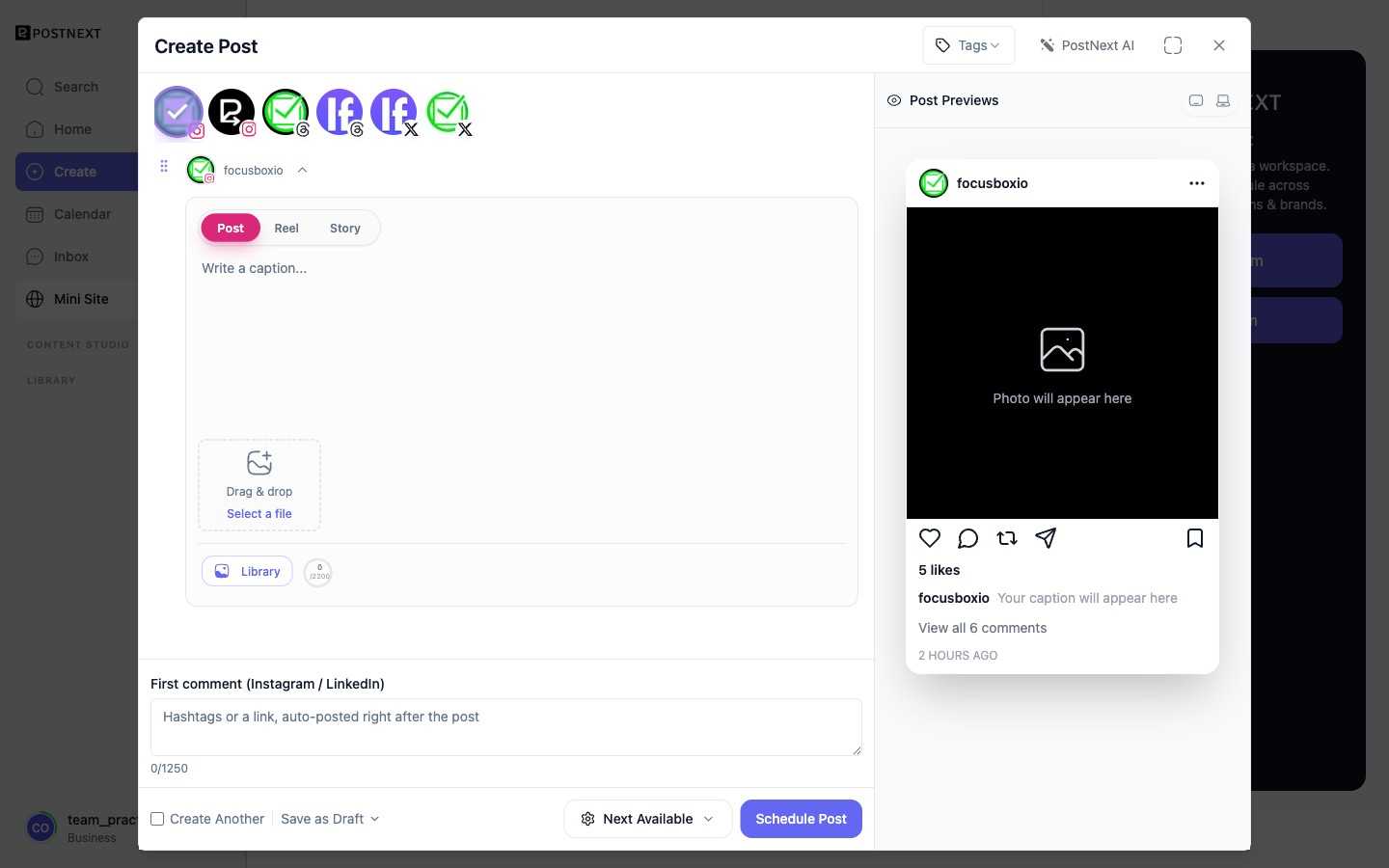
Creating a draft
Open the composer and write your content. Select the channels you want to target, add any media, and choose Save as Draft. The draft is stored in your drafts list until you take further action. The composer's Create Another option lets you keep drafting without leaving the editor.
Editing a draft
Open any draft from your drafts list to change the text, swap out media, add or remove channels, or adjust per-channel variants. Changes are saved when you confirm.
Deleting a draft
You can delete a draft at any time from the drafts list. Deleted drafts are not recoverable.
Finding your drafts
Your drafts list shows all unsent posts. Use search to locate a specific draft by keyword or channel.
From draft to scheduled post
When you are ready to publish, schedule the draft to move it into the queue. From that point it becomes a scheduled post with a set publish time. See Schedule and Publish for the full workflow.