Post Composer
Post Composer
The post composer is where you write and prepare posts before they go live. You can target multiple channels from a single draft, customize content per channel, and attach media before scheduling or publishing.
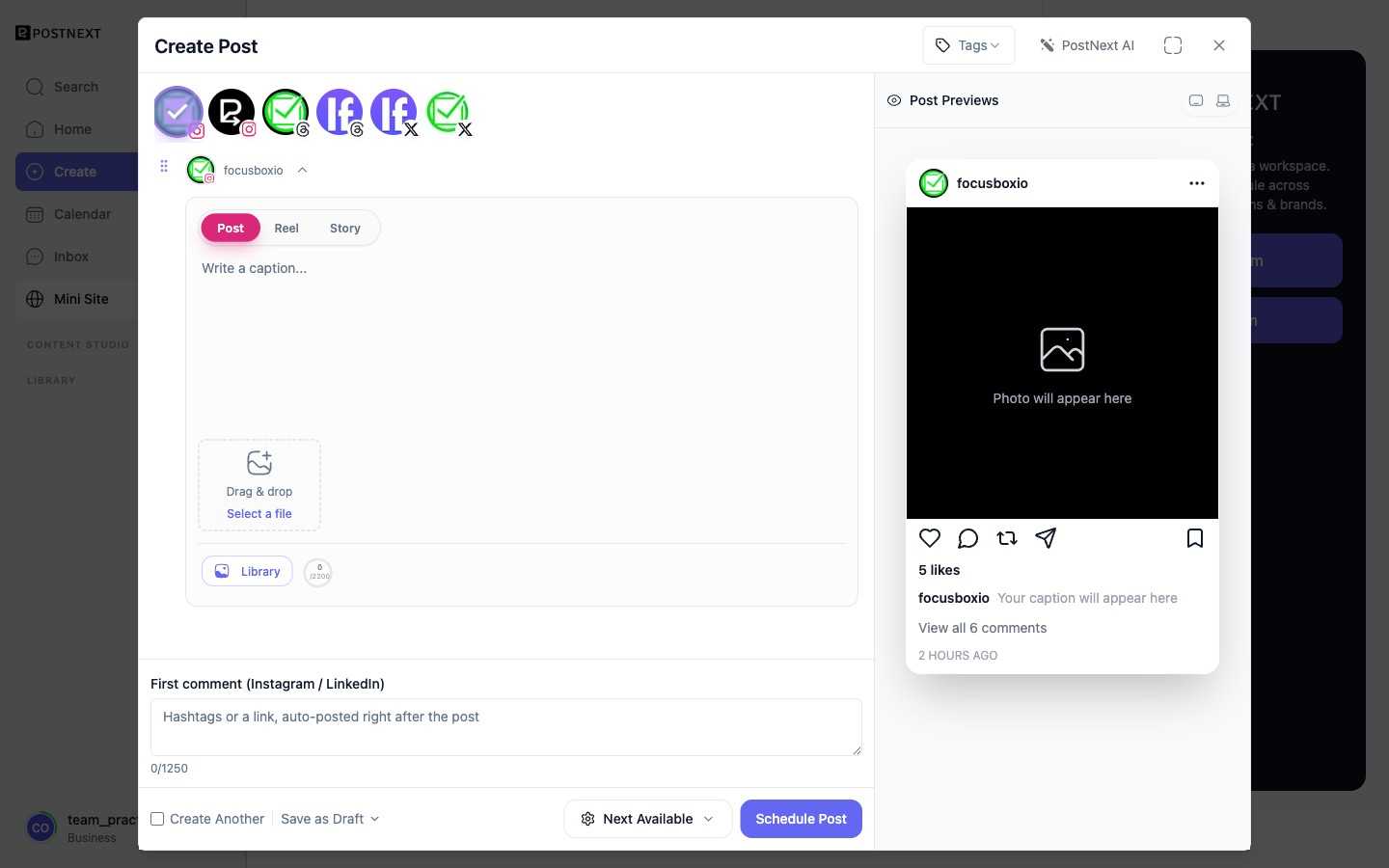
Open the composer with the Create button. Pick the channels to target along the top, write in the caption editor for each, and watch a live Post Previews pane render how the post will look, with a tablet and desktop view. A character counter tracks each channel's limit, and per-format tabs such as Post, Reel, and Story appear where a channel supports them.
Multi-channel drafts
A single draft can target more than one channel at the same time. When you publish, PostNext sends the post to each selected channel. This lets you reach your audience across platforms without creating separate posts from scratch.
Per-channel variants
Channels have different requirements and audiences. You can adjust the copy, media, or formatting for each channel within the same draft so each version fits the platform it goes to.
Attaching media
You can attach images or video to a draft directly from the composer. Assets you have already uploaded are available in your media library. See Asset Management for details on uploading and reusing files.
Next steps
- Creating and Editing Drafts - A closer look at draft lifecycle.
- Create Your First Post - Step-by-step guide to publishing your first post.