Create Your First Post
Create Your First Post
Posts start as drafts in the PostNext composer. You write the content, choose which channels to target, and optionally add media before saving or scheduling.
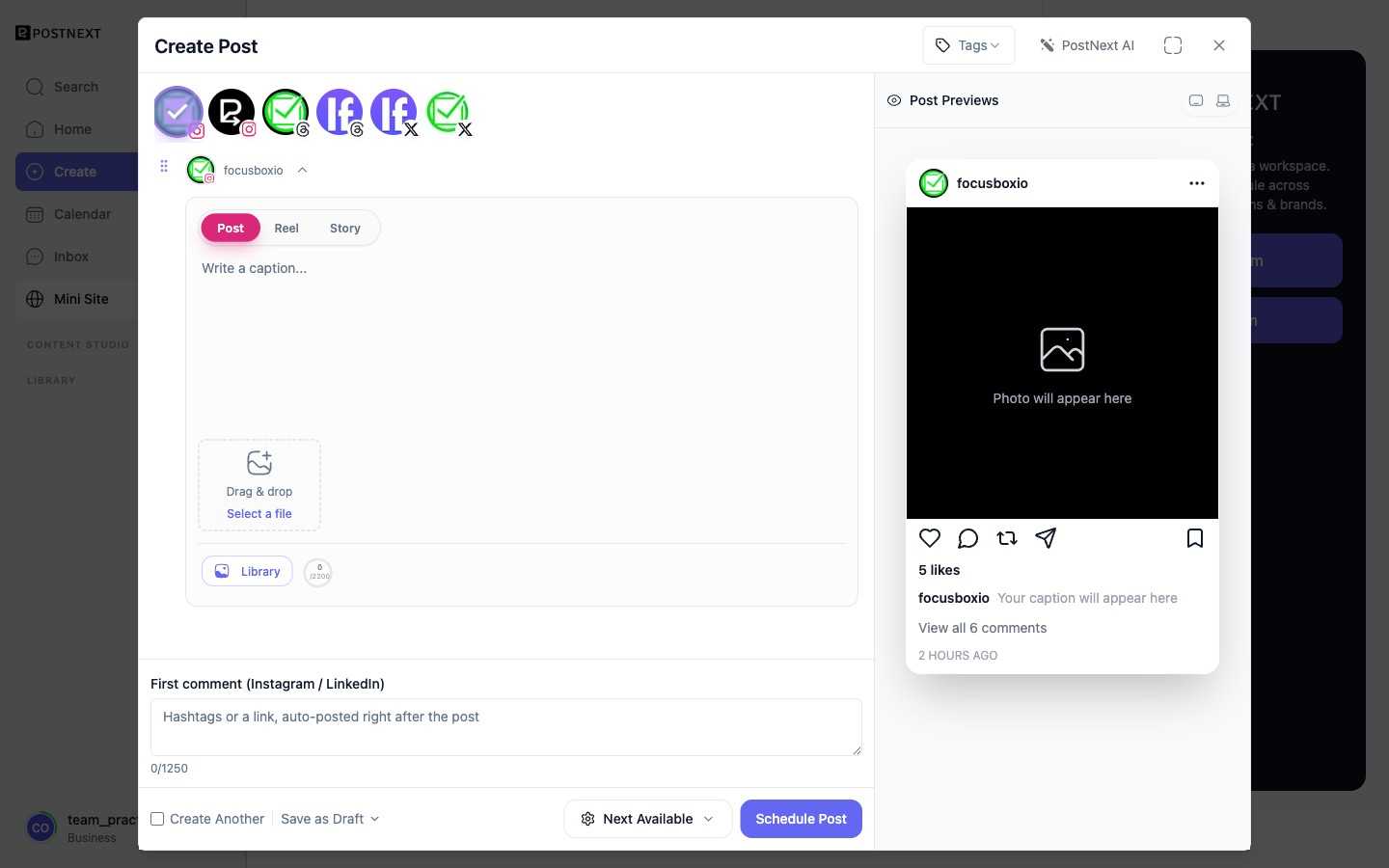
Compose a draft
Open the composer and write your post content. You can use AI to help generate or refine copy; if you have a brand profile set up, AI output will reflect your voice and topics.
Choose channels
Select one or more of your connected channels as targets for the draft. A single draft can publish to multiple channels at once.
Tailor per channel
Each platform has its own style, character limits, and audience expectations. The composer lets you vary the content per channel so you can fit each platform without maintaining separate drafts from scratch.
Add media
Attach images or video from your media library. For details on uploading and managing assets, see Asset management.
Note that media rules vary by platform. LinkedIn, for example, has stricter video handling requirements. If a channel rejects a media attachment, PostNext surfaces the error so you can adjust.
Save or schedule
Save the draft to return to it later, or move on to scheduling. See Schedule and publish for the next step.