Key takeaways
- Decide why you are on X before posting anything — lead generation and audience-building differ.
- A content calendar can be a Google Sheet. Weekly themes beat daily improvisation.
- Let engagement rates and best-performing formats guide the next post, not instinct.
- If you are technical, an API-first approach pushes the automation further than any UI.
If you’ve ever stared at a blinking cursor in X’s (Twitter’s) post box wondering “what should I even say today?” you’re not alone.
Business owners, software engineers, product managers, even DevOps folks often struggle with the same challenge: staying consistent and effective without burning endless hours creating content.
The good news? You don’t need to be glued to X all day to grow an audience or keep your brand alive. With the right systems (and a little help from tools like PostNext.io), you can cut your planning time down from hours to minutes.
Let’s walk through the process — from non-technical basics to advanced automation — so you can save time and get better results.
Start with the Basics – Non-Technical Time Savers
Define Your Goals and Audience
Before posting anything, know why you’re on X. Are you:
- A business owner trying to drive leads?
- A founder looking to share behind-the-scenes?
- A developer building credibility in the tech space?
Clarity saves time because you’ll instantly know what’s relevant (and what’s noise).
Batch Your Brainstorming
Instead of forcing yourself to “come up with something” daily, spend one hour a week brainstorming tweet ideas. Write them down in a simple doc or Notion page. You don’t need them to be perfect — you’ll polish later.
Repurpose Existing Content
Got a blog post? Break it into 5–10 tweets.
Shared something on LinkedIn? Rephrase it for X.
Gave a talk at work? Summarize key takeaways.
This is one of the biggest time-savers. PostNext’s AI Repurpose takes a blog URL or pasted text and drafts platform posts from it, ready for you to tweak.
Use Templates and Frameworks
Not every tweet needs to be brand new. Some tried-and-true formats:
- List tweets: “3 mistakes every founder makes…”
- Question tweets: “What’s your #1 productivity hack?”
- Mini-case studies: “We cut onboarding time from 3 days to 1. Here’s how…”
Keep a “swipe file” of formats you like and rotate through them.
Get Organized With Simple Tools
Build a Content Calendar
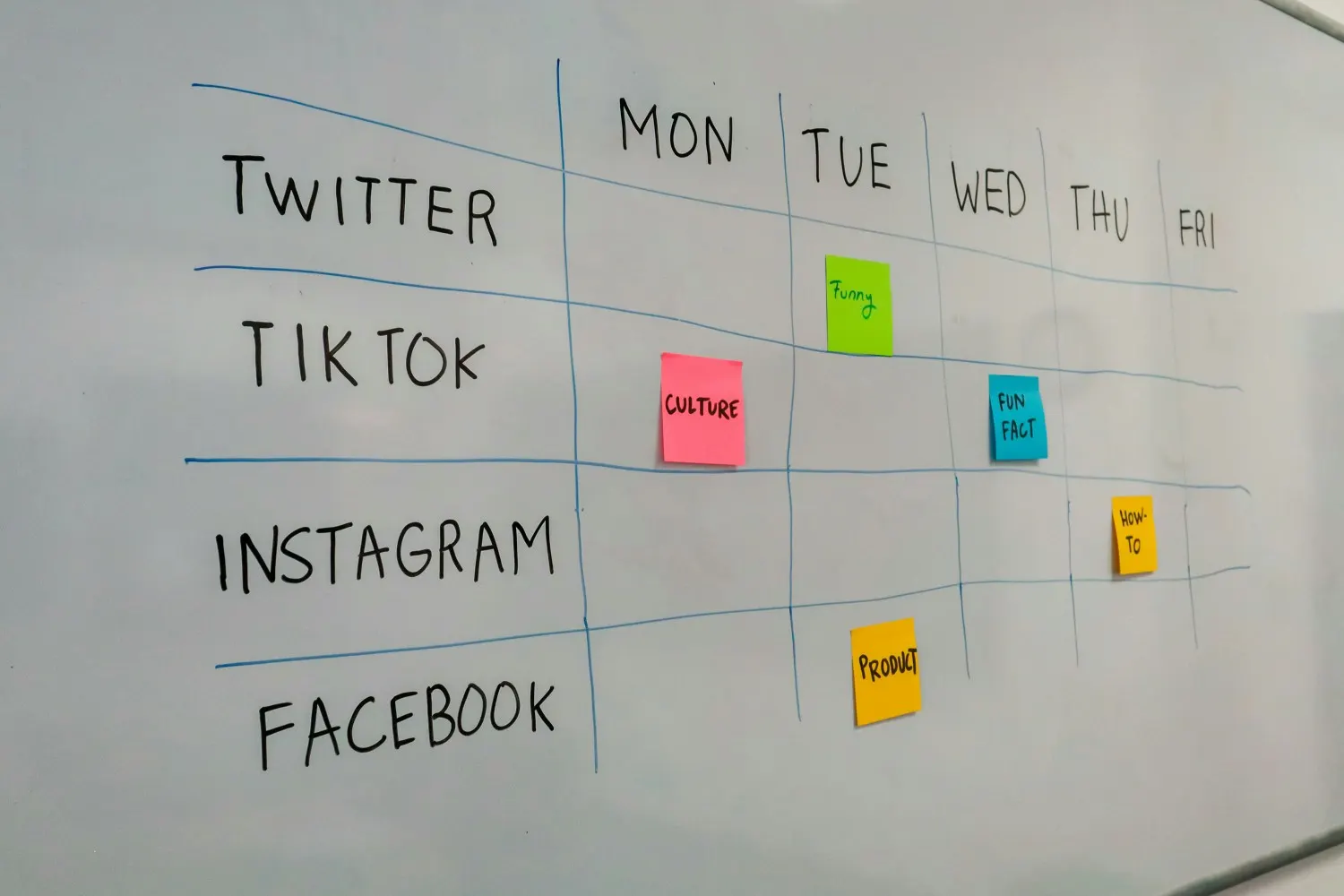
Even a Google Sheet works. Map out:
- Weekly themes (e.g., product updates on Tuesdays, customer stories on Fridays).
- Key dates or events.
- Evergreen slots for timeless content.
This alone eliminates the last-minute scramble.
Scheduling Basics — Why Automation Matters
If you post manually, you’re tied to your phone. But with scheduling, you can:
- Write all your tweets in one sitting.
- Schedule them for prime times.
- Stay consistent, even on busy days.
PostNext.io makes this painless: write once, set it, and forget it.
Avoid “Winging It” — Consistency Builds Momentum
An audience doesn’t grow from one viral post. It grows from being consistently visible. By batching and scheduling, you stop relying on willpower and turn it into a repeatable system.
Layer in More Advanced Strategies
Use Data to Guide Your Posts
Don’t just post blindly. Look at:
- Engagement rates.
- Follower growth.
- Best-performing formats.
With PostNext.io, you can see which X posts earned the most engagement and then recycle those ideas. It’s not guessing: it’s data-backed.
Identify Trending Conversations
Set up alerts for keywords in your niche. When something trends, jump in with your perspective. You’ll catch a wave of visibility without reinventing the wheel.
Recycle and Remix Top-Performing Tweets
If a tweet did well three months ago, chances are most of your followers today never saw it. Repost it. Or better: reframe it slightly.
PostNext does not flag top posts for you, but its analytics show which posts earned the most engagement, and you can set any post to repeat on a schedule.
For Technical Roles – Engineers, Product Owners, DevOps
Now let’s go deeper. If you’re technical, you can take automation further.
API-First Approaches — Automate Posting and Analytics
X offers APIs that let you programmatically:
- Pull performance data.
- Post tweets automatically.
- Analyze follower trends.
Keep the cost in mind: the X API uses pay-per-usage pricing, charged per post read and per post created, so a script that pulls a lot of data adds up.
Developers often script small bots to auto-publish updates, patch notes, or even daily tips.
Integrating With CI/CD Pipelines or Slack Workflows
I’ve seen DevOps teams wire up workflows like:
- When code is merged → auto-tweet changelog.
- Slack reminder → generate a draft post and send to review.
This keeps social updates aligned with the actual product cycle.
Using PostNext.io for Advanced Scheduling and AI
Instead of building from scratch, PostNext.io combines the flexibility of APIs with a user-friendly dashboard. You can:
- Auto-generate tweet drafts from release notes.
- Schedule them programmatically.
- See best-time suggestions ranked from your own past X engagement (paid plans).
It’s like having a content assistant that speaks both “marketing” and “engineering.”
A Sample Weekly Workflow
- Block one session a week for brainstorming.
- Drop the ideas into PostNext, where the AI writer drafts posts and threads from each topic.
- Edit the ones you like and schedule them.
- Repeat one or two past posts that earned strong engagement.
The point is to free up time to actually engage with people on X instead of stressing about what to say.
Conclusion
Saving time on X doesn’t mean posting less — it means posting smarter.
Start simple: batch, repurpose, and schedule.
Level up with data, trending topics, and recycling.
And if you’re technical, integrate automation or lean on PostNext.io’s advanced features.
The best part? You’ll spend less time on logistics and more time on what matters: building relationships, growing your business, or sharing what you’re building with the world.
FAQ
How would you develop content strategies for X-Twitter?
Start with goals (awareness, leads, authority). Identify your audience. Build content pillars (topics you’ll return to). Use PostNext.io to map and schedule posts so your strategy doesn’t stay theoretical — it becomes actionable.
How to plan a social media content strategy?
Define audience → set measurable goals → choose platforms → brainstorm content → build a calendar → schedule → review performance. A tool like PostNext.io accelerates this by giving you AI-driven content ideas and analytics.
How to plan Twitter content?
Decide on weekly themes, batch ideas, and schedule posts in advance. Mix evergreen content (tips, lessons) with timely reactions. Recycle top-performing posts every few months.
How often should I post on X Twitter?
Pick a cadence you can keep up every week. Quality matters more than sheer volume. Use scheduling to stay consistent without burnout.
What is the 5 5 5 social media strategy?
It’s a simple engagement rule:
- Comment on 5 people’s posts.
- Share 5 valuable pieces of content.
- Post 5 of your own.
This balances creating with engaging.
What are the 7 steps in creating a content strategy?
- Set objectives.
- Define your audience.
- Research competitors.
- Choose content formats.
- Create a calendar.
- Distribute and schedule.
- Measure and optimize.
PostNext.io can streamline steps 5–7 by letting you schedule, recycle, and track performance automatically.
Sources
- X API pricing (pay-per-usage, no subscriptions), read September 2026: docs.x.com