Key takeaways
- An approval process is structure for reviewing content, not bureaucracy for its own sake.
- Even small teams benefit — it keeps messaging consistent and reduces rework.
- Endless draft ping-pong is the cost of having no defined stages.
- Start at ideation: define the goal and the audience before anything gets written.
Creating content is easy. Getting it approved, aligned, and published without chaos is the hard part.
That’s exactly why a content approval process matters. Whether you’re a non-technical business owner, a software engineer, a student, a product owner, a web agency, or part of a DevOps team, having a clear approval flow helps everyone move faster with fewer mistakes.
In this guide, we’ll walk through the content approval process from beginner-friendly concepts to more advanced workflows. We’ll keep the tone casual, the language simple, and the ideas practical. By the end, you’ll know how to structure approvals without slowing your team down — and how tools like PostNext.io can help bring everything together.
Quick Overview: Content Approval Process Essentials
Here’s a simple breakdown of what we’ll cover:
- Content Approval Process – What it is and why it matters
- Content Workflow Stages – From idea to published content
- Approval Roles – Who should review and approve content
- Best Practices – How to avoid delays and confusion
- Using PostNext.io – Managing approvals, scheduling, and analytics in one place
- Common Questions – Who approves and how approval works in PostNext
What Is a Content Approval Process?
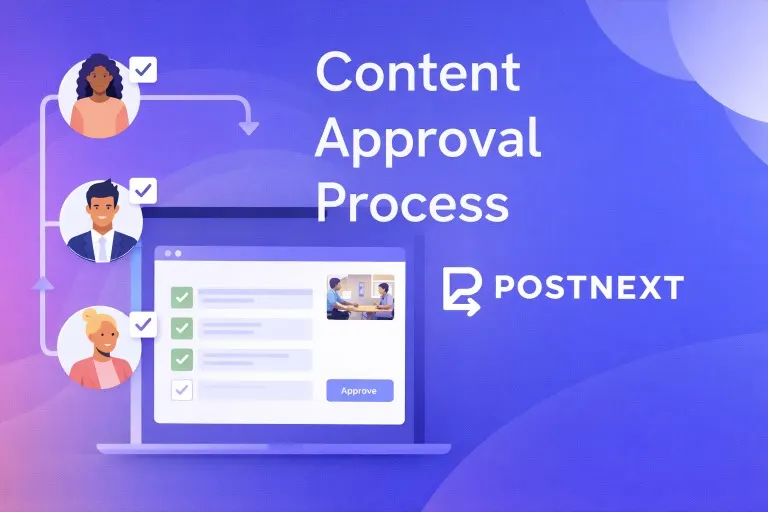
A content approval process is a structured way to review, edit, and approve content before it’s published. Instead of sending drafts back and forth through email or chat, everything follows a clear path.
At its core, the process answers three simple questions:
- Who creates the content?
- Who reviews it?
- Who gives the final approval?
Without this structure, teams often deal with mixed feedback, unclear ownership, last-minute edits, and missed deadlines.
Why Every Team Needs a Content Approval Process
Even small teams benefit from a basic approval workflow. Here’s why it’s so valuable:
- Keeps messaging consistent and on brand
- Reduces mistakes and embarrassing errors
- Saves time by avoiding endless revisions
- Makes responsibilities clear
- Helps content ship on time
For growing teams, approval processes also make onboarding easier. New team members know exactly how content moves from draft to publish.
Content Approval Workflow: Step by Step
1. Ideation and Planning
Every piece of content starts with an idea. At this stage, you should define:
- The goal of the content
- The target audience
- The platform it will be published on
For social media teams, this is where tools like PostNext.io shine, letting you plan posts visually in a content calendar and align them with campaigns.
2. Content Creation
Next comes the draft. This could be:
- A blog post
- A social media caption
- A product update
- A marketing announcement
The key here is clarity. The creator should know what “done” looks like before handing the content off for review.
3. Internal Review
Once the draft is ready, it’s time for review. This stage focuses on:
- Grammar and clarity
- Brand voice and tone
- Accuracy of information
Limiting the number of reviewers is important. Too many opinions can slow everything down.
4. Revisions and Feedback
The creator updates the content based on feedback. To keep things efficient:
- Group feedback into one place
- Avoid conflicting suggestions
- Limit the number of revision rounds
Using a centralized platform helps prevent feedback from getting lost.
5. Final Approval
This is the green-light moment. A designated approver signs off and confirms the content is ready to publish.
For social media teams, approval workflows inside PostNext.io allow drafts to move seamlessly from review to scheduled posts without manual copying or re-uploading.
6. Publishing and Performance Review
Once approved, content goes live. After publishing, teams should:
- Review engagement and performance
- Identify what worked and what didn’t
- Apply insights to future content
PostNext.io makes this easier by combining publishing and analytics in one dashboard.
Who Should Be Involved in Content Approval?
The number of people involved depends on your team size.
Small Teams
- Creator
- Business owner or manager
Mid-Sized Teams
- Writers or creators
- Editors or marketing managers
- Product or brand leads
Larger Organizations
- Content creators
- Editors
- Legal or compliance reviewers
- Final approvers
The goal isn’t to involve everyone — it’s to involve the right people at the right time.
Best Practices for a Smooth Approval Process
Keep It Simple
If your approval process feels complicated, it probably is. Start small and add steps only when needed.
Set Clear Deadlines
Approval delays often happen because reviewers don’t know when feedback is expected. Clear timelines keep content moving.
Centralize Feedback
Scattered comments slow everything down. A single workspace for drafts, comments, and approvals saves time and frustration.
Automate Where Possible
Automation removes manual steps. With PostNext.io, teams can move content from draft to approval to scheduled post without switching tools.
How PostNext.io Supports Content Approval
PostNext.io is built for teams that create and manage social media content at scale. It helps streamline approvals while also handling publishing and analytics.
Key benefits include:
- AI-assisted content creation
- Draft and approval workflows
- Visual content calendar
- Multi-platform scheduling
- Performance tracking and analytics
Instead of juggling documents, chats, and scheduling tools, everything lives in one place.
Common Content Approval Challenges (and How to Fix Them)
Too Many Reviewers
Fix: Assign a single primary reviewer and one backup.
Slow Approvals
Fix: Set approval windows and automated reminders.
Lost Feedback
Fix: Use a centralized platform instead of email threads.
Last-Minute Changes
Fix: Lock content after final approval unless changes are critical.
Frequently Asked Questions
Who should approve social media content?
One primary reviewer with one backup covers most teams. Add legal or compliance review only for the posts that need it, so routine content does not wait in a long queue.
How does approval work in PostNext?
Send a post to approval and it waits as pending. A reviewer on the team approves it, which returns it to the queue for scheduling, or requests changes with a comment, and the author revises and resubmits. There is one approval step, available on the Teams plan (collaboration).
Can a client approve posts without a PostNext seat?
You can copy a read-only preview link for a single post and send it to a client, who opens it in a browser without an account. Approving or commenting through that link is not available, so collect their feedback over your usual channel.
Final Thoughts
A solid content approval process helps teams move faster, stay aligned, and publish with confidence. Whether you’re running a solo business or managing a growing team, clarity beats chaos every time.
And when it comes to managing content end-to-end, you can easily create, schedule, and analyze your social media content all in one place with PostNext.io — an AI-powered social media management tool.