
An AI social media manager is software that writes, plans and schedules your posts from what it knows about your business. For a small business it can read your website, draft a week of captions, adapt each post to every network and publish at set times. It cannot photograph your work, know this week’s news or answer customers for you. This PostNext guide shows how to split the jobs.
Key Takeaways
- It writes and times; you supply the facts. AI drafts captions, hashtags and plans. You add the photo, the offer and the news.
- It learns your business from your website. In PostNext, the brand profile reads up to five pages to fill in your products, tone of voice and colours.
- Four jobs stay with you: real photos of your work, prices and offers, answers to customers, and the final check before a post goes out.
- Label realistic AI images and video. YouTube requires a disclosure for realistic AI content, and TikTok asks creators to label it.
- Never let AI write a customer review. The FTC’s 2024 rule bans fake reviews and testimonials, including AI-generated ones.
- It costs less than a person, but it does not replace your input. One weekly sitting is still the work.
What is an AI social media manager?
An AI social media manager is a tool that does the writing and scheduling parts of a social media manager’s job. It drafts posts from a brief or from your website, rewrites one post for each network, suggests when to post and publishes on a calendar. Some tools add a comment inbox or reports. The person who owns the business still approves what goes out.
The name covers three kinds of product, and the difference is who presses publish:
| Type | How it works | Who approves |
|---|---|---|
| Scheduler with an AI writer | You open the app, the AI drafts, you edit and schedule | You, on every post |
| AI assistant connected to a scheduler | You ask Claude or ChatGPT for a week of posts, and the drafts land on your calendar | You, on the calendar |
| Done-for-you service | The tool reads your website and posts on its own plan | Often nobody, unless you turn on review |
The first two keep you in control of each post. The third saves the most time and carries the most risk, because a wrong price or an old offer goes out under your name. For the assistant route, see how a social media AI agent drafts and schedules from a chat.
What can an AI social media manager do for a small business?
An AI social media manager can take over the writing and the timing. It learns your business from your website, turns one idea into a caption for each network, plans a month of posts around your themes, turns a blog post into several social posts and publishes them at set times. Each of those still needs a quick human check.
| Job | What the AI does | What you check |
|---|---|---|
| Learn your business | Reads your website for products, tone of voice and colours | Old products, wrong prices, a tone that is not yours |
| Plan the month | Drafts posts around 3 to 5 content themes | The plan fits your season and stock |
| Write captions | Drafts the caption and hashtags for each network | Every fact, number and date |
| Adapt per network | Writes one version per network, within its limits | The short version still makes sense |
| Repurpose | Turns an article or page into several posts | It quotes you correctly |
| Schedule | Publishes at the times you set, or suggests times from your past posts | Nothing clashes with a holiday or a closure |
What each job looks like in PostNext, from its feature pages, checked November 2026.
The biggest time saver for most owners is the first row. Once the tool knows your products and your voice, every draft starts from your business instead of from a blank box. If you write posts yourself with ChatGPT or Claude, the guide to AI social media content creation shows a four-step workflow with prompts.
What can’t AI do for your social media?
AI cannot photograph your work, know what happened in your shop this week, decide your prices and offers, or answer a customer who asks about stock, a booking or a problem. It can also state wrong facts with confidence. These four jobs are what make a post worth reading, so they stay with you even when the writing is automated.
Some AI tools promise to take social media completely off your plate. We disagree with that promise. A post built only from your website says what every competitor’s website says. What makes people stop is the thing only you have: the cake that came out of the oven at 7 am, the customer’s new haircut, the delivery that arrived late and what you did about it. The AI can write about it well. It cannot know it happened.
Photos and video of your real work. Customers trust what they can see. A generated picture of a “cozy café” looks like every other one, and on some platforms it needs a label.
This week’s news. New stock, a closed day, a local event, a sold-out product. The AI only knows what you tell it.
Prices, offers and promises. AI tools fill gaps with likely numbers. A wrong price in a post is a promise a customer can hold you to.
Answers to customers. Comments ask about sizes, times and bookings. A wrong answer costs a sale. PostNext puts Instagram comments in one inbox so you can answer them yourself, and it does not answer DMs. If you want everyone who comments a word such as PRICE to get your price list by DM, CreatorFlow sends automatic DMs to keyword comments.
How do you set up an AI social media manager?
Set up an AI social media manager in six steps. Give it your website and check what it learned. Set three to five content themes and collect real photos during the week. Ask for the week’s drafts in one sitting, then edit and schedule them. After a month, look at which posts got replies and tell the AI to write more of that type.
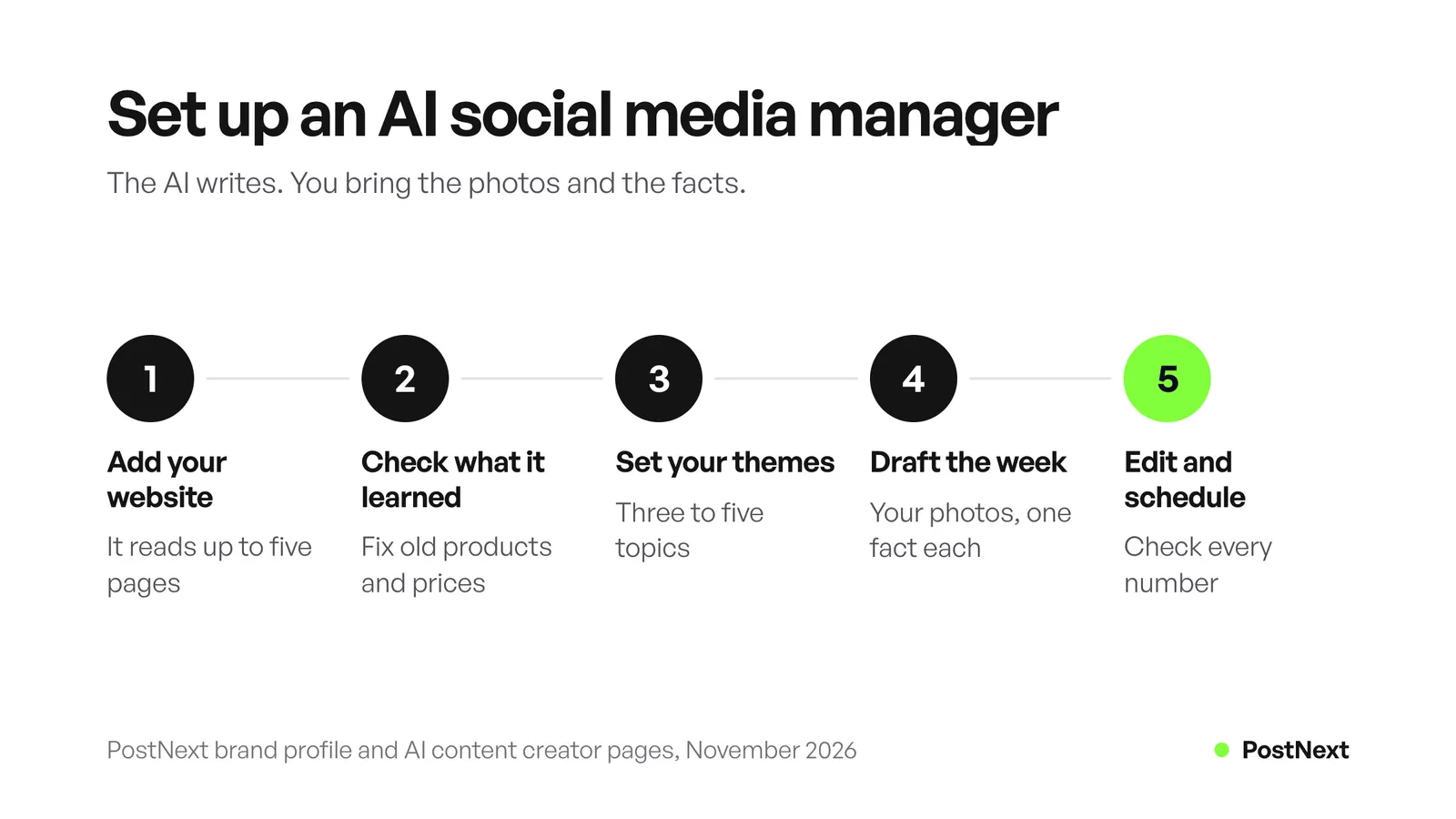
- Add your website. In PostNext, the brand profile reads up to five pages, guided by your sitemap.
- Check what it learned. Description, tagline, keywords and colours each store the page they came from. Fix anything old or wrong.
- Set three to five content themes. For a café: new dishes, the people behind the counter, events, and behind the scenes.
- Collect real material. Take five or six photos a week while you work, and note one piece of news.
- Draft the week in one sitting. Give the AI one fact per post, such as “new sea salt candle, in the shop Friday”, and let it write the caption.
- Edit, then schedule. Read every number and date, change any line that does not sound like you, and set the posting times.
The weekly sitting is the same whether a person or an AI does the writing. The guide on what to post on social media for business gives a weekly plan of post types to feed into step 5.
What rules apply when AI writes or makes your posts?
The rules depend on what the AI made. Text drafts that you check and post need no label. Realistic AI images and video need a disclosure on YouTube, and TikTok asks creators to label content that AI made or changed in a significant way. In the US, the FTC bans fake reviews and testimonials, including AI-generated ones.
YouTube. YouTube requires creators to disclose AI-generated or altered content that seems realistic, such as a realistic scene that did not happen. You set it with the “AI use” setting in YouTube Studio, and YouTube then shows a label to viewers. Minor edits and content that is clearly not realistic do not need it.
TikTok. TikTok asks creators to label content that is completely generated or significantly edited by AI. It may also add an “AI-generated” label on its own, for example when a file carries Content Credentials (C2PA). Once TikTok applies that automatic label, you cannot remove it.
Reviews and testimonials. The FTC’s final rule, announced on 14 August 2024, covers reviews and testimonials by someone who does not exist, “such as AI-generated fake reviews”, and lets the agency seek civil penalties. Never ask an AI to write a customer quote. Post real reviews, with the customer’s permission.
Facts. No law makes you check AI captions, but customers will hold you to what they say. Check every price, date, opening time and claim before a post is scheduled.
Is an AI social media manager cheaper than hiring a person?
Yes, in money. A freelance social media manager costs $14 to $35 an hour at Upwork’s median rates, and a full-time hire about $8,900 a month with benefits. An AI writer inside a scheduler costs a monthly plan, and some have a free plan. But AI does not remove your weekly input: photos, news, offers and the final check still take your time.
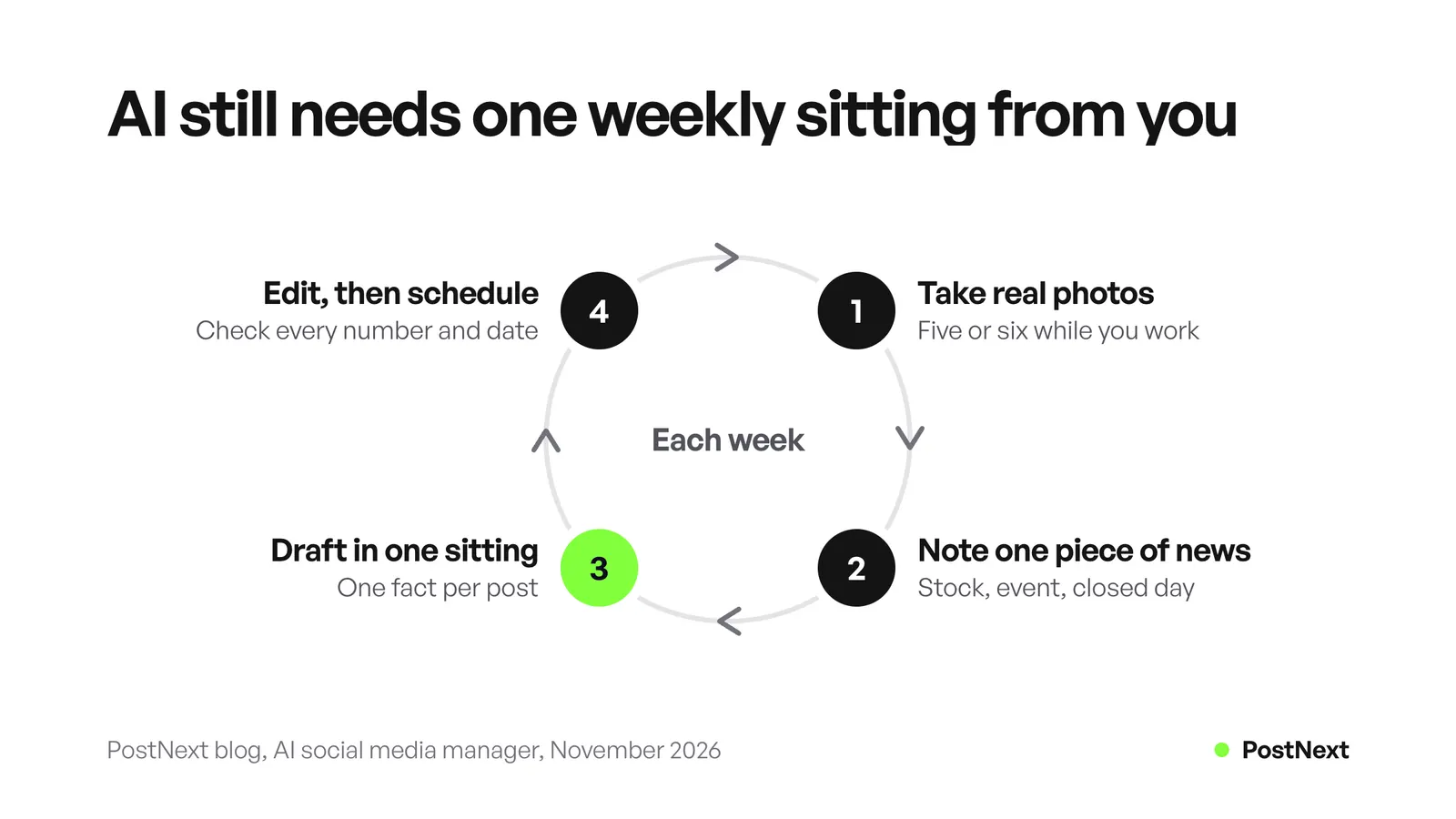
The fair comparison is what each route needs from you every week. A freelancer needs a weekly check-in with your photos and offers. An AI writer needs the same material, plus your edit of each draft. Our breakdown of how much a social media manager costs has the full numbers and a ten-minute test to see which route is cheaper for your business.
How does PostNext work as an AI social media manager?
PostNext is a social media scheduler with an AI writer built in. It learns your brand from your website, drafts posts in your voice for Instagram, TikTok, LinkedIn, X, YouTube, Threads and Bluesky, and publishes them from one calendar. Every draft stays editable, and nothing publishes until you schedule it.
- Brand profile. Add your website and PostNext fills in your description, products, tone of voice, themes and colours. Your voice, themes and audience go into the prompt every time the AI writes. See the brand profile page for what it collects.
- AI writer. Describe the post, pick a channel and a tone, and the AI content creator drafts the caption and hashtags.
- Repurpose. Paste a link to a web page or at least 250 characters of text, and PostNext writes up to five posts per channel. Results go to drafts.
- Scheduling and repeats. Posts publish at their times, and a weekly offer can repeat every 1 to 365 days, weeks or months.
- AI assistants. Claude, ChatGPT and other assistants can draft and schedule through the PostNext MCP server, and drafts never publish on their own. The setup for one assistant is in Claude for social media.
What it does not do: it does not answer DMs, run paid ads or post to Facebook or Google Business Profile today. The Free plan covers 1 channel, 10 posts and 10 AI credits a month. Premium costs €19 a month on monthly billing, with 15 channels and 150 AI credits. If you are still choosing a tool, PostNext’s comparison of nine AI social media tools lists what each one lacks.
Frequently Asked Questions
What is an AI social media manager?
An AI social media manager is software that writes, plans and schedules social media posts. It drafts captions from a brief or from your website, adapts each post to every network and publishes on a calendar. You still supply photos, news and offers, and you check each post before it goes out.
Can AI replace a social media manager for a small business?
AI can replace the writing and scheduling part of the job. It cannot take photos of your work, know this week’s news, set your prices or answer customers. For a business on one or two channels, an AI writer plus one weekly sitting often covers what a part-time freelancer would do.
How much does an AI social media manager cost?
Many AI writers come inside a scheduler with a monthly plan, and some have a free plan. The price changes from tool to tool. In PostNext, the Free plan includes 10 posts and 10 AI credits a month on 1 channel, and Premium costs €19 a month on monthly billing, checked November 2026.
Do I have to label AI-generated posts?
For text you check and post yourself, no platform covered here asks for a label. For realistic AI images and video, YouTube requires a disclosure, and TikTok asks creators to label content that AI made or changed in a significant way. TikTok may also label such content on its own.
Can AI answer comments and DMs for my business?
Some tools reply to comments or messages automatically. PostNext does not: it shows Instagram comments in one inbox so you can answer them yourself, and DMs stay in the Instagram app. Answers about prices, bookings or complaints are best written by you or from a list you approve.
How do I stop AI posts from sounding generic?
Give the AI one real fact per post: a product that arrived, a customer’s result, an event date. Add your own photo. Keep your tone of voice in the brand profile so every draft starts from it, and change any line you would not say out loud to a customer.
Sources
- YouTube Help, Disclosing use of GenAI content, checked November 2026.
- TikTok Help Center, AI-generated content, checked November 2026.
- Federal Trade Commission, Final rule banning fake reviews and testimonials, 14 August 2024, checked November 2026.
- Upwork, Social Media Manager cost guide, median hourly rates, archived April 2026, checked November 2026.
- PostNext, Brand profile, AI content creator, AI Repurpose and Pricing, checked November 2026.