
A social media AI agent is an AI assistant, such as Claude, ChatGPT or Meta’s Muse, that can act on your social accounts instead of only writing text for you to copy. In November 2026 most agents do this through MCP, an open standard that connects an assistant to another app. Connected to a scheduler such as PostNext, the agent reads your calendar, saves drafts and schedules posts when you ask.
Key Takeaways
- An agent acts, a chatbot answers. A chatbot gives you a caption to paste. An agent saves the post as a draft or schedules it in the tool you connected.
- MCP is the connection. The Model Context Protocol is an open-source standard that lets Claude, ChatGPT and other assistants use tools in other apps.
- One server, many assistants. PostNext runs one MCP server at
https://mcp.postnext.io/api. Claude, ChatGPT, Claude Code, Codex, Cursor and Muse all connect to the same address. - Five channels over MCP. The PostNext connector posts to X, Instagram, LinkedIn, TikTok and Threads (November 2026).
- Drafts come first. A draft created over MCP is never published by itself. A second action schedules it, and you can cancel it until it goes out.
- The free plan works. It reads your queue, creates drafts with 10 monthly AI credits and schedules up to 10 posts a month on one channel.
What is a social media AI agent?
A social media AI agent is an assistant that can take actions in your social media tools. You give it a goal in plain words, for example “plan next week’s LinkedIn posts from this article”. The agent reads what it needs, writes the posts and saves them where you work. The difference from a chatbot is the last step: the posts end up in your calendar, not in a chat window.
The agent itself is the assistant you already use. The social part comes from the tools you connect to it. Without a connection, Claude or ChatGPT can only write text. With a scheduler connected, it can see your channels, read what is queued and create posts there.
| What you ask | A chatbot with no tools | An agent connected to a scheduler |
|---|---|---|
| ”Write three posts about our launch” | Writes three posts in the chat | Writes three posts and saves them as drafts on the right channels |
| ”What is going out next week?” | Cannot know | Reads your scheduled posts and lists them |
| ”Move Tuesday’s post to 10:00” | Cannot do it | Cancels and reschedules the post, after you confirm |
| ”How did last week’s posts do?” | Guesses | Reads likes, comments and views where the network shares them |
| ”Post this right now on every network” | Cannot do it | Schedules it for a time you confirm; the scheduler publishes it |
The right column describes PostNext’s MCP tools as listed in its tool reference (checked November 2026). Other connected tools offer other actions.
How does an AI agent connect to your social accounts?
An AI agent connects to a scheduler through an MCP server, and the scheduler connects to the networks. You sign in to the scheduler once from the assistant. The assistant never receives your Instagram, X or LinkedIn password. The scheduler publishes each post through the network’s official API at the time you set, so the post goes out even after you close the chat.
The Model Context Protocol site describes MCP as “an open-source standard for connecting AI applications to external systems”, and names Claude and ChatGPT as examples of the applications. Anthropic, which created the standard, calls the internet-hosted version a remote MCP server. A remote server is what lets a phone app or a web chat use it, because nothing runs on your computer.
The chain has three parts:
- The assistant (Claude, ChatGPT, Muse, Claude Code) understands your request and decides which tool to call.
- The MCP server (PostNext’s is
https://mcp.postnext.io/api) offers tools such as “create a draft” or “schedule a post” and checks that you are allowed to use them. - The scheduler and the networks hold the posts, publish them at the set time and return the results.
PostNext also explains the standard itself in its free lesson what an MCP server is.
Which AI assistants can post to social media?
Any assistant that can add a remote MCP server can post through a scheduler that runs one. In November 2026 that includes Claude, ChatGPT, Claude Code, Codex, Cursor, Gemini and Meta’s Muse. Each assistant adds the server in a different menu, and each sets its own rules on plans and approvals. The table compares the five that people ask about most.
| Assistant | Where you add the server | Sign-in | Plan notes from the vendor |
|---|---|---|---|
| Claude (web, desktop, mobile) | Customize, then Connectors, then Add custom connector | OAuth | Free, Pro, Max, Ultra, Team and Enterprise; Free allows one custom connector |
| Claude Code | One terminal command, then /mcp to sign in | OAuth or API key | Needs a Claude plan or a Console account |
| ChatGPT (web) | Plugins, then Add custom MCP server | OAuth | Full MCP with write tools on Business, Enterprise and Edu; Pro gets read and fetch |
| Meta Muse | Ask Muse in chat to create a custom connector | PostNext API key | Limited testing in the US; Meta does not review custom connectors |
| Codex, Cursor, Gemini CLI | One command or a settings file | OAuth or API key | Varies by tool |
Sources: Anthropic’s custom connector article, OpenAI’s custom MCP server article and Meta’s Muse connector article, all read November 2026. Each assistant has a setup guide on PostNext: Claude, ChatGPT, Claude Code and Muse. The setup differences matter more than the model: our guide to Claude connectors covers the Claude side step by step, and our explainer on Meta Muse covers the newest agent on the list.
What can a social media AI agent do with PostNext?
Through PostNext’s MCP server, an agent can read your queue, drafts and connected channels, create and edit drafts, schedule and cancel posts, check why a post failed and read results per post and per channel. It can also connect a new channel by sending you a one-time sign-in link. It cannot send direct messages and it cannot publish without a scheduled time.
The tool reference lists these tools (November 2026):
- Read:
list_scheduled_posts,list_drafts,list_connected_accounts,search_posts,get_post,get_publish_status. - Write:
create_post_draft(1 to 2,200 characters and up to 10 images or videos),schedule_post,cancel_scheduled_post,delete_draft,upload_asset. - Results:
get_post_metrics,get_channel_analytics. - Paid plans only:
update_post_draft,get_best_time_to_post,get_account_health,update_brand_profile.
PostNext also ships four ready-made prompts that chain these tools: /weekly-plan, /draft-thread, /audit-queue and /channel-sweep. The weekly plan reads your brand profile and what is already scheduled before it suggests posts, so the agent does not repeat a topic you covered on Monday.
How do you stay in control of what the agent posts?
You stay in control through three layers. The assistant asks before it uses a tool. PostNext saves every new post as a draft, and scheduling is a separate action. Every scheduled post waits in your PostNext calendar, where you can edit or cancel it until it publishes. You can also remove the agent’s access at any time, and PostNext tokens expire after 30 days without use.
Each assistant handles the first layer in its own way. Claude shows a permission prompt the first time it uses a tool, and you can set a tool to always ask. ChatGPT asks you to confirm write actions. Muse lets you choose when it asks for approval in its settings. One exception is worth knowing: Anthropic says that in Claude’s Research mode, Claude “can invoke tools from your connectors automatically without further approval”. Turn the connector off for research chats if you do not want that.
The other risk is the text the agent reads. OpenAI’s help center warns that untrusted MCP servers increase exposure to prompt injection, where hidden text in a web page or file tries to steer the agent. Connect only servers you trust, and read drafts that came from a link before you schedule them. Our content approval process guide shows a review step that fits here.
Four checks before you let an agent schedule posts
Before you connect any agent to your accounts, check four things. Who can it post as. Whether it drafts or publishes. Where you see what it queued. How you remove its access. If a tool cannot answer all four, keep it to drafting text and paste the posts yourself.
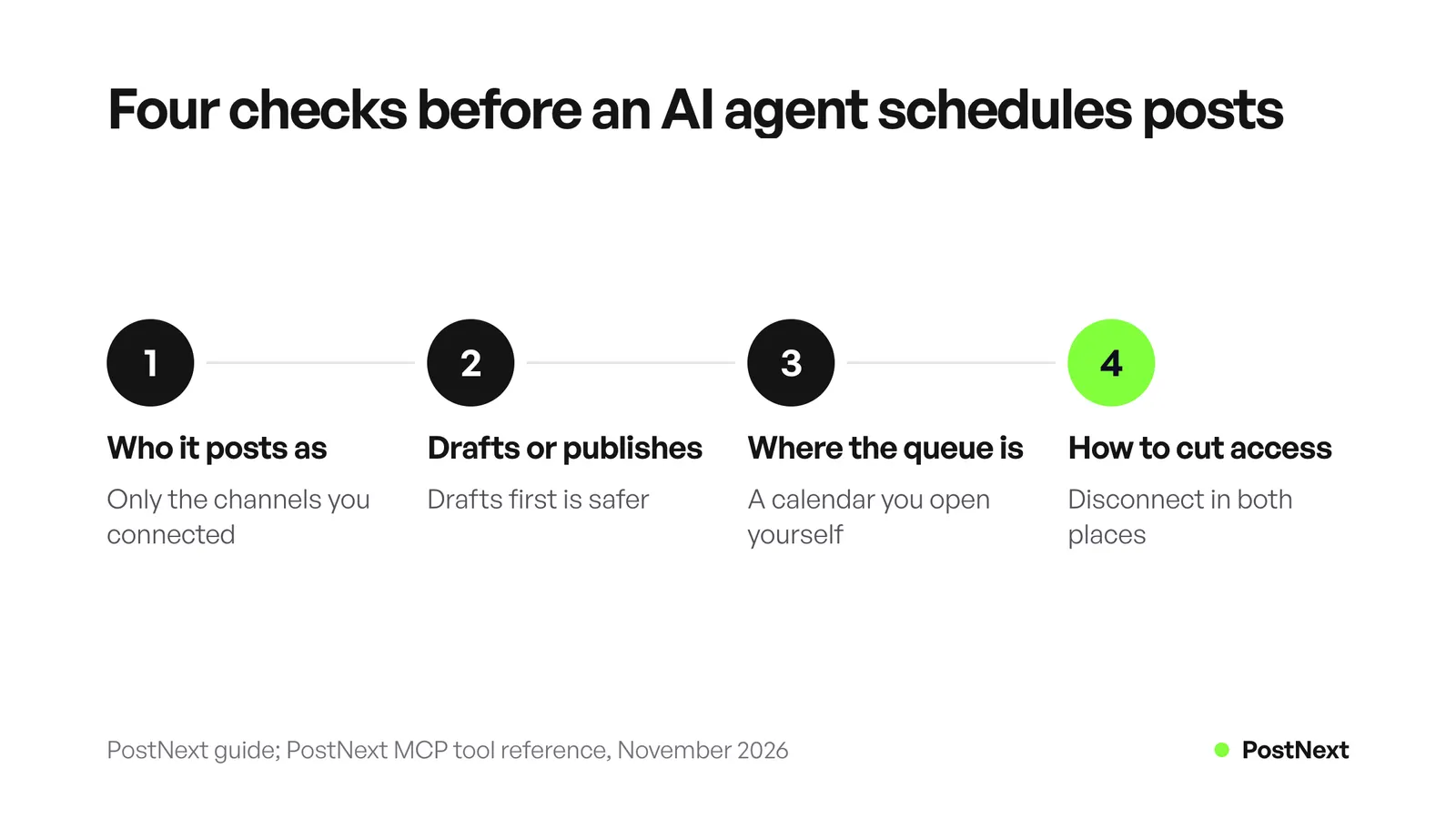
- Who it posts as. The agent should only see the channels you connected to the scheduler. In PostNext it posts to the accounts in your team, and
set_current_teamswitches teams only for a member of that team. - Drafts or publishes. An agent that saves drafts first is safer than one that posts at once. PostNext’s
create_post_draftnever publishes, andschedule_postneeds a time no more than 5 minutes in the past. - Where you see the queue. Every post the agent makes should appear on a social media calendar you can open without the agent.
- How you remove access. You should be able to disconnect from the assistant’s settings and from the scheduler. PostNext offers both, and its tokens expire after 30 days of inactivity.
These checks are the same ones that stop a scheduled post from going wrong, so they belong in your automation setup whether or not an AI is involved.
Does an AI agent replace a social media scheduler?
No. The agent needs a scheduler to hold the posts and publish them at the right time. Claude, ChatGPT and Muse do not keep a posting calendar for Instagram, X or LinkedIn, and they do not stay online to post at 9:00 next Tuesday. The scheduler does that part. The agent replaces the typing and the clicking, not the queue.
The split works well in practice. The agent is fast at the first draft: turning an article into six posts, rewriting for each network’s length, or finding gaps in next week’s plan. The scheduler is good at the parts that need to be exact: the publish time, the media rules of each network and the record of what went out. Our AI content creation workflow shows where a human check sits between the two.
How much does it cost to use an AI agent with PostNext?
MCP access is included in every PostNext plan, including the free one. On the free plan an agent can read your queue, create drafts (each uses 1 of your 10 monthly AI credits) and schedule up to 10 posts a month on one channel. Paid plans add draft editing, best-time suggestions, account health and more AI credits. The assistant’s own plan is a separate cost.
PostNext’s prices, from its pricing page (checked November 2026, monthly billing):
| PostNext plan | Price | Channels | Posts a month | AI credits a month |
|---|---|---|---|---|
| Free | $0 | 1 | 10 | 10 |
| Premium | $19 / month | 15 | 1,000 | 150 |
| Business | $49 / month | 20 | 1,000 | 500 |
| Teams | $7 / user / month, 5 seats minimum | 5 per user | 1,000 per user | 50 per user |
Every paid plan starts with a 7-day free trial. The full overview is on the PostNext MCP page.
Frequently Asked Questions
Can an AI agent post on social media without me?
It can schedule a post for a time you approve, and the scheduler then publishes it while you are away. Most assistants ask you to confirm the action first. With PostNext the agent cannot publish a draft directly; it has to schedule it, and you can cancel any scheduled post until it goes out.
Is MCP the same as an API?
No. An API is the set of commands one program offers to another. MCP is a standard way for AI assistants to find and use those commands. PostNext has both: an MCP server for assistants and a REST API for your own scripts.
Which social networks can an AI agent post to through PostNext?
X, Instagram, LinkedIn, TikTok and Threads through the MCP server (November 2026). PostNext also schedules YouTube and Bluesky from its own calendar, and its REST API covers them for developers.
Is it safe to connect an AI agent to my social accounts?
It is safer when the agent goes through a scheduler. Your social passwords stay with the scheduler, the assistant only gets the tools you allowed, and you can remove its access at any time. Connect only MCP servers from companies you trust, and read drafts that came from links before you schedule them.
Can an AI agent reply to comments and DMs?
Not through PostNext. PostNext schedules and publishes posts and does not send or read direct messages. Comment and DM replies need a separate tool built for the inbox of each network.
Do I need to know how to code?
No. In Claude, ChatGPT and Muse you add the server from a settings menu or a chat message and sign in. Only the command-line agents, such as Claude Code and Codex, need one terminal command.
Sources
- Model Context Protocol, What is MCP? (November 2026): definition of MCP and the assistants that use it.
- Anthropic, Get started with custom connectors using remote MCP (November 2026): remote MCP servers, plans, Research mode tool use.
- OpenAI Help Center, Connecting custom MCP servers in ChatGPT (November 2026): plans, confirmations, prompt injection warning.
- Meta Help Center, How Muse works with Connectors (November 2026): custom connectors and approvals.
- PostNext, MCP page, tool reference and pricing, postnext.io/mcp, postnext.io/mcp/docs and postnext.io/pricing (November 2026).