
Meta Muse is Meta’s personal AI agent, launched on 8 September 2026. You message it like a person, in the Muse app or in WhatsApp, and it carries out tasks on its own cloud computer: sending an email, booking travel, shopping or working toward a longer goal. Muse is free with a usage limit, with paid plans at $20 and $100 a month. It is rolling out in the US first.
Key Takeaways
- An agent, not a chatbot. Meta says Muse takes action on tasks and keeps working after you close the app.
- Launched 8 September 2026. It runs on Muse Spark, which Meta calls its most capable model to date.
- Its own cloud computer. Each person’s Muse runs on a dedicated virtual machine Meta calls Muse Secure VM.
- Three plans. Free with a usage limit, Power at $20 a month and Maximum at $100 a month (Meta Help Center, November 2026).
- Facebook, Instagram and Threads connect automatically when those accounts share an Accounts Center with your Meta account.
- Custom connectors for everything else. You ask Muse to create one. Meta does not review custom connectors.
What is Meta Muse?
Meta Muse is a personal AI agent from Meta. Meta introduced it on 8 September 2026 as an agent that “proactively helps with people’s goals and suggests ideas”. You tell Muse what needs doing in a chat, and it takes the steps: it can open a browser, fill out forms, send an email or make a purchase, and it asks you before sensitive actions.
Muse is built around messaging. You talk to it in the Muse app, at muse.ai or directly in WhatsApp. Meta says it is rolling out in the US on iOS, Android and muse.ai, and coming to AI glasses. Three parts make it different from Meta AI, the chat assistant in Meta’s apps:
- It works on its own. For long tasks, Muse keeps working after you close the app and comes back when something changes or when it needs approval.
- It remembers. Muse keeps memories so it can act on details you mentioned once. Meta’s example: it can turn a recipe Reel you saved on Instagram into a grocery list.
- It has its own computer. Each Muse runs on a dedicated virtual machine in the cloud, where your connected services’ data and credentials are stored.
How does Meta Muse work?
Muse works on a dedicated cloud computer called Muse Secure VM. The agent and your data live there, and a separate Sentinel agent on the same machine checks what Muse sends out. Meta says nothing Muse does reaches the internet unless the Sentinel approves it. Muse uses services through connectors, asks before actions like sending an email or buying, and keeps an audit trail.
The parts, as Meta describes them (newsroom, 8 September 2026):
| Part | What it does |
|---|---|
| Muse Spark | The model behind Muse; Meta’s most capable model to date |
| Muse Secure VM | A dedicated cloud computer for one person’s agent and data |
| Sentinel | A separate agent that approves what leaves the machine and asks you when needed |
| Secure credentials storage | Holds passwords and keys so Muse can use them without seeing them |
| Connectors | Links to apps and services, from Meta and from other companies |
| Link by Stripe | An agent wallet that creates a one-time card for purchases |
Meta also says Muse does not share your conversations or VM data with its ad systems, and that you can opt out of your interactions being used to train its models. It plans a Muse Confidential VM, encrypted with a key only you hold.
How much does Meta Muse cost?
Muse is free with a usage limit. When you reach it, you can wait for the limit to refresh or upgrade. Meta’s help center lists two paid plans (November 2026): Power at $20 a month, with 500 million Muse tokens per week and 10 phone calls per day, and Maximum at $100 a month, with 3 billion Muse tokens per week and 20 phone calls per day.
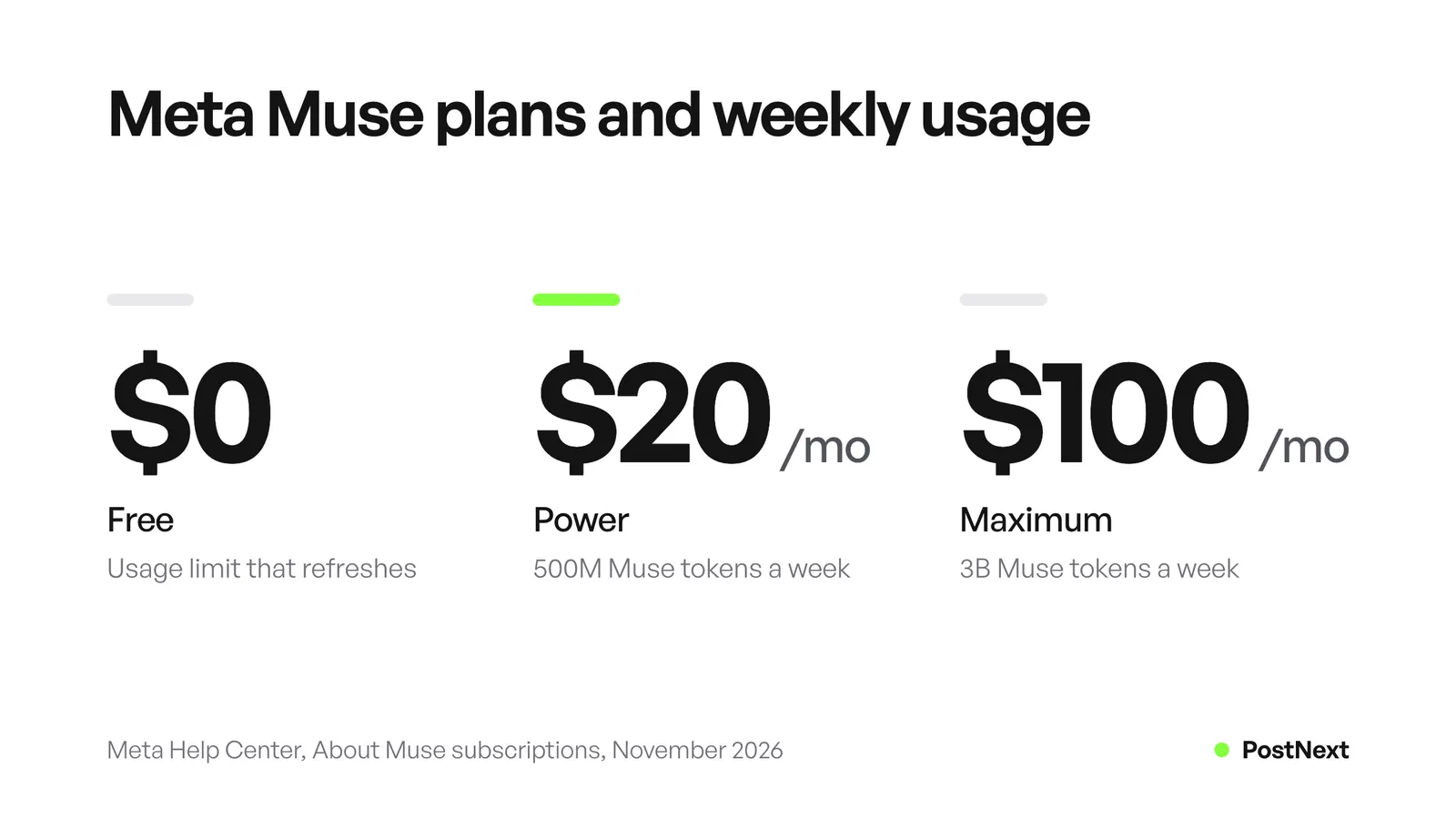
| Muse plan | Price | Weekly usage | Phone calls |
|---|---|---|---|
| Free | $0 | Usage limit that refreshes | Not listed |
| Power | $20 / month | 500M Muse tokens per week | 10 per day |
| Maximum | $100 / month | 3B Muse tokens per week | 20 per day |
Source: Meta Help Center, “About Muse subscriptions”, read November 2026. Subscriptions renew monthly. Meta says benefits may vary by region and account, that you must be 18 or the age of majority to subscribe, and that Muse is in limited testing and not yet available in all locations.
What are Muse connectors?
Connectors are how Muse uses other apps and services. When you connect one, Muse gets new abilities, such as reading your calendar or writing an email. You connect one by asking Muse, for example “Connect my Gmail”, or in Settings, then Connectors. Meta says Muse exchanges only the data a connector needs for your task, and you can disconnect at any time.
Three kinds matter for most people:
- Meta connectors. Facebook, Instagram and Threads connect automatically if those accounts are in the same Accounts Center as your Meta account. You manage them in Accounts Center.
- Listed connectors from other companies. You pick them in Settings, then Connectors, and sign in to each service.
- Custom connectors. For a service that is not listed, you ask Muse to create a custom connector. Muse guides you and stores the API details in its Secure Credentials Store. Meta does not review custom connectors or how they use your information.
By default Muse does not take many important actions, such as sending an email, without your approval. Many connectors can also be limited to reading data. You change when Muse asks for approval in Settings (Meta Help Center, “How Muse works with Connectors”, November 2026).
Can Meta Muse schedule social media posts?
Yes, with a scheduler connected. Muse can create a custom connector for a social media scheduler such as PostNext, then plan and schedule posts to X, Instagram, LinkedIn, TikTok and Threads when you ask. It can also repeat the job: Muse runs reminders and scheduled tasks, which you see under Upcoming, so “plan my posts every Monday at 9:00” becomes a weekly task.
The PostNext setup takes about four minutes and uses an API key instead of a sign-in, following PostNext’s Muse guide (checked against Meta’s documentation on 18 November 2026):
- Create an API key. In PostNext, open your account, then API keys, and create a key.
- Send Muse one message. Ask it to create a custom connector for PostNext with the server
https://mcp.postnext.io/apiand anAuthorization: Bearerheader. - Give Muse the key when it asks. Muse keeps it in its Secure Credentials Store.
- Set approvals. In Muse’s settings, choose to be asked before actions, so Muse asks you before each post is scheduled.
Two limits are worth knowing before you rely on it. Meta’s documentation does not name MCP, the standard PostNext’s server uses, so test with one request first. And Muse is in limited testing in the US, so the menus may change. Everything Muse schedules waits in your PostNext calendar, where you can edit or cancel it until it goes out.
What should you ask Muse to do for social media?
Ask Muse for recurring planning and for posts tied to events in your life or business. Its memory and scheduled tasks suit “every Monday” jobs better than one-off captions. Good requests name the channels, the day and whether Muse should ask before it schedules. Keep the final read for yourself.
Requests from PostNext’s Muse guide that fit how Muse works:
- “Every Monday at 9:00, plan my Instagram and Threads posts for the week in PostNext. Ask me before you schedule them.” A weekly task with an approval step.
- “We have a new product in the shop. Write an Instagram post and a Threads post about it and schedule both for Friday at 12:00.” One event, two channels, one time.
- “Write three posts that count down to our event on the 28th and schedule them for the three days before.” A short series Muse can keep track of.
For the posts themselves, the same rules apply as with any AI writer: give it your topic list and past results. Our list of Instagram Story ideas and the guide to the best time to post on Threads are useful inputs for a weekly Muse task.
Is Muse safe to connect to your social accounts?
Meta built Muse with approvals, a separate Sentinel agent and secure credential storage, and it shows an audit trail of what it did. The main risk sits with custom connectors: Meta says it does not review them and asks you to grant access with caution. Use a scheduler that saves drafts and lets you cancel, and keep approvals on for any action that publishes.
Meta’s data controls are in Settings, then Data controls: you can turn off training on your interactions, download your Muse data or reset Muse. A reset deletes chat history, files and active tasks and cannot be undone. Information Muse used from a connector may remain in its memories after you disconnect, and you can ask it to forget a topic. Our social media AI agent guide lists four checks to run before any agent schedules posts for you.
Frequently Asked Questions
When did Meta launch Muse?
Meta announced Muse on 8 September 2026 in its newsroom. It is rolling out in the US on iOS, Android and muse.ai, and works inside WhatsApp.
Is Meta Muse free?
Yes, with a usage limit. Meta’s help center lists two paid plans for more usage: Power at $20 a month and Maximum at $100 a month (November 2026). Subscriptions renew monthly.
Is Meta Muse the same as Meta AI?
No. Meta AI is the chat assistant inside Meta’s apps. Muse is a separate personal agent with its own app, its own cloud computer and the ability to carry out tasks after you close the chat.
Can Muse post to Instagram?
Meta connects Facebook, Instagram and Threads to Muse automatically when they share an Accounts Center. For scheduled posts across X, Instagram, LinkedIn, TikTok and Threads from one calendar, connect a scheduler such as PostNext as a custom connector.
Can Muse run tasks on a schedule?
Yes. Muse stores reminders and scheduled tasks and delivers them on schedule. You see them by tapping the Assistant icon, then Upcoming, and you can ask Muse in chat to change or delete one.
Is Muse available outside the US?
Not yet in most places. Meta says Muse is rolling out in the US and that Muse and its subscriptions are in limited testing and not available in all locations.
Sources
- Meta Newsroom, Introducing Muse: The World’s First Personal AI Agent Built for Everyone (8 September 2026): launch, Muse Spark, Muse Secure VM, Sentinel, connectors, rollout.
- Meta Help Center, About Muse subscriptions (November 2026): plans, weekly usage, phone calls, eligibility.
- Meta Help Center, How Muse works with Connectors (November 2026): connecting, Meta connectors, custom connectors, approvals.
- Meta Help Center, How to manage your Muse data (November 2026): scheduled tasks, data controls, reset.
- PostNext, Schedule social media posts with Meta Muse (checked against Meta’s documentation on 18 November 2026).