Key takeaways
- Over-automation is the first failure: output stays consistent while engagement quietly flattens.
- Ignoring analytics removes the feedback loop, so a broken schedule keeps running.
- Tool choice is a trade-off, not a ranking — features matter less than what you will actually use.
- Automation amplifies whatever strategy you already have, including a bad one.
Filter First: What Makes or Breaks Social Media Automation Success
What Separates Effective Automation from Costly Mistakes?
Social media automation can be a powerful asset – saving time, ensuring consistency, and expanding your reach. But the real difference between strategies that drive results and those that quietly undermine your brand comes down to filtering the right tasks for automation and knowing what should remain human. Not every automation approach is equal. Some enhance your brand’s presence, while others risk tone-deaf posts or leave you exposed when issues arise.
Efficiency vs. Authenticity: Striking the Right Balance
A common misstep is assuming that more automation always means better results. Yet people expect brands to connect with them personally. If your feeds become robotic, your audience will notice. Automation should never replace real engagement. Use it for scheduling, analytics, and repetitive tasks. But when it comes to replies, crisis management, and nuanced conversations, human oversight is essential.
Why Do Automation Efforts Often Fall Short?
Success isn’t just about posting regularly. Effective automation requires ongoing oversight – not a “set and forget” approach. The best strategies blend data-driven adjustments with a brand voice that adapts in real time. Many businesses falter by ignoring analytics or letting automation dictate content without considering audience context.
Another frequent issue is treating every platform the same. LinkedIn’s professional tone is a world apart from Instagram’s visual-first culture. Automation that overlooks these differences can send the wrong message or simply get ignored.
The Five Mistakes That Undercut Automation
- Over-Automation: Replacing authentic connection with scheduled posts.
- Ignoring Analytics: Missing out on feedback that could improve your content and ROI.
- Inconsistent Branding: Letting automation dilute your voice across platforms.
- Neglecting Platform Differences: Posting the same content everywhere instead of tailoring to each audience.
- Lack of Crisis Management: Having no manual override when reputation is on the line.
In 2026, as AI-powered schedulers like PostNext make planning and publishing easier, the true differentiator isn’t the tool – it’s your approach. Successful social media automation is filtered, not full-throttle. The brands that thrive blend efficiency with authenticity, keep analytics central, and never lose sight of the human touch that makes them memorable.
Quick Comparison: Automation Tools and Their Trade-offs
At-a-Glance: Social Media Automation Solutions
Choosing the right social media automation tool is about more than just scheduling. Features like AI-driven planning, analytics, and content previews can set a tool apart, but each platform has its own trade-offs. Here’s a side-by-side look at widely used tools – PostNext, Buffer, Hootsuite, and Later – to help clarify which fits different needs and workflows.
| Name | Key Strength | Key Limitation | Best For | Pricing model |
|---|---|---|---|---|
| PostNext | AI-powered content planning and visual calendar with analytics insights | Manual review may be needed to keep AI-suggested content on-brand; Facebook and Pinterest still coming soon | Teams seeking AI writing help alongside scheduling | Free plan, then paid tiers by connected accounts; Teams priced per user |
| Buffer | Simplified scheduling and intuitive workflow for solo creators | Paid plans are priced per channel, so costs grow with each account | Freelancers or small brands prioritizing ease of use | Free plan with up to 3 channels, paid plans per channel (buffer.com/pricing, September 2026) |
| Hootsuite | Comprehensive analytics and multi-platform management | More features than a solo creator may need | Mid-sized businesses and agencies needing detailed reporting | Tiered subscription priced per user, 14-day trial (hootsuite.com/plans, September 2026) |
| Later | Strong visual content calendar and Instagram-first features | Posting limits per profile on lower plans | Brands focused on visual storytelling, especially for Instagram | Paid tiers with a 14-day trial (later.com/pricing, September 2026) |
Finding the Right Fit
There’s no universal winner in social media automation. For teams prioritizing AI-driven insights and calendar-based planning, PostNext offers advanced automation with room for manual tweaks. Buffer stands out for those who want a simple scheduler, while Hootsuite suits organizations that need integrated analytics and team features. Later is a favorite for brands where Instagram is central, offering a visual workflow.
The most effective approach is to map your team’s workflow – whether you prioritize analytics, AI content suggestions, or cross-platform publishing – and match it against these strengths and limitations. As automation tools evolve, it pays to revisit your stack regularly to ensure you’re balancing efficiency with genuine, human connection.
Mistake #1: Over-Automation – When Efficiency Erodes Authenticity
It happens quietly: your brand’s social media automation is running smoothly, but engagement starts to feel flat. Posts go out on schedule, but replies sound canned or are slow to arrive. Consumers expect brands to connect with them on a personal level. When automation replaces genuine interaction, you risk losing the connection that builds trust and loyalty.
Key Insight: Automation should free up time for more meaningful engagement, not eliminate the human touch that followers value.
Recognizing Signs of Over-Automation
The signs aren’t always obvious, but they’re clear if you look closely. Are replies to comments delayed or generic? Do followers’ questions go unanswered, or receive templated responses? Over-automated accounts often post with perfect regularity but lack spontaneous, real-time interaction.
Analytics can reveal the problem. If you see a drop in engagement rates after automating replies, or if your posts receive fewer replies, tags, or shares compared to similar brands, it’s time to take notice. Watch for these red flags in your data:
- Low comment response rates or slow response times
- Repeated phrases or copy-pasted answers
- Engagement peaks only during contests, but day-to-day interactions lack depth
- Direct messages left unread or answered by a bot, regardless of urgency
Another subtle sign: posts go out at odd hours that don’t match your audience’s active times, indicating a reliance on blanket scheduling. If your analytics show a mismatch between post frequency and engagement, manual oversight may be lacking.
Before/After: A Human Touch in PostNext Usage
Consider a scenario with a scheduler such as PostNext and a separate auto-reply tool. Many teams start by scheduling all content in advance and letting the tools handle everything. Here’s how outcomes shift when you add a human touch:
| Before: Full Automation | After: Balanced with Real-Time Engagement | |
|---|---|---|
| Content Scheduling | All posts scheduled for the month at once, published at fixed intervals. No adjustment for trending topics or audience feedback. | Core posts scheduled in advance, but with flexibility to insert timely content or pause scheduled posts when trending conversations demand attention. |
| Comment Responses | Automated “Thanks for your comment!” replies sent to all users, regardless of context. | Team members work through comments during peak hours (in PostNext, Instagram comments land in one inbox) and answer with specific, thoughtful responses. |
| DM Handling | DMs receive auto-acknowledgment only. No follow-up unless the user persists. | A team member reviews DMs in each platform’s app and responds personally within a few hours to real questions or complaints. |
| User Perception | Followers comment on posts, but engagement feels transactional. Brand voice comes across as robotic. | Followers see that the brand listens and adapts. User feedback appears in future posts, reflecting a two-way relationship. |
The “after” approach works because automation and human oversight together maintain consistency while adapting to real conversations. Followers feel acknowledged, not managed by a bot.
Balancing Scheduling with Real-Time Human Engagement
Efficiency matters, but it’s not the only goal. The best brands use scheduling tools like PostNext for batch planning, but also set aside time for live engagement. For most teams, this means monitoring notifications during peak hours, responding quickly and authentically, and being ready to pivot when audience interests shift.
Automation can help with volume, but it can’t replace nuanced, empathy-driven replies. Brands that find the right balance use automation as a support system, not a substitute. In practice, this might mean:
- Scheduling core content ahead of time, but leaving room for spontaneous posts
- Setting alerts to review and join active threads
- Personalizing replies to top fans or critics instead of relying solely on templates
- Using analytics to track which types of responses actually build loyalty
Ultimately, social media automation works best when it amplifies your voice, not replaces it. The brands that stand out in 2026 will be those that use technology to make more room for genuine connection – not less.
Mistake #2: Ignoring Analytics – Missing the Feedback Loop
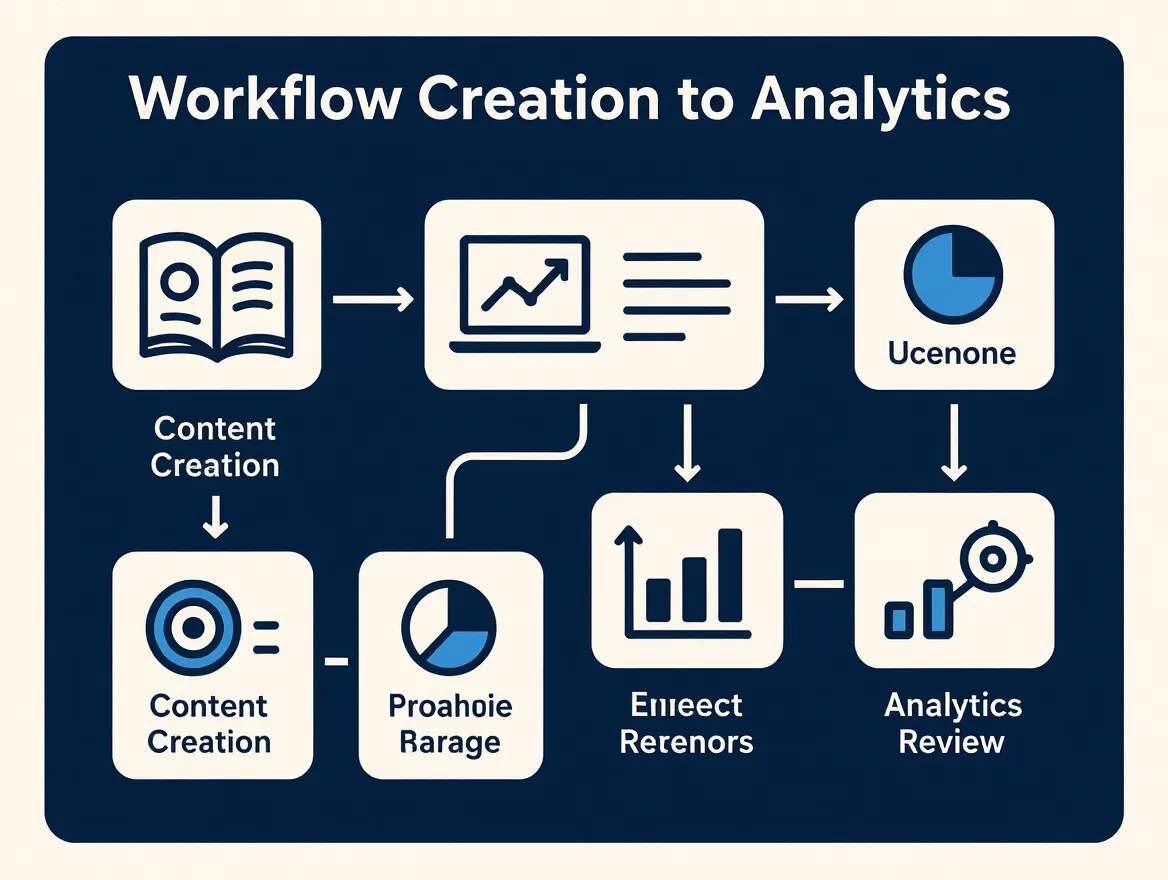
Automation promises efficiency, but without analytics as your guide, even the most consistent posting schedule can veer off course. If you’re automating content without reviewing performance data, you’re essentially repeating what may not work and missing chances to improve.
Key Insight: Consistently reviewing analytics is what separates automation that simply saves time from automation that actually delivers results.
Why Analytics Are Central to Automation Success
Automation tools offer analytics features for a reason. If you don’t use them, you’re relying on hunches. Regularly reviewing metrics – reach, audience growth, engagement rates, and clicks from your web analytics – lets you spot trends and adapt quickly. Teams who consistently check analytics outperform those who rely on intuition alone.
For example, you might discover that posts scheduled for Friday afternoons underperform compared to Tuesday mornings, or that carousel posts earn more saves than single images. Integrating analytics review directly into your workflow isn’t optional – it’s fundamental.
Integrating Analytics Review Into Your Workflow
Making analytics a core part of your workflow doesn’t require a major overhaul. Start with a weekly review session – even 30 minutes – where your team assesses recent posts and campaigns. Tools like PostNext provide dashboards that show which posts earned the most engagement. Don’t just skim headline numbers. Ask: which types of content drive the most engagement? Are there consistent patterns tied to posting times, formats, or topics?
Use that information to adjust your content calendar. If something works, do more of it. If not, pivot fast. The goal isn’t to chase vanity metrics but to learn, iterate, and improve.
| Metric | Why It Matters | How to Act On It |
|---|---|---|
| Engagement Rate | Measures real audience interaction, not just views | Identify top-performing formats and prioritize similar content |
| Click-Through Rate (CTR) | Shows how compelling your calls-to-action are | Test different headlines or graphics to boost CTR |
| Follower Growth | Indicates whether your strategy attracts the right audience | Correlate spikes or drops with specific campaigns or topics |
| Post Timing Performance | Reveals when your audience is most active | Adjust scheduling to maximize reach and interaction |
| Platform-Specific Engagement | Highlights which networks deserve more focus | Shift effort and budget toward platforms that deliver strongest results |
Turning Data into Actionable Insights
Reviewing analytics is only half the battle. The real payoff comes from translating data into changes that lift results. Don’t just note that video posts perform better – decide to increase your video output for the next month. If Instagram outperforms Facebook, consider reallocating your ad spend or trying platform-specific campaigns. Move from passive review to active strategy adjustment – treat every review session as a chance to experiment and improve.
Tools like PostNext bring engagement numbers into your scheduler, so you can review them next to your calendar instead of starting from a spreadsheet. That means less time searching for answers, and more time making meaningful changes.
The difference between brands that simply automate and those that use analytics to drive continual improvement is clear. The former may save time, but the latter build momentum, learning what works and adapting before the market shifts.
Mistake #3: Inconsistent Branding in Automated Content
Automation is now a staple in any social media strategy, but if you’re not careful, it can quietly undermine your brand. Brand consistency anchors your identity across platforms, building recognition and trust. When automation tools fire off posts without a clear framework, tone, visuals, or messaging can drift.
Platforms like Buffer and Later – and newer players such as PostNext – allow you to plan and queue up content well in advance. But automation will only reflect the quality of the systems behind it. If your content calendar isn’t aligned with your brand’s voice and values, scheduled posts can start to sound generic or even contradict your current messaging. This risk grows when different team members handle different channels, or when AI-generated captions are used without review.
Key Insight: Automation saves time, but only a disciplined approach ensures your brand voice remains unified across every post and platform.
Brand consistency is more than using the same logo or colors. It’s about reinforcing your core values, style, and perspective in every interaction. Think of successful brands – their tone and messaging are familiar, no matter where you encounter them online. That’s deliberate.
With social media automation, the risk is fragmentation. One post might be quirky and informal, the next stiff and corporate. Over time, audiences notice. That weakens trust and can reduce engagement, as followers struggle to grasp what your brand stands for.
Building a Consistent Content Calendar
To avoid content drift, develop a content calendar that aligns every piece with your brand guidelines. Map out themes, preferred language, and visual elements for each campaign or season. Tools like PostNext offer visual planning and post previews, making it easier to spot inconsistencies before anything goes live.
Best practices for unified messaging:
- Centralize your brand guidelines. Ensure every contributor has access to tone and style rules.
- Use preview features to see how scheduled posts will appear across platforms.
- Schedule regular reviews. Audit your upcoming content queue for consistency, not just quantity.
- Document campaign objectives. Clarify the core message and desired audience reaction for every major campaign.
Even with the best tools, content drift can creep in – especially if you rely heavily on AI-generated captions or multiple team members. No automation system can fully replace human oversight. Periodic checks, feedback loops, and a willingness to tweak your guidelines as your brand evolves remain necessary. Automation gives you scale, but only disciplined planning and ongoing review will keep your voice consistent.
Mistake #4: Neglecting Platform Differences – One Size Fits None
Why Uniform Automation Fails: The Case for Platform-Native Content
Every social platform sets its own rules of engagement – from the type of content that gets amplified to the tone users expect. Yet it’s common for teams using social media automation to push identical posts across every channel, assuming efficiency outweighs nuance. This approach quietly undermines both engagement and brand perception.
What performs well varies widely: LinkedIn users expect industry insights or thought leadership, while Instagram users are drawn to aesthetics and quick stories. Facebook’s community-oriented discussions differ again from X’s rapid-fire commentary or TikTok’s playful, short-form entertainment. Audiences on each platform reward content that fits the context, not generic syndication.
The Real Cost of Ignoring Platform-Specific Best Practices
When you automate without adapting to these differences, you miss opportunities to connect. A motivational quote with a hashtag dump might be ignored on LinkedIn but get traction on Instagram. Conversely, a data-heavy infographic crafted for LinkedIn could flop on TikTok, where brevity and humor perform better. Automated posts that ignore these nuances come across as tone-deaf or lazy, even if the message is strong.
Tailoring automated content for each network leads to higher engagement. Businesses that customize their automation see more comments, shares, and clicks, while “one-size-fits-all” feeds struggle to get noticed.
Comparing Platform-Specific Automation Strategies
Below is a comparison of best practices for major platforms. Notice how the right content type and scheduling approach shift depending on the audience and the platform’s unique mechanics.
| Platform | Best Practice | Content Type | Scheduling Tip |
|---|---|---|---|
| Share in-depth insights and industry news; keep tone professional | Long-form posts, articles, infographics | Post during weekday mornings when professionals are active | |
| Prioritize visual storytelling with high-quality images or videos | Stories, carousels, short videos, branded photos | Schedule posts in the evening or weekends for higher reach | |
| X | Engage with trending topics, use concise messaging | Short text updates, threads, GIFs, polls | Post multiple times a day to stay relevant in fast-moving feeds |
| Encourage interaction with community questions and group posts | Event announcements, polls, longer captions | Share content midweek afternoons; experiment with Facebook Groups | |
| TikTok | Lean into trending audio and casual, behind-the-scenes clips | Short-form video, challenges, duets | Publish content after school hours or evenings for younger audiences |
How to Tailor Your Automation for Maximum Impact
Social media automation isn’t about set-it-and-forget-it broadcasting. The real value comes from using your automation tool – such as PostNext – to adjust publishing strategies for each channel. Start by segmenting your content calendar: map out which posts work best where, and adapt captions, visuals, and timing accordingly.
- For LinkedIn, schedule thought leadership pieces during commute hours and use AI to generate headlines tailored for industry professionals.
- On Instagram, let your scheduler cue up photo carousels or Stories during peak leisure times, and experiment with captions that fit trending topics or hashtags.
- Use analytics to track which content types perform on each platform. Adjust your automation settings to double down on what works – don’t just recycle across channels.
Tools like PostNext make this manageable. You can plan platform-specific content in a single calendar, use AI to optimize captions and timing, and monitor analytics to refine your approach. The goal is to meet each audience where they are, not force every message into the same box.
Getting this right means your automation isn’t just efficient – it’s strategic. By respecting the distinct cultures and rhythms of each platform, you turn automation into a true engagement driver.
Mistake #5: Lack of Crisis Management in Automated Workflows
Social media automation can boost efficiency, but it also creates new risks during a crisis. If scheduled posts or AI-generated content continue without oversight during sensitive moments, your brand can appear tone-deaf or unresponsive – sometimes with lasting damage. Edelman’s 2019 brand trust report found that for 81% of consumers, brand trust is a deal breaker or a deciding factor when they consider a purchase. During a crisis, that trust is on the line, and automation alone is rarely enough to protect it.
Key Insight: Automation needs to be paired with real-time monitoring and a clear crisis playbook – otherwise, you risk amplifying mistakes when it matters most.
The most common failure? Assuming automation equals set-and-forget. But crises rarely wait for your content calendar. Whether it’s a PR issue, a trending negative hashtag, or a sudden world event, automated posts can look out of touch if not reviewed in context. Negative mentions can snowball before you even notice – especially if alerts aren’t in place.
To reduce this risk, combine real-time monitoring with your automation toolkit. Use a listening tool that scans for negative keywords, spikes in brand mentions, or unusual activity, and set up alerts for specific triggers: for example, a surge in negative sentiment or a trending issue involving your industry. Many schedulers, PostNext included, do not monitor mentions, so this usually sits in a separate tool. When these alerts fire, you know to pause automation and assess before the situation escalates.
But even the best alert systems have limits. Algorithms may miss nuance or new slang, and no setup can predict every crisis. That’s why a manual intervention protocol is essential. You want a clear chain of command – who gets notified, who can pause scheduled content, and who drafts the first brand response. Relying solely on automation here is a recipe for delayed, robotic replies that erode trust.
Setting Up a Crisis Response Workflow
Building a resilient crisis management plan doesn’t mean abandoning automation. Instead, it’s about designing workflows that integrate human judgment with technology. Start by mapping out which content types or topics are most sensitive and require extra scrutiny. Route posts on those topics through a manual review before publishing; in PostNext, that means sending them to approval so they wait as pending until a reviewer clears them.
- Enable real-time alerts for negative mentions, trending hashtags, or sudden spikes in engagement.
- Define clear roles and escalation paths so team members know exactly when and how to intervene.
- Pause scheduled posts when a crisis alert is triggered. Many tools allow you to halt outgoing content with a single click.
- Draft a library of holding statements or approved response templates. These help your team respond quickly, while avoiding knee-jerk replies.
No automation platform can foresee every possible crisis. Tools like PostNext can support your efforts with scheduling and approvals, but human oversight is your best safeguard against reputational damage. The companies that weather storms best are those that blend automation with trained, empowered teams who know when to step in and take control.
Effective crisis management isn’t just a contingency – it’s a core requirement for any brand serious about protecting trust in the era of always-on automation.
How to Choose the Right Social Media Automation Strategy
Evaluate Your Requirements First
Choosing a social media automation strategy isn’t about grabbing the tool with the longest list of features. Start by clarifying what you actually need. Are you aiming to increase efficiency, improve consistency, or deepen audience engagement? For many brands, scheduling and analytics come first. Others may prioritize content personalization or visual planning.
Outline your regular workflows. If your team struggles to keep up with daily posting, you’ll need scheduling and calendar features that support your needs. If analytics are ignored, make sure any tool you choose surfaces metrics in a way the team will actually use. List your must-haves, nice-to-haves, and dealbreakers before demoing any platforms.
Prioritize Features by Brand Goals
You can’t automate everything without some risks. Over-automation erodes authenticity, and consumers expect brands to connect personally. If maintaining a genuine connection is critical, focus on tools that allow quick manual review and easy insertion of real-time posts. If your brand voice or style is tightly controlled, look for strong preview and calendar features to catch inconsistencies before they go live.
Consider platform nuances. If your audience spans LinkedIn and Instagram, you’ll need a solution that adapts content formats and posting style to each platform’s norms. Ignore this, and you risk bland, ineffective posts that underperform.
Checklist: Avoiding Common Pitfalls
- Balance automation with live engagement. Don’t set and forget – build in time for authentic replies and real-time posts.
- Use analytics actively. Regularly review what’s working and adjust your plan.
- Keep branding consistent. Use a centralized calendar and content guidelines to prevent mixed messages.
- Customize for each platform. Never reuse one post everywhere without tweaks for audience and context.
- Prepare for crises. Set up alerts for negative mentions and ensure someone on your team can pause automation if needed.
Decision Framework for Social Media Automation
| Decision Factor | Why It Matters | Questions to Ask |
|---|---|---|
| Balance of Automation vs. Human Touch | Prevents loss of authenticity and audience disconnect | Does the tool allow easy manual overrides and real-time posting? |
| Analytics & Insights | Drives continual improvement and ROI | Are analytics actionable and easy to interpret for your team? |
| Branding Consistency | Maintains trust and recognition | Can you preview and approve content before it goes live? |
| Platform Adaptability | Ensures content resonates on each channel | Does the tool support platform-specific content types and formats? |
| Crisis Response Capabilities | Protects brand reputation during unforeseen events | Are there notifications or emergency stop features in place? |
| Personalization Options | Improves engagement by tailoring content | Is there support for AI-driven or audience-specific content tweaks? |
Every brand’s workflow is different, but the right social media automation strategy starts with honest assessment and a willingness to adapt. The most successful teams treat automation as a support system, not a substitute for real connection.
Key Trends: Personalization, AI, and the Future of Social Media Automation
The Shift Toward AI-Driven Personalization
AI-powered tools have moved from novelty to necessity for many brands orchestrating their online presence. Personalization now sits at the core of social media automation. Platforms like PostNext and competing tools tap into user data to suggest optimal posting times, generate topic ideas, and even craft captions that match your audience’s interests. The promise: more relevant, engaging content delivered with less manual work.
But automation isn’t a magic wand. Consumers expect brands to connect with them personally. If every post sounds algorithmic or generic, engagement drops. Smart teams blend AI-driven scheduling and analytics with genuine human replies, using automation to free up time for real conversations and creative work.
Promise and Pitfalls of Deeper Personalization
Personalization goes beyond using a follower’s name or referencing a recent purchase. Advanced automation systems analyze audience behavior, predict trends, and tailor content to micro-segments. This can improve relevance, but it isn’t foolproof. AI sometimes misreads signals, pushing out awkward or inappropriate content. You might see an auto-generated birthday post sent to the wrong person, or a recommendation that misses the mark entirely.
The upside is clear: when personalization works, it drives better results. The risk? Over-personalization or poorly calibrated automation can erode trust, especially if consumers feel like they’re being watched – or if mistakes go unchecked.
Expert Opinions and the Automation Debate
There is an ongoing debate in the industry: How much automation is too much? Some marketing leaders argue that automation is essential to stay competitive, especially as content volume increases and platforms shift their algorithms. Others caution against ceding too much control to AI, citing risks of inconsistent branding and delayed crisis response. As noted earlier, automation can lead to mistakes if no one is actively monitoring analytics or user sentiment.
Strategic teams use platforms like PostNext for analytics, scheduling, and visual planning, but set clear guardrails. Automated posts are reviewed and tailored for each channel. Crisis management plans include manual overrides and alerts for negative mentions. This approach puts humans in the loop, ensuring that AI is a tool – not the decision maker.
Looking ahead, expect more brands to experiment with AI-driven features, but the leaders will be those who balance efficiency with authenticity. As social media automation evolves, the brands that stand out will be the ones who use technology to enhance – not replace – their real connection with audiences.
Frequently Asked Questions
What is social media automation, and why does it matter for marketers?
Social media automation uses tools to schedule, publish, and sometimes manage content across different platforms without manual intervention for each post. For marketers, it means saving time on repetitive tasks and ensuring content goes live at optimal times, even outside business hours. This efficiency frees up resources to focus on real-time engagement and strategy, both of which directly influence brand perception and audience growth.
How do I avoid losing authenticity when automating?
Automation should supplement – not replace – your presence. The biggest risk is over-relying on scheduled posts and neglecting live interaction. People expect brands to connect personally. Use automation for consistency and reach, but regularly interact in real time through comments, replies, and community participation. Balance AI-generated content with your own voice and perspectives to maintain authenticity.
What’s the best way to choose a social media automation tool?
Start by mapping your needs: Do you require multi-platform scheduling, analytics, or AI-driven captions? Prioritize tools that offer the analytics you will actually use. Consider how well a tool supports brand consistency (such as content calendars and preview features) and if it allows for platform-specific customization. Also assess integration with existing workflows and whether the tool can alert you to negative mentions or crises.
How should I use analytics in my automation strategy?
Many overlook analytics, but it’s critical. Use your automation tool’s analytics dashboard to track metrics like engagement rates, click-throughs, and best-performing content. Regularly reviewing these insights allows you to adjust your strategy based on what actually resonates, instead of relying on assumptions. This approach improves ROI and ensures you’re not repeating ineffective tactics.
Are there risks to automating across multiple platforms?
Absolutely. Every social network has unique norms and content formats. A one-size-fits-all post may fall flat or even harm your brand. For instance, what performs well on Instagram may look out of place on LinkedIn. Tailor your automated posts for each channel, adjusting tone, length, and visuals as needed. Use platform-specific features in your automation tool to preview and schedule content accordingly.
How can I prevent PR crises when using automation?
No automation tool is set-and-forget. Set up alerts for negative feedback or brand mentions, and establish a crisis response plan with clear escalation paths. Have someone on your team ready to pause automation or intervene manually when needed. Automation should never replace active listening or responsible brand stewardship.
Smart social media automation is about finding the right mix of efficiency and authentic engagement. Treat automation as a foundation – then build trust and brand value through real, responsive interaction.
Sources
Article created using PostNext