An AI image generator for social media has to pass four checks: it makes the post’s shape, it spells your words right, its free plan allows business use, and you know which AI label the post will get. This PostNext guide checks 10 generators on their makers’ own pages (25 November 2026). Ideogram and ChatGPT Images allow business use on free plans. Recraft and Microsoft Designer free images are for personal use only.
Key Takeaways
- Check four things, then the look. Shape, text, AI data and the plan’s business terms decide whether an image works in a post.
- Generate 4:5 for the feed. Instagram’s API, which schedulers use, accepts 4:5 to 1.91:1. Adobe Firefly and Dreamina list 3:4 but not 4:5.
- Free does not always mean business use. Recraft owns its free-plan images. Microsoft Designer is for personal, non-commercial use. Midjourney has no free trial on its website.
- Many files carry AI data. ChatGPT Images add C2PA Content Credentials and SynthID. Firefly and Designer add Content Credentials. Every Gemini image carries SynthID.
- Platforms read that data. TikTok and YouTube label content with C2PA data on their own, and you cannot remove those labels.
- TikTok requires a label for realistic AI images. Meta requires one for realistic video and audio, not for images.
What is the best AI image generator for social media?
No single generator wins every post. Ideogram is built around text on images. Nano Banana and ChatGPT Images make every common post shape. Recraft exports SVG vector files. For business use on a free plan, Ideogram, Dreamina and Canva allow it, and OpenAI’s terms give you the output. Recraft and Microsoft Designer free plans do not allow it. The table compares all 10 generators.
| Generator | Post shapes | Text in images (maker’s words) | AI data in the file | Free plan | Business use of free images |
|---|---|---|---|---|---|
| Nano Banana (Google Gemini) | 14 ratios in the API, including 4:5, 9:16, 16:9 | ”Legible, stylized text” | SynthID; visible mark in the app | Yes, with limits | App: not stated; API: Google claims no ownership |
| ChatGPT Images (OpenAI) | Any ratio in ChatGPT; API 1:3 to 3:1 | May “struggle with precise text placement” | C2PA and SynthID | Yes, every plan, with limits | Terms: you own the output |
| Midjourney | Any whole-number ratio; default 1:1 | Words in double quotes; short works best | Not stated | No free trial on website or Discord | Paid only; businesses over $1,000,000 a year need Pro or Mega |
| Adobe Firefly | 1:1, 4:3, 3:4, 16:9, 9:16 | Not stated | Content Credentials | Free daily generations | Adobe: “safe for commercial use” |
| Ideogram | 15 ratios on 3.0, including 4:5, 9:16; custom 1:6 to 6:1 | Core feature; more words, more typos | Not stated | Weekly free credits | Yes; free images are public |
| Recraft | 14 ratios, including 4:5, 9:16; SVG | ”Clear, legible text” for short and mid-length phrases | Not stated | Yes | No: Recraft owns them |
| Seedream (in Dreamina) | 1:1, 3:4, 4:3, 16:9, 9:16, 2:3, 3:2, 21:9 | Native text in 14 languages | Dreamina watermark; paid plans remove it | Daily free credits | Yes, per Dreamina’s FAQ |
| Canva AI image generator | The ratio you pick; no list | Not stated | Terms ban removing C2PA data | Limited on Canva Free | Yes, under AI Product Terms |
| FLUX (Black Forest Labs) | 15 ratios, 21:9 to 9:21, including 4:5 | ”High-accuracy text” | Not stated by name | No free tier found | API: full commercial rights |
| Microsoft Designer | Square, widescreen or vertical | May have spelling errors | C2PA Content Credentials | Yes | No: personal, non-commercial |
Read on each maker’s own pages on 25 November 2026. “Not stated” means the pages we read do not say.
Image quality changes with every model update, and one test prompt shows it. For writing and design tools beyond images, see our list of AI tools for content creation.
How do the 10 AI image generators compare for social posts?
Each generator below gets the same four checks: shapes, text, AI data in the file, and the business terms of its free plan. Every fact comes from the maker’s own docs, help center or terms, read on 25 November 2026. Prices change often, so each entry names the maker’s pricing page instead of a price.
1. Nano Banana (Google Gemini)
Nano Banana is Google’s name for its Gemini image models. In the Gemini app you name the shape in the prompt. The API lists 14 ratios from 1:8 to 8:1 at 1K, 2K or 4K. Google calls Nano Banana Pro its best model for legible text. Every image carries an invisible SynthID watermark, and the app adds a visible one. The app page states no commercial terms. The API terms say Google won’t claim ownership and that it may generate similar content for others. Plans: gemini.google/subscriptions (November 2026).
2. ChatGPT Images (OpenAI)
ChatGPT makes images on every plan, Free included, in any aspect ratio. OpenAI’s own guide says the model “can still struggle with precise text placement and clarity”. Each image carries C2PA Content Credentials and a SynthID watermark. The terms say you own the output, that others get similar output at times, and that you must not present AI output as made by a person. Our guide to ChatGPT for social media covers prompts and posting from a chat. Plans: chatgpt.com/pricing (November 2026).
3. Midjourney
Midjourney starts every image as a square. Add --ar 4:5 or --ar 9:16 for a feed or Story shape. Put words inside double quotation marks, and keep them short. There is no free trial on the website or in Discord. You own what you make, but a business grossing more than $1,000,000 a year needs a Pro or Mega plan. Images are public by default, and Stealth mode, which hides them, is on Pro and Mega only. Plans: midjourney.com/pricing (November 2026).
4. Adobe Firefly
Firefly offers 1:1, 4:3, 3:4, 16:9 and 9:16, with 9:16 on the Firefly Image 4 models. There is no 4:5, so make 3:4 and crop it for the Instagram feed. Every output carries Content Credentials that say AI was used. Adobe says Firefly models train on licensed Adobe Stock and public domain content, and calls their output safe for commercial use. The free plan gives a limited number of daily generations. Plans: adobe.com/products/firefly/plans.html (November 2026).
5. Ideogram
Ideogram is built around text in images: a caption over a photo, a headline on a poster, a name on a bottle. Its guide also says each extra word raises the odds of a typo. Ideogram 3.0 offers 15 ratios, and Ideogram 4.6 takes custom sizes from 1:6 to 6:1. Free accounts get weekly credits, and Ideogram allows any use of your images, commercial use included. The catch: on the free plan, every image you make is public. Plans: ideogram.ai/pricing (November 2026).
6. Recraft
Recraft makes raster images and, with its vector models, editable SVG files for logos, icons and illustrations. Its API lists 14 ratios. Recraft says its V4 model writes “clear, legible text” for short and mid-length phrases. Its free plan has the strictest terms here. Free images are public, owned by Recraft and for personal use only, and they stay Recraft’s after you upgrade. For business work, use a paid plan from the first image. Plans: recraft.ai/pricing (November 2026).
7. Seedream (ByteDance, in Dreamina)
Seedream is ByteDance’s image model, offered in Dreamina, CapCut’s AI tool. Dreamina lists eight ratios but no 4:5, and says Seedream 5.0 Pro creates native text in 14 languages. Free accounts get daily credits, and paid plans remove the Dreamina watermark from downloads. Dreamina’s FAQ allows commercial use, social media content included. Plans: in the Dreamina app (November 2026).
8. Canva AI image generator
Canva’s generator makes an image on your design page, in the style and aspect ratio you choose. Canva makes no text claim, so add text with the editor, where you control the font and spelling. Canva Free has limited access to AI tools. Canva’s terms allow personal and commercial use, say you own the output, and ban removing C2PA data. Canva also warns that similar prompts give other people similar results. Plans: canva.com/pricing (November 2026).
9. FLUX (Black Forest Labs)
FLUX is the model family from Black Forest Labs. FLUX 3 lists 15 ratios from 21:9 to 9:21, up to a 4K class, and its maker says it renders “high-accuracy text in multiple languages”. We found no free tier: the API and the playground use paid credits. API use includes full commercial rights. Some free open-weight FLUX models carry a non-commercial license, so check which model an app runs. Plans: docs.bfl.ai/quick_start/pricing (November 2026).
10. Microsoft Designer
Microsoft Designer is free, and it makes square, widescreen and vertical shapes. Its FAQ warns that text in images comes out in the wrong language or with spelling errors at times. Designer adds C2PA Content Credentials to images made with its AI features. The catch for a business is the license: Designer is for personal, non-commercial use. Use it for drafts and ideas only.
Which AI image generators make Instagram’s 4:5 shape?
Nano Banana, ChatGPT Images, Midjourney, Ideogram, Recraft and FLUX make a 4:5 portrait image directly. Adobe Firefly and Dreamina list 3:4 but not 4:5, so crop before you schedule. The Instagram app keeps photos between 1.91:1 and 3:4. Apps that post through Instagram’s API, schedulers included, accept only 4:5 to 1.91:1, as JPEG files up to 8 MB.
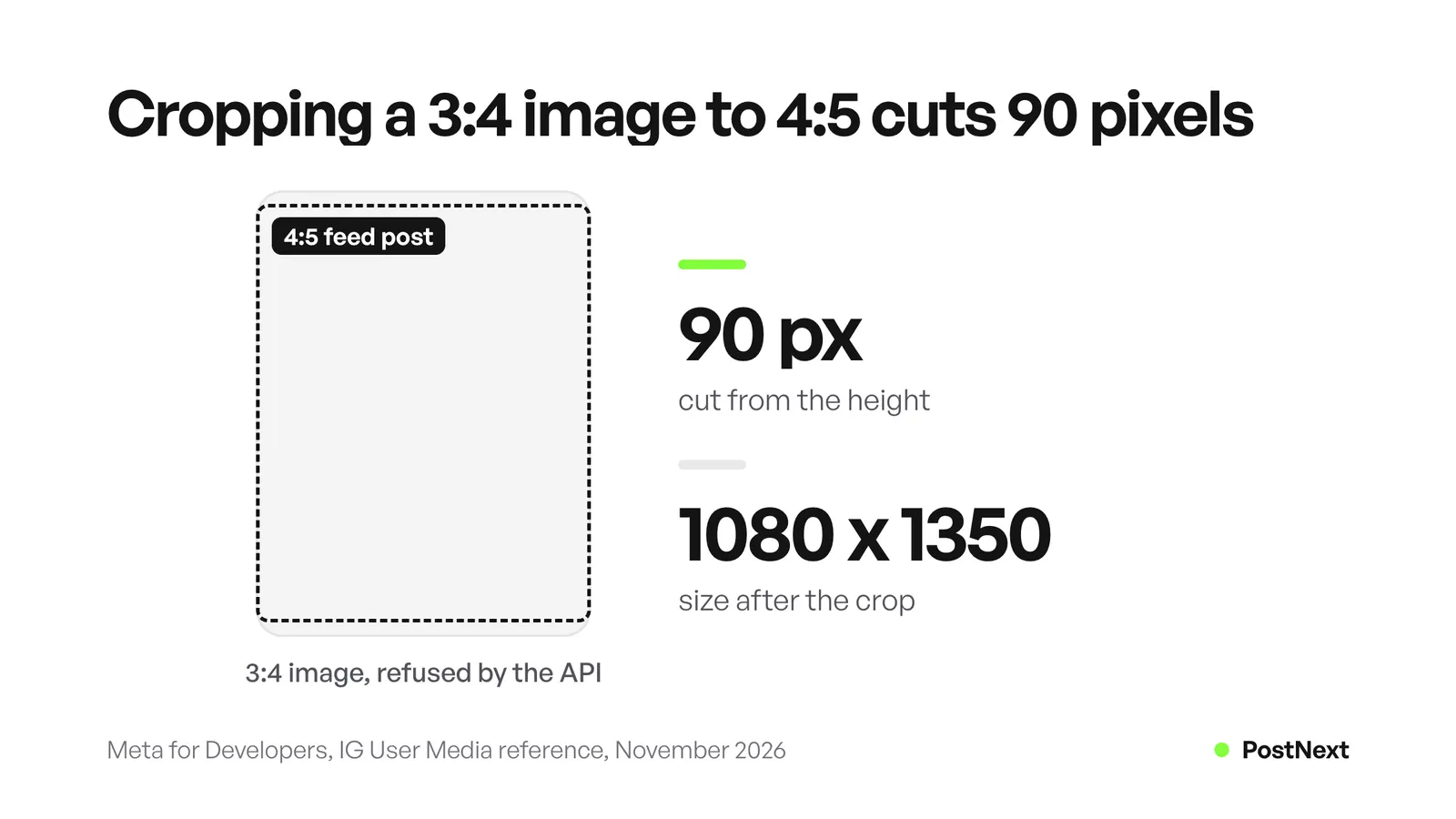
A 3:4 image (1080 x 1440) posts from the Instagram app, but Instagram’s API, which schedulers use, refuses it. Cropping it to 4:5 cuts 90 pixels of height, to 1080 x 1350. Our Instagram post size guide draws each feed shape to scale, and the free Instagram photo resizer sizes a file for the feed.
Check the file type too. Instagram’s API lists JPEG for feed images, and TikTok’s API lists JPEG and WebP for photo posts. Convert a PNG to JPEG before you schedule it to either app.
What image sizes do social posts need?
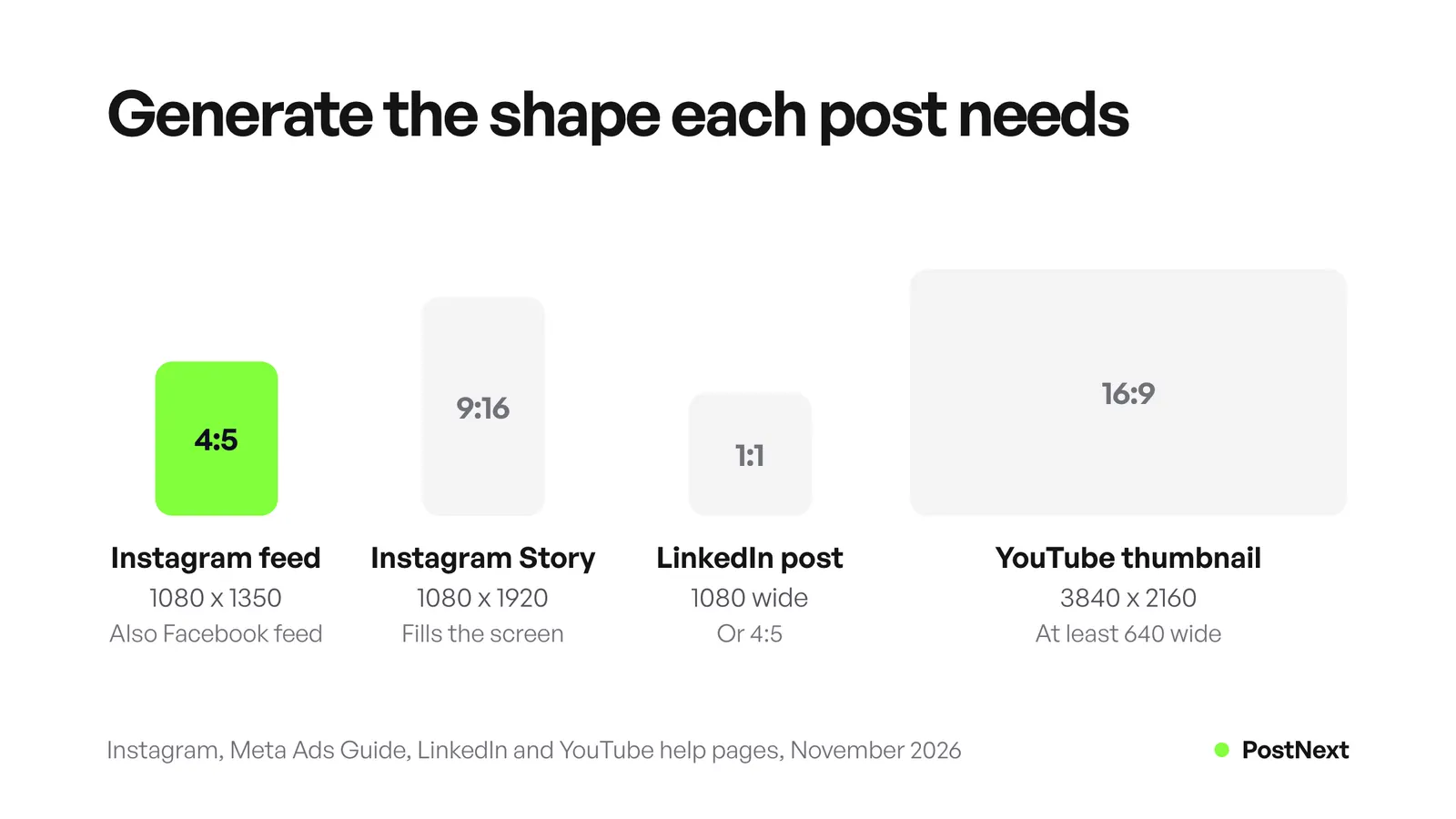
Generate at the platform’s shape, then export at its width. Instagram feed posts take 4:5 at 1080 pixels wide, and LinkedIn recommends 1080 pixels wide. Facebook’s feed size is 4:5 at 1440 x 1800. Stories take 9:16, and YouTube thumbnails take 16:9 at 3840 x 2160. Each rule below comes from the platform’s own pages, checked in November 2026.
| Where the image goes | Shape to generate | Size to export | Platform rule |
|---|---|---|---|
| Instagram feed | 4:5 | 1080 x 1350 | Up to 1080 px wide; API accepts 4:5 to 1.91:1, JPEG, 8 MB |
| Instagram Stories | 9:16 | 1080 x 1920 | API recommends 9:16 “to avoid cropping or blank space” |
| Facebook feed | 4:5 | 1440 x 1800 | Meta Ads Guide; JPG or PNG up to 30 MB |
| LinkedIn post | 4:5 or 1:1 | 1080 px wide | Ratios from 3:1 to 4:5; 5 MB per photo |
| X post | Between 2:1 and 3:4 | No size given | Shows in full in that range; 5 MB per photo |
| TikTok photo post | No ratio given | Up to 1080p | API: JPEG or WebP, 20 MB per image |
| YouTube thumbnail | 16:9 | 3840 x 2160 | At least 640 px wide |
The 1080 x 1350 and 1080 x 1920 sizes are our arithmetic at Instagram’s 1080-pixel width. Our guide to LinkedIn image sizes covers multi-photo posts and link previews.
Do social platforms label AI-generated images?
Yes, most do. Meta, TikTok, YouTube, LinkedIn and Pinterest read AI data in the file and label posts on their own. TikTok requires you to label realistic AI images. YouTube requires disclosure of realistic AI content in videos. Meta requires it for realistic video and audio, not for images. X bans misleading AI media that could cause serious harm, and we found no AI image label there.
| Platform | What adds a label on its own | When you must label | What viewers see |
|---|---|---|---|
| Instagram, Facebook, Threads | Industry-standard AI signals, including Meta AI images | Realistic video and audio; not images | ”AI content”; AI edits only in the post’s menu |
| TikTok | TikTok AI effects; C2PA Content Credentials | Realistic AI images, audio and video | ”AI-generated”; an automatic label stays |
| YouTube | YouTube AI tools; C2PA metadata; its own detection | Realistic altered or synthetic content | A label in the description, or in the player |
| C2PA Content Credentials | No rule found | A C2PA icon showing whether AI was used | |
| IPTC metadata and its own classifiers | No rule found | ”AI modified” in the close-up view | |
| X | No AI label found | Harmful misleading media is banned | Nothing AI-specific found |
Read on each platform’s help, policy or newsroom pages on 25 November 2026. Meta called its label “AI info” in 2024. Its help pages now say “AI content”.
A ChatGPT, Firefly or Designer image carries C2PA data, so expect TikTok, YouTube, LinkedIn and Meta to label the post. OpenAI says a screenshot or a file conversion can remove this data. Do not strip it on purpose: Canva’s terms ban removing C2PA data, and Ideogram’s terms ban removing its watermarks.
On TikTok, turn on the AI-generated content setting under Post settings for a realistic AI photo, or TikTok may remove, restrict or label it. On Instagram, tap Add AI label when you post if you want one. YouTube lists AI thumbnails and infographics as production help, which needs no disclosure. Bluesky’s guidelines have no AI image rule. For AI text, video and audio, see when AI-made posts need a label. For video models and the TikTok and YouTube label fields, see our AI video generator guide. For creator-style videos with an AI person, the FTC’s testimonial rule also applies: see AI UGC.
Can you use free AI images for business?
Sometimes. Ideogram, Dreamina and Canva allow commercial use, and OpenAI’s terms give you the output. Recraft’s free images belong to Recraft and are for personal use. Microsoft Designer is licensed for personal, non-commercial use. Copyright is a separate question from these terms.
The terms decide whether you are allowed to post the image. Copyright decides whether you are able to stop others from copying it. In January 2025 the US Copyright Office concluded that AI output is protected only where a human author determined sufficient expressive elements, and not by the mere provision of prompts. Google, OpenAI and Canva all warn that other users get similar output.
So make a logo or a main brand picture yourself, or rework the AI draft by hand. Keep launch pictures off public free plans: Ideogram and Recraft free images are public, and so are Midjourney images by default. This is general information, not legal advice.
How do you write a prompt for a social media image?
Write the prompt in the order the post needs it. Name the shape first, then the job of the post, then one subject. Put the exact words for the image in quotation marks, and keep them to a few words. Then describe the light, the setting and the colors in plain words. End with what to leave out. Name the ratio in the prompt even when the tool has a ratio menu.
A six-part prompt, built in that order:
- Shape. “4:5 portrait image for an Instagram feed post.”
- Job. “It announces a stall at a Friday market.”
- Subject. “A hand holding a glass jar of honey.”
- Words. “The label reads ‘FRIDAY MARKET’.” Midjourney and FLUX both ask for the exact words in quotation marks.
- Look. “Morning daylight, wooden table, warm yellow and white.”
- Leave out. “No other text, no logos, no people.”
This example is an illustration written for this post.
A prompt cannot show the real item you sell. A generated jar of honey is not your jar, and the buyer receives the real one. For posts about a real item, start from your own picture: tools made for product photos place the real product in new scenes, so the post shows what the buyer gets.

How do you check an AI image before you schedule it?
Run four checks before an AI image goes in your queue. Check the shape against the platform’s range. Read every word on the image at phone size. Keep the AI data in the file, and add the platform’s label where it is required. Confirm your plan allows business use. A failed check is cheaper to fix before the post goes live.
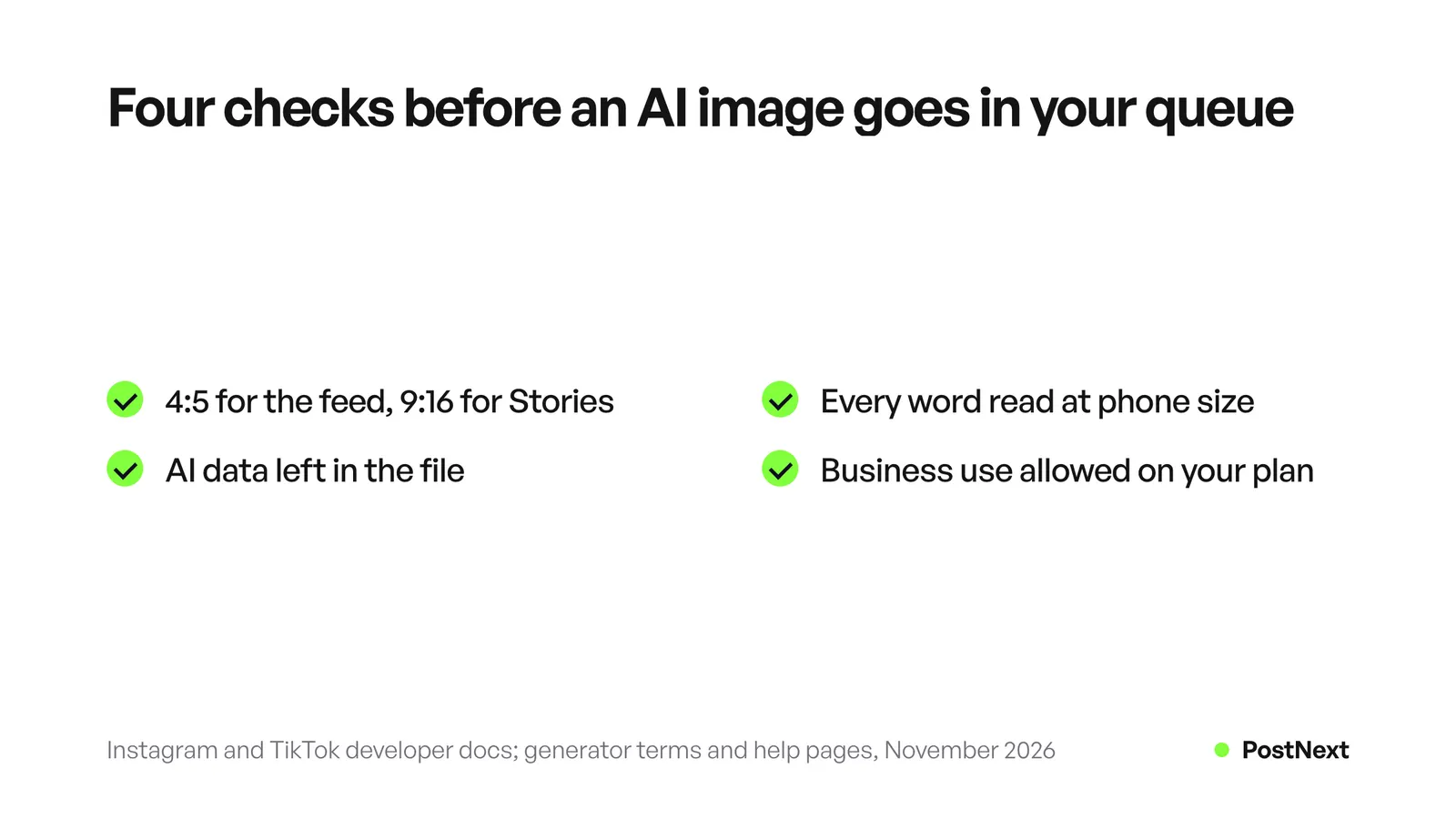
Shape. Compare the image with the size table. For Instagram, that means 4:5 to 1.91:1 and a JPEG file.
Text. Open the image on a phone. Check names, prices, dates and spelling letter by letter. If a word is still wrong after two tries, remove the text from the prompt and add it in an editor.
AI data and labels. Leave the C2PA data in place. Turn on TikTok’s AI-generated content setting for realistic AI photos, and decide whether to add Instagram’s optional label.
Rights and people. Read your plan’s terms before a client post. TikTok bans AI content showing the likeness of anyone under 18, or of an adult private person without permission, even with a label.
What does PostNext do once the image exists?
PostNext takes the finished image and schedules it. Add the image to a post, write or generate the caption, and publish to X, Instagram, LinkedIn, TikTok, YouTube, Threads and Bluesky from one calendar. The AI content creator writes a caption, hashtags and an image prompt for each network, and it also creates images with your AI credits. The Free plan includes 10 AI credits a month.
The AI content creator works from one topic at a time, in the voice saved in your brand profile. AI images use the same credits as text drafts: 10 a month on Free, 150 on Premium, 500 on Business and 50 per user on Teams. Credits reset each month (postnext.io, November 2026).
AI carousels writes every slide and renders the slide images in your brand colours and logo, for Instagram and TikTok. A carousel has 2 to 10 slides, each rendered at the right size for the platform you choose. Carousels are on paid plans, which start with a 7-day trial.
The scheduling calendar then places the post at a date and time. PostNext’s Instagram page lists the photo rules: JPEG, up to 8 MB, from 4:5 to 1.91:1. The Free plan covers 10 posts a month on one channel.
Frequently Asked Questions
What is the best AI image generator for Instagram?
Pick one that makes 4:5 directly and allows business use on your plan. Ideogram, ChatGPT Images, Nano Banana, Recraft, Midjourney and FLUX all make 4:5. Ideogram is built around text, but its free images are public. Save the file as a JPEG for scheduled posts.
Is there a free AI image generator I can use for business?
Yes. Ideogram, Dreamina and Canva allow commercial use, Adobe calls Firefly output safe for commercial use, and OpenAI’s terms give you ChatGPT output. Recraft’s free images belong to Recraft, and Microsoft Designer is for personal use. Read the terms again before a client project.
Which AI image generator is best for text on images?
Ideogram is built around text, and Google calls Nano Banana Pro its best model for legible text. OpenAI, Ideogram, Midjourney and Microsoft all warn that text in images can fail. Keep the words to a short phrase, read them at phone size, and add long text in an editor.
Does Instagram label AI-generated images?
Yes, when the file carries industry-standard AI signals, such as images made with Meta AI. The label reads “AI content”. Meta does not require you to label images yourself. It does require a label for photorealistic video and realistic audio.
Do I have to label AI images on TikTok?
Yes, if they look realistic. TikTok requires a label on AI-generated content with realistic images, audio or video. Turn on the AI-generated content setting under Post settings. TikTok also labels uploads with C2PA Content Credentials on its own, and you cannot remove that label.
Does an AI label lower a post’s reach?
YouTube says disclosing AI content alone will not limit a video’s audience or its eligibility to earn money. Meta, TikTok, LinkedIn and Pinterest do not say either way on the pages we read. A missing required label is the bigger risk.
How can I check whether an image was made with AI?
Check the data the makers add. Meta’s AI Detection tool reads AI signals in photos and videos, and OpenAI’s verification page reads its own. Google says to upload an image to the Gemini app and ask whether Google AI made it. A screenshot can remove this data, so no result proves nothing.
Sources
- Google AI for Developers, Image generation with Gemini (Nano Banana) (aspect ratios, text, SynthID, November 2026)
- Google, Gemini image generation overview (visible watermark, free with limits, SynthID check, November 2026)
- Google, Gemini API Additional Terms of Service (ownership of generated content, November 2026)
- Google, Nano Banana Pro announcement (text rendering, November 2025)
- OpenAI Help Center, Images in ChatGPT (any aspect ratio, every plan, November 2026)
- OpenAI Help Center, C2PA in ChatGPT images (Content Credentials, SynthID, verification, November 2026)
- OpenAI, Image generation guide (sizes, 1:3 to 3:1, text limits, November 2026)
- OpenAI, Terms of use (output ownership and similarity, November 2026)
- Midjourney, Aspect Ratio, Text Generation, Free Trials, Using Images and Videos Commercially, Comparing plans and Terms of Service (November 2026)
- Adobe Help, Set the aspect ratio of images and Adobe, Adobe Firefly (ratios, Content Credentials, free plan, commercial use, November 2026)
- Ideogram, Image settings, Text in images and Terms of Service (November 2026); ideogram.ai/pricing (free plan, public images, commercial use, November 2026)
- Recraft, Ownership, Free plan, API appendix and Recraft V4 (November 2026)
- Dreamina by CapCut, AI image generator and Seedream 5.0 Pro (ratios, text, watermark, commercial use, November 2026)
- Canva, AI image generator page (canva.com/ai-image-generator), AI access help page (canva.com/help/ai-access), “Using Magic Studio safely and legally” (canva.com/help/using-magic-studio-safely-and-legally) and AI Product Terms (canva.com/policies/ai-product-terms), checked November 2026
- Black Forest Labs, FLUX 3 Image API reference, FLUX 3 announcement and licensing overview (November 2026)
- Microsoft Support, Frequently asked questions about Microsoft Designer and Microsoft, AI image generator (license, C2PA, text, shapes, November 2026)
- Instagram Help Center, Label AI content on Instagram and Meta Help Centre, How to identify AI content on Meta products (November 2026)
- Meta Newsroom, Our approach to labeling AI-generated content and manipulated media (April 2024, updated September 2024)
- TikTok Support, AI-generated content and TikTok, Integrity and authenticity guidelines (November 2026)
- YouTube Help, Disclosing use of GenAI content and Add video thumbnails (November 2026)
- LinkedIn Help, Content credentials and Share photos on LinkedIn (November 2026)
- Pinterest Help, Gen AI labels (November 2026)
- X Help Center, Authenticity policy (April 2025 version, read via the Internet Archive in November 2026) and Posting GIFs and pictures
- Bluesky, Community Guidelines (November 2026)
- Instagram Help Center, Photo resolution and Meta for Developers, IG User Media reference (sizes, ratio range, JPEG, November 2026)
- Meta Ads Guide, Image ads in Facebook Feed (November 2026)
- TikTok for Developers, Content Posting API media transfer guide (image formats and limits)
- U.S. Copyright Office, Copyright Office Releases Part 2 of Artificial Intelligence Report (January 29, 2025)
- PostNext, AI content creator, AI carousels, Instagram scheduler and llms.txt (November 2026)