An AI video generator for social media has to make a vertical clip long enough for one idea, with sound, and you have to label it where the rules say so. This PostNext guide checks 8 current models on their makers’ and Runway’s pages (26 November 2026). Most make 15 to 30 seconds per clip. OpenAI shut down the Sora 2 API on 24 September 2026.
Key Takeaways
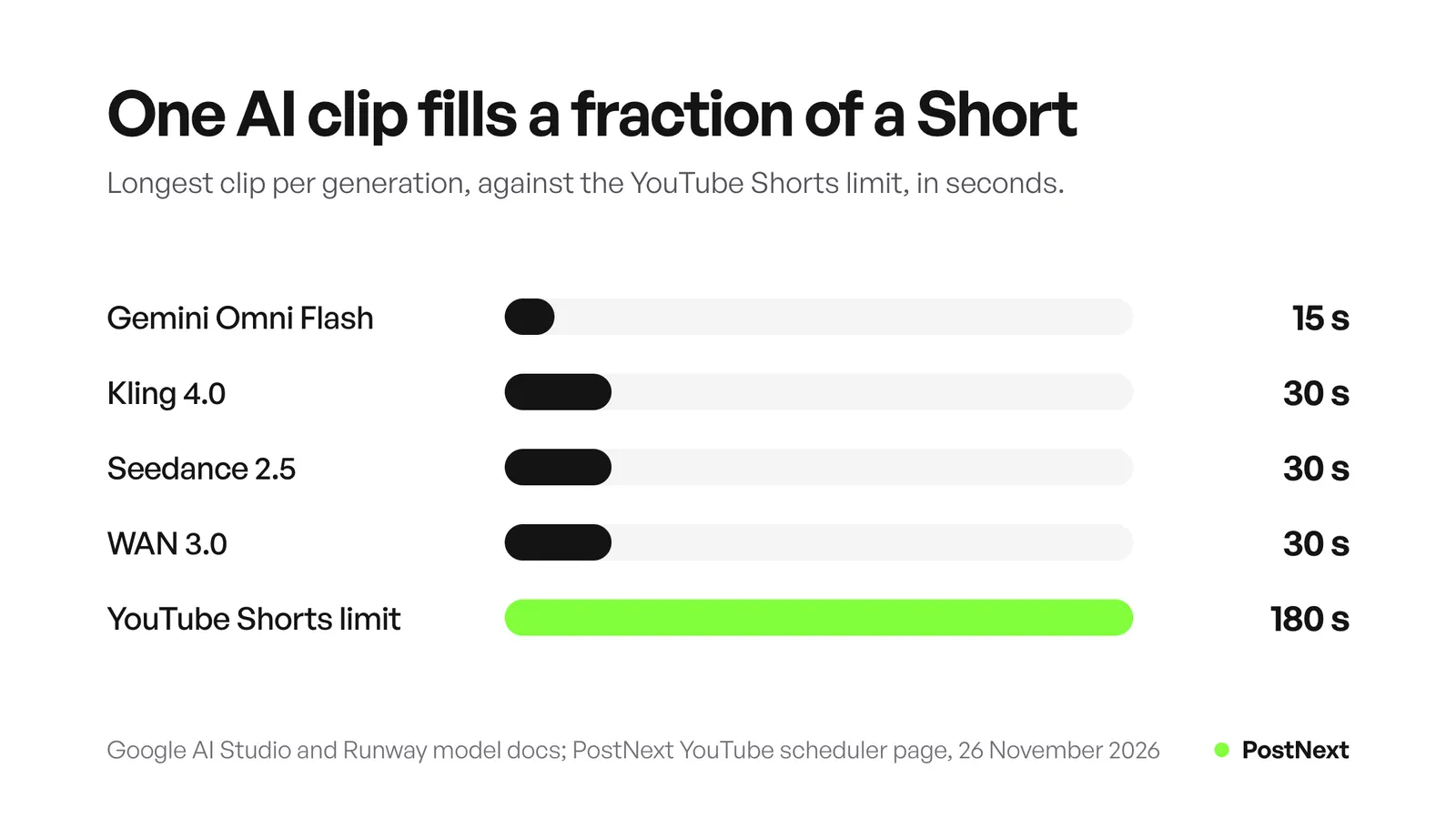
- Most clips are 15 to 30 seconds. Gemini Omni Flash makes 3 to 15 seconds. Kling 4.0, Seedance 2.5 and WAN 3.0 make up to 30. Dreamina’s Long Video mode goes to 180 seconds.
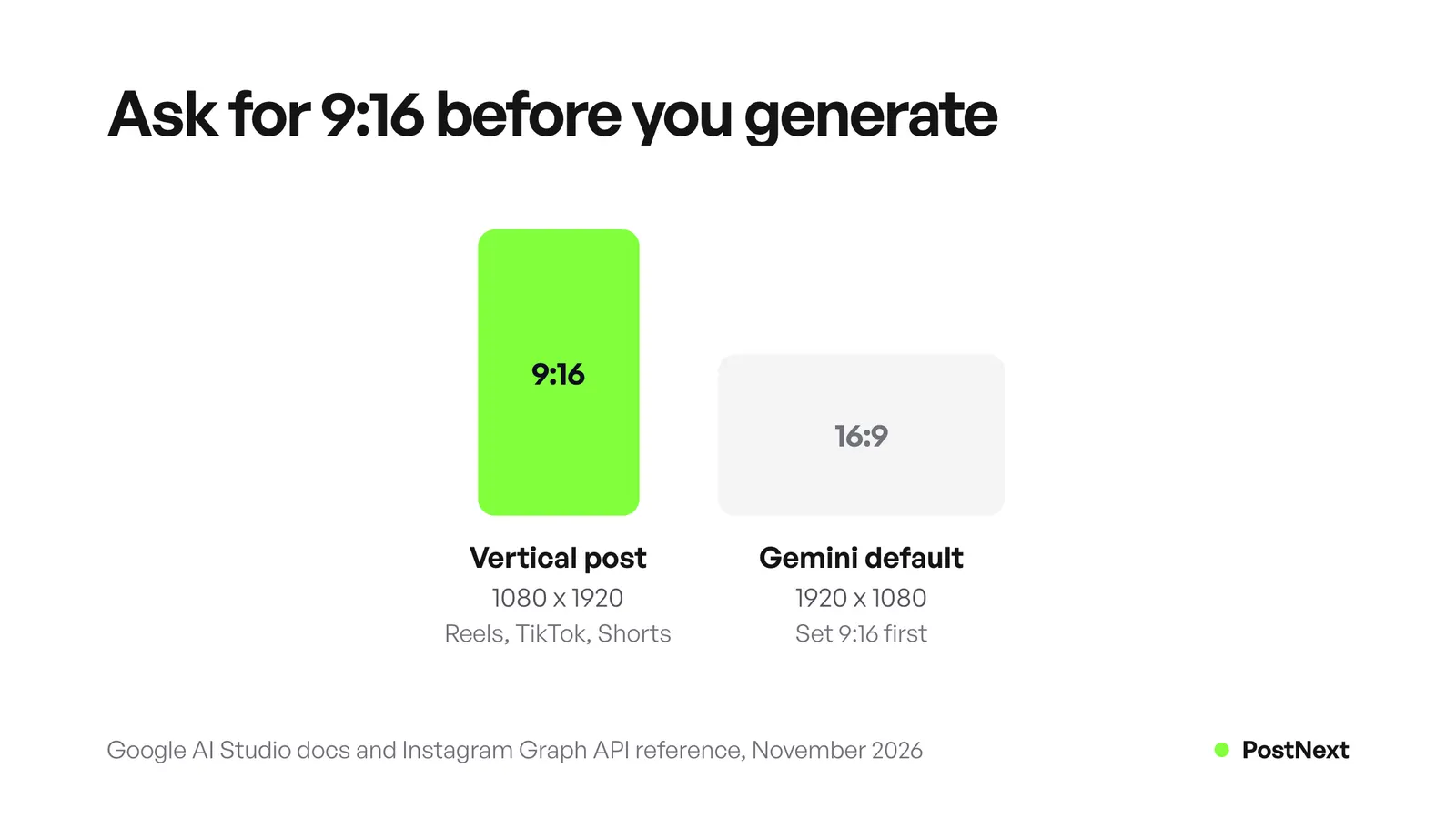
- Ask for 9:16 at the start. Gemini Omni Flash takes 9:16 or 16:9. Seedance 2.5 renders 9:16 up to 2160 x 3840.
- Models retire fast. OpenAI shut down the Sora 2 API on 24 September 2026. Google shut down the Veo 3.1 preview in the Gemini API on 22 October 2026.
- Realistic AI video needs a label. TikTok, YouTube and Meta all require disclosure of realistic AI-generated video.
- Two APIs carry the label for you. TikTok’s posting API has an
is_aigcfield and YouTube’s hascontainsSyntheticMedia. - YouTube does not pay for mass-produced video. Its “inauthentic content” policy, renamed in July 2025, covers repetitive and template-made channels.
Which AI video generator is best for social media?
No single model wins every post. For short vertical clips with sound, Gemini Omni Flash, Kling 4.0 and Seedance 2.5 cover the common jobs. For edits to a clip you already have, Runway’s Aleph 2.0 and Gemini Omni Flash take a source video. For a person speaking a script, Runway’s Characters model makes a talking character. The table compares 8 models.
| Model (maker) | Clip length per generation | Resolution | Sound | Starts from |
|---|---|---|---|---|
| Gemini Omni Flash (Google) | 3 to 15 seconds; extend up to 30 in total | 360p, 720p, 1080p (upscaled); 9:16 or 16:9 | Native audio | Text, up to 6 images, source video |
| Veo 3.1 (Google) | Not stated in the catalog | Not stated in the catalog | Audio and speech | Text or image |
| Kling 4.0 (Kling AI) | 3 to 30 seconds | 720p or 1080p | Not stated in the catalog | Text, frames, image or video references, edits |
| Seedance 2.5 (ByteDance) | Up to 30 seconds; 180 in Dreamina’s Long Video mode | 480p to 4K; 9:16 at 2160 x 3840 | Audio references | Images, video and audio references |
| Gen-4.5 (Runway) | Not stated in the catalog | Not stated in the catalog | Not stated in the catalog | Text or image |
| MiniMax H3 (MiniMax, Hailuo) | Not stated in the catalog | H3 Max: 480p and 768p | Native audio on H3 Max | Text, image, video and audio references |
| WAN 3.0 (Alibaba) | 2 to 30 seconds | 480p, 720p, 1080p | Native audio | Image, video and audio references |
| Grok Imagine Video 1.5 (xAI) | Not stated in the catalog | Lite: 480p, 720p, 1080p | Native audio | Text, image references |
Read on Google’s Gemini Omni docs, Dreamina’s Seedance pages and Runway’s API model catalog on 26 November 2026. “Not stated in the catalog” means the pages we read do not give the figure.
The look of each model changes with every update, and one test prompt shows it faster than any table. Check a model’s own page for its price and its terms for business use before a client project.
How do the 8 AI video models compare for social posts?
Each model below gets the same checks: how long one clip runs, whether it makes vertical video, whether it adds sound and what it starts from. Every fact comes from the maker’s docs or from Runway’s API catalog, which lists each model with its limits, read on 26 November 2026. Prices change often, so each entry names where to check instead of a price.
1. Gemini Omni Flash (Google)
Gemini Omni Flash is Google’s video model in the Gemini API and the Gemini app, where it replaces Veo. It turns text, up to 6 reference images or a source video into 3 to 15 second clips with native audio, 10 seconds by default. Set aspect_ratio to 9:16 for vertical video. Output is 720p by default, with 1080p as an upscale. Extensions build a clip up to 30 seconds. Every video made in the Gemini app carries Google’s SynthID watermark. Plans: gemini.google/subscriptions (November 2026).
2. Veo 3.1 (Google)
Veo 3.1 makes video with audio and speech. Its preview in the Gemini API shut down on 22 October 2026, and Google points developers to Gemini Omni Flash or to its enterprise platform. Runway’s API still lists Veo 3.1 and Veo 3.1 Fast on 26 November 2026. If a workflow you built calls the old preview model, it stopped working that day.
3. Kling 4.0 (Kling AI)
Kling 4.0 makes 720p or 1080p video of 3 to 30 seconds from text, frames, or image and video references, and it can edit a source video. Its prompts can describe several shots with hard cuts in one clip, such as cuts at 2 and 6 seconds in an 8-second video. Runway’s docs warn that shot times are instructions, not exact edit points. Kling 3.0 Pro adds optional audio at 1080p for 3 to 15 seconds. Plans: kling.ai (November 2026).
4. Seedance 2.5 (ByteDance, in Dreamina)
Seedance 2.5 makes clips of up to 30 seconds at 480p, 720p, 1080p or 4K, with a large budget for image, video and audio references. Its 4K vertical size is 2160 x 3840 pixels. In Dreamina, CapCut’s AI tool, its Long Video mode makes videos from 5 to 180 seconds. Dreamina starts new accounts with free credits. Plans: in the Dreamina app (November 2026).
5. Gen-4.5 and Aleph 2.0 (Runway)
Gen-4.5 is Runway’s own text-to-video and image-to-video model. Aleph 2.0 edits a video you already have, guided by keyframes, which suits changing a background or a product color in real footage. Runway’s help center lists the older Gen-4 at 5 or 10 seconds from an input image. Runway’s API also offers other makers’ models, which is why its catalog is a source for this table. Plans: runwayml.com/pricing (November 2026).
6. MiniMax H3 (Hailuo)
MiniMax H3 makes video from text, image, video and audio references. H3 Max adds first and last frames and native audio at 480p and 768p. MiniMax’s own consumer app is Hailuo. For a feed clip, 768p sits below the 1080-pixel width Instagram uses, so use it for drafts and tests. Plans: platform.minimax.io (November 2026).
7. WAN 3.0 (Alibaba)
WAN 3.0 makes video with native audio, from 2 to 30 seconds, at 480p, 720p or 1080p, with image, video and audio references. WAN 3.0 Prime is the faster version with the same lengths and sizes. Plans: check the platform you run it on (November 2026).
8. Grok Imagine Video 1.5 (xAI)
Grok Imagine Video 1.5 makes video with native audio and image references, and it can drive a performance from an audio file. Grok Imagine Video 1.5 Lite is the faster, lower-cost version for text or a start frame, at 480p, 720p or 1080p. Plans: x.ai (November 2026).
Which AI video models have shut down?
OpenAI shut down the Sora 2 models and its Videos API on 24 September 2026, with “no one-to-one replacement”. It had announced the end of the Sora app and API on 24 March 2026. Google shut down the Veo 3.1 preview models in the Gemini API on 22 October 2026. Any workflow built on those model names stopped working on those dates.
| Model | What happened | Date | Source |
|---|---|---|---|
| Sora 2, Sora 2 Pro and the Videos API (OpenAI) | Shut down; no one-to-one replacement | 24 September 2026 | OpenAI deprecations page |
| Sora app and sora.com (OpenAI) | Discontinuation announced with the API | 24 March 2026 | OpenAI, via AP and Axios |
| Veo 3.1 Preview, Fast and Lite in the Gemini API (Google) | Shut down; move to Gemini Omni Flash | 22 October 2026 | Google AI Studio video docs |
| Veo in the Gemini app (Google) | Replaced by Gemini Omni | 2026 | Gemini video generation page |
Checked on 26 November 2026.
The lesson for a social media workflow: keep the prompt, the script and the edit in your own files, and treat the model as a part you can swap. A clip library and a posting calendar outlive any one model.
Do social platforms label AI-generated video?
Yes. TikTok, YouTube and Meta all require you to disclose realistic AI-generated video, and they can also add labels on their own. TikTok and YouTube read C2PA Content Credentials in the file. An automatic TikTok label cannot be removed. Each rule below comes from the platform’s help or policy pages, read in November 2026.
| Platform | When you must label | What adds a label on its own | Label from a posting API |
|---|---|---|---|
| TikTok | All AI content with realistic images, audio or video | TikTok AI effects; files with C2PA Content Credentials | is_aigc: true in the Direct Post request |
| YouTube | Realistic AI-generated or meaningfully altered content | YouTube AI tools; C2PA data; its own detection | status.containsSyntheticMedia in videos.insert or videos.update |
| Instagram, Facebook, Threads | Photorealistic video and realistic audio | Industry-standard AI signals; Meta AI content | Threads: is_made_with_ai. Instagram: none found |
TikTok’s AI-generated content page and Direct Post reference, YouTube’s disclosure help page and videos resource, and Meta’s AI content help page, November 2026.
YouTube does not ask you to disclose content that is clearly not realistic, such as an animation, or minor edits such as beauty filters. TikTok counts a real person shown doing or saying something they did not as significantly edited, so it needs the label. On TikTok you can also disclose with text, a hashtag sticker or context in the description.
If your scheduler does not send the AI flag, add the label yourself. On TikTok, send the post to your TikTok inbox and turn on the AI-generated setting when you finish it in the app. On YouTube, upload as private and choose the AI use setting in YouTube Studio before you make it public. For still images, our AI image generator guide covers each platform’s label.
Can you make money from AI videos on YouTube?
Yes, if the channel passes YouTube’s monetization review like any other. YouTube’s policy says content must “not be mass-produced, generic, repetitive, or manipulative”. On 15 July 2025 YouTube renamed its “repetitious content” policy to “inauthentic content”, to state clearly that it covers repetitive and mass-produced videos. Such channels cannot earn money.
The policy names the patterns reviewers look for: videos that look made with a template, “minimal variation across videos”, and characters “put in the same situation over and over again with the same outcome”. Reviewers check a channel’s main theme, its most viewed videos and its titles, thumbnails and descriptions.
So an AI channel needs what any channel needs: a point of view, a different idea per video, and your own commentary, story or teaching. The rules are on YouTube’s channel monetization policies page. AI used as a tool inside a video you made is a different case from 100 near-identical clips made from one prompt.
What length and size should AI videos be for each platform?
Generate in 9:16 and stay inside each platform’s limits before you schedule. TikTok lets every account post 3 minutes and its API sends up to 10. YouTube Shorts run up to 3 minutes. Instagram’s API recommends 9:16 for Reels and caps files at 300 MB. Most AI clips are 15 to 30 seconds, so join two or three clips into one post.
| Where it goes | Shape | Length | File rules for apps that post for you |
|---|---|---|---|
| TikTok | Vertical 9:16 | 3 minutes for all accounts; some get 5 or 10 | MP4, WebM or MOV up to 4 GB, 360 to 4,096 px, 23 to 60 fps |
| Instagram Reels | 9:16 recommended | Not stated on the API page we read | MOV or MP4, 23 to 60 fps, 300 MB |
| YouTube Shorts | Square or vertical | Up to 3 minutes | MP4 with H.264 and AAC is best |
| X | Any | Up to 20 minutes through the API (default accounts) | Up to 8 GB |
| Bluesky | Any | Up to 10 minutes | Up to 300 MB |
Limits from TikTok’s posting API docs, Meta’s IG Media reference, YouTube help and API pages, X’s media docs and Bluesky’s August 2026 announcement, checked October and November 2026.
A 15-second Gemini Omni Flash clip at 1080p fits every row. A 30-second Seedance clip needs no change for TikTok or Reels. Our guides to TikTok video length and YouTube Shorts size go deeper on each platform.
How do you turn AI video clips into social posts?
Plan the post before the prompt, then generate, edit, caption and schedule. Write one idea for the post and the 3 to 5 shots that show it. Generate each shot in 9:16, join them in an editor, add captions, and check the AI label rule for each platform. Schedule the video to every network from one calendar.
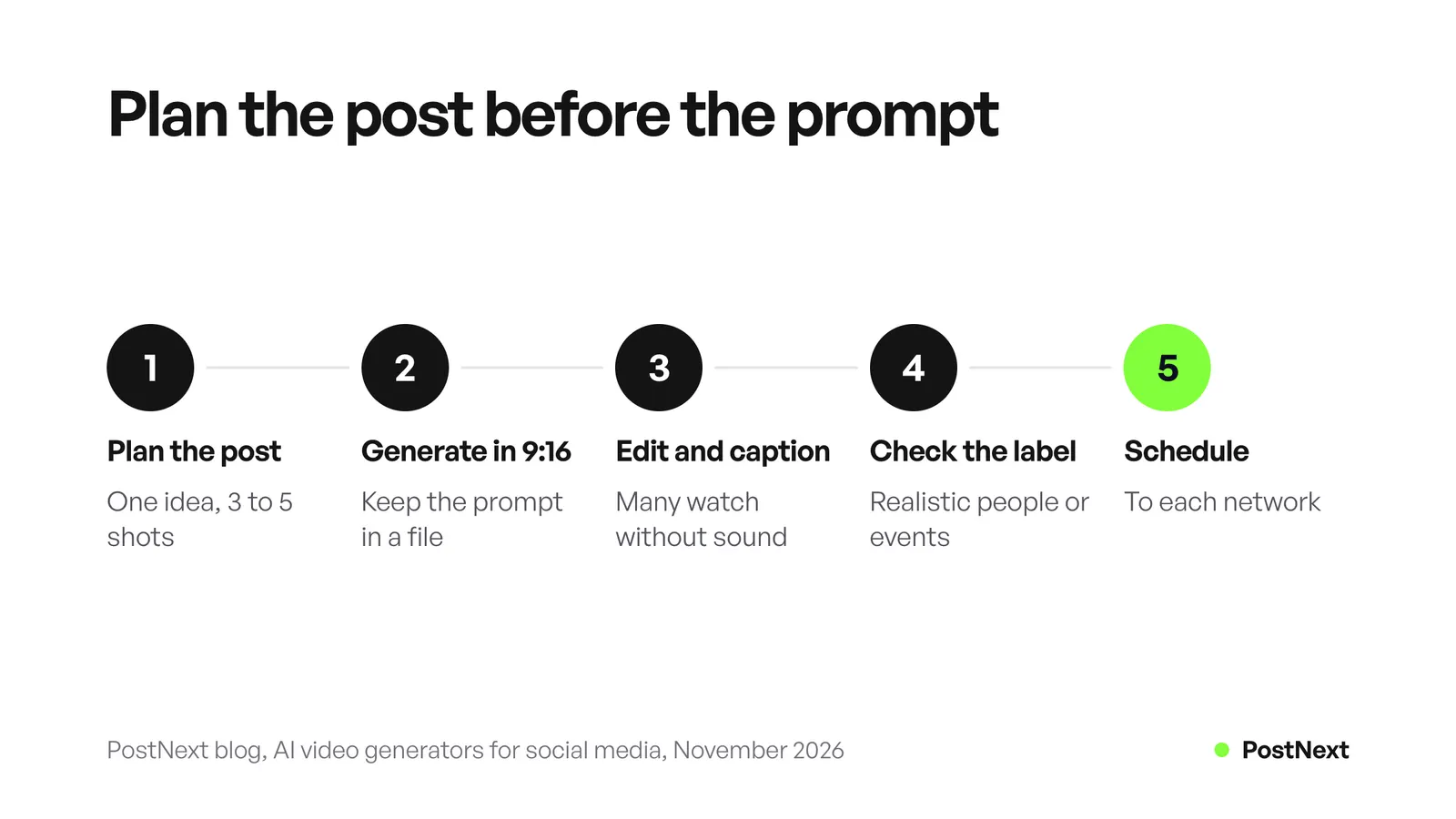
- Write one idea. One sentence: what the viewer learns or feels. If it needs two sentences, it is two posts.
- Shot list. 3 to 5 shots of 3 to 8 seconds each. A clip of 15 seconds holds about two shots.
- Generate in 9:16. Name the ratio in the request, not only in the prompt. Keep the prompt in a file, so you can rerun it on another model.
- Edit and caption. Join the shots, cut the weak frames and add captions, since many people watch with the sound off.
- Check the label. Realistic people or events need the AI label on TikTok, YouTube and Meta.
- Schedule. Send the finished file to each network at its own best time.
For product videos and ads, DesignerBox makes AI video ads from a product photo. For editing tools such as CapCut, Descript and OpusClip, see our list of AI tools for social media content creation.
How does PostNext post AI videos?
PostNext schedules a finished video to TikTok, Instagram Reels, YouTube, X and Threads from one calendar. On TikTok it can post directly or send the video to your TikTok inbox. On YouTube it uploads each video as private at its time, and you set public or unlisted in YouTube Studio. Both routes leave room to add the AI label.
You can upload a video in the app, or send it from code. PostNext’s API takes an image or video of up to 500 MB in one upload, and an AI agent can schedule posts through the PostNext MCP server. A YouTube upload runs in the background after the API answers, so check the post’s status before you call it done. The YouTube scheduler and TikTok scheduler pages list what PostNext sends to each network and what you finish in the app.
PostNext writes captions with AI, but it does not generate video. Make the clip in one of the models above, then schedule it. Video posts to LinkedIn and Bluesky are not available in PostNext, so post those in each app. The Free plan includes 1 channel and 10 posts a month.
Frequently Asked Questions
What is the best free AI video generator for social media?
Several makers offer free credits, which run out. Dreamina starts new accounts with free credits for Seedance 2.5. The Gemini app needs a paid Google AI plan for Gemini Omni. Free plans change often, so check the maker’s own page the week you start.
Is Sora still available?
No. OpenAI shut down the Sora 2 models and its Videos API on 24 September 2026, with no one-to-one replacement. It had announced on 24 March 2026 that it would discontinue Sora in the consumer app and the API.
Do I have to label AI videos on TikTok?
Yes, when the video shows realistic AI images, audio or video. Turn on the AI-generated content setting when you post, or disclose it with text, a hashtag sticker or the description. TikTok may add an “AI-generated” label on its own, and you cannot remove that label.
Can you monetize AI videos on YouTube?
Yes, if the channel follows YouTube’s monetization policies. Mass-produced, repetitive or template-made videos fall under the “inauthentic content” policy and cannot earn money. Realistic AI content also needs the AI use disclosure when you upload.
How long can an AI-generated video be?
Most models make 15 to 30 seconds per clip. Gemini Omni Flash makes 3 to 15 seconds and extends to 30. Kling 4.0, Seedance 2.5 and WAN 3.0 make up to 30 seconds. Dreamina’s Long Video mode makes up to 180 seconds.
What aspect ratio should AI videos be for Reels and TikTok?
Vertical 9:16, such as 1080 x 1920 pixels. Set the ratio in the generator before you start: Gemini Omni Flash makes landscape 16:9 by default. Instagram’s API recommends 9:16 for Reels to avoid cropping.
Sources
- Google AI Studio, Video generation in the Gemini API and Gemini Omni Flash (lengths, 9:16, resolution, Veo 3.1 preview shutdown on 22 October 2026, checked 26 November 2026)
- Google, Gemini Omni video generation (replaces Veo in the Gemini app, SynthID, checked 26 November 2026)
- OpenAI, Deprecations and Video generation with Sora (Sora 2 and Videos API shut down 24 September 2026, checked 26 November 2026)
- Axios, OpenAI to discontinue Sora video app (24 March 2026)
- Runway, Available AI models (Kling 4.0, Seedance 2.5, Gen-4.5, Aleph 2.0, MiniMax H3, WAN 3.0, Grok Imagine 1.5, Veo 3.1, checked 26 November 2026) and Creating with Gen-4 Video
- Dreamina by CapCut, AI video generator (Seedance 2.5, Long Video mode up to 180 seconds, free credits, checked 26 November 2026)
- TikTok, AI-generated content and TikTok for Developers, Direct Post reference (label rules,
is_aigc, checked 26 November 2026) - YouTube Help, Disclosing use of GenAI content and YouTube channel monetization policies (disclosure, inauthentic content, checked 26 November 2026)
- YouTube Data API, Videos resource (
containsSyntheticMedia, checked 26 November 2026) - Meta Help Centre, How to identify AI content on Meta products (November 2026)
- X Developer Platform, Media introduction (video up to 20 minutes and 8 GB, October 2026) and Bluesky, video update post (10 minutes, 300 MB, 25 August 2026)
- Meta for Developers, IG User Media reference (Reels specs, November 2026)
- PostNext, YouTube scheduler, TikTok scheduler, API reference and MCP server (checked 26 November 2026)