Skip to content

Social media scheduler for content creators

Film a week of videos in one afternoon and schedule them in one sitting. PostNext sends each one to Instagram, TikTok and YouTube while you film the next batch.

How content creators turn viewers into followers

Most new viewers meet you through one video in their feed. If they like it, they tap your name and scroll your last few videos. They follow when the profile promises more of what they liked. One clear topic makes that promise. Brands check the same profile before they offer a paid deal. They read the comments to see if real people watch.

Viewers notice when a weekly video does not arrive. Keep two or three finished videos ready for weeks when you cannot film. Every creator's topic also has its own seasons. For a food creator, that means soup in October and baking in December. Film those videos early, so they appear before other creators post the same dishes. A content calendar shows those dates months ahead.

When someone shares your video, a new person sees it. So before you film, ask who your viewer will share it with. Viewers send a quick dinner recipe to the friend who always cooks late. People share recipe lists often, so learn how to make an Instagram carousel. If a brand paid you or gave you the product, say so in the caption.

One filming day, a week of videos

Plan the filming week

Film four recipes on Sunday and give each video its own day. Drag a video to a new day when your plans change.

One upload, three feeds

Upload the pasta video once and tick Instagram, TikTok and YouTube. Write a short TikTok line and a longer Reel caption.

Draft the Reel caption

Type what the Reel shows. The AI writer drafts a caption and hashtags in your tone, ready for your edits.

Time the next Reel

On paid plans, PostNext reads your posts of the last 90 days. It suggests three times for the lemon pasta Reel.

Social media post ideas for creators

Example posts for a sample business, made with PostNext.

  1. The result, with your face

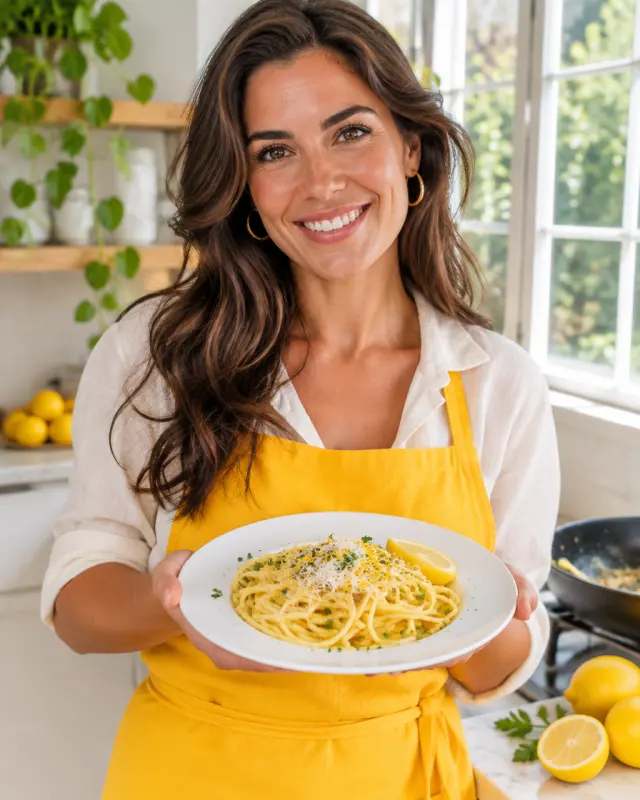
    Open on the finished dish and your smile. People see the result in the first second and stay for the steps.

  2. The process, hands only

    Film your hands at work from above. The same clip suits TikTok, Reels and Shorts, and nobody needs to be on camera.

  3. The swipe list

    Six items, one per slide. People save a list like this and open it again in the shop.

More post ideas

  1. A weekly series with one nameSame day, same format, a new episode, like Ten-Minute Tuesday. People return for the next one.
  2. A comment, answered on videoPick a question from the comments and film the answer. People see that you read what they write.
  3. Batch day at high speedShow a full filming day in a 20-second time-lapse. People see how much work one week of videos takes.
  4. A recipe for this week's weatherSoup for the first cold day, salad for a heat wave. When the forecast changes, drag the video to another day.
  5. A tip under 15 secondsOne kitchen trick, like peeling garlic with two bowls. Short tips are easy to save and share.
  6. The dish from your familyCook a family recipe and say in two lines where it comes from. The story gives people a reason to share it.
  7. A cook-off with another creatorCook the same dish as a friend and post both videos on one day. Each of you brings your own followers.
  8. The three tools in every videoShow the pan, the knife and the board you use most. People ask, so answer once in one post.
  9. A local dish and where to eat itFilm one dish at a small place in your town. Local followers go there, and the owner may share your video.

A weekly posting plan for creators

Five posts from one filming day, all scheduled on the same evening.

  1. MonThe main ReelYour best clip from batch day, with your face and the finished dish.
  2. TueA quick TikTok tipA kitchen trick filmed from above, in one take, with no talking.
  3. ThuA Short from batch dayUpload one vertical clip from batch day as a Short, under 3 minutes.
  4. FriA carousel to saveA shopping list for the week's recipes, one slide per day. Post it before the weekend shop.
  5. SunThe long Sunday videoThe full recipe from start to finish, for people who cook with you at home.

Caption templates for creators

Fill in the words in brackets, then paste the caption into PostNext.

  • Recipe Reel

    [Dish] in [minutes] minutes, with [number] things from the shop. Save it for [busy day]. The full recipe is [where].

  • Series episode

    [Series name], episode [number]: [what you make or test]. Coming next week: [next topic]. Tell me in the comments what I should try after that.

  • Answer to a comment

    [Name] asked how to [question]. Here is the answer in [number] seconds. Leave your question below, and I will film the next answer.

Where creators should post

  • InstagramReels, carousels and image Stories in one profile. Your followers save recipes here and open them again at dinner time.
  • TikTokTikTok shows short clips to many people who do not follow you yet. Post your quickest recipes here.
  • YouTubeShorts up to 3 minutes and longer videos with every step. People search YouTube for recipes by name, so put the dish in the title.

PostNext cannot post to Facebook yet, but it is coming soon. YouTube works for a limited set of accounts while Google reviews the app.

Tools for a creator's batch day

  • One queue for the batchSet posting times for each app once. Each new video takes the next free time in the queue.
  • Carousels from one topicOn paid plans, the AI makes carousels for Instagram and TikTok from one topic. Each has up to 10 slides.
  • Trial reels on InstagramSend a Reel as an Instagram trial reel. Instagram first shows it to people who do not follow you.
  • Likes and comments per videoSee likes and comments on each Reel. On TikTok, you see views, likes, comments and shares for videos sent with Post directly.

What stays in your hands

  • Your own accountsYou connect your own accounts. You can disconnect any of them at any time.
  • Your wordsEvery AI draft stays editable. You decide what each caption says.
  • Your calendarMove, change or delete any post before it is published.
  • Your planYou can start on the Free plan, or try a paid plan free for 7 days.

Social media mistakes creators make

  1. Filming every day, posting at randomDaily filming leaves no time for new ideas. Film one day a week and schedule the rest.
  2. A slow first secondA bowl of flour in the first second gives people no reason to stay. Open on the finished dish.
  3. Copying every trendA trend copied a week late looks late. Keep your own series, and join a trend only when it fits.

Questions from content creators

Can PostNext post my Reels to Facebook too?

No. PostNext posts to Instagram, TikTok, YouTube, LinkedIn, X, Threads and Bluesky. Facebook is coming soon. Until then, post your Reels to Facebook in the Facebook app.

Do my TikToks and Shorts publish at the set time?

PostNext sends each video at its time. On TikTok, it arrives in your TikTok inbox, and you finish it in the app. Turn on Post directly to skip that step. On YouTube, an upload stays private until you make it public in YouTube Studio.

Which Instagram account do I need?

A Business or Creator account, through Instagram Login. Instagram personal accounts are not supported. You do not need a Facebook Page either.

Does PostNext add music or edit my videos?

PostNext has no music library and does not edit video. Instagram publishes a Reel with its original sound, so add music before you export. PostNext does not resize video, so export it in each app's shape.

What happens when my 7-day trial ends?

The trial asks for a card. If you cancel before it ends, you pay nothing and keep the Free plan with 1 channel and 10 posts a month. If you do not cancel, the paid plan starts when the trial ends.

What does PostNext not do for a content creator?

PostNext does not answer DMs or reply to TikTok comments. CreatorFlow, made by the PostNext team, sends a DM to everyone who comments a keyword. PostNext plans your batch and sends each video to its app.

Next week's videos, filmed and queued

Film on Sunday, schedule in one sitting and spend the week on new ideas.