The best hotel social media post ideas answer the question a guest has at each step before a stay: what is it like, which room, why book direct, how do I get there, and why come back. This guide gives 20 posts, four for each of those five steps, with the format and the person who checks each one. It also covers Google’s rule on hotel offers (checked November 2026) and how to schedule a month of posts in PostNext.
Key Takeaways
- Plan by booking stage, not by week: dream, choose, book, prepare and return. Each stage has its own question and its own four posts.
- One post, one next step: every idea ends on one page, such as the room page or the package terms.
- Someone checks every fact: the front desk checks access, the kitchen checks hours, and the revenue team checks rates and offers.
- Google Business Profile has a hotel rule: Google says hotels can’t create offer posts or any post that mentions or links to deals, promotions or discounts.
- Creator stays need a disclosure: the FTC says a free or discounted stay is a material connection that the creator must disclose in the post.
What should a hotel post on social media?
A hotel should post what a guest needs to know at each step before a stay. People who are dreaming want to picture the place. People who are choosing want to compare rooms. People who are ready to book want a reason to book direct. Guests with a booking want arrival details, and past guests want a reason to come back.
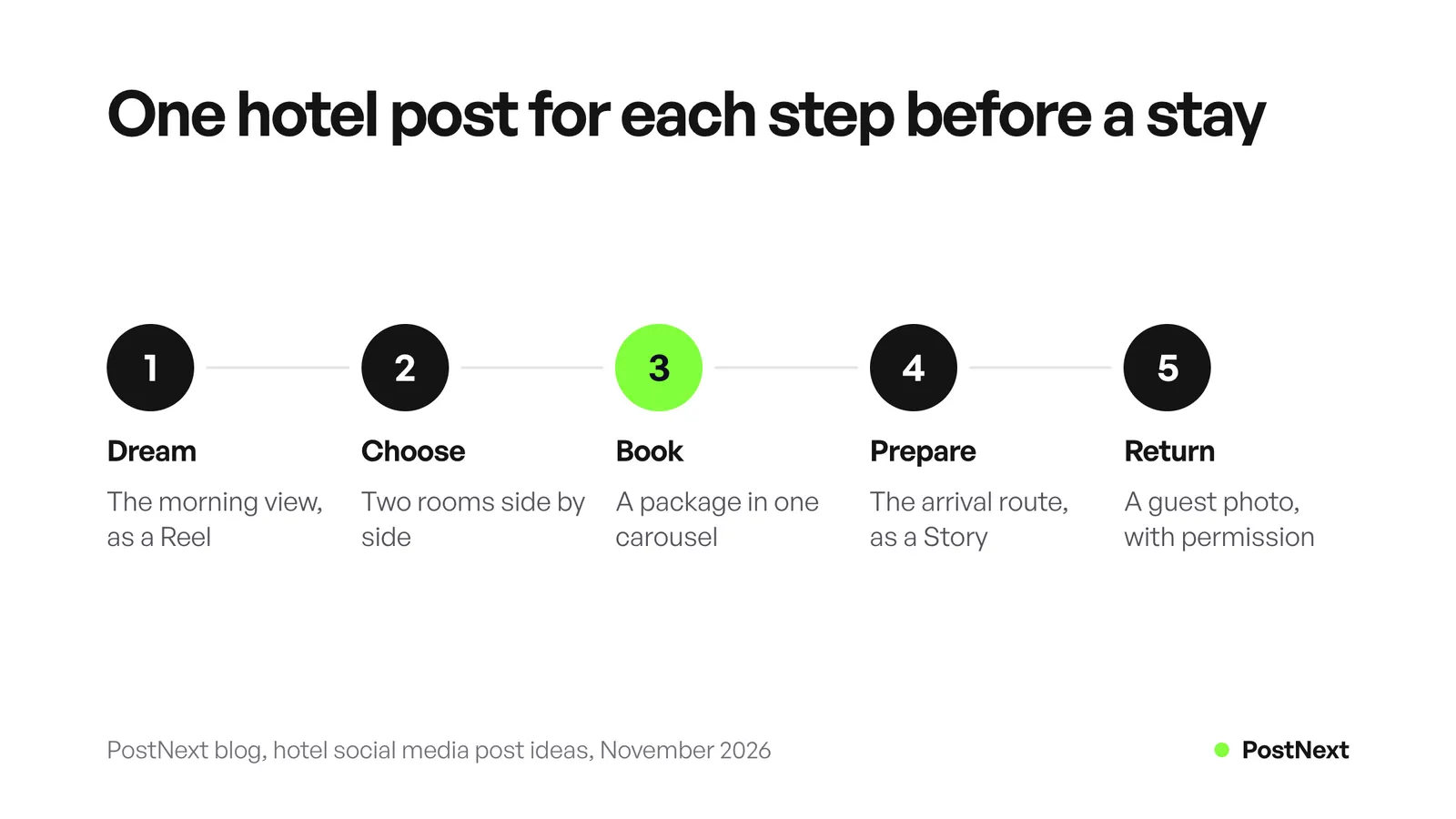
| Booking stage | The guest’s question | Posts that answer it | Formats that fit |
|---|---|---|---|
| Dream | What would a stay feel like? | Morning view, first hour of a stay, neighbourhood walk, a season at the hotel | Reels, TikTok, YouTube Shorts |
| Choose | Which room, and what is included? | Room walkthrough, room comparison, breakfast, a feature guests ask about | Carousels, Reels |
| Book | Why book with you, and when? | Package terms, event dates, quieter dates, a question about rates | Carousels, feed posts, Stories |
| Prepare | How do I get there and check in? | Arrival route, late check-in, packing list, staff tips | Stories, feed posts, Threads |
| Return | Why come back? | Guest photos with permission, reviews, what is new, staff spotlight | Feed posts, carousels, Reels |
A list sorted by stage shows the gaps. If all your posts are pretty views, you have plenty for dreamers and nothing for the guest who has booked and wants to know where to park.
Hotel social media post ideas for guests who are dreaming
At the dream stage, a guest has not picked dates or a hotel. They scroll short video and save places that look good. Hotel posts for this stage show the place as a guest would feel it: the light in the morning, the walk from the door, the first hour after check-in.
1. The morning view
Film the view from one room or the terrace at the time guests wake up. Name the room in the caption so people can book it.
2. The first hour of a stay
Cut three clips in order: arriving at the door, opening the room, and the first thing to do nearby. Our list of Instagram Reel ideas has more video formats that suit this stage.
3. A walk from the front door
Walk the route to the beach, the old town or the station and film it in order. Walk it yourself before you post a time or a distance, and mention steps or steep parts.
4. The hotel in another season
Show the same spot in the season you want to fill. Post it before that season starts, while people are still choosing where to go.
Post ideas that help guests choose a room
At the choose stage, a guest compares two or three hotels and their rooms. They want plain facts: the size, the view, the bed, what breakfast includes. Posts for this stage show real rooms as they are today, with no wide-angle tricks, and link to the room page where the guest sees the price and the dates.
5. A room walkthrough
Film from the door to the window in one take. Name the room category exactly as it appears on your booking page, so the guest can find it there.
6. Two rooms side by side
Make a carousel that compares two room types: the view, the bed, the bathroom and the desk. Our Instagram carousel ideas include slide outlines for comparisons like this.
7. What breakfast includes
Photograph the breakfast room, one plate and the menu. Ask the kitchen to confirm the hours, and say which rates include breakfast.
8. A feature guests ask about
Ask the front desk which question they hear most: pets, parking, a step-free entrance, connecting rooms. Photograph the real thing. For access, show the whole route from the car park to the room, not only the door.
Post ideas that bring direct bookings
At the book stage, the guest has chosen a hotel and is deciding where to book it and on which dates. Posts here give a reason to book with you: a package, an event date, a quieter week. Every offer needs a rates-team check before it goes out, and it goes on social channels only, because Google does not allow hotel offer posts on a Business Profile.
9. A package explained in one carousel
One slide each for the dates, the rooms, what is included and where to read the terms. Have the revenue team confirm every line before the post is scheduled.
10. A local event with dates
Confirm the date with the organiser and post while rooms are still free. Give one link for the event and one for room availability. A Story with a link sticker works well here, and our Instagram Story ideas list other Story formats with a clear next step.
11. Dates you want to fill
Pick the midweek or low-season dates that are hardest to sell and show what they offer: a quiet pool, a fire in the lounge.
12. Answers to “how much?”
People ask about prices in the comments. Answer in a post that shows where rates live on your site. On Instagram, you can also invite people to comment a word such as RATES and send the rates page to everyone who comments in a direct message.
Post ideas for guests who have already booked
At the prepare stage, the guest has a booking and a list of practical questions. Where do I park? What if I arrive after the desk closes? What should I pack? Posts for this stage answer those questions before the guest calls the front desk.
13. The arrival route
Film the last turn before the hotel, the parking entrance and the door. Keep door codes and room numbers out of the post. Those belong in the confirmation email.
14. Late check-in in three steps
Show what a guest does when they arrive after the desk closes. The front desk checks every step first.
15. A packing list for the season
A carousel of what to bring for the place and the season: walking shoes for the hill path, a jacket for evenings on the terrace. A list like this is easy to save and send to the person you travel with.
16. A tip from someone on the team
Ask a staff member for one local tip on camera: the best time for the market, a table to ask for, a sunset spot. Get their permission first, add captions, and keep guests and screens out of shot.
Post ideas that bring past guests back
At the return stage, the guest has stayed and might come back or tell a friend. Posts here use what guests and staff already made: their photos, their reviews, their stories. Every guest photo needs the guest’s permission before you post it, and every review you quote should be quoted word for word.
17. A guest photo, with permission
Ask the guest in a message before you post their photo, and credit them. Our guide on how to repost on Instagram covers credit and the options inside the app.
18. A review in the guest’s own words
Quote one short review word for word and pair it with a photo of the thing it praises. If the review mentions the breakfast, show the breakfast.
19. What is new since their last stay
A renovated room, a new menu, a new walking route: a change gives past guests a reason to book again.
20. A person behind the stay
Introduce the housekeeper, the chef or the night porter, with their permission. Ask them one question on camera: what do guests never see?
Rules that apply to hotel social media posts
Three rules catch hotels more than other businesses. Google does not allow hotel offer posts on a Business Profile. The US Federal Trade Commission requires creators to disclose a free or discounted stay. And every guest or staff member in a photo needs to agree first. Check each rule before you schedule a post that touches it.
Google Business Profile offers. Google’s Business Profile content policy says hotels “can’t create ‘offer’ posts, or any post that mentions or includes links to deals, promotions, special offers, or discounts” (checked November 2026). Hotels can still post updates there, such as a new menu. Keep packages and discounts for your social channels and your website. Our Google Business Profile image size guide covers the photo sizes for those updates.
Creator and influencer stays. The FTC’s guide for social media influencers says a brand “giving you free or discounted products or services” is a material connection. The creator must disclose it in the post itself, where people will see it, and not only in a profile or a group of hashtags. The FTC gives “Thanks to Acme brand for the free product” as a plain example and calls terms like “sp”, “spon” or “collab” too vague.
People in photos. Ask before you post a guest, and get written agreement from staff. Keep other guests, booking screens and room numbers out of the frame.
Prices in posts. In the US, a post that shows a nightly rate must show the total price, with mandatory fees such as a resort fee included. Our guide to social media for hotels covers the FTC rule with examples.
A 4-week hotel posting plan
Post three times a week for four weeks: 12 posts drawn from the 20 ideas. Each week covers at least three of the five stages, so dreamers, choosers and booked guests all get something. Plan the month on one day, have each fact checked by the person who owns it, and schedule the posts that are confirmed.
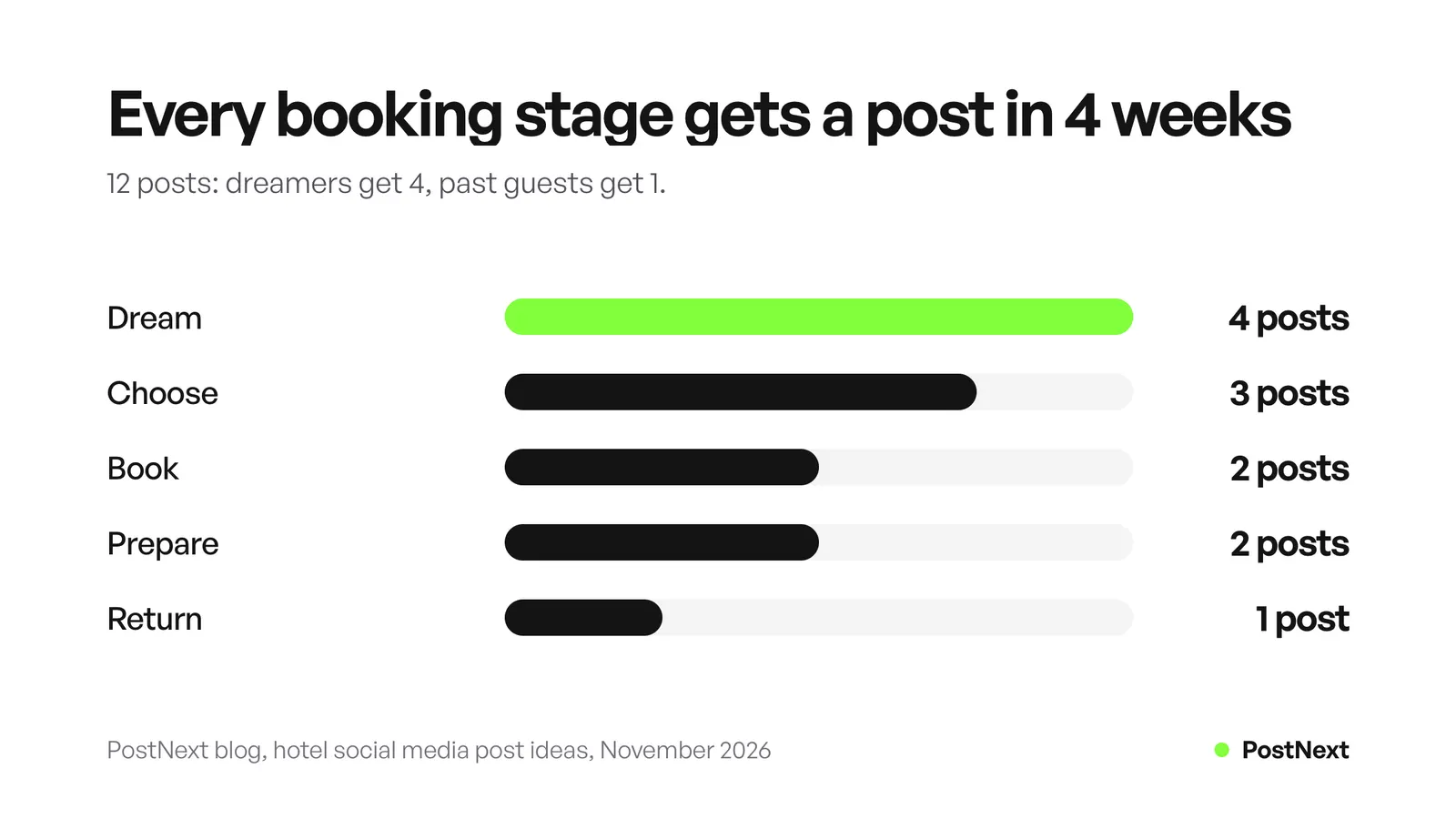
| Week | Monday | Wednesday | Friday |
|---|---|---|---|
| 1 | 1. The morning view (Reel) | 5. A room walkthrough (Reel) | 13. The arrival route (Story) |
| 2 | 3. A walk from the front door (Reel) | 7. What breakfast includes (carousel) | 10. A local event with dates (carousel and Story) |
| 3 | 2. The first hour of a stay (Reel) | 6. Two rooms side by side (carousel) | 16. A tip from someone on the team (Reel) |
| 4 | 4. The hotel in another season (Reel) | 9. A package explained (carousel) | 17. A guest photo, with permission (feed post) |
Before each post goes out, one person checks it against this list:
- Dates and hours: breakfast, check-in and event times match what the hotel offers this month.
- The link: it opens on a phone and goes to the right room, package or arrival page.
- Rates and offers: the revenue team has confirmed them, and none appear on the Business Profile.
- People: every guest and staff member in the post agreed to appear in it.
- Tracking: links to your own site carry campaign tags, so you can see which posts send visits.
For the tracking step, Google Analytics reads utm_source, utm_medium and utm_campaign tags on a link and shows the visits in its Traffic acquisition report. If you need a sheet to plan the month, PostNext has a free social media content calendar template.
How to schedule hotel posts with PostNext
PostNext schedules posts to Instagram, TikTok, YouTube, Threads, LinkedIn, X and Bluesky from one calendar (checked November 2026). For a hotel, that covers Reels, carousels, image Stories and short video on the networks where travellers look for places. Facebook and Google Business Profile are on the PostNext roadmap and cannot be published to yet, so post there from Meta’s and Google’s own tools.
PostNext for hotels shows a hotel calendar planned a season ahead, with caption templates you can copy.
What helps a hotel team:
- Instagram formats: the Instagram scheduler publishes feed posts, Reels, carousels of 2 to 10 photos or videos, and image Stories. Video Stories and Story stickers, such as the link sticker in idea 10, stay in the Instagram app.
- Repeat posts: a weekly post, such as breakfast hours or a Sunday package, can repeat every 1 to 365 days, weeks or months and stop on a date or after a number of runs.
- Approvals: on the Teams plan, a post can go to a reviewer, who approves it or asks for changes with a comment. That fits a hotel where the revenue team signs off every offer. Our guide to the content approval process explains the roles.
- Free plan: one channel, 10 posts and 10 AI credits a month. Paid plans start with a 7-day free trial that asks for a card.
Frequently Asked Questions
How often should a hotel post on social media?
Three posts a week is a rhythm most hotel teams can keep for a full year. It gives you 12 posts a month, enough to cover all five booking stages. Post more often only if every post is still checked by the person who owns the fact.
Can a hotel post offers on Google Business Profile?
No. Google’s Business Profile content policy says hotels can’t create offer posts, or any post that mentions or links to deals, promotions, special offers or discounts. Hotels can post updates, such as a new menu or an event. Put packages and discounts on Instagram, your other social channels and your own website instead.
Do influencers have to say a hotel stay was free?
Yes, in the United States. The FTC says free or discounted products and services are a material connection, and the creator must disclose it in the post where people will see it. A plain line such as “Thanks to the hotel for the free stay” works. Vague tags such as “collab” or “spon” do not.
Can a hotel repost guest photos?
Only with the guest’s permission. Send a message, ask if you may share the photo, and credit the guest in the post. Never post a photo that shows other guests or room numbers, even when the guest who took it agrees.
Which social media platforms should a hotel use?
Start with Instagram, because it is built around photos and short video, which is how a hotel shows a stay. Add TikTok or YouTube Shorts if you can film short video every week. Keep Facebook and Google Business Profile up to date for people who search for the hotel by name. Add LinkedIn if you host meetings and events for companies.
Sources
- Google Business Profile Help, Business Profile photos, videos and posts content policy, hotel posts (support.google.com, November 2026)
- Federal Trade Commission, Disclosures 101 for Social Media Influencers (ftc.gov, November 2026)
- Google Analytics Help, URL builders: Collect campaign data with custom URLs (support.google.com, November 2026)
- PostNext pages read on 25 November 2026: /llms.txt, /channels/instagram, /channels/google-business-profile, /features/automation, /pricing