Social media for photographers works when the platform matches how your clients hire you. For wedding, portrait and fine art work, treat your Instagram profile as your portfolio and booking page. For commercial work, add LinkedIn, where brands and agencies are. Post your photos at 1080 x 1350 (4:5), show how you work, and post three times a week with one clear way to book.
Key Takeaways
- Pick by client: Instagram for wedding, portrait and fine art work, LinkedIn for commercial work, short video for behind the scenes.
- Your profile is a portfolio: the first rows of the grid, the bio and one booking link decide whether a visitor contacts you.
- Post at 4:5: 1080 x 1350 works in the Instagram app and in scheduling tools. A 3:4 photo works only in the app.
- Instagram caps width at 1080 pixels: a posted photo is far below print size, which limits what anyone can do with a copy.
- Carousels tell the story: one shoot, up to 20 photos in the app, all in the same shape.
- Three posts a week: a portfolio carousel, a behind-the-scenes video and a client story or tip.
- Scheduling: PostNext previews and schedules carousels and checks each photo’s shape before it posts.
Which social media is best for photographers?
Instagram is the best social media platform for most photographers, because clients look at the work before anything else and Instagram is built around photos. LinkedIn suits commercial photographers who sell to companies. TikTok, Instagram Reels and YouTube Shorts suit behind-the-scenes video. Threads and Bluesky suit photographers who want to talk with other photographers.
| Photography business | Main platform | Second platform | What clients want to see |
|---|---|---|---|
| Wedding and portrait | TikTok or Reels for behind the scenes | Full stories from real sessions, prices, how to book | |
| Fine art and prints | Threads or Bluesky | The work, the series behind it, where to buy | |
| Commercial and product | Results for brands, the client list, how you work | ||
| Street and travel | Threads or Bluesky | Series, places, your way of seeing |
Pinterest is a photo platform where people save ideas into boards. If your clients plan their weddings or homes there, add it as a second place for your portfolio.
How should photographers use Instagram?
Use Instagram as a portfolio that people can book from. Switch to an Instagram professional account, which is free. Put your best work in the first rows of your grid, write a bio that says what you shoot and where, and add one link to book. Then post full stories from sessions as carousels and short videos of how you work.
Three parts of the profile do most of the work:
- The bio. What you shoot, where you work and who you work for, in one or two lines: “Wedding photographer in Lisbon. Small weddings and elopements.”
- The first rows of the grid. A visitor sees these first. Keep the strongest and most recent work there, and remove posts that no longer show your level.
- One link. A page with your galleries, prices and booking form. A link in bio page for photographers can hold all three in one place.
What size should photographers post on Instagram?
Post feed photos at 1080 x 1350 pixels, the 4:5 portrait shape. It takes the most space in the feed, and it works both in the Instagram app and in scheduling tools. Instagram’s help page says photos up to 1080 pixels wide keep their resolution when the shape is between 1.91:1 and 3:4. Wider photos are sized down to 1080.
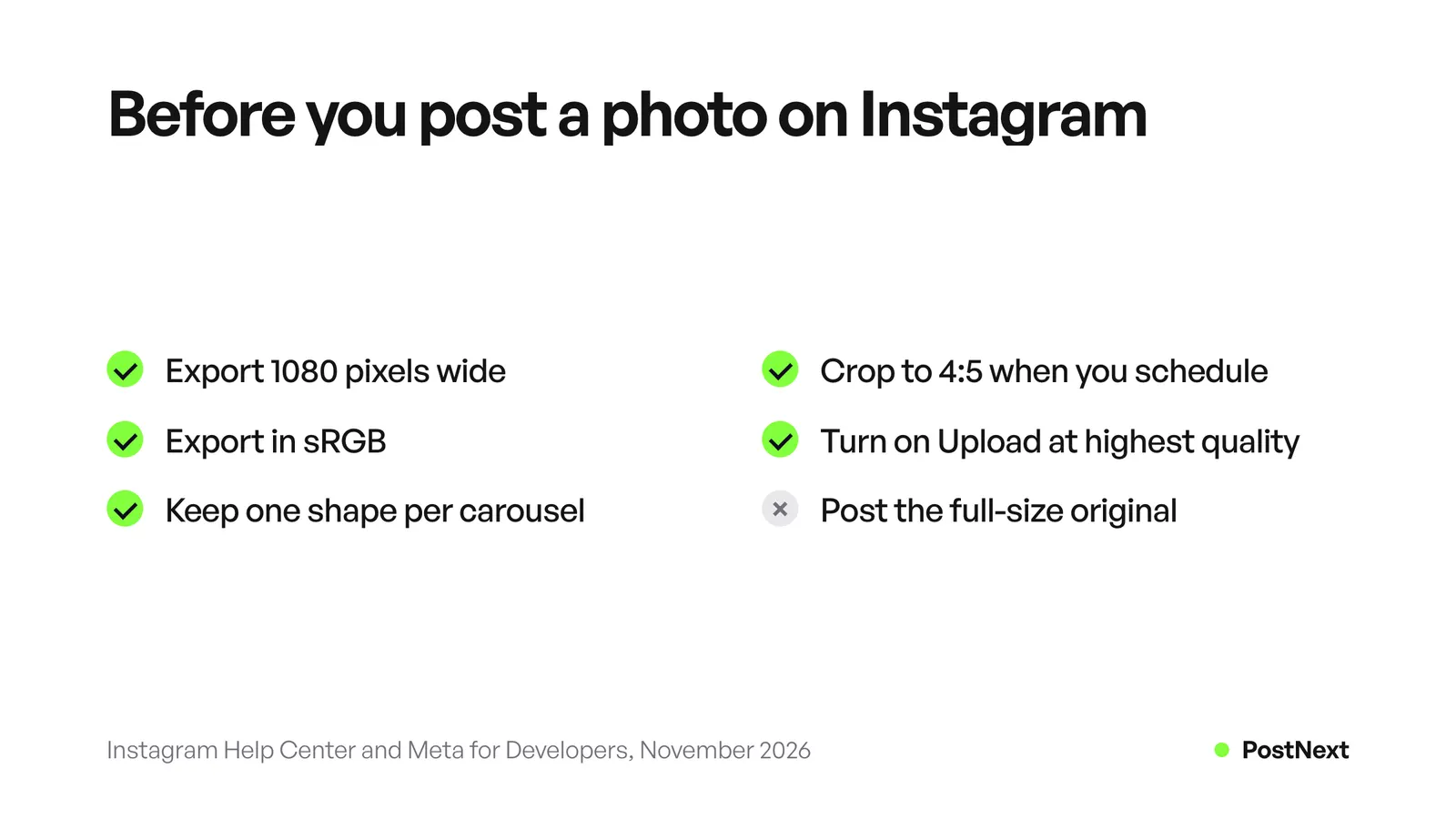
The Instagram app also accepts 3:4 photos at 1080 x 1440. Meta’s publishing API, which scheduling tools use, accepts only 4:5 to 1.91:1, so a 3:4 photo sent from a scheduler is refused. Our Instagram post size guide has every shape and pixel size.
Two settings protect quality. Instagram’s help page describes an Upload at highest quality switch: open your profile, tap the menu, tap Media quality and turn on Upload at highest quality. And export in the sRGB colour space. Meta’s API documentation says images in other colour spaces are converted to sRGB, so exporting in sRGB yourself keeps the colours you chose. If your photos still look soft in Stories, our guide on why Instagram Stories look blurry goes through the causes.
How do photographers use Instagram carousels?
Photographers use carousels to show a whole session in one post: the opening shot, the details, the people and the closing shot. Instagram’s help page says a carousel holds up to 20 photos and videos. The shape you pick for the first photo applies to every photo in the post, so crop the whole set to 4:5 before you start.
Open with the strongest photo, add three to five that show variety, and end on a frame that says how to book. Our list of Instagram carousel ideas gives slide-by-slide outlines you can adapt to a shoot.
How do you protect your photos on social media?
Protect your photos on social media by posting web-size files only, adding a small watermark where copying is a real risk, and keeping your full-size originals offline. Instagram sizes photos down to 1080 pixels wide, so a posted copy is far below print size. Get written permission from clients before you post their photos.
A few habits cover most risks:
- Post web-size files. Export at 1080 pixels wide. A file that size works on every platform and is useless for a large print.
- Watermark lightly. A small name in a corner identifies the work without spoiling it. A large mark across the photo hides the reason people look.
- Write alt text. Alt text describes the photo to people who use screen readers. Meta’s API documentation allows up to 1,000 characters of alt text per image.
How do photographers turn followers into bookings?
Photographers turn followers into bookings by making the next step obvious in every post. Show the work, show what a session is like, and say how to book. Put prices or a starting price where people can find them, answer every message on the same day and keep one booking link in your bio.
Many enquiries start with the same question: how much does it cost? Answer it before people ask. A price guide on your booking page saves a message for every visitor. When people ask for prices in the comments, you can invite them to comment a word for your price guide and send it to everyone who asks.
Client stories answer the doubts a new client has: a short carousel with the couple’s own words about the day, shared with their permission.
What should photographers post each week?
Post three times a week: one portfolio carousel, one behind-the-scenes video and one post that tells a client story or teaches a tip. That rhythm keeps new work on your profile, gives Reels and TikTok something to show, and gives clients a reason to trust you. Plan the week on one day and schedule it.
| Day | Post | Platform |
|---|---|---|
| Monday | Portfolio carousel from a recent session | Instagram, and LinkedIn for commercial work |
| Wednesday | Behind the scenes: the setup, the light, the result | Instagram Reels, TikTok, YouTube Shorts |
| Friday | A client story or one tip for clients | Instagram, Threads, LinkedIn |
LinkedIn takes photos too. Its help page allows up to 20 photos in one post, with a 5 MB upload limit per photo and shapes from 3:1 to 4:5. Our LinkedIn image size guide covers the sizes for posts and pages.
How PostNext helps photographers schedule posts
PostNext schedules Instagram feed posts, carousels, Reels and image Stories, plus image posts on LinkedIn, Threads, Bluesky and X, from one calendar. You see a preview of each post on a phone, tablet and desktop before you schedule it. It needs an Instagram professional account, and the switch is free in the Instagram app.
What to know before you upload a shoot:
- Carousels: PostNext publishes Instagram carousels of 2 to 10 photos or videos. For a set of 11 to 20, post it from the Instagram app.
- Shape check: before scheduling, PostNext refuses an Instagram feed photo outside 4:5 to 1.91:1 and asks you to crop it, so a 3:4 export does not fail at posting time.
- No resizing: PostNext fits images to the limits only for Bluesky and TikTok. For the other networks, export each photo in the shape you want.
- No Pinterest: PostNext does not post to Pinterest.
To crop a photo to 4:5 in your browser, use the free Instagram photo resizer. To test the order of your next posts, the free Instagram feed planner shows them as a grid without uploading anything. The Instagram scheduler page lists what each plan includes.
Frequently Asked Questions
Should photographers use a business account on Instagram?
Use a professional account, either Business or Creator. Switching is free in the Instagram app, and you can switch back. Scheduling tools can publish only to professional accounts, so you need one to schedule. Keep a separate private account if you want a place for friends and family.
How often should a photographer post on social media?
Three posts a week is a rhythm most working photographers can keep: one portfolio post, one behind-the-scenes video and one client story or tip. Posting more often helps only if the quality stays the same. Pick a number you can keep for a full year of seasons.
Should I watermark my photos on Instagram?
A small watermark in a corner is a fair choice if you worry about copying. It names you without hiding the photo. A large watermark across the image makes people scroll past. Posting at 1080 pixels wide already limits the value of a copied file, because it is far below print size.
Is TikTok good for photographers?
TikTok is good for showing how you work: the setup, the light, the edit and the final photo. It reaches people who do not follow you yet. Use it for behind-the-scenes video and send viewers to your Instagram or website, where they see the full portfolio and book.
Can I post photos of clients without asking?
Ask first. Put a clause about social media use in your contract and agree before the session which photos you may post. Some clients are happy to be shown and some want privacy. Written consent protects your relationship with the client and your name.
What should a photographer write in an Instagram caption?
Tell the story of the photo or the session in a few lines: who, where and what made the moment. End with one action, such as asking people to save the post or to message you for dates. Keep hashtags to a few that describe the type of photography and the place.
Sources
- Instagram Help Center, Image resolution of photos you share on Instagram (help.instagram.com, November 2026)
- Instagram Help Center, Share a post with multiple photos or videos (help.instagram.com, November 2026)
- Instagram Help Center, Reel size and aspect ratios, Upload at highest quality (help.instagram.com, November 2026)
- Meta for Developers, Instagram API media reference, image specifications (developers.facebook.com, November 2026)
- LinkedIn Help, Share photos on LinkedIn (linkedin.com, November 2026)
- PostNext pages read on 21 November 2026: /channels/instagram, /tools/instagram-photo-resizer, /tools/instagram-feed-planner, /artists