
Social media marketing for nonprofits works best when a small team does less, more often. Pick two channels your supporters already use. Post three times a week: an impact story, a person behind the work, and an event or an ask. Use the donation tools Instagram and YouTube offer to eligible nonprofits, get consent before you show anyone you serve, and review the numbers once a month.
Key Takeaways
- Two channels, not five: a team of one or two keeps two channels alive and lets the rest go quiet.
- Three posts a week is enough: one story, one person, one event or ask, at the same days each week.
- Give before you ask: most posts show the work, and a donation ask comes after the reader has seen why it matters.
- Use the platforms’ own donation tools: Instagram has donate stickers and a Support button, and YouTube has YouTube Giving for eligible US charities.
- Consent comes first: never post a beneficiary’s face, name or story without their written yes.
- Measure the actions that fund the mission: donations, sign-ups and volunteer forms, not likes.
What is social media marketing for nonprofits?
Social media marketing for nonprofits is the use of social platforms to move people toward the mission. That means telling people what the cause is, showing what the work changes, and asking them to give, volunteer, attend or share. It differs from brand marketing in one way: the product is the impact, so the strongest posts show results and people, not the organization.
Most nonprofits run social media with one person who has other jobs too. That is why this guide starts from time, not from tactics. A plan that fits two hours a week beats a plan that needs a full-time manager and stops after a month.
The rest of this guide answers the questions a small team asks in order: which channels, what to post, how often, how to ask for money, how to protect the people you serve, and how to know it is working.
How do you build a nonprofit social media strategy?
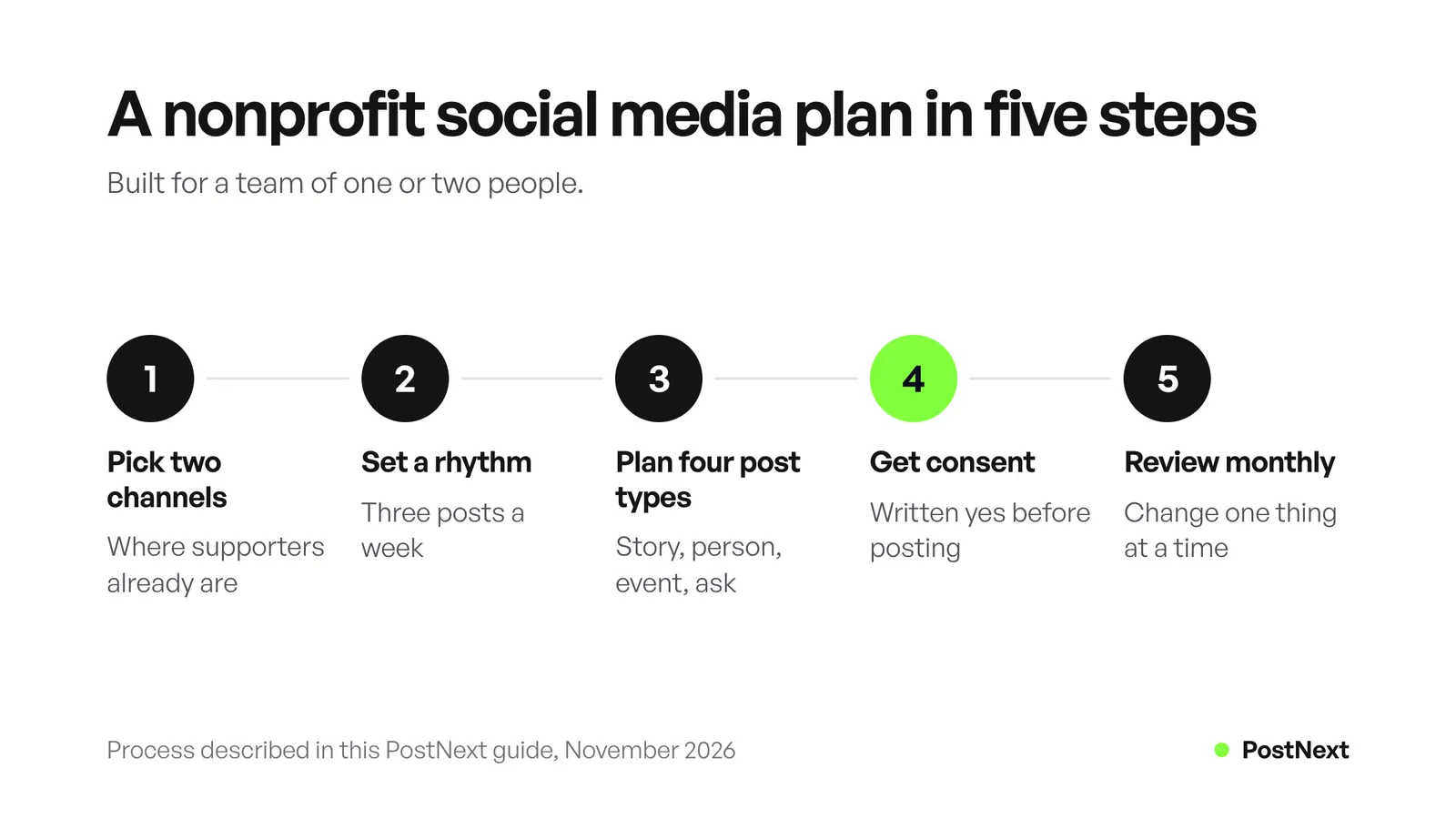
A nonprofit social media strategy has five parts. Pick two channels where your supporters already spend time. Set a weekly rhythm you can keep. Plan four types of posts that match your goals. Get consent before you share anyone’s story. Then review the results once a month and change one thing at a time.
Write the plan on one page. Name the goal for each channel, such as “find 20 volunteers for the spring cleanup” or “grow the monthly donor list.” A goal with a number tells you which posts to keep. PostNext’s lesson on how to create a social media strategy on one page gives a template you can fill in an hour.
Keep the voice rules short too. Decide how you name the people you serve, which words you avoid, and who answers hard comments. A brand social media guidelines page helps when a volunteer or a new hire posts for you.
Which social media platforms are best for nonprofits?
The best platforms are the two where your donors, volunteers and partners already are. Ask your current supporters which apps they open each day, and check where your own posts already get replies. Then choose two channels with a clear job each, such as Instagram for stories and LinkedIn for partners and corporate donors.
| Channel | Good job for a nonprofit | Fundraising tool on the platform |
|---|---|---|
| Impact stories, volunteer faces, event Stories | Donate sticker, fundraisers and a Support button for eligible nonprofits | |
| YouTube | Longer stories, event recordings, explainers | YouTube Giving Donate button for eligible US charities; Link Anywhere cards for Nonprofit Program partners |
| Partners, corporate sponsors, board members, hiring | None covered in this guide; link to your donation page | |
| TikTok | Short behind-the-scenes clips for a younger audience | None covered in this guide; link to your donation page |
| Local community groups and events | Facebook fundraising tools; Instagram’s tools need this approval too |
Fundraising tools as described on Instagram and YouTube help pages, checked November 2026.
Two channels done well beat five channels done badly. A dead account with a last post from March tells a visitor the organization may be closed. If you already run more accounts than you can feed, pin a post that points to the two channels you keep active. For a longer look at each network, see which social media platform is best for business; the same audience logic applies to a cause.
What should nonprofits post on social media?
Post four types of content and rotate them: impact stories, people behind the work, events, and direct asks. Impact stories show one result with one person or place. People posts show a volunteer, a staff member or a donor and why they care. Event posts invite people to something with a date. Asks request one action, such as a gift, a sign-up or a share.
Impact stories. Show one change, told small. “Maria’s family has had heat since October” lands harder than “we helped 300 families this year.” Add the number in the caption, after the story. Use real photos from the work, taken with permission.
Volunteer and staff spotlights. A face and two lines of why. These posts recruit volunteers better than a list of open roles, because people join people. Tag the volunteer only if they agree to it.
Event promotion. Post the event three times: an announcement two to three weeks before, a reminder the week of, and a photo recap after. The recap is also proof for the next event.
Donation asks. Make one ask per post, with one link and one deadline when you have a real one. Say what a gift does in plain words, using numbers from your own budget, never invented ones.
If you need graphics for a quote card or an event poster, a simple template you reuse each week saves time. DesignerBox can make photos and graphics from a short description. For impact stories, real photos from your work tell the story better than any stock image.
How often should a nonprofit post on social media?
Three times a week per channel is a pace most small teams can keep. Pick fixed days, such as Monday, Wednesday and Friday, and give each day one post type. A steady rhythm matters more than a high number, because followers learn when to expect you, and you learn what works by comparing like with like.
| Day | Post type | Goal |
|---|---|---|
| Monday | Impact story | Show what the work changes |
| Wednesday | Volunteer or staff spotlight | Put a face on the cause |
| Friday | Event or donation ask | Ask for one action |
A sample weekly rhythm for one channel. Swap the Friday post between an event and an ask.
Plan the month in one sitting. Write twelve posts per channel on the first Monday of the month, schedule them, and leave room for news. When something happens, such as a storm or a big win, post it the same day and move a planned post to next week. Our guide to a content creation workflow shows how to turn one idea into posts for several channels.
How can nonprofits raise money on social media?
Use the donation tools the platforms build for nonprofits, and send everyone else to your own donation page. On Instagram, approved nonprofits can add a Support button to their profile and receive gifts through donate stickers and fundraisers. On YouTube, eligible US charities can receive gifts through YouTube Giving. Each tool has its own rules, so check eligibility first.
Instagram. To raise money on Instagram, a nonprofit must be approved for Facebook’s fundraising tools, use an Instagram professional account and link it to its verified Facebook Page. Nonprofits must be based in Australia, Canada, the United Kingdom or the United States. Instagram processes these gifts through PayPal Giving Fund. Once approved, you turn on the Support button under Business tools and controls, then Donations.
YouTube. YouTube Giving lets eligible channels add a Donate button to their videos and live streams. To receive these gifts, a nonprofit must be a US-registered 501(c)(3) public charity, a member of Google for Nonprofits and opted into online fundraising through GuideStar. YouTube says 100% of contributions go to the nonprofit and YouTube pays the transaction fees. A gift can take up to 2 months to arrive.
Outside the US. YouTube suggests end screens that link to an approved fundraising site, such as GoFundMe or JustGiving, for channels that cannot use YouTube Giving. Members of the YouTube Nonprofit Program can also add Link Anywhere cards that point to any campaign page.
On every channel. Put your donation page in your profile, and use a link with UTM tags so your website analytics show which channel sent the gift. Thank donors in public only if they agree to it.
How do you protect the people you serve on social media?
Get written consent before you post any person’s face, name, voice or story, and tell them where it will appear. For children, get consent from a parent or guardian. Let people say no without any effect on the help they receive. Keep a simple consent log, and remove a post when someone asks you to.
A consent form for social media should say which channels you post on, that posts can be shared beyond your followers, and how long you keep the post up. Ask again before you reuse a photo in a new campaign or an ad.
Some stories need extra care. Do not show addresses, school uniforms, car plates or anything else that tells a stranger where a person lives. Blur faces of people who did not agree. When the story is about a crisis, such as illness, abuse or homelessness, tell it with the person’s words and choices, not with a sad photo picked to make people give. Your approval process should name one person who checks consent before any post goes out.
How do nonprofits measure social media success?
Measure the actions that fund the mission: donations, new monthly donors, volunteer sign-ups, event registrations and email sign-ups. Track how many came from each channel with tagged links. Then look at reach and engagement to learn which post types bring people to those actions. Review once a month and change one thing at a time.
A one-page monthly report needs five lines per channel:
- Posts published, by type.
- The best post of the month and why you think it worked.
- Clicks to your donation page and sign-up forms, from your tagged links.
- Gifts, volunteer sign-ups and registrations credited to the channel.
- One change to test next month.
Likes and follower counts help you compare posts, but they do not pay for the work. If a post type gets many likes and no sign-ups for three months, keep it for reach and stop counting on it for action. Read views and engagement in each platform’s own analytics, and keep your tagged-link numbers next to them.
How does PostNext help a nonprofit team?
PostNext puts your Instagram, LinkedIn, TikTok, YouTube, X, Threads and Bluesky posts on one calendar. You can plan a month in one sitting, see every channel by day, week or month, and drag a post to another day when news breaks. Recurring posts repeat on their own, every 1 to 365 days, weeks or months.
Recurring posts suit the content a nonprofit repeats: the monthly volunteer call, the weekly opening hours, the reminder that monthly giving is open. Recurring posts are part of PostNext automation; set them once and check them each quarter. You can also import up to 100 posts from one CSV file.
When a volunteer or a junior staff member drafts posts, the Teams plan adds approvals. A writer sends a post to approval, a reviewer approves it or asks for changes with a comment, and an approved post goes back to drafts until someone schedules it. That gives you one place to check consent and facts. A read-only preview link lets a board member look at a post, but it cannot approve or comment. On Instagram, you can read and answer comments in PostNext, so donor questions do not wait. If you want everyone who comments a word such as GIVE to get your donation link by DM, CreatorFlow sends automatic DMs to keyword comments, even for small accounts.
The free plan covers one channel and 10 posts a month, which is enough to test a single channel. Facebook Pages are listed as coming soon, so plan Facebook posts in Meta’s own tools for now. See the scheduling features and the small business page for what a small team gets.
Frequently Asked Questions
What is the best social media platform for nonprofits?
The best platform is the one your supporters already use each day. Ask them, then check where your posts already get replies. Many nonprofits pair Instagram for stories with LinkedIn for partners, or YouTube for longer stories. Start with two and add a third only when the first two run on schedule.
How often should a nonprofit post on social media?
Three posts a week per channel is a pace a small team can keep. Use fixed days and one post type per day, such as an impact story on Monday, a volunteer spotlight on Wednesday and an event or ask on Friday. Keep the rhythm steady so you can compare results month to month.
How do nonprofits get donations on Instagram?
The nonprofit must be approved for Facebook’s fundraising tools, use an Instagram professional account and link it to its verified Facebook Page. It must be based in Australia, Canada, the United Kingdom or the United States. Approved nonprofits can add a Support button to their profile, and people can give through donate stickers and fundraisers.
Can a nonprofit fundraise on YouTube?
Yes, if it qualifies for YouTube Giving. The nonprofit must be a US-registered 501(c)(3) public charity, a member of Google for Nonprofits and opted into online fundraising through GuideStar. Eligible channels add a Donate button to videos and live streams. Outside the US, YouTube suggests end screens that link to an approved fundraising site.
What should a nonprofit post on social media?
Rotate four types: impact stories about one person or place, volunteer and staff spotlights, event posts with a date, and direct asks with one action. Most posts should show the work. Ask for money after people have seen what a gift changes.
Do I need consent to post photos of the people we help?
Yes. Get written consent before you post a person’s face, name, voice or story, and tell them which channels you use. For children, ask a parent or guardian. Let people say no with no effect on the help they get, and remove a post when someone asks.
How do nonprofits measure social media results?
Count the actions that fund the mission: donations, monthly donors, volunteer sign-ups, event registrations and email sign-ups. Use tagged links to see which channel sent each one. Review once a month, keep what brings action, and change one thing at a time.
Sources
- Instagram Help Center, About nonprofit fundraising on Instagram, checked November 2026.
- YouTube Help, Fundraise for Nonprofits using YouTube Giving, checked November 2026.
- YouTube Help, YouTube Nonprofit Program overview, checked November 2026.
- YouTube Help, Fundraising on YouTube, checked November 2026.
- PostNext, Automation, Scheduling, Team collaboration and Post approvals, checked November 2026.