
To repost on Instagram, open a public post or Reel and tap the Repost icon below it. The repost goes to a Reposts tab on your profile, and your followers may see it in their feeds. You can only repost if the creator allows reposts. To put a post in your Story instead, tap Share, then Add to story. Stories, Collabs and downloads with credit cover the other cases.
Key Takeaways
- The Repost button is the native way. Instagram added it in August 2025 for public feed posts and Reels. Tap Repost, and the post is credited to the original account.
- Reposts do not land on your grid. They sit in a separate Reposts tab on your profile and may be recommended to your followers.
- The creator decides. Any public account can turn off reposts and Story shares in Settings, under Sharing and reuse. A missing button usually means the creator turned it off.
- Stories are a second route. Share a public post, Reel or Story to your own Story with Share, then Add to story.
- Credit is not permission. Instagram’s copyright help says giving credit does not stop a post from infringing copyright. Ask first, in writing, before you upload someone else’s photo.
- Schedulers publish your own files. Instagram’s publishing API has no repost option, so reposting happens in the Instagram app.
Every way to repost on Instagram
Instagram gives you four native ways to repost and one manual way. Each puts the content in a different place, and each has its own rule about who allows it. Pick the method by where you want the content to appear: your profile, your Story, both feeds at once, or your own grid as a new post.
| Method | What you can repost | Where it appears | What it needs |
|---|---|---|---|
| Repost button | Public feed posts and Reels | Reposts tab on your profile, may appear in followers’ feeds | Creator allows reposts; you cannot repost a repost |
| Share to your Story | Public posts and Reels | Your Story, for 24 hours | Public account that allows resharing to Stories |
| Story to Story | A public account’s Story, or a Story that mentions you | Your Story, for 24 hours | Public account, or the creator allows reshares of mentions |
| Collab post | A new post or Reel you make together | Both profiles and both audiences | The invited account accepts the invite |
| Download and upload with credit | Any photo or video, with permission | Your grid, as your own post | Written permission from the owner |
All rules come from the Instagram Help Center (November 2026). The first four keep a link to the original account. The fifth creates a new post, so the credit is only what you write.
How do you repost a post or Reel on Instagram?
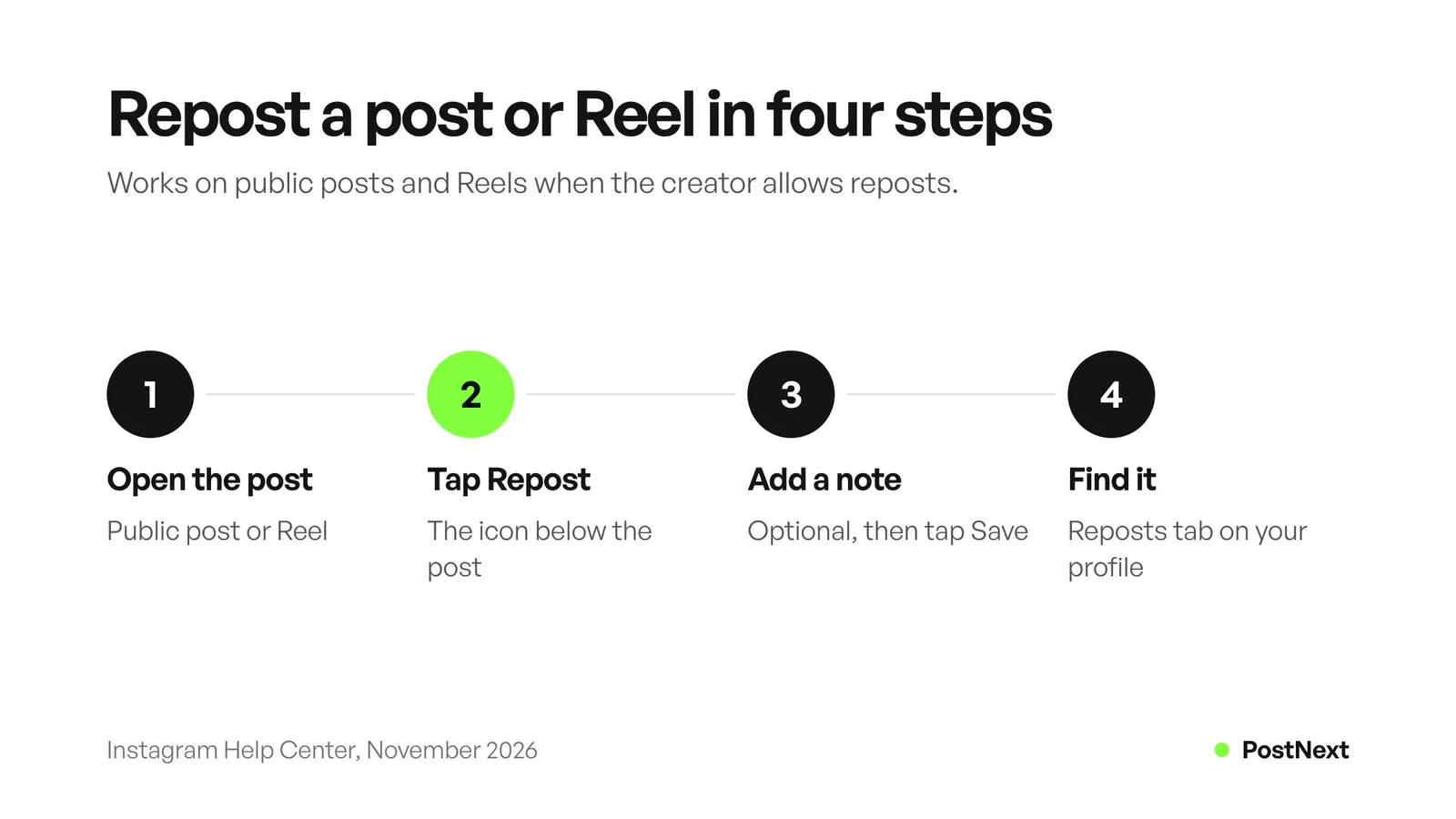
Open the Instagram app and find the public post or Reel. Tap the Repost icon below it. To add a note, tap the bubble next to your profile picture at the bottom left, type your text and tap Save. Instagram’s help center says the post then appears in the Reposts section of your profile. Tap Repost again to remove it.
Instagram announced the feature on 6 August 2025, together with the map and the Friends tab in Reels. Meta’s announcement says reposts “are credited to the original poster” and “will be recommended to your friends’ and followers’ feeds”. The help center adds that the feature “may not be available to everyone” and is not available on computers, so use the phone app.
Where do Instagram reposts appear?
A repost does not appear on your main grid. It goes to a separate Reposts tab on your profile, marked with the same two-arrow icon. Your followers may also see it in their feeds when the post reaches them. For the creator, this is extra reach: Meta says a reposted post may be recommended to the reposter’s followers, even if they do not follow the creator.
Who can comment on a repost?
Other people can comment on your repost. Instagram’s help center says those comments “will appear as direct messages to you”, so they do not land under the original post. If you repost often, check your message requests too.
How do you delete reposts?
Tap Repost on the post again to undo one repost. To clear several at once, go to your profile, tap Menu, then Your activity, then Reposts. Select the reposts you want to remove and tap Delete.
Why can’t I repost on Instagram?
The Repost icon only appears when every rule is met. The post must come from a public account. The creator must allow reposts. The post must be the original, because Instagram does not let you repost a repost. And the feature must be available on your account, in the phone app, not on a computer.
Work through the causes in this order:
- The creator turned reposts off. Public accounts control this in Settings, under Sharing and reuse, with a toggle named Reposts on posts and reels.
- The account is private. The help center only covers reposting public posts and Reels.
- It is already a repost. Open the original post from the credit and repost that instead.
- You are on a computer. Reposting works in the Android, iPhone and iPad apps.
- Your app is out of date. Update Instagram, because the feature “may not be available to everyone” yet.
If none of these apply and the button is still missing, share the post to your Story or ask the creator about a Collab post.
Does Instagram notify someone when you repost their post?
Instagram does not say. Its help center and the August 2025 announcement explain where reposts appear and who sees them, but neither says whether the original creator gets a notification. The credit stays on the repost, so the creator’s name is always visible. If you want the creator to know, send them a message.
This matters most for brands. A brand that reposts a customer’s photo without a word can look careless, even when the button allows it. A short “We reposted your photo, thank you” message costs nothing and often starts a conversation.
How do you share someone’s post or Reel to your Story?
Tap the Share icon below the post or Reel, then tap Add to story. Tap Next in the bottom right, then Share. Instagram’s help center says this works only if the account is public and allows resharing of its posts. Anyone who views your Story can see who posted the original and tap through to their account.
A Story share lasts 24 hours, like any Story, unless you add it to a Highlight. It suits timely content: a review of your product, a post you want to point people to, or a new Reel of your own. Instagram notes that sharing posts to Stories “isn’t available to everyone”, and that creators cannot see who reshared their Reel or where it was shared.
The PostNext lesson on how to share an Instagram post to your Story covers the screenshot fallback when the share option is missing. For ideas on what to put around the shared post, see our list of Instagram Story ideas by goal.
How do you repost an Instagram Story?
You can share a public account’s Story to your own Story: tap Share in the bottom right of the Story, tap Add to story, then Next, then Share. Instagram’s help center says this only works if the account is public, whether your own account is public or private. Public accounts allow anyone to reshare their Stories by default.
There are two common cases:
- Someone mentioned you. Instagram sends you a direct message with a preview of their Story. Your username in their Story links to your profile. The person who mentioned you can stop you from resharing it with a setting named Stories in messages.
- Someone did not mention you. You can still reshare their Story if their account is public and they allow Story reshares. Account owners choose Everyone, Followers you follow back or Off.
Instagram adds two limits. Teen accounts have Story-to-Story sharing turned off by default. And Stories you are mentioned in do not appear on your profile or in your tagged photos. The PostNext lesson on how to repost a Story on Instagram has the step-by-step version with the etiquette for each case.
Should you use a Collab post instead of a repost?
Use a Collab post when you plan the content with someone, such as a brand partner or another creator. Instagram’s help center says the invited account’s username is added to the post, and the post goes to their followers and appears on their profile. A repost credits someone else’s finished post. A Collab makes you both authors of one post.
| Repost | Collab post | Tag or mention | |
|---|---|---|---|
| Who made it | Someone else | Both accounts, one is the primary creator | You |
| Shown to the other account’s followers | May be recommended | Yes, shared with their followers | No |
| On the other account’s profile | No | Yes, after they accept | Only in tagged photos |
| Who controls it | The original creator | The original creator; collaborators can remove themselves | You |
| Limit | One repost per post | Up to 5 collaborators on a post | Not stated |
Instagram’s help center lists the rules that matter for partnerships. The original creator keeps the post: only they can delete it, and if they delete it or deactivate their account, it disappears from the collaborator’s profile too. You cannot add collaborators to Stories. Private accounts can only invite people who follow them.
The PostNext lesson on how to make a Collab post on Instagram covers choosing a partner and planning the post. If the Collab is a paid deal, a clear influencer media kit helps you agree on the deliverables first.
How do you repost a photo to your feed with credit?
Ask the owner for permission first, in writing. Then save the photo they send or approve, upload it as a new post, and credit them by @ mention in the caption and with a tag on the photo. Instagram’s copyright help says giving credit to the copyright owner does not prevent infringement. Credit tells people who made it. Permission is what lets you post it.
Instagram’s copyright page lists other things that do not protect you. You can still infringe someone’s copyright if you downloaded the content, found it on the internet, saw others post it, did not plan to profit, or added your own material to it. The page calls written permission from the author “generally a good idea”. It also says accounts may be disabled for posting copyrighted material without the right to use it.
A permission request that works in practice:
- Say what you want to do. “Can we repost your photo of our coffee on our feed this Friday, with your name in the caption?”
- Keep the reply. A message saying yes is your record. Take a screenshot of it.
- Post the original. Do not crop out the creator’s watermark or username, and do not edit the image beyond what they agreed to.
- Credit in two places. Mention them in the first line of the caption and tag them on the photo.
- Remove it if asked. The owner can change their mind, and their request is final.
Third-party “repost apps” add a credit sticker, but they do not give you permission. The rule is the same with or without an app.
How do you stop people from reposting your content?
Go to your profile, tap Menu, then Sharing and reuse below How others can interact with you. Turn off Reposts on posts and reels to block the Repost button on your content. Turn off Posts and reels to stories to block Story shares. Set Stories to stories to Everyone, Followers you follow back or Off.
These settings only apply to public accounts, because private accounts cannot be reposted in the first place. Instagram’s help center says that when you turn off Story sharing, people cannot make “future reposts” to their Story. Shares made before the change are not mentioned, so check that yourself.
You also cannot see a full list of who shared your content. Instagram’s help center says you will not be able to see who has reshared your Reel or where they shared it, whether your account is public or private. The PostNext lesson on how to see who shared your post on Instagram explains which share numbers Insights does show.
Can a scheduling tool repost on Instagram?
No. Instagram’s publishing API publishes media that the account uploads: the tool sends an image or video address, and Instagram copies the file from a public server. Meta’s API reference lists no parameter or endpoint for reposting another account’s post. Reposts, Story shares and Collab invites you accept all happen in the Instagram app.
The API does accept a list of up to 3 collaborator usernames on feed images, Reels and carousels, and none on Stories (Meta for Developers, November 2026). Tool support varies: PostNext’s own Collab lesson says PostNext cannot add a Collab invite, so create Collab posts in the Instagram app.
What a scheduler can do is publish your own content around the reposts. The PostNext Instagram scheduler publishes feed posts, Reels, carousels and image Stories through the official API. A photo a customer gave you permission to use is your own upload once you have it, so it can be scheduled like any other post, with the credit in the caption. For a weekly plan, see our guide to scheduling Instagram Stories.
Frequently Asked Questions
How do I repost a post on Instagram?
Open the public post in the Instagram app and tap the Repost icon below it. Add a note in the bubble next to your profile picture if you want, then tap Save. The post appears in the Reposts tab on your profile. The creator must allow reposts, and you cannot repost a repost.
Where did the Repost button go on Instagram?
The Repost icon sits below public posts and Reels in the phone app. If it is missing on one post, the creator has probably turned reposts off. If it is missing everywhere, update the app. Instagram says the feature may not be available to everyone yet, and it does not work on computers.
Do reposts show up on your Instagram grid?
No. Reposts go to a separate Reposts tab on your profile, not to your main grid. Your followers may still see them in their feeds. To put someone’s photo on your grid, you need their permission and a new upload with credit.
Can you repost a Reel on Instagram?
Yes. Tap the Repost icon below a public Reel, the same way as for a feed post. You can also share a Reel to your Story with Share, then Add to story. Both depend on the creator’s sharing settings.
Can you repost an Instagram Story you were not tagged in?
Yes, if the account is public and allows Story reshares. Tap Share on the Story, then Add to story. Public accounts allow it by default, but the owner can limit it to Followers you follow back or turn it off.
Does the person know when you share their post to your Story?
Instagram’s help pages do not say whether they get a notification. Anyone who views your Story can see who posted the original and tap through to their account. Send the creator a message if you want to be sure they know.
Is it legal to repost someone’s photo with credit?
Credit alone is not enough. Instagram’s copyright help says you can infringe copyright even if you give credit to the owner. Ask for permission in writing first. The native Repost button is different, because the creator chose to allow reposts.
Sources
- Instagram Help Center, Repost a reel or a post on Instagram (checked November 2026)
- Meta Newsroom, New Instagram features to help you connect, 6 August 2025 (read November 2026)
- Instagram Help Center, Share someone’s post from feed to your Instagram story (checked November 2026)
- Instagram Help Center, Share someone’s Instagram story to your own story (checked November 2026)
- Instagram Help Center, What happens when someone mentions you in their Instagram story and Manage who can share your Instagram story (checked November 2026)
- Instagram Help Center, Stop allowing others to share your posts on Instagram (checked November 2026)
- Instagram Help Center, Create collaborative posts on Instagram and Collaborate with others on Instagram reels (checked November 2026)
- Instagram Help Center, How to make sure content you post doesn’t violate copyright law and Learn more about copyright on Instagram and Threads (checked November 2026)
- Meta for Developers, Instagram API: content publishing and IG User Media reference (checked November 2026)
- PostNext, postnext.io/channels/instagram and postnext.io/learn/how-to-collab-post-on-instagram (November 2026)