
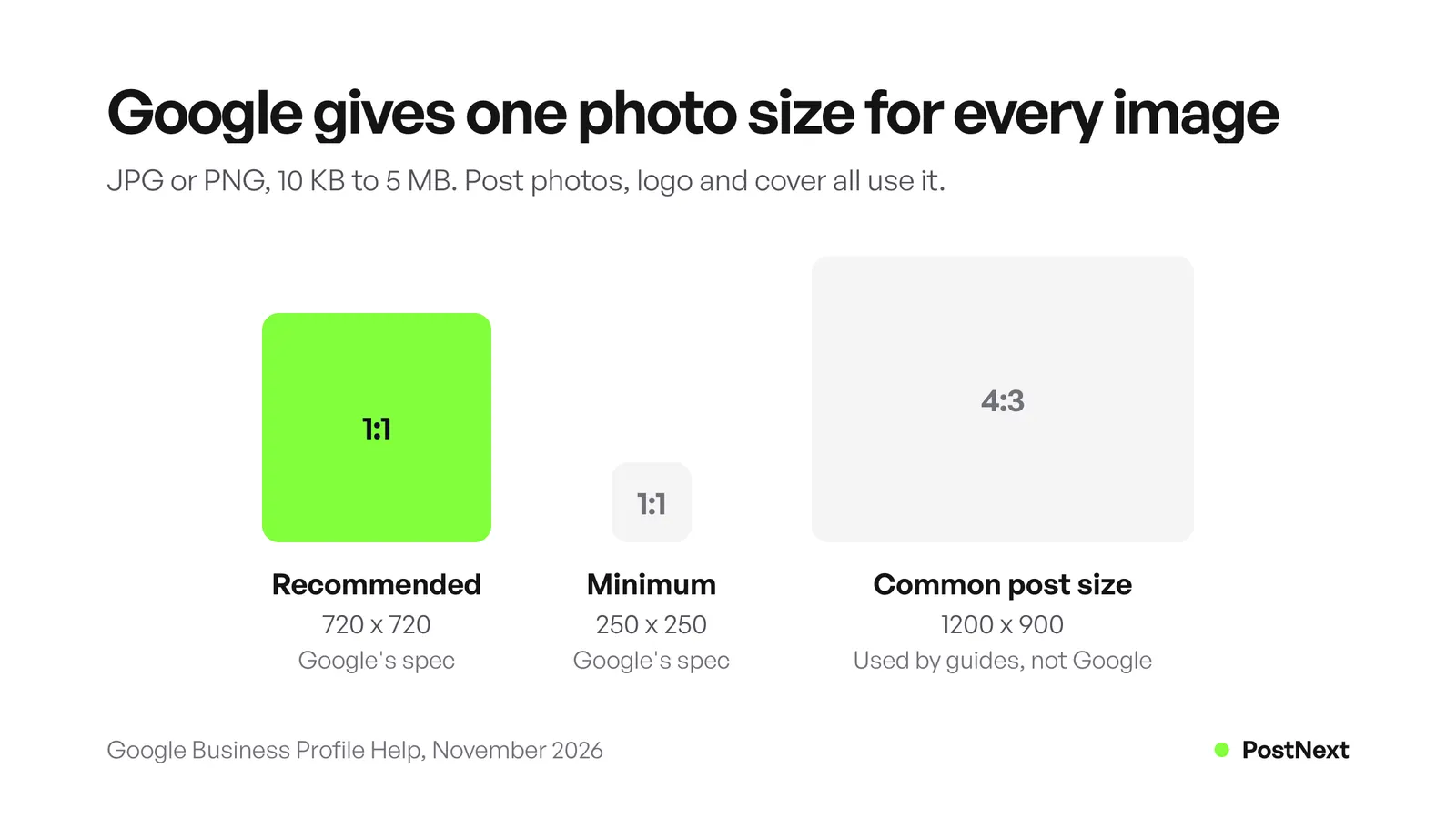
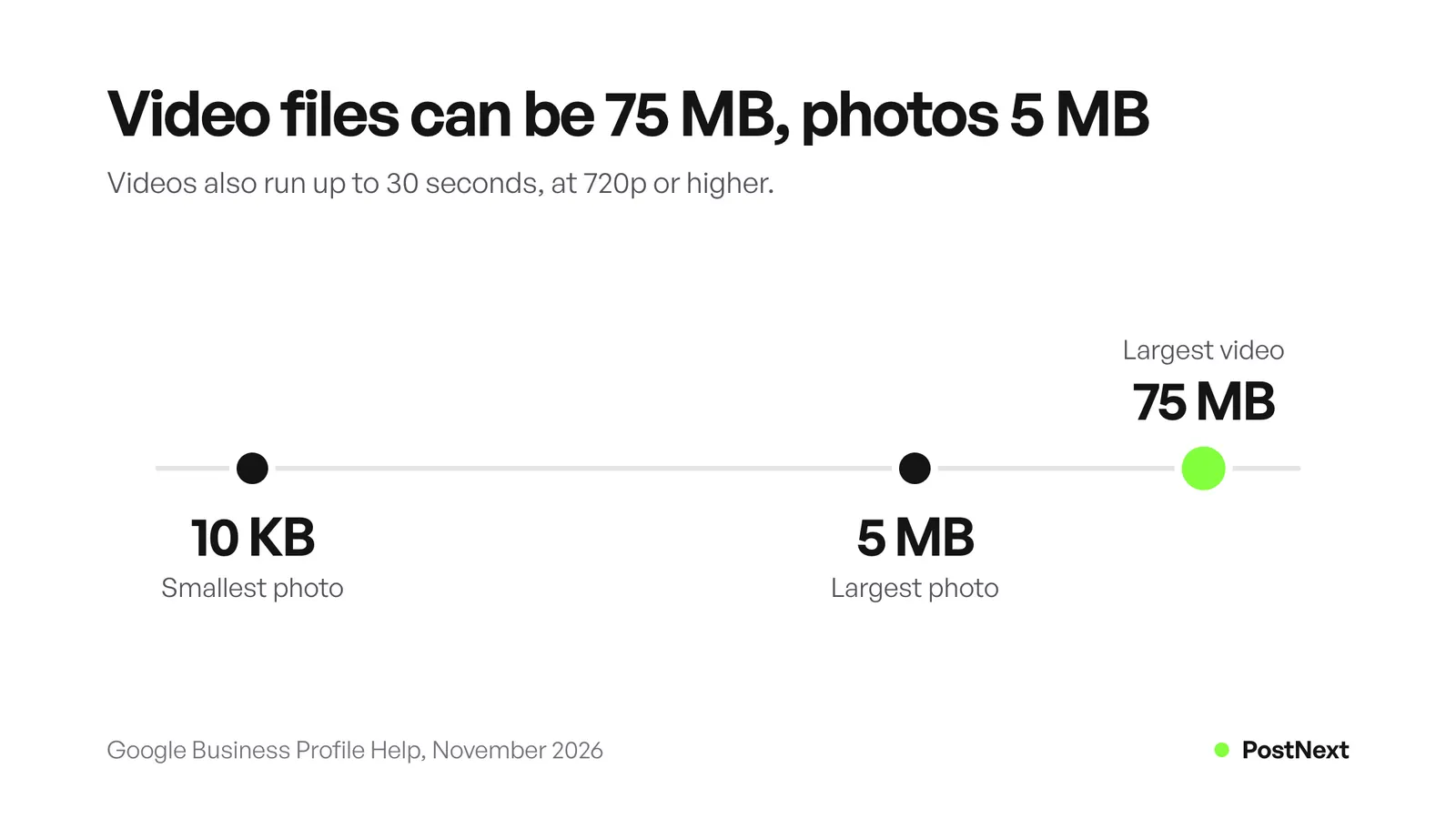
Google recommends 720 x 720 pixels for Google Business Profile photos, with a minimum of 250 x 250. Files must be JPG or PNG, between 10 KB and 5 MB. Google publishes this one spec for every photo, including post photos, the logo and the cover photo. Videos can run up to 30 seconds and 75 MB, at 720p or higher.
Key Takeaways
- Every photo: 720 x 720 recommended, 250 x 250 minimum, JPG or PNG, 10 KB to 5 MB. Google gives no separate size for posts, logos or covers.
- Post photos: 1200 x 900 (4:3) is the size most outside guides use. It is not on Google’s help pages.
- Video: up to 30 seconds, up to 75 MB, 720p or higher.
- Post types: Update, Offer and Event. An Offer needs a title, dates and time and gets a “View Offer” button.
- Text length: Google’s current help page gives no character limit for posts. The 1,500 figure comes from outside tools.
- How long posts last: Google archives posts older than 6 months, unless the post has a date range.
- PostNext: Google Business Profile is coming soon to PostNext, which does not post there yet.
Google Business Profile image sizes at a glance
The “Google’s spec” column comes from Google Business Profile Help, read in November 2026. The last column shows sizes that third-party guides repeat. Google does not publish them, so treat them as common practice, not rules. Each one is above Google’s 250 x 250 minimum.
| Image | Google’s spec | Commonly used, not from Google |
|---|---|---|
| Any photo | 720 x 720 recommended; at least 250 x 250; JPG or PNG; 10 KB to 5 MB | |
| Post photo | Same as any photo | 1200 x 900 (4:3) |
| Logo | Same as any photo | 720 x 720 (1:1) |
| Cover photo | Same as any photo | 1024 x 576 (16:9) |
| Business photos | Same as any photo; at least three of most types Google lists | |
| Video | Up to 30 seconds, up to 75 MB, 720p or higher |
What size should Google Business Profile photos be?
Google recommends 720 x 720 pixels and sets the minimum at 250 x 250. The file must be a JPG or PNG between 10 KB and 5 MB. Google’s help page lists these as the standards for photos to “look best on Google”. The same page and Google’s business photos page add a quality rule: the photo should be in focus and well lit, and should “represent reality”.
The quality rule is stricter than it sounds. Google’s business photos page says a photo should have “no significant alterations or excessive use of filters or AI.” So a clean, real photo of your shop, food or team beats a heavily edited one, even at the right size.
Your photos show on Google only after you verify your Business Profile. Google’s help page says it can take 24 to 48 hours before new photos and videos appear on your profile. Each upload is reviewed and shows one of three statuses: Pending, Not approved or Live.
Since 720 x 720 is a recommendation, a larger file is fine as long as it stays under 5 MB. If a file is over 5 MB, export it at a smaller size rather than at lower quality.

What is the Google Business Profile post image size?
Google does not publish a separate size for post photos. Its help pages apply one standard to every photo: 720 x 720 recommended, 250 x 250 minimum, JPG or PNG, 10 KB to 5 MB. Many third-party guides recommend 1200 x 900 pixels (a 4:3 ratio) for posts. That size works, because it is above Google’s recommendation on both sides, but it comes from those guides, not from Google.
Google’s help page also does not say how a post photo is cropped on Search and Maps. So keep the main subject in the middle of the frame, with space around it, and avoid putting anything important near the edges. If you post the same photo elsewhere, each network has its own shapes: see our guides to Instagram post sizes, LinkedIn image sizes and X image sizes before you crop. PostNext’s social media image sizes table puts those three and four more networks on one page, but not Google Business Profile.
A Google post holds a photo or a video, according to the help page on posts. Through the Business Profile API, a post’s photo must come from a URL, as Google’s developer guide on uploading media explains.
What size are the Google Business Profile logo and cover photo?
Google gives the logo and cover photo no special size. They follow the same standard as every other photo: 720 x 720 recommended, 250 x 250 minimum, JPG or PNG, up to 5 MB. Outside guides suggest a square 720 x 720 logo and a 1024 x 576 cover. Google does not promise your cover will show first.
Google’s help page explains both. The logo helps customers recognize your business, and Google highlights it for businesses that have their basic information filled in. If your logo does not appear, Google says to check that your profile has a name, a valid street address, categories, a phone number and opening hours.
The cover photo sits at the top of your profile. Google says choosing one “doesn’t guarantee the cover photo will show up as the first image.” If the cover is low quality, or “if other sources suggest that it’s not the best photo to represent your business,” Google may show a photo from a customer instead. A sharp, real photo of the place is your best chance of keeping your choice at the top.
What are the Google Business Profile video limits?
Google Business Profile videos can be up to 30 seconds long and up to 75 MB, at a resolution of 720p or higher. These limits come from Google’s photos and videos help page. Like photos, videos are reviewed before they show and can take 24 to 48 hours to appear. Update, Offer and Event posts can each include a video.
Google’s help page gives no aspect ratio for videos. Keep them short, stable and well lit. Google’s tips for media on Maps say to avoid shaky, out-of-focus or distorted videos, and that low-quality media may be removed.
What types of Google Business Profile posts can you make?
Google Business Profile has three post types: Update, Offer and Event. An Update shares news, with a description, photo or video, and an optional button with a link. An Offer requires a title, dates and time, and Google adds a “View Offer” button. An Event needs a title and start and end dates and times.
What each type holds, from Google’s help page on posts:
| Post type | Must include | Can include |
|---|---|---|
| Update | No field named as required | Description, photo, video, action button with a link |
| Offer | Title, dates and time | Description, photo, video, coupon code, link, terms and conditions |
| Event | Title, start and end dates and times | Description, photo, video, action button |
An Event without a start or end time shows as lasting 24 hours on its dates. Google’s posts policy says hotels cannot create Offer posts or mention deals in any post, so a hotel keeps its packages for the social channels in its hotel social media post ideas plan. Google’s developer reference also names a fourth type, Alert, for urgent announcements, and says alerts “are not always available for authoring.”
The action button on an Update or Event is one of six types in Google’s developer reference: Book, Order, Shop, Learn more, Sign up and Call. A Call button uses your verified phone number.
Posts appear in the Updates or Overview tab of your profile on mobile, and in the “From the owner” section on a computer. For single-location food and drink businesses in the US, UK, Canada, Australia and New Zealand, Google may also show featured posts in place of reviews on mobile.
What is the Google Business Profile post character limit?
Google’s current help page on posts gives no character limit. Many outside tools and guides use 1,500 characters for the post text. That number does not appear on the Google help page read for this guide in November 2026, so treat it as common practice rather than a confirmed limit. Google’s developer reference also lists no maximum length.
What Google does say is about content, not length. Its tips ask you to avoid “misspelled words, extra characters, text that adds no value, and auto-generated or distracting content”, and to add details like a descriptive title, dates and offer information.
Google does not say how much of a post shows before it is cut off. So put the offer or the news in the first sentence, and the action in the second. Leave phone numbers out of the text: Google’s help page says posts with a phone number in the description “might get rejected” if Google cannot verify it, and a Call button does the same job. Our rules for writing social media posts that get read apply here too.
How long do Google Business Profile posts stay visible?
Google archives posts older than 6 months, unless the post has a date range set. Offer and Event posts carry their own dates. You can schedule a post for later with “Schedule this post”, and repeat it weekly, monthly or on a custom schedule from the Repeats menu.
A restaurant can plan these posts next to its other channels in a restaurant social media calendar. You can edit or delete a post after it is published.
After you publish, Google reviews each post against its content policy. A post shows as Live (public on Search and Maps), Pending (still uploading or processing, or your profile is not verified) or Not approved. For a post that is not approved, the question mark next to its status names the policy it breaks.
A repeated post is the simplest way to keep fresh posts on your profile without writing a new one each week. Use it for opening hours, weekly specials and reminders. You can also share one post across several Business Profiles when you publish it.
Why does Google reject a Business Profile photo or post?
Google rejects photos and posts that break its content policies. For posts, one cause Google names directly is unverified contact details: it “may remove posts with unverified contact information”, including phone numbers, emails and social handles. For photos, Google asks for real, sharp, lightly edited images, and its Maps tips say low-quality media may be removed.
A checklist built from Google’s help and policy pages:
- Contact details: leave phone numbers, emails and handles out of the text. Add a Call button instead.
- Quality: in focus, well lit, no heavy filters or AI edits, at least 250 x 250 pixels.
- Content: respectful, family-friendly and professional, with links only to sites you trust.
- Regulated goods: businesses in industries like alcohol, tobacco or gambling can post, but not about those products.
- Duplicates: if an uploaded photo does not appear, Google suggests checking that it is not a duplicate, then uploading it again.
Should you put text on Google Business Profile photos?
Keep text off the photo and put it in the post. Many design guides suggest flyer-style images with the offer printed on them. Google’s guidance points the other way. Its photo standard asks for images that “represent reality”, and its tips for media on Maps say to avoid adding “borders, text, or collaged images”.
Those Maps tips cover photos and videos that people post about places, so they are not written for post images alone. Still, the direction is clear, and the post form gives you room for the words: an Offer has a title, dates, a coupon code and terms. Use the photo to show the product, the room or the team, and let the post text carry the offer.
Where does PostNext fit with Google Business Profile?
Google Business Profile is coming soon to PostNext. PostNext does not post to Google Business Profile yet, and it gives no date. Google’s own post form schedules and repeats posts inside your Business Profile, so you need no other tool for that. What PostNext does today is plan the same offer for your other networks.
PostNext posts today to X, Instagram, LinkedIn, TikTok, YouTube, Threads and Bluesky. For a local business, two parts help now:
- One offer, many copies: write the offer once and tick the networks. Instagram, LinkedIn and X each get their own copy of the text and photo, so you can change one without the others. Then post the Google version in your Business Profile.
- Repeats: Repeat this post reposts on your other networks every 1 to 365 days, weeks or months, and stops on a date, after a number of runs, or never.
Your Google listing is often the first step, and your social accounts are where people check you next; the guide to getting customers from social media as a local business covers that side.
The Google Business Profile page on postnext.io walks through Google’s own scheduling steps, and you can leave your email there to hear when the channel is ready.
Frequently Asked Questions
What is the best image size for Google Business Profile?
Google recommends 720 x 720 pixels, with a minimum of 250 x 250. Use a JPG or PNG between 10 KB and 5 MB. Google applies this one standard to post photos, the logo, the cover and business photos.
What size is a Google Business Profile post image?
Google gives no separate post size, so the 720 x 720 recommendation applies. Many outside guides use 1200 x 900 pixels, a 4:3 ratio, which also meets Google’s standard. Keep the subject in the middle, because Google does not say how it crops post photos.
What is the Google Business Profile cover photo size?
Google gives no special cover size; the general photo standard applies. Outside guides often use 1024 x 576 pixels (16:9). Google may show a different photo first if it judges your cover low quality.
What is the character limit for a Google Business Profile post?
Google’s current help page states no limit. Outside tools use 1,500 characters. Put the main point in the first sentence and leave phone numbers out of the text, because Google may reject posts with unverified contact details.
How long can a Google Business Profile video be?
Up to 30 seconds and up to 75 MB, at 720p or higher. Videos are reviewed before they appear, which can take 24 to 48 hours.
Do Google Business Profile posts expire?
Google archives posts older than 6 months, unless the post has a date range. Offer and Event posts have their own dates. You can repeat a post weekly, monthly or on a custom schedule.
Can PostNext post to Google Business Profile?
Not yet. Google Business Profile is coming soon to PostNext, with no date given. Today PostNext plans the same offer for Instagram, LinkedIn, X and its other networks.
Sources
- Google Business Profile Help, Manage your Business Profile photos & videos (checked November 2026)
- Google Business Profile Help, Tips for business-specific photos on your Business Profile (checked November 2026)
- Google Business Profile Help, Create & manage posts on your Business Profile (checked November 2026)
- Google Business Profile Help, Business Profile photos, videos & posts content policy (checked November 2026)
- Google Maps contribution policy, Tips for posting media to Maps (checked November 2026)
- Google for Developers, Create Posts on Google, localPosts reference and Upload media (checked November 2026)
- PostNext, postnext.io/channels/google-business-profile and postnext.io/features/automation (checked November 2026)