
Claude animation is video that Claude writes as code. Claude does not output a video file: it writes a script, in Python, React or HTML, that draws every frame, and your computer turns those frames into an MP4. In November 2026 this is the cheapest way to make faceless Reels, TikToks and Shorts in batches, because one script renders a whole batch with no fee per video.
Key Takeaways
- Claude writes the renderer, not the video. A script draws each frame; FFmpeg or a framework turns the frames into an MP4 on your computer.
- Three common engines. Python with Pillow and FFmpeg, Remotion (React) and HyperFrames (HTML). HyperFrames is Apache 2.0; Remotion is free for individuals and companies of up to 3 employees.
- Scenes live in a data file. Once the style works, a new video is a new row in a JSON file, so 30 videos take one command.
- The file needs checks before posting. Our studio fails any final that is not 1080 px or more on the short side, H.264, loudness -14 LUFS and true peak -1 dBTP or lower.
- Animation usually needs no AI label. Meta, TikTok and YouTube ask for a label on realistic AI video, not on cartoon or stick figure animation.
- Trending sounds cannot be added by any scheduler. Put licensed music in the render, or post the few videos that need a trending sound by hand.
What is Claude animation?
Claude animation means asking Claude to write code that draws and renders an animated video. A video model such as Veo or Kling generates pixels from a prompt. Claude instead writes a program that places shapes, text and images on each frame, then a renderer saves those frames as an MP4. The same code makes the same video every time.
That difference decides what Claude animation is good for. It is good at anything you could describe as shapes moving on a timeline: kinetic text, diagrams that build, simple characters, charts, product screens and maps. It is poor at anything that should look filmed, such as a real person or a real room, because it draws every pixel from code.
For a faceless page it has three advantages over a video model. The look stays identical from video to video, because the style lives in one script. Rendering runs on your own computer, so there is no cost per video beyond your Claude plan. And the content sits in a data file, so changing a word or a colour means editing one line and rendering again, not prompting a model and hoping.

Which tool should Claude use to render the animation?
Use Python with Pillow and FFmpeg for simple 2D shapes and text, Remotion if you or your developer already work in React, and HyperFrames if you want HTML and CSS with skills made for coding agents. All three run on your computer and export MP4. The choice matters less than keeping one engine for the whole page.
| Engine | Claude writes | Needs on your computer | Licence (checked November 2026) | Good for |
|---|---|---|---|---|
| Python + Pillow + FFmpeg | A Python script that draws each frame as an image | Python, FFmpeg | Open source | Simple 2D figures, text, shapes |
| Remotion | React components with frame-based timing | Node.js | Free for individuals and companies of up to 3 employees; a company licence above that | Teams already using React, data-driven video |
| HyperFrames (by HeyGen) | HTML, CSS and JavaScript with timing attributes | Node.js 22+, FFmpeg | Apache 2.0 | Kinetic type, motion graphics, agent workflows with ready skills |
Sources: Remotion licence (github.com/remotion-dev/remotion, LICENSE.md) and the HyperFrames README (github.com/heygen-com/hyperframes), both read 26 November 2026.
HyperFrames ships skills for Claude Code, Codex and Cursor. Install them with npx skills add heygen-com/hyperframes, then npx hyperframes init my-video, npx hyperframes preview and npx hyperframes render. Our own video studio renders with HyperFrames, which is why its rules below are written for HTML compositions. The same rules apply to the other two engines.
How do you make a faceless video with Claude, step by step?
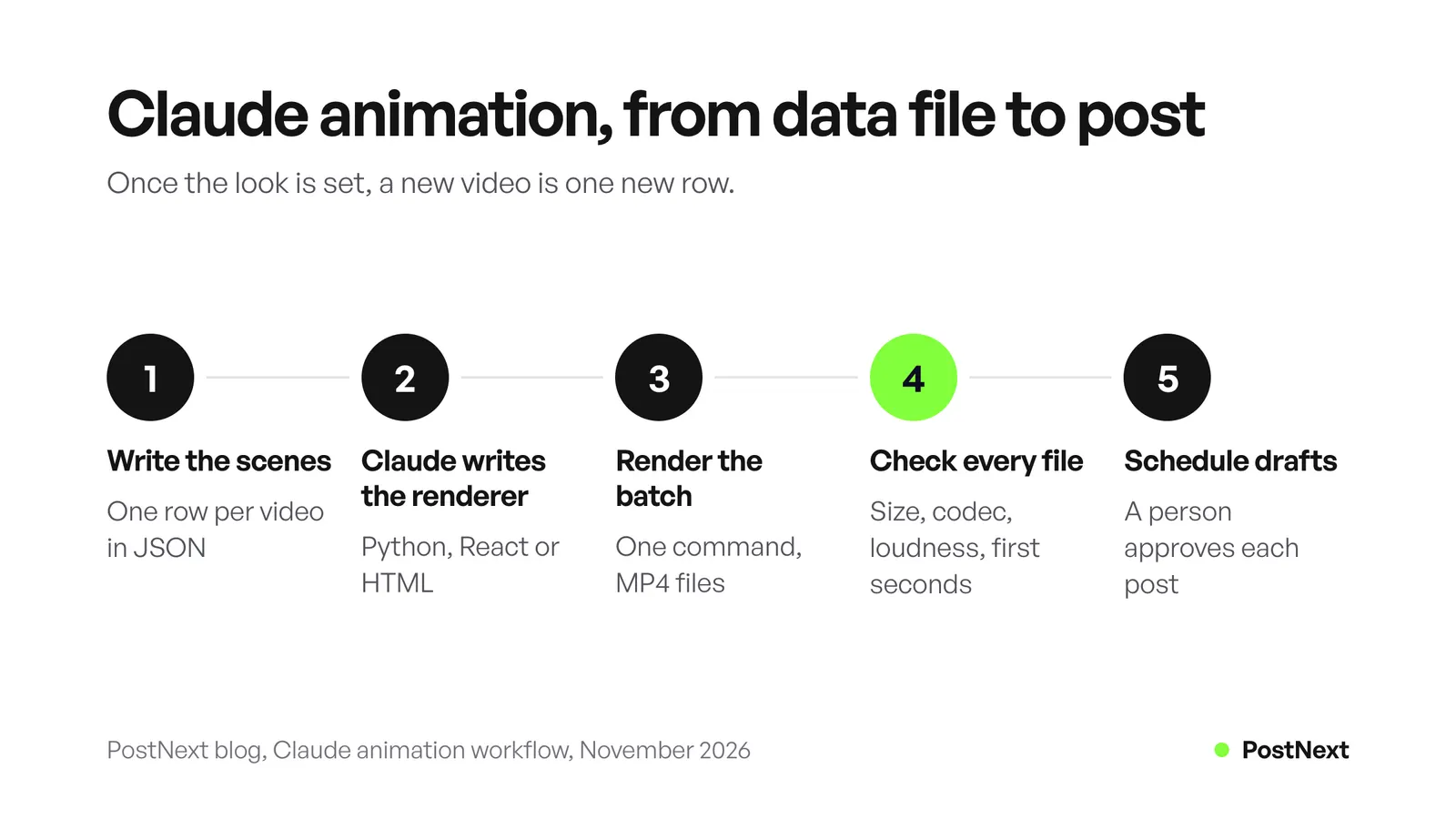
Pick one format, describe the look to Claude in plain words, have it write a renderer that reads scenes from a JSON file, fix the look against a reference frame, then render the batch with one command. Claude Code is the easiest place to do this, because it can write the files, run the render and look at the frames it made.
- Pick one format and one length. For example: a 12-second explainer where one number builds on screen, or a two-figure contrast with a label above each figure. One format per page.
- Describe the frame before the motion. Background colour, the figures or shapes, the font, where the text sits, the watermark. Add a screenshot of a style you like as a reference for the look, not as content to copy.
- Ask for a renderer that reads data. The script reads
scenes.jsonand renders one MP4 per scene, so the content never lives inside the code. - Fix one difference at a time. Render one video, put a frame next to your reference, and send Claude one correction per round: thicker lines, more space between label and figure, slower entry.
- Write the scenes. Ask Claude for 30 rows in the same JSON shape. Keep the ones your audience would recognise from their own day.
- Render the batch. One command, several videos at a time if the script supports it.
A first prompt in Claude Code, for a page of short explainers:
Make vertical videos, 1080x1920, 30 fps, 12 seconds each.

Look: off-black background, one white line-drawn shape in the centre,
a big number that counts up in the first 3 seconds, a short label under it
in bold capitals, a small watermark at the bottom.

Read scenes.json. Each row has: id, number, label, caption.
Render one MP4 per row into out/. Render 4 videos at the same time.

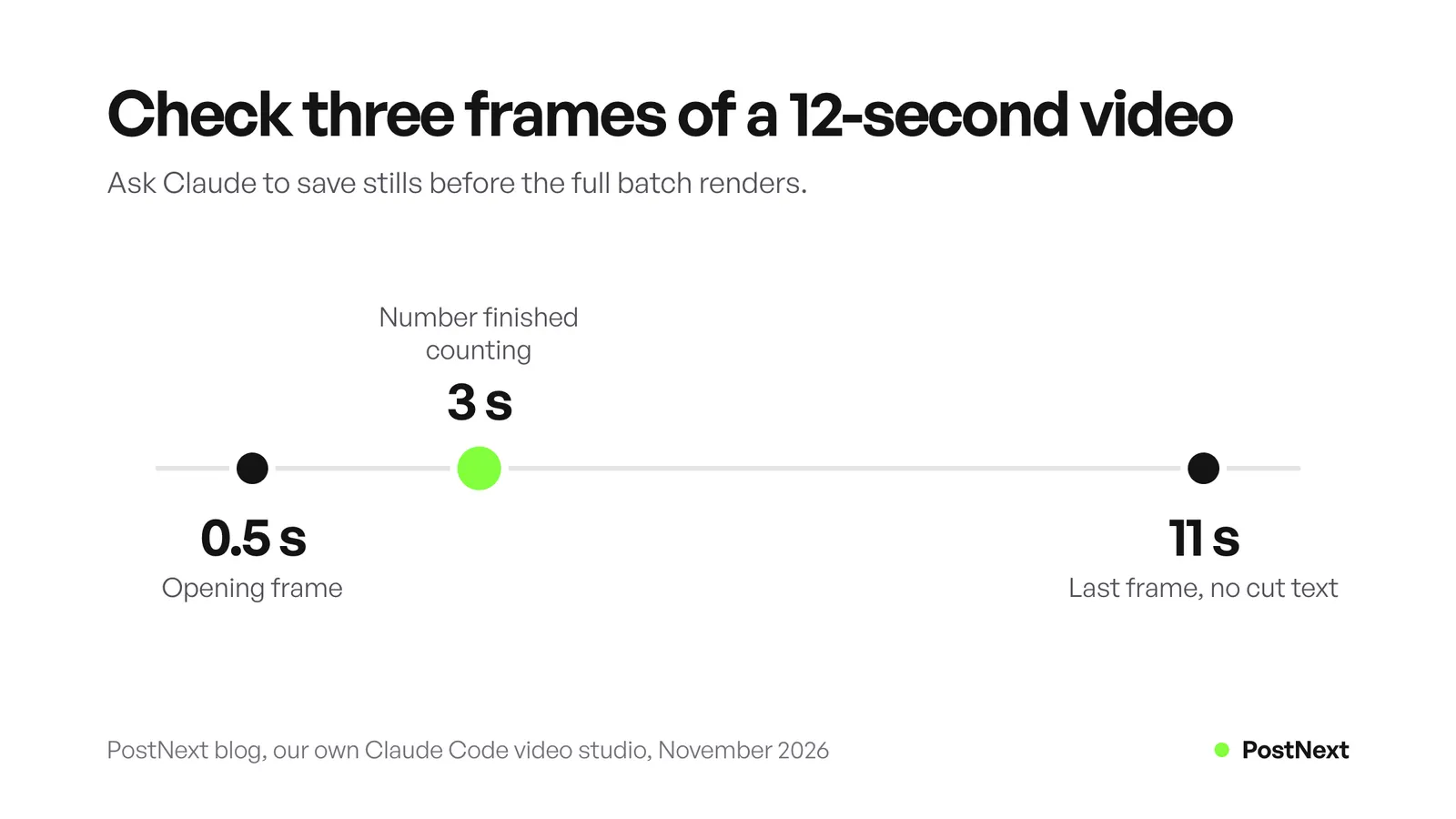
Before rendering the batch, render row 1 only and save frames at
0.5 s, 3 s and 11 s as PNG so I can check them.
The last two lines are the part most tutorials skip. Asking Claude to save still frames before the full render catches cut-off text and broken layouts in seconds, before the computer spends minutes on a batch with the same fault.
How long does a Claude animation take to render?
Rendering time depends on the engine, the length and how much moves on screen, so measure your own first video before you plan a schedule. A short 2D video renders in a few minutes or less on a recent laptop. Batches go faster when the script renders several videos in parallel, which you can ask Claude to add in one line.
In our studio, a 3.2-second test with shader transitions, the heaviest kind of effect, took 22.7 seconds to render. Simple kinetic text renders much faster. Two things slow a render more than length: high-quality master files, and effects such as blur and shaders on every frame. For social media, a standard H.264 MP4 is enough.
The setup time is the real cost. Getting a look you like, and keeping it identical across every video, takes rounds of correction against a reference frame. After that, a new video costs one row of data and a render.
What checks should a Claude animation pass before you post it?
Check the file and the first seconds. The file must open on every phone and platform: 1080 px or more on the short side, H.264, the index at the front of the file, and sound at a steady level. The first 3 seconds must show the subject moving. Our studio runs these as a script, and a file that fails is not finished.
The delivery checks our studio runs on every final video:
| Check | Pass value | Why |
|---|---|---|
| Size | 1080 px or more on the short side, 1080x1920 for vertical | A smaller render is scaled up on a phone screen |
| Video codec | H.264 High, yuv420p, level 4.1 (4.2 above 30 fps) | A level 5.1 file did not open in QuickTime in our tests |
| File layout | ”Faststart”: the index (moov) before the media data | Instagram’s API asks for the moov atom at the front |
| Loudness | -14 LUFS, plus or minus 1 | A quieter file plays softer than the videos around it |
| True peak | -1.0 dBTP or lower | One AAC encode can add up to about 0.7 dB to the peaks |
| Audio edges | 15 ms fade at the start and end, no click in the first 300 ms | Generated audio often starts with a click or noise |
Source: our studio’s delivery check script and Instagram’s content publishing API reference (developers.facebook.com, checked October and November 2026).
Two motion rules from the same studio save most rework in code-rendered video. Every frame must be a pure result of time: no clock reads and no unseeded random numbers, or the preview and the render differ. And animate position, scale, opacity and colour, not width, height or margins, because those snap to whole pixels and stutter.
The third rule is about holds. Our studio flags any shot where the screen holds still for more than 3.5 seconds, unless the viewer is reading something worth reading there. Its guideline is that the picture changes every 2 to 4 seconds. A faceless video has no face to carry a pause, so a still frame reads as a frozen video.
Which faceless animation formats get views?
The formats that last are simple enough to read with the sound off. They are also repeatable enough to make in batches. Examples are a 3D or 2D “how it works” explainer, a contrast between two kinds of people, a number that builds on screen, and a list that fills in. Each video makes one point, and the payoff arrives before the last second.
In September 2026 our studio pulled the recent Reels of four faceless accounts, two of them animated. The 3D explainer account @zackdfilms (11.1 million followers) had median plays of 1.66 million across its last 20 Reels, at a median length of 38.3 seconds. The 2D motion explainer account @kurzgesagt (1.61 million followers) had median plays of 230,000 across 20 Reels, at 65.4 seconds. Those medians describe a recent run only, not what a new page should expect.
The pattern worth copying is the mechanism, not the content. A clear subject in the first frame, one idea per video, the answer on screen before the end. Draw your own figures, write your own scenes and put your own mark on every video. Faceless formats are the cheapest kind to make, which also makes them the easiest to copy, and platforms reward the original. For more starting points by platform, see our YouTube Shorts ideas and Instagram Reel ideas.
Do you need an AI label on a Claude animation?
Usually not. Meta asks creators to label photorealistic video and realistic-sounding audio made with AI, and says it does not require labels on images. TikTok asks for labels on realistic AI images, audio and video. YouTube asks for disclosure when AI content looks realistic. A stick figure or kinetic-text animation is not realistic, so none of the three rules applies to it.
The cases where a label does apply: a realistic AI voice that sounds like a real person, AI footage of a real-looking place or person dropped into the animation, or anything showing a real event that did not happen. Also note that TikTok and YouTube may label a file automatically when it carries C2PA content credentials, and those automatic labels cannot be removed. A video rendered from your own code carries none unless a tool adds them. Our guide to AI tools for social media content creation covers the labels for other AI formats.
How do you add music to a faceless animation?
Add licensed music inside the render, or post the videos that need a trending sound from the app by hand. No scheduler can attach Instagram’s trending audio, because the official API does not offer it. Meta’s Music Guidelines also say music used for commercial purposes needs the right licences, and unlicensed music may be blocked, muted or removed.
Here is a split that works for a batch. Render every video with a music track you have the rights to, and schedule those. Keep back the two or three strongest scenes to post by hand with a trending sound from the Instagram or TikTok app. Then compare how each group did after a week.
For visuals the code cannot draw, such as a product shot or a background scene, an image or video model can make a single asset that the renderer places into the animation. DesignerBox has a guide to faceless Reels made with AI video for that side of the format.
How do you schedule a batch of faceless videos?
Upload the finished MP4 files to a scheduler once, write one caption per video, and spread the batch across days at a steady rate. With PostNext, the same vertical file can go to Instagram as a Reel and to TikTok, and Claude can do the scheduling through PostNext’s MCP server while a person approves the drafts. To schedule those Reels by asking Claude, see connecting Instagram to Claude.
From Claude Code, add PostNext with claude mcp add --transport http --scope user postnext https://mcp.postnext.io/api and sign in with /mcp. Claude can then upload each file with request_asset_upload, which takes images and videos of any size, save one draft per video, and schedule them. Drafts never publish on their own. The steps are on PostNext’s page for scheduling posts from Claude Code.
Platform details that matter for a batch, from PostNext’s pages and the platforms’ API docs (checked November 2026):
- Instagram: Reels publish through the official API from a professional account, with a cover frame per Reel. Over MCP, a single-video draft can go out as a trial reel, shown to non-followers first.
- TikTok: a scheduled video lands in the TikTok inbox by default, to finish in the app; a “Post directly” switch publishes it at the set time. TikTok caps direct posts at about 15 a day per account across all apps.
- YouTube Shorts: PostNext’s MCP server does not post to YouTube. See our guide on how to schedule YouTube Shorts.
- Storage: PostNext’s Free plan has 10 MB of storage and 10 scheduled posts a month, which is too small for a video batch. Premium has 10 GB and 1,000 posts a month.
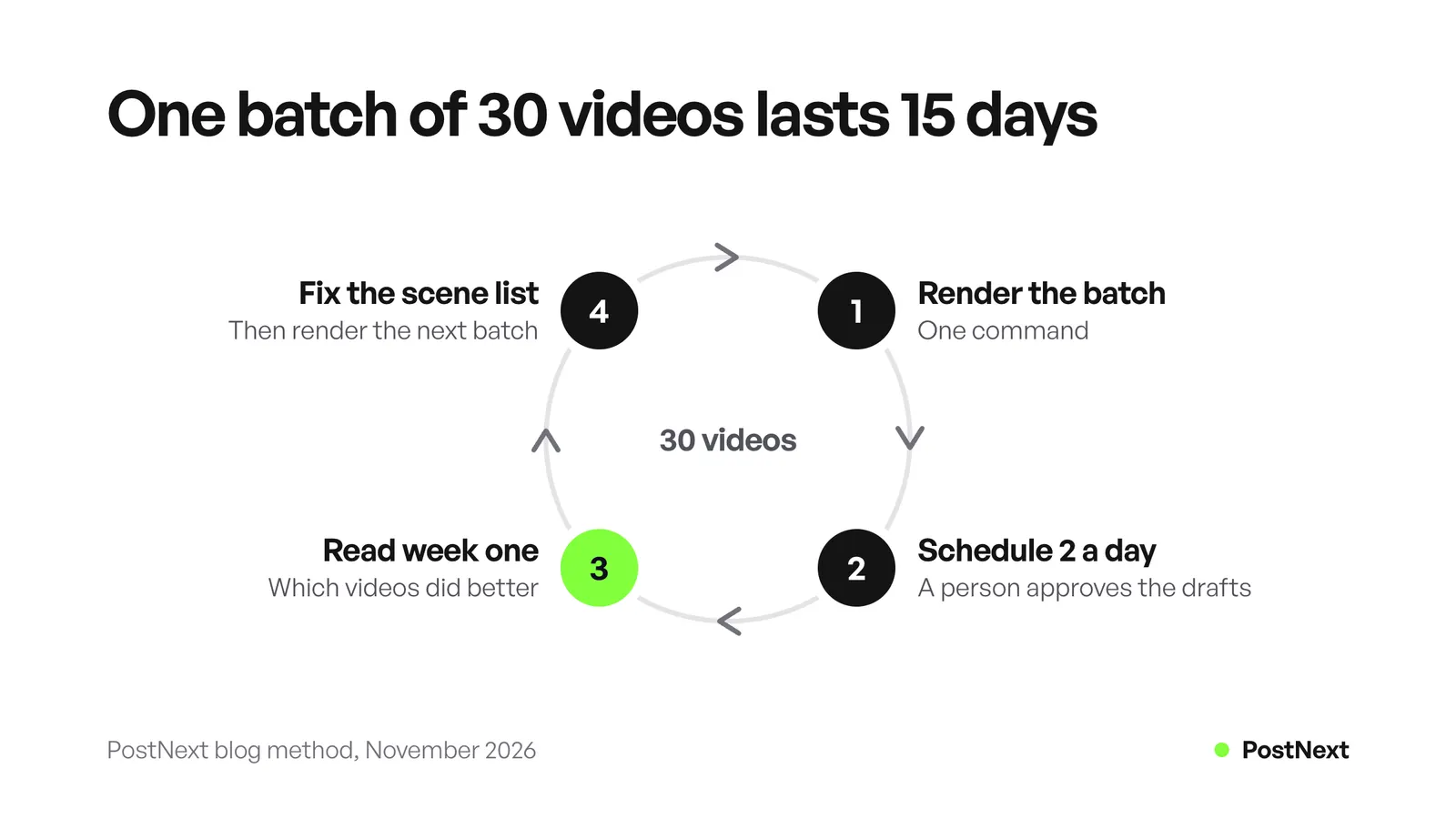
A batch of 30 videos at 2 a day covers 15 days, which leaves time to read the first week’s numbers before you render the next batch. PostNext’s Reels planner keeps a month of Reels in one calendar, with a cover frame per Reel.
What still needs a person?
The look, the scene list and the final check. Claude can write a renderer in minutes, but deciding what the page looks like, and keeping it the same in every video, is your call. So is knowing which scenes your audience will recognise. A person should also watch the first seconds of every file and approve each post.
| Job | Who does it |
|---|---|
| Choose the format, the look and the reference | You |
| Write the renderer and fix the look | Claude, from your corrections |
| Write 30 scenes in the data file | Claude, you cut the weak ones |
| Render the batch and run the file checks | The script |
| Watch the first seconds of each video | You, or a review agent that did not build it |
| Upload, caption and schedule the drafts | Claude through the PostNext MCP server |
| Approve the posts and read the week’s results | You |
If more than one agent works on the batch, keep the review separate from the build. In our studio, an independent review agent failed 14 of 15 delivered Shorts that the builder had already passed. Our guide to AI marketing agents in Claude Code explains how to set up that split.
Frequently Asked Questions
Can Claude make animations?
Yes, by writing code. Claude does not output a video file itself. It writes a script in Python, React or HTML that draws each frame, and a renderer such as FFmpeg, Remotion or HyperFrames saves the frames as an MP4 on your computer. Claude Code can also run the render for you.
Is Claude animation free?
There is no fee per video, because rendering runs on your own computer. You need a Claude plan, and Claude Code is part of the paid plans. HyperFrames is Apache 2.0 open source, and Remotion is free for individuals and companies of up to 3 employees.
Do you need to code to make a Claude animation?
No. You describe the look and the scenes in plain words, and Claude writes and runs the code. You need to install the tools Claude asks for, such as Node.js or Python and FFmpeg, and to compare frames against a reference until the look is right.
What size should a faceless Reel or TikTok be?
Render at 1080x1920, a 9:16 vertical frame. Instagram’s API recommends 9:16 and accepts 23 to 60 frames per second, and 30 fps works on Reels, TikTok and Shorts. Check the exact limits per platform in our guide to Instagram Reel size.
Do faceless animated videos need an AI label?
Usually not. Meta, TikTok and YouTube ask for labels on realistic AI content, such as lifelike video or a voice that sounds like a real person. Cartoon, stick figure and kinetic-text animation is not realistic. Add a label if the video includes realistic AI footage or a cloned voice.
Can Claude schedule the videos it makes?
Yes, with a scheduler connected. Through PostNext’s MCP server, Claude can upload each video, save a draft and schedule it for Instagram and TikTok. Drafts never publish on their own, so you approve each post in the calendar first.
Sources
- HeyGen, HyperFrames README (read 26 November 2026): licence, requirements, commands, agent skills.
- Remotion, licence (read 26 November 2026): free and company licence terms.
- Meta, AI content labels and Music Guidelines; TikTok, AI-generated content; YouTube, disclosing GenAI content (checked November 2026).
- Meta, Instagram content publishing API media reference (checked November 2026): Reels format, frame rate, moov atom.
- TikTok, Content Sharing Guidelines (checked November 2026): direct post cap.
- PostNext, Post to social media from Claude Code, the MCP tool reference at postnext.io/mcp/docs and postnext.io/pricing (checked 26 November 2026).
- Our video studio: delivery check script, HyperFrames rules, render log and the Reels pull of 25 September 2026.