
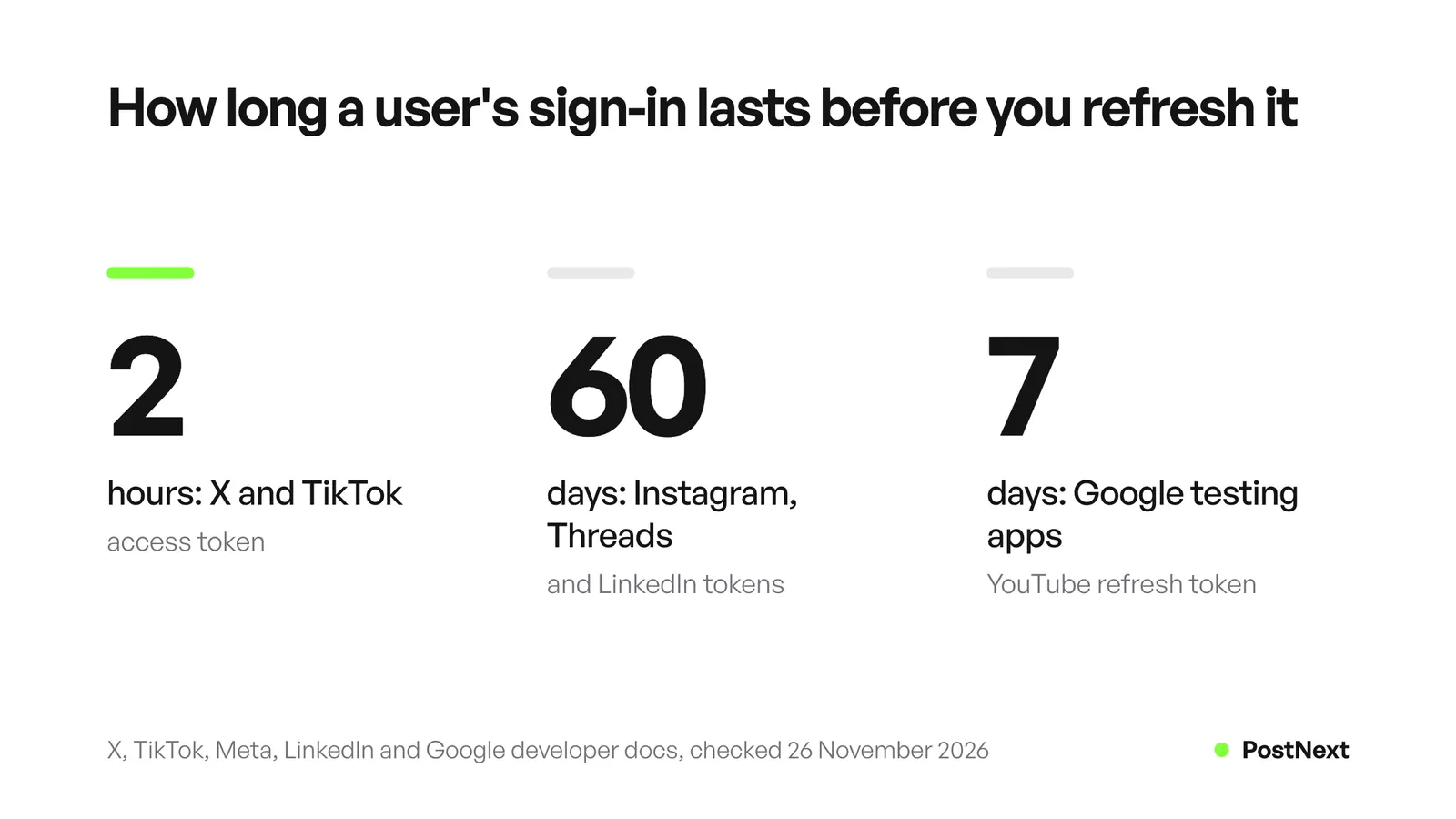
A social media API integration lets your users connect their accounts and post from inside your app. The hard parts are the sign-in tokens, each network’s app review and media uploads. Tokens last from 2 hours (X, TikTok) to 60 days (Instagram, Threads, LinkedIn), checked in each network’s docs on 26 November 2026. This PostNext guide covers the build, network by network.
Key Takeaways
- Plan for token refresh from day one. X and TikTok access tokens last 2 hours. Instagram, Threads and LinkedIn tokens last 60 days. Google testing-mode refresh tokens expire after 7 days.
- Each network reviews your app on its own. TikTok audits posting apps, Meta needs App Review and Business Verification, and LinkedIn vets company Page access.
- Unaudited TikTok apps post privately. Up to 5 users in 24 hours, private posts only, on private accounts.
- YouTube dropped its private-upload rule. Since 2 November 2026, uploads from unverified API projects are no longer held to private.
- Uploads are jobs, not requests. TikTok, Instagram and YouTube process media after the call returns, so your app polls for status.
- One API can cover several networks. A unified API takes on the sign-in flows and reviews. Check whether it lets your own customers connect their accounts.
What does a social media API integration need?
A social media API integration needs five parts for each network: an approved developer app, a sign-in flow (OAuth) for each user, token storage and refresh, a media upload path and error handling for limits and rejections. The first part decides your timeline, because review and audit can take longer than the code. The table shows the first two parts per network, read on 26 November 2026.
| Network | Developer app and permission | Review before real users | What happens before review |
|---|---|---|---|
| X | Developer account, tweet.write and media.write scopes | None stated; pay per request with credits | Works, billed per post |
| Meta app, Instagram professional accounts only | App Review and Business Verification for Advanced Access | Standard Access: only accounts with a role on your app | |
| Facebook Pages | Meta app with Page permissions | App Review for users without a role on the app | Only people with a role on your app |
| Threads | Meta app with Threads permissions | Meta App Review | Only people with a role on your app |
”Share on LinkedIn” product, w_member_social | Self-serve for personal posts; Community Management API is vetted | Company Pages need the vetted product | |
| TikTok | Content Posting API, video.publish scope | Audit | 5 users in 24 hours, private posts only |
| YouTube | Google Cloud project with the YouTube Data API | None for public uploads since 2 November 2026 | Default quota: 100 uploads a day |
| Bluesky | Open AT Protocol; OAuth or app passwords | None | Works within rate limits |
Read on each network’s developer docs on 26 November 2026. For daily posting limits and prices, see our social media API guide.

How long do social media access tokens last?
Access tokens last from 2 hours to 60 days, and refresh tokens from 7 days to a year, depending on the network and your app’s status. X and TikTok access tokens expire after 2 hours. Instagram, Threads and LinkedIn tokens last 60 days. A Google project in “Testing” status gets refresh tokens that expire in 7 days.
| Network | Access token | Refresh | When the user must sign in again |
|---|---|---|---|
| X | 2 hours | Refresh token only with the offline.access scope | When they revoke access, if offline.access was granted |
| TikTok | 2 hours | Refresh token lasts 180 days; each refresh returns a new one | When the refresh token expires or they disconnect |
| Instagram (Instagram Login) | 60 days (long-lived) | Refresh a token at least 24 hours old; it lasts 60 days again | When the token expires unrefreshed |
| Facebook Pages | User token about 60 days | Long-lived Page tokens have no expiry date | When the token is invalidated, under conditions Meta lists |
| Threads | 1 hour short-lived, 60 days long-lived | Refresh after 24 hours; permission grant lasts 90 days | Private profiles re-grant every 90 days |
| 60 days | Programmatic refresh tokens last 365 days, for approved partners | At day 365, whatever you refresh | |
| YouTube (Google) | Short-lived | Refresh token; 7 days in “Testing” status; expires after 6 months unused | At those points, or past 100 tokens per account |
| Bluesky | Handled by the OAuth session (DPoP, PKCE, PAR) | SDKs refresh for you | When the session ends |
Read on each network’s authentication docs on 26 November 2026. TikTok’s docs say to use expires_in and refresh_expires_in instead of hard-coding these numbers.
Three rules follow from the table. Refresh in the background before a post is due, not at publish time. Store the newest refresh token every time, because TikTok returns a new one on each refresh. And publish your Google OAuth app before launch, or every YouTube user signs in again each week.
How do you get through each network’s app review?
Apply for each network’s review as soon as you have a working demo, because it gates real users. Meta needs App Review and Business Verification before your app serves accounts you do not manage. TikTok audits apps before their posts can be public. LinkedIn’s Community Management API, for company Pages, needs a screencast of each use case.
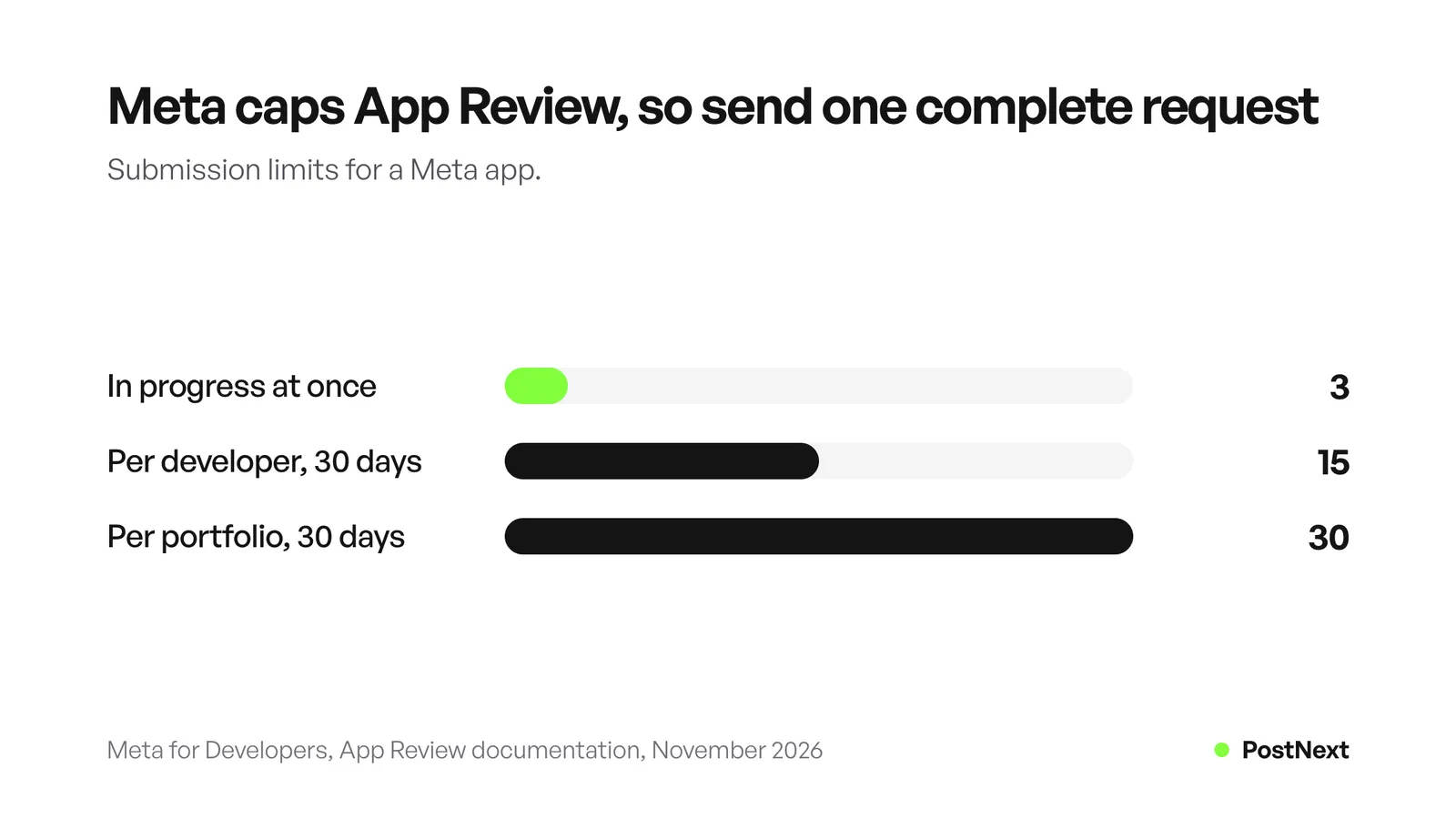
Meta (Instagram, Facebook, Threads). Standard Access is the default and covers accounts with a role on your app, which is enough for your own brand. Serving your customers’ Instagram accounts needs Advanced Access, which “requires App Review and Business Verification”. Meta also caps submissions: 3 in progress at once, and 15 per developer (30 per business portfolio) in any rolling 30 days. Send one complete request, not several partial ones.
TikTok. Until your app passes the audit, “Unaudited API Clients can allow up to 5 users to post in a 24 hour window”, posts are SELF_ONLY, and the accounts must be private while posting. The audit checks your posting screen against TikTok’s rules, so build those before you apply (next section).
LinkedIn. Posting to a member’s own profile needs the self-serve “Share on LinkedIn” product and the w_member_social permission. Posting to company Pages needs the Community Management API, a vetted product with a Development tier and a Standard tier. For Standard, you send a screencast that shows each use case in your request form.
YouTube. Google reversed its 2020 rule on 2 November 2026: “Videos uploaded through the videos.insert method from unverified API projects are no longer restricted to private viewing mode”. You still need a quota extension for more than the default 100 uploads a day, through YouTube’s quota extension form.
What must your posting screen show for TikTok?
TikTok sets rules for the screen where your users post, and its audit checks them. The screen shows the creator’s TikTok nickname, offers only the privacy options TikTok’s creator info call returns, with no default, and leaves comment, Duet and Stitch unchecked. It also shows a preview and a music usage consent line before the publish button.
The full list is in TikTok’s content sharing guidelines. The rules that change your design most:
- Call creator info first. Fetch the creator’s latest info each time the posting screen opens. If it says the creator cannot post now, stop and ask them to try later.
- Check video length. Compare the clip with
max_video_post_duration_secfrom that call. Different creators get different limits. - No default privacy. The user picks a privacy level from a list, and the list has no preselected value.
- Interactions off by default. Comment, Duet and Stitch start unchecked. Grey out any the creator turned off in TikTok.
- Commercial content disclosure. A toggle for “your brand” or “branded content”. Branded content cannot be private.
- Consent line. Show “By posting, you agree to TikTok’s Music Usage Confirmation” before the publish button.
The Direct Post API also takes an is_aigc flag for AI-generated video, which adds TikTok’s AI label. Each user access token can call the Direct Post endpoint 6 times a minute, and each creator can post about 15 times a day across every app.
How do media uploads work in social media APIs?
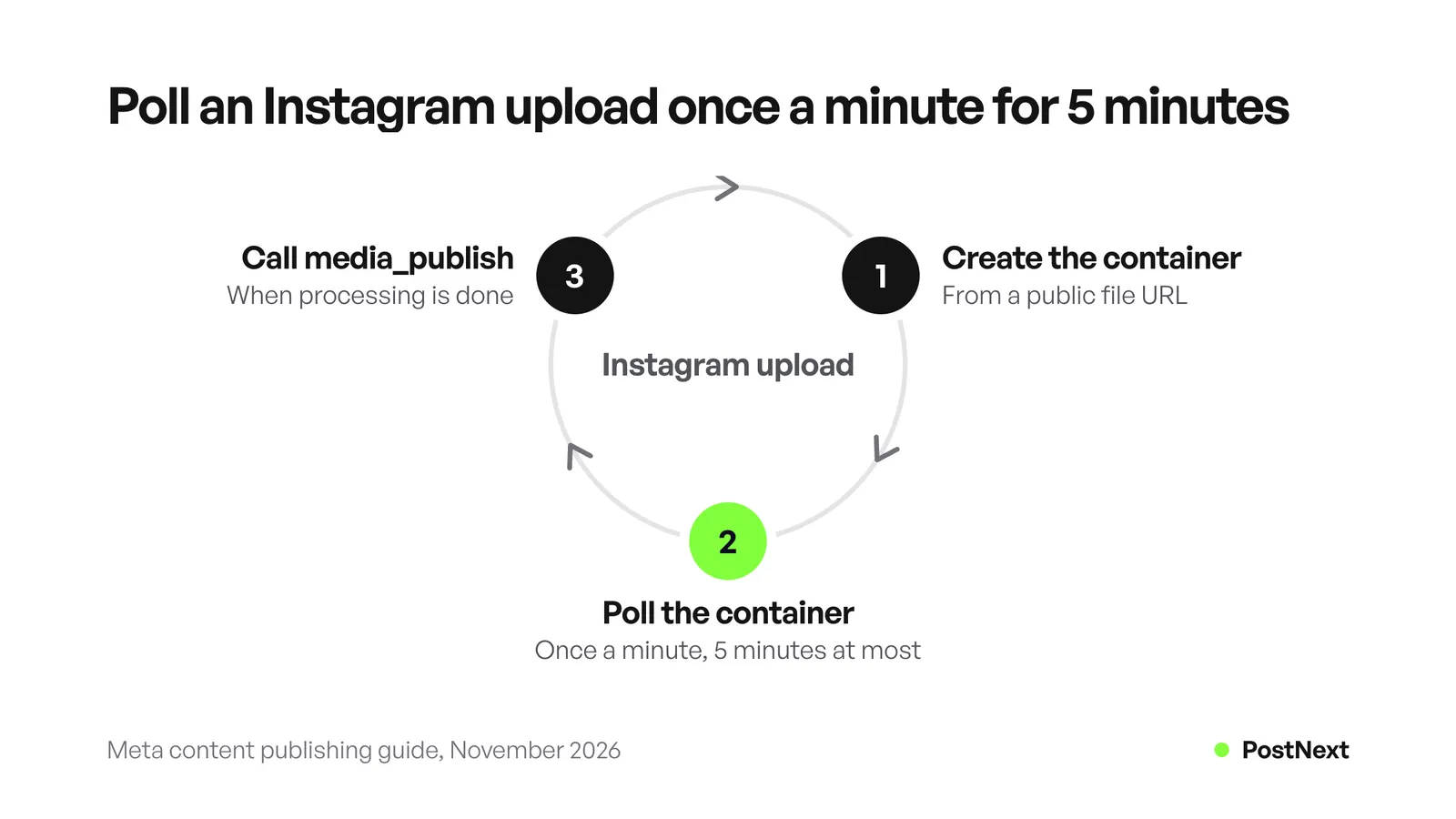
Most networks take a file or a public URL, then process it after your request returns. TikTok accepts a file upload or a pull from a URL on a domain you have verified. Instagram and Threads create a media container first, then publish it. YouTube takes a resumable upload of up to 256 GB. Your app polls each job until it finishes or fails.
| Network | How the file arrives | Then | Watch for |
|---|---|---|---|
| TikTok | FILE_UPLOAD (PUT to an upload URL) or PULL_FROM_URL | Processing runs after the upload; poll the publish status | Pull needs a verified URL prefix or domain |
| Public URL in a media container | Poll the container, then call media_publish | Poll once a minute, for no more than 5 minutes; JPEG images only | |
| Threads | Public URL in a media container | Publish the container | 250 API posts per profile in 24 hours |
| YouTube | Resumable upload to videos.insert | Processing on YouTube | Privacy defaults to public if you send none |
| X | Media upload endpoint, then the post | Attach the media ID to the post | Video up to 20 minutes and 8 GB on default accounts |
Read on TikTok’s Direct Post reference, Meta’s content publishing guide, YouTube’s videos.insert reference and X’s media docs, October and November 2026.
Two habits save support tickets. Validate files before upload against each network’s rules, such as JPEG only for Instagram images. And set YouTube’s privacyStatus on every request: when it is missing, YouTube now defaults the video to public.
Should you build each integration or use one API?
Build native integrations when your product needs one or two networks in depth, such as every analytics field. Use a unified social media API when you need several networks and would rather not run each sign-in flow, review and token rule yourself. The provider holds the developer apps and passes the reviews, and your users connect through its sign-in.
| Question | Build each network | Unified API |
|---|---|---|
| Who passes TikTok’s audit and Meta’s App Review? | You, per network | The provider |
| Who refreshes tokens? | Your code, by each network’s rules | The provider |
| Whose name does the user see at sign-in? | Your app | Yours or the provider’s; check before you sign |
| What you pay | X per request; the others in engineering time | The provider’s price per account or per post |
| Risk | Each network changes its rules on its own timeline | One provider between you and every network |
This table compares scope, not quality.
A rough count for seven networks, from the tables above: seven sign-in flows, at least three separate reviews (Meta, TikTok, LinkedIn for Pages), five token lifetimes and three upload patterns. That is the work a unified API takes off your list. Check three things in its docs before you choose one: whether your customers can connect their own accounts, whether it sends webhooks when a post publishes or fails, and which networks it cannot reach.
Where does PostNext’s API fit?
PostNext’s API fits a product team that posts from its own accounts, such as release notes or status updates your code schedules. One API key acts as one PostNext account, so your customers cannot connect their own accounts through it. It posts to X, Instagram, LinkedIn personal profiles, TikTok, YouTube, Threads and Bluesky. It has no webhooks or SDK.
What it does, from PostNext’s API reference on 26 November 2026:
- One header. Every request sends the key in
x-api-keytohttps://api-app.postnext.io. - Drafts or scheduled posts.
POST /api/postscreates a draft, andPOST /api/posts/scheduleschedules one for a future time. - Media. Upload an image or video of up to 500 MB, from a file or a URL.
- A person in the loop. Posts from code sit on the team’s calendar, where a teammate can edit or move them first.
So PostNext is not a way to let your customers post to their accounts from your app. It is a way to skip the sign-in flows and reviews for your company’s own channels. The social media API for developers page shows the setup, and AI assistants use the MCP server instead of the REST API.
A checklist for your social media API integration
Before you write code, answer nine questions from each network’s own docs: which accounts can post, which review applies, how long tokens last, how uploads arrive, the daily posting limit, the posting screen rules, the error codes, the cost and who sees which app name at sign-in. Each answer below links to the section above that covers it.
- Accounts. Instagram posts only to professional accounts. LinkedIn company Pages need the vetted product.
- Review. Apply to Meta, TikTok and LinkedIn as soon as you have a demo.
- Tokens. Refresh before expiry, store the newest refresh token, and publish your Google OAuth app.
- Uploads. Poll each job. Set YouTube’s privacy on every request.
- Limits. Threads 250 posts in 24 hours, Instagram 100, TikTok about 15 per creator.
- Screen rules. TikTok’s posting screen rules, before the audit.
- Errors. Map each network’s rate-limit and media errors to one message your users understand.
- Cost. X charges $0.015 per post and $0.20 for a post with a link, on its pricing page in November 2026.
- Sign-in name. Decide whether users see your app’s name or a provider’s.
For the wider question of what to automate and what to keep by hand, see our guide to automating social media posting. If your users will ask an AI assistant to post, read how a social media AI agent works first.
Frequently Asked Questions
How do I integrate social media into my app?
Register a developer app with each network, request the posting permission, build the OAuth sign-in so each user grants access, store and refresh their tokens, and upload media in each network’s format. Pass each network’s review before real users post. A unified API can replace most of these steps.
How long does TikTok’s API audit take?
TikTok does not publish a time on the pages we read. Until the audit passes, posts are private and only 5 users can post through your app in 24 hours. Build the posting screen rules from TikTok’s content sharing guidelines before you apply.
Why do my YouTube API uploads go private?
Since 2 November 2026 they should not because of verification. YouTube ended the rule that held uploads from unverified projects to private. Check your privacyStatus value and the channel’s own upload defaults, which can still set some uploads to private.
How long does an Instagram API token last?
A long-lived Instagram user access token lasts 60 days. You can refresh it once it is at least 24 hours old and has not expired, and the refreshed token lasts another 60 days. An expired token means the user signs in again.
Can my users post to a LinkedIn company page through my app?
Only with LinkedIn’s Community Management API, a vetted product. You start on a Development tier and apply for the Standard tier with a screencast of each use case. Personal profile posting uses the self-serve Share on LinkedIn product.
Do I need a unified social media API?
Not for one or two networks you need in depth. For several networks, a unified API saves the sign-in flows, reviews and token rules. Check that your customers can connect their own accounts through it, and which networks it leaves out.
Sources
- X Developer Platform, OAuth 2.0 authorization code flow (2-hour tokens,
offline.access, scopes) and X API pricing (checked 26 November 2026) - TikTok for Developers, Token management, Direct Post get started, Direct Post reference and Content sharing guidelines (checked 26 November 2026)
- Meta for Developers, Instagram Platform overview (Standard and Advanced Access), Content publishing (updated 20 October 2026), Refresh access token, Long-lived access tokens and App Review process (checked 26 November 2026)
- Meta for Developers, Threads overview and Threads long-lived tokens (checked 26 November 2026)
- Microsoft Learn, Share on LinkedIn, Community Management API overview, Authorization code flow and Refresh tokens (checked 26 November 2026)
- Google for Developers, YouTube Data API revision history (2 November 2026 change), videos.insert, Quota calculator and Using OAuth 2.0 (refresh token expiry, checked 26 November 2026)
- Bluesky, OAuth client implementation and Rate limits (checked 26 November 2026)
- PostNext, API reference and Social media API for developers (checked 26 November 2026)