
To track social media ROI, tag every link you post with UTM parameters, mark sales and leads as key events with a value in Google Analytics 4, add each ad network’s pixel, and use a discount code where a post has no link. Then read the Organic Social and Paid Social rows each month. Google’s rules for sorting that traffic were checked on 26 November 2026.
Key Takeaways
- Tag every link: Google asks you to “always use utm_source, utm_medium, and utm_campaign”, in lowercase, with one source per platform.
- The medium decides the row: GA4 counts a visit as Organic Social when the medium is “social” (or a few close variants) and as Paid Social when a social source has a paid medium such as “paid_social”. A medium it does not know lands in Unassigned.
- Give leads a value: GA4 lets you set a default value on a key event, so a contact form counts as money in ROI reports. It applies only to future events.
- Attribution differs by tool: GA4 offers data-driven or last click, with a 90-day lookback by default. LinkedIn ads default to 90-day click and 90-day view. Meta counts 1 or 7 days after a click.
- Codes catch sales without a click: an Instagram caption, a TikTok video or a shop visit leaves no UTM. A code per network shows those sales in your store’s discount report.
- The formula is the last step: once returns are tracked, the social media ROI formula turns them into one number.
Why is social media ROI hard to track?
Social media ROI is hard to track because most of the value happens away from the link. People see a post, leave, and buy a week later by typing your address, or in the shop. Many posts carry no clickable link at all, and ad tools each count sales by their own rules. Without tags and events set up beforehand, sales from social media appear as Direct or Unassigned, or not at all.
Most ROI guides lead with the formula: return minus cost, divided by cost. The formula is the easy part. What breaks it is the return figure, which is only as good as the tracking behind it. A shop that tags nothing reports a social ROI near zero, because the sales that social media drove are counted under other channels.
The setup below fixes that in six steps. Once it is in place, the only recurring work is tagging new links and a monthly check.
How do you tag social media links with UTM parameters?
To tag social media links, add three UTM parameters to every link you post: utm_source (the network), utm_medium (social for unpaid posts, paid_social for ads) and utm_campaign (the campaign name). Add utm_content to tell placements apart, such as bio or story. Google’s help page asks for lowercase values, because “utm_source=google is different from utm_source=Google” in reports.
Write the rules once as a naming sheet and keep it where everyone who posts can copy from it. The sheet below follows Google’s guidance on 26 November 2026: one source per platform, one medium per channel, lowercase, and every link tagged with all three required parameters. The values are examples to copy, not Google’s own.
| Network and placement | utm_source | utm_medium | utm_content |
|---|---|---|---|
| Instagram bio link | social | bio | |
| Instagram story link sticker | social | story | |
| TikTok bio link | tiktok | social | bio |
| LinkedIn post link | social | post | |
| LinkedIn link in the first comment | social | first-comment | |
| X post | x | social | post |
| YouTube description | youtube | social | description |
| Facebook Page post | social | post | |
| Any paid ad | the network’s name | paid_social | the ad’s name |
A full link looks like this: https://example.com/spring?utm_source=instagram&utm_medium=social&utm_campaign=spring_sale&utm_content=story. Google’s free Campaign URL Builder writes it for you.
Where the links go on each network
Instagram lets you add up to 5 links to your profile, each with its own tag, and a link sticker on stories. LinkedIn shows either a link or an image in a post, not both, which is why many brands put the link in the first comment; PostNext can publish that first comment on LinkedIn automatically. If you use a link-in-bio page, tag each button on it, so GA4 sees which button sent the visit; tools built for link-in-bio analytics show button clicks next to the page.
What does GA4 do with your tags?
GA4 sorts each visit into a channel by its source and medium. A social source or a medium of “social”, “social-network”, “social-media”, “sm”, “social network” or “social media” counts as Organic Social. A social source with a medium matching cp, ppc, retargeting or paid counts as Paid Social. A visit whose source or medium matches no rule lands in Unassigned. These rules come from Google’s default channel group page.
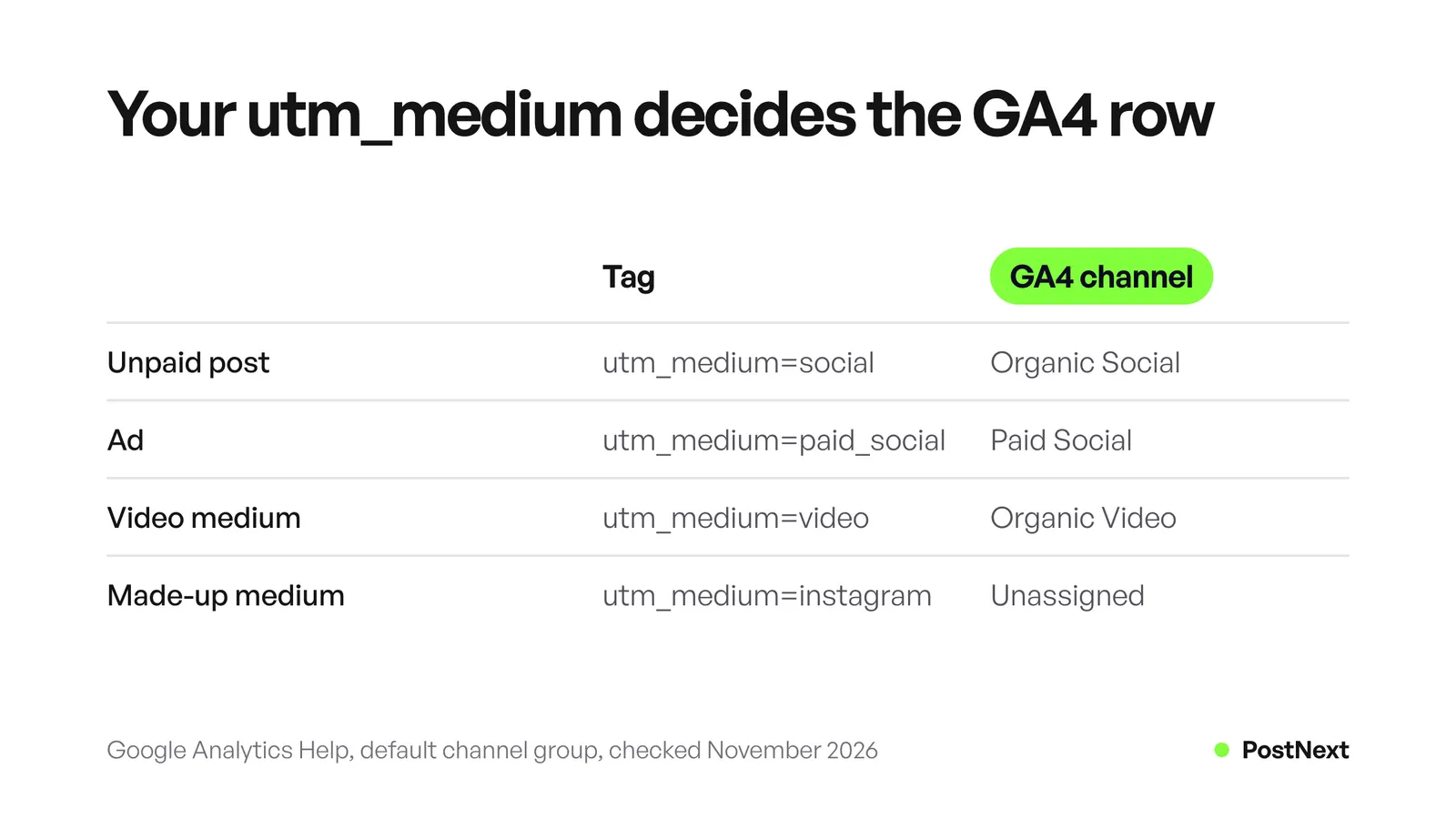
| Your tag | GA4 channel | Why |
|---|---|---|
| utm_medium=social | Organic Social | ”social” is on Google’s medium list |
| utm_source=instagram, utm_medium=paid_social | Paid Social | Social source and a medium starting with “paid” |
| utm_medium=video, or a video site with no tag | Organic Video | Video sites “like YouTube, TikTok, or Vimeo”, or a medium containing “video” |
| utm_medium=instagram | Unassigned | ”instagram” is not a medium Google knows |
| No tag, visit from an AI assistant | AI Assistant | Google’s newest default channel |
The Unassigned row is where most tracking goes wrong. A team that writes utm_medium=instagram or utm_medium=story sees its social visits vanish from the social rows. Google’s own help page explains it: Unassigned appears when “traffic comes from a user-defined source or medium”. Google also notes that channel definitions “can’t be edited”, so the fix is in your tags, not in GA4.
Untagged TikTok and YouTube clicks can count as Organic Video, not Organic Social, under the rule for video sites. If you want all social traffic in one row, tag those links with utm_medium=social too. That is our reading of Google’s rule table; Google does not state the order in which rules apply.
How do you set up key events and values in GA4?
To count social media returns in GA4, mark the actions that matter as key events, such as a purchase, a signup or a contact form, and give each one a value. An online shop’s purchase event already carries the order value. A lead form does not, so set a default value on it in GA4. Google’s help page says the default “will become the monetary value of the key event” when the event has no value of its own.
Pick the default lead value from your own numbers: the average first order of a client, times the share of leads who buy. If a lead turns into a 600 sale one time in ten, the lead is worth 60. That figure is an estimate. Write it down with the report, so the reader knows the ROI includes an estimate.
Two rules from Google’s page matter here. A change to the default value applies “only to future key events” and not to past data, so set it before the campaign starts. And if the event already sends a value, the default is ignored.
Which attribution settings should you use?
Use GA4’s data-driven model unless you need a simple last-click view for a small account, and keep the 90-day lookback window. Then write the model and window on every ROI report, because they decide which channel gets credit. Each ad network counts by its own rules, so its numbers will not match GA4’s. Compare each network with itself over time, not with GA4.
GA4 offers two models for paid and organic channels: data-driven, which “distributes credit based on data for each key event”, and last click. Google retired first click, linear, time decay and position-based models in November 2023. The lookback window is 90 days for most key events, or 30 days for first visits, and changes apply only going forward. Changing the model, by contrast, rewrites past reports too.
| Tool | How it counts a conversion | Default window | Where to change it |
|---|---|---|---|
| GA4 | Data-driven (recommended) or last click | 90 days (30 for first visits) | Admin, Data display, Attribution settings |
| Meta ads | Standard or incremental attribution | Click 1 or 7 days; view 1 day; engage 1 day | Ad set settings |
| LinkedIn ads | Last touch: the most recent click or view | 90-day click, 90-day view | Campaign Manager conversion settings |
| TikTok ads | Click and view windows per ad group | Click 1, 7, 14 or 28 days; view off, 1 or 7 days | Ad group settings, locked once published |
This is why a Meta ads report can show more sales than GA4 for the same week: Meta counts sales within a day of someone seeing an ad, and GA4 does not count views at all. Neither number is wrong. Meta’s own help page advises: “If using external analytics tools, evaluate performance in those tools.”
How do you track social media ads?
To track social media ads, install each network’s tracking code on your site and send conversions from your server where the network supports it. Meta recommends running its Pixel together with the Conversions API, which it calls a “redundant setup”, and matching the two with the same event ID so a sale is not counted twice. LinkedIn uses its Insight Tag. TikTok uses its Pixel.
- Meta: if the Pixel is already on your site, Meta says you can set up the Conversions API “in one click from Meta Events Manager, with no code”. With both running, the Pixel’s eventID must match the server’s event_id, or Meta counts the sale twice.
- LinkedIn: the Insight Tag’s Website Actions option, LinkedIn’s help page says, “automatically collects and tags all the actions potential buyers perform on your website, like button clicks, page visits, or form submissions”, without extra code.
- TikTok: add the Pixel and choose click and view windows per ad group. The windows cannot be changed once the ad group is published, so set them before launch.
Tag the ad links with utm_medium=paid_social as well. The pixel tells the ad network what happened; the tag tells GA4. You need both to compare paid and organic in one place.
How do you track sales from posts without links?
To track sales from posts without a link, give each network its own discount code and read your store’s discount report. An Instagram caption, a TikTok video or a post seen before a shop visit leaves no click to tag. A code mentioned in the post ties the sale back to the network. Shopify’s “Sales by discount codes” report groups sales by code.
Three more ways cover what codes miss:
- Ask at checkout. One question, “Where did you hear about us?”, with the networks as choices. It catches people who saw a post and searched for you.
- Use a keyword in DMs. “Comment SPRING for the link” sends people a tagged link in a DM, so the visit is tagged even though the post had no link.
- Count bookings and calls. For a service business, note the source when a client books. A sheet with date, client and source is enough.
Shopify’s report has one limit to know: with combined discounts, “the same order might be included multiple times”. A shared code can also spread beyond your post. Treat code numbers as a lower bound for that network, not an exact count.
How do you check your social media ROI tracking each month?
Check your tracking once a month in four places: the Unassigned row in GA4, any “(not set)” values, the same source written two ways, and the key events by channel. Fix the tags behind each problem before the next month starts. Then put the returns next to your costs and use the formula.
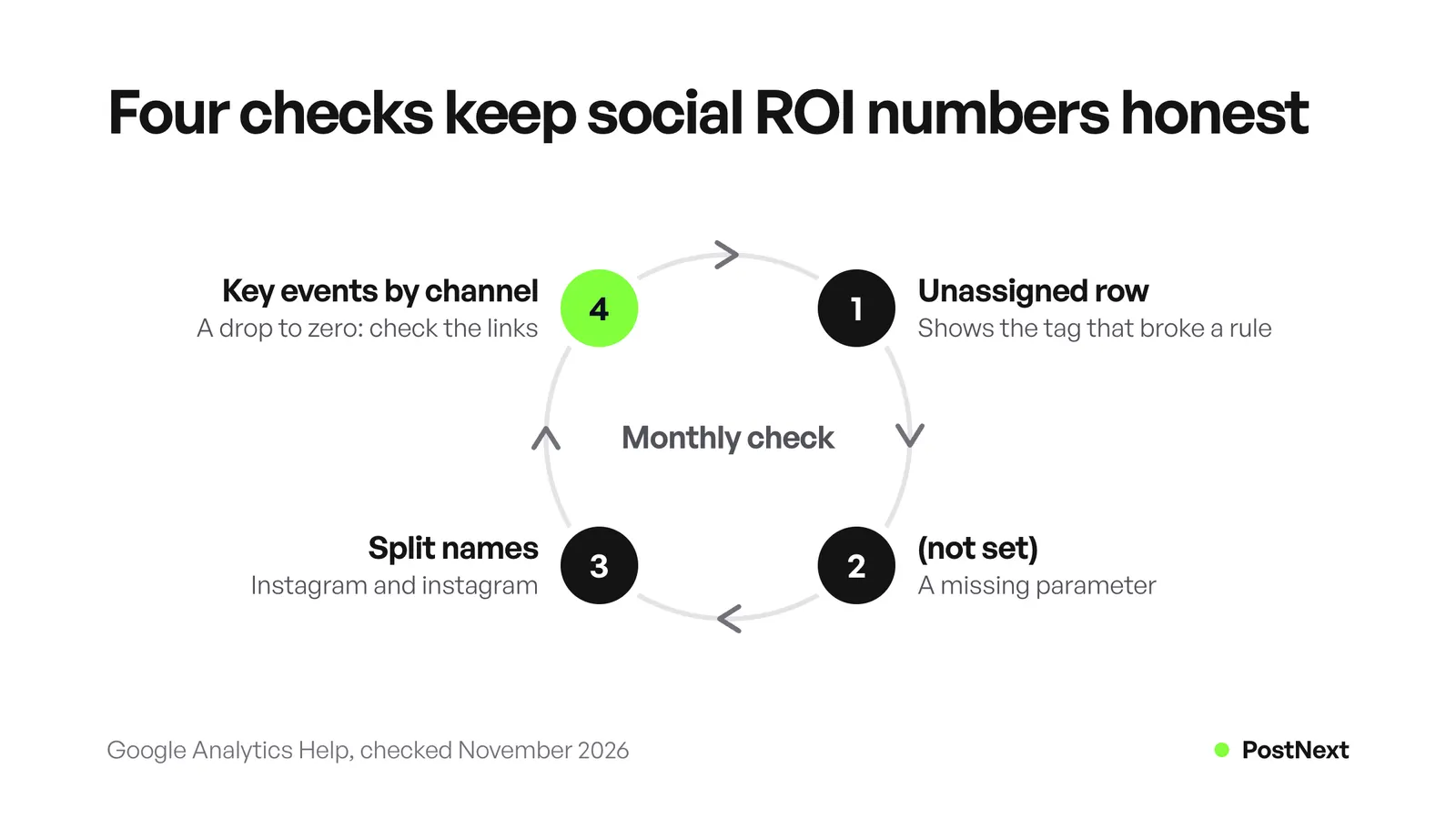
- Unassigned: open Reports, Acquisition, Traffic acquisition, and look at Unassigned. Its source and medium show the tag that broke a rule.
- (not set): Google says missing parameters show as “(not set)”. A link tagged with only a source and no medium is the usual cause.
- Split names: “Instagram” and “instagram” are two rows in GA4. Fix the sheet, and the next month is clean.
- Key events by channel: compare Organic Social and Paid Social with last month. A sudden drop to zero usually means a broken link or a removed tag.
PostNext covers the posting side of the same report. Its analytics show engagement per post for X, Instagram, TikTok and LinkedIn and follower growth for X, Instagram, Threads and TikTok, and paid plans send a weekly or monthly PDF. Sales and leads come from GA4, your store or your CRM. A full monthly report puts the two side by side: which posts earned engagement, and which channels earned key events. Our guide to automated social media reporting shows how to build that report with less manual work.
Frequently Asked Questions
What is the easiest way to track social media ROI?
Tag every link you post with utm_source, utm_medium and utm_campaign, and mark your sales or leads as key events in GA4. Those two steps cover most clicks from social media. Add discount codes for networks where posts have no links.
Which UTM medium should I use for social media posts?
Use “social” for unpaid posts and “paid_social” for ads. GA4 puts “social” in Organic Social and “paid_social” with a social source in Paid Social. A custom medium such as “instagram” lands in Unassigned.
Why does GA4 show less social media revenue than Meta Ads Manager?
They count different things. Meta counts sales within 1 or 7 days of a click and within 1 day of a view. GA4 counts visits and gives credit by its own model, with no credit for views. Compare each tool with itself over time.
How do I track social media ROI without sales on my website?
Give your lead form or booking a value in GA4 as a key event, ask new clients where they heard about you, and give each network its own code. For a shop with in-store sales, codes and the checkout question are the main sources.
Can I track ROI from Instagram posts with no link?
Partly. Use a code mentioned in the post, a tagged link in your bio or a story sticker, and a keyword that sends a tagged link by DM. Sales from people who saw a post and searched for you show up only through the checkout question.
Does PostNext track social media ROI?
PostNext tracks the posting side: per-post engagement and follower growth on the networks it supports, with PDF reports on paid plans. It does not track sales. Sales and leads come from GA4, your store or your CRM, and the two go side by side in the report.
Sources
- Google Analytics Help, Collect campaign data with custom URLs (UTM parameters, lowercase, one source per platform; checked 26 November 2026)
- Google Analytics Help, Default channel group and Unassigned traffic (checked 26 November 2026)
- Google Analytics Help, Attribution settings and attribution models (checked 26 November 2026)
- Google Analytics Help, Default key event value (checked 26 November 2026)
- Meta for Developers, Conversions API and Deduplicate Pixel and server events (checked 26 November 2026)
- Meta Business Help Center, About attribution settings (checked 26 November 2026)
- LinkedIn Help, Conversion window, Attribution model and Insight Tag conversions (checked 26 November 2026)
- TikTok Ads Help, Attribution settings at the ad group level (checked 26 November 2026)
- Shopify Help Center, Sales reports: sales by discount codes (checked 26 November 2026)
- Instagram Help Center, Add links to your profile (up to 5 links; checked 26 November 2026)