Skip to content

Social media for caterers

Saturday's wedding and Tuesday's office lunch belong on one calendar. PostNext sends them to Instagram, LinkedIn and TikTok while you load the van.

How caterers book summer weddings in winter

Couples and office managers choose caterers in different ways. A couple talks to several caterers months before the wedding. They want photos from real weddings, with the food as guests saw it. An office manager mostly worries that lunch will arrive late. Posts that show labelled boxes and an early van answer that worry.

You cook at weddings all summer, but couples plan theirs in winter. Christmas is a popular time to get engaged, and January brings the first enquiries. So keep the best photos from each summer wedding for the cold months. Sort them by event in a media library with folders. A grazing table from July still looks fresh to a couple in February.

On LinkedIn, post after each office event and write it as yourself. Say what you cooked and for how many people. Put that number in the first line, as the LinkedIn posting guide advises. Guests from that lunch may see it and remember who fed them. Ask the host before you name a company or show its office. Some meetings are private, even when the food is not.

Social media post ideas for caterers

Example posts for a sample business, made with PostNext.

  1. Last week's event

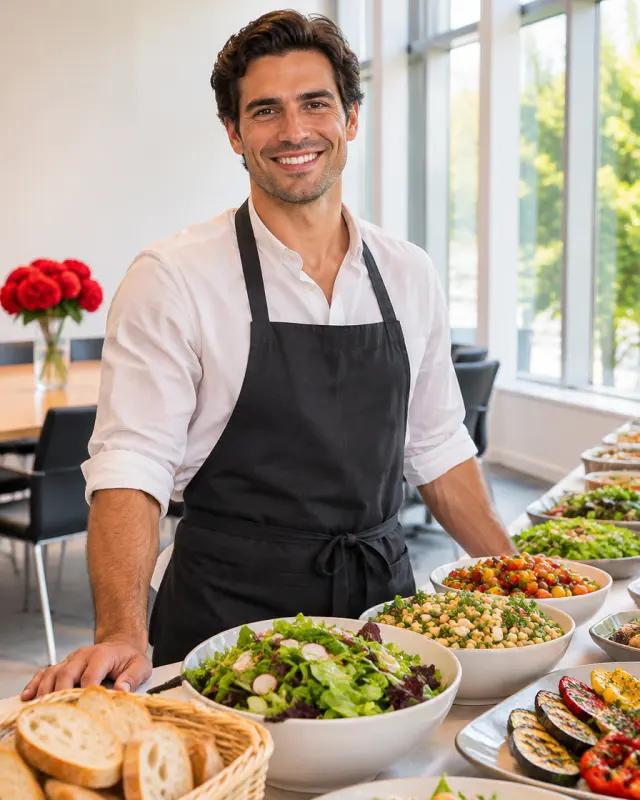
    An office lunch for 80, shown on LinkedIn. People who order food for their office see what you serve and at what size.

  2. The spread up close

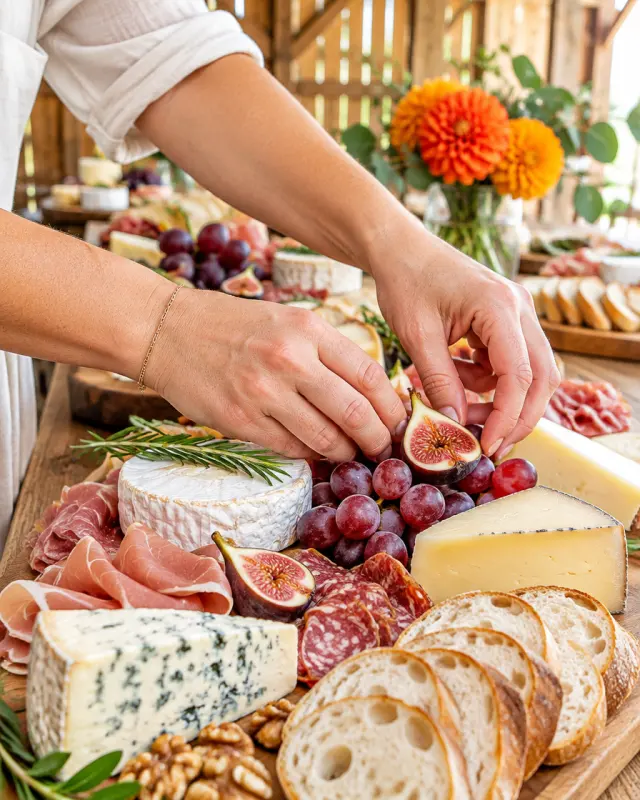
    Hands on a grazing table of cheese, figs and bread. Couples who plan a wedding want to see the food from close.

  3. The wedding table video

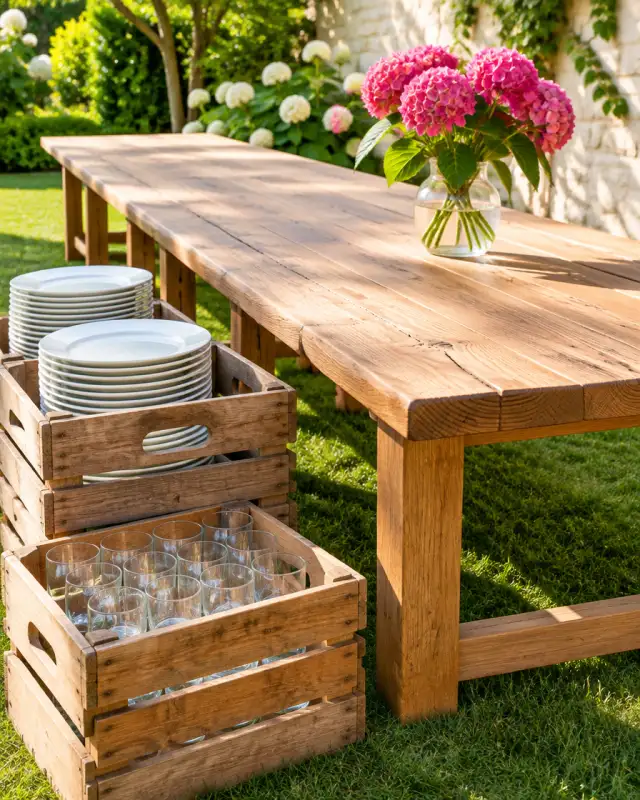
    A wedding table filmed from bare wood to the last glass. Ninety seconds show the work a guest never sees.

Event posts between two bookings

Plan around events

Put the office lunch on Tuesday and the wedding table on Saturday. Drag a post when an event date moves.

Describe the event

Type the event, the guest count and the menu. The AI writer drafts the LinkedIn caption, and you check every detail.

Show the client first

On Business and Teams plans, send the client a read-only link to the post. They see it before it publishes, with no account.

Pick a time for LinkedIn

On a paid plan, PostNext names three times for the office lunch post. They come from your own last 90 days.

More post ideas

  1. A wedding tasting with the coupleWith their consent, show the couple choosing between two starters. Other couples see how the menu is chosen.
  2. How we cook for vegan and halal guestsAnswer the question every event planner asks. Show one menu with each diet marked.
  3. The van packed at six in the morningFilm the crates, the hot boxes and the checklist. Clients see how much planning one lunch needs.
  4. Breakfast boxes for morning meetingsPhotograph one box from above with everything in it. Office managers order what they can see clearly.
  5. Christmas party menus in OctoberOffices book December parties early. Post the menus in October and repeat the post until your dates are full.
  6. A barn venue we know wellShow the kitchen and the lawn at a venue near you. Couples who booked the venue look for its caterers.
  7. A client's thank-you noteWith their consent, post the note and a photo of the event. Real words from a client say more than ours.
  8. The twelve people behind one weddingPut the whole team in one photo before the guests arrive. Couples see how many people serve their day.
  9. Office lunch with one day's noticeSay how many people you can feed with one day's notice. Busy offices remember a caterer who can help fast.

A weekly posting plan for caterers

Last weekend's photos give you most of this week's five posts. Write them on Monday.

  1. MonDates still freeThe free Saturdays this month, with a photo from last weekend's event.
  2. TueThe office lunchLast week's company lunch, posted from your own profile at half past eight.
  3. ThuOne table detailThe cheese, the figs or the bread from the weekend, photographed close.
  4. FriA tip for office managersHow much food to order per person, or how early to book a Christmas lunch.
  5. SatThe table videoA table from bare wood to the last glass, sent the same evening.

Caption templates for caterers

Fill in the words in brackets, then paste the caption into PostNext.

  • Event recap

    Lunch for [number] at [company or venue] on [day]. On the menu: [dish], [dish] and [dish]. Thank you, [host], for the day.

  • Dates still free

    We still have [number] dates free in [month]. We cook for [smallest] to [largest] guests. Tell us your date and how many guests.

  • Menu for a diet

    [Number] guests at [event] needed [diet] food. [Chef's name] made [dish], so everyone ate the same meal.

Where caterers should post

  • InstagramSpreads, tables and wedding details. Couples save catering photos on Instagram while they plan, so post the food up close.
  • LinkedInOffice lunches and company events, posted from your own profile. The people who order lunch for their office use LinkedIn every workday.
  • TikTokSetup videos from bare table to full dinner in under a minute. Couples send these clips to each other.

Facebook is coming soon. LinkedIn posts come from your personal profile, since company pages are not available.

Social media mistakes caterers make

  1. Photos after the guests have eatenHalf-empty plates look sad. Photograph each table in the ten minutes before the doors open.
  2. Posting guests without askingWedding guests did not agree to be online. Ask the couple first, or post only the food and the room.
  3. Only posting weddingsOffice lunches bring regular orders all year. Post them on LinkedIn, even when the photos look simple.

PostNext for weddings and office lunches

  • A full event in one postPost a whole office lunch on LinkedIn with up to 20 images. Show the setup and the full tables.
  • Posts as yourself on LinkedInPost office lunches from your personal LinkedIn profile. PostNext does not post to company pages.
  • Your menus in a brand profileOn paid plans, save your menus and your tone in a brand profile. The AI writer uses them in every draft.
  • Wedding season in one viewPlan May to September in the month view. Filter by channel to see only the LinkedIn posts.

What stays in your hands

  • Your own accountsYou connect your own accounts. You can disconnect any of them at any time.
  • Your wordsEvery AI draft stays editable. You decide what each caption says.
  • Your calendarMove, change or delete any post before it is published.
  • Your planYou can start on the Free plan, or try a paid plan free for 7 days.

Questions from caterers

Can PostNext post our event photos to Facebook or Google Business Profile?

No. PostNext posts to Instagram, TikTok, YouTube, LinkedIn, X, Threads and Bluesky. Facebook is coming soon. Google Business Profile is not available, so add wedding photos there yourself.

What does PostNext not do for a caterer?

PostNext does not take event bookings, send quotes or invoices, or answer DMs. It plans the posts that show your events, and you choose when each one appears.

Can we post photos of the wedding guests?

Ask for written consent before you post a photo of the couple or their guests. Add the question to your booking form.

Can PostNext post to our business page on LinkedIn?

No. PostNext posts to your personal LinkedIn profile, not to company pages. Post office lunches as yourself, under your own name.

Can the client see the post before it publishes?

Yes, on the Business and Teams plans. Send a read-only preview link, and the client opens it without an account. There is no approve button, so ask them to reply by email.

Do we pay if we cancel during the trial?

The trial asks for a card. If you cancel before it ends, you pay nothing and keep the Free plan with 1 channel and 10 posts a month. If you do not cancel, the paid plan starts when the trial ends.

Each event shown to the next client

Plan the event posts between two jobs, then return to the kitchen.