Skip to content

Social media for yoga studios

Paste your newsletter link to get Instagram and Threads drafts. Add a class video for YouTube, and each post waits for its hour.

How yoga studios fill mats every term

Words like yin, vinyasa and hatha confuse people who have never tried yoga. They pick a first class by how gentle it sounds. So explain one style per post in plain words, and name who teaches it. Others care most about the teacher. Ten seconds of a teacher's opening words lets them hear the voice and pace.

Many studios run courses in terms, like a school. Share each term's courses three or four weeks before the first class. Retreats and weekend workshops need posts months ahead, because people book holidays early. Within the week, Monday evening classes are often full, while Friday evenings stay quiet. A Thursday post about the Friday class can change that. Give it a fixed slot in your weekly posting schedule.

A short breathing exercise is the kind of post people send to a stressed friend. Use the studio as the background, with the teacher's calm voice and no music. The friend hears your teacher before they ever visit. Students in the final rest lie with closed eyes and cannot see the camera. Do not film that part of the class.

A weekly posting plan for yoga studios

Five posts a week, most of them drafted from the monthly newsletter.

  1. MonThis week's class to tryOne class with its teacher, its pace and its time, like the Monday slow flow.
  2. TueA question for studentsAsk which evening class they want next term. The replies help you plan the timetable.
  3. ThuA pose with propsA carousel of one pose with a block, a strap and a chair.
  4. SatNext week's classesThe class list for the week ahead, sent every Saturday at 17:00.
  5. SunA short practice for homeTen minutes students can follow on Sunday morning, filmed in your own room.

Social media post ideas for yoga studios

Example posts for a sample business, made with PostNext.

  1. The new class and teacher

    A new class needs a face. Show who leads it, how slow it is and what time it starts.

  2. A course for real beginners

    New people worry about being stiff or slow. A small course with a clear end date gives them a safe first step.

  3. The week's timetable

    Members want class times in one place. One weekly post with every class saves a search through old posts.

More post ideas

  1. What to wear to a first classSoft clothes and bare feet, and no need to bring a mat. New students save this answer.
  2. Props for stiff hamstringsShow a block and a strap in one forward fold. Beginners learn that every class uses props.
  3. A free beginners' week in SeptemberOne beginner class a day for seven days. Post the dates a month early, before the autumn term.
  4. A teacher's own morning practiceFilm a teacher practising alone in the empty studio. Students meet the teacher before the first class.
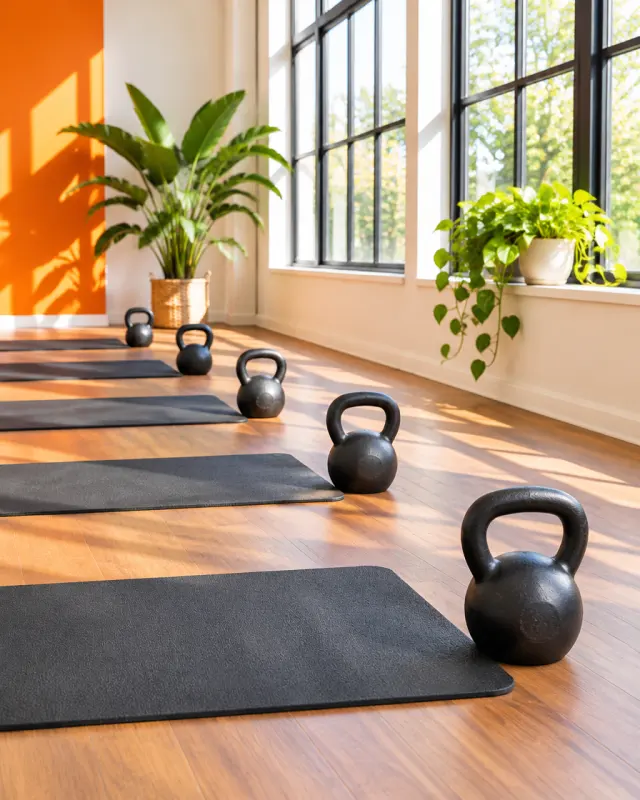
  5. Setting the room before classFilm the mats, blocks and blankets in rows, ten minutes before the doors open. It shows a calm room waiting for students.
  6. One pose, three versionsA teacher shows one pose on a chair, with a block and in full. Every student finds a version that fits.
  7. Yoga in the park this summerPost the park, the time and the meeting point. Outdoor classes let people nearby try the studio's style.
  8. A class pass as a Christmas giftPost the gift pass and the classes it covers two weeks before Christmas.
  9. Why a student came to a first classWith written consent, share why one student first came, in their own words.

From the Monday class to the Sunday flow

Plan the yoga week

Put the Monday class, the beginners course, the timetable and Sunday's flow on the calendar. Drag any of them when a teacher swaps a class.

Post the timetable weekly

Write the class list once. It repeats every Saturday; pause it over the holidays and resume it in January.

Find good posting times

On paid plans, PostNext studies the studio's own posts from the past 90 days. It names three good hours for the Monday class.

Paste the newsletter

Paste the January newsletter's web address. The AI writer makes Instagram and Threads drafts from it, and each one stays editable.

Caption templates for yoga studios

Fill in the words in brackets, then paste the caption into PostNext.

  • New class

    New from [date]: [class name] with [teacher], every [day] at [time]. [Pace or style], good for [who it suits]. Bring water; we have mats.

  • Class list for the week

    This week on the mat: [class] [day] [time], [class] [day] [time], [class] [day] [time]. One change: [change].

  • Beginners course

    Our beginners course starts on [date]: [number] weeks with [teacher]. Places are limited to [number]. Ask at the desk or in the comments.

Where yoga studios should post

  • InstagramCalm photos of the room, the teachers and the week's classes. New students decide here whether the studio feels right.
  • ThreadsThreads suits short talk with students. Post a teacher's thought after class, or the week's classes as one thread.
  • YouTubeShort home practices and Shorts of one pose. Students follow them between classes and on holiday.

Facebook is coming soon, and Google Business Profile is not available. Share events and holiday closures there yourself for now.

Social media mistakes yoga studios make

  1. Only advanced poses on the feedA headstand photo tells a beginner to stay home. Post real students at every level, props included.
  2. Promises about healingWords like cure or heal promise health results. Describe the class, the pace and how it feels.
  3. Time changes hidden in one captionStudents miss a change written once. Post the full class list every week, with the change named first.

Help for a small yoga studio

  • The newsletter becomes postsOne newsletter link becomes up to five drafts each for Instagram and Threads. Every newsletter draft costs one AI credit.
  • The class list, every SaturdaySet the weekly class list to repeat every Saturday. Stop it when the season's timetable ends.
  • Three suggested posting timesOn paid plans, see three posting times drawn from the studio's own posts. You pick the one to use.
  • Stock photos for quiet weeksFind a calm photo from Unsplash, Pexels or Pixabay inside the composer. Use it when you have no class photo.

What stays in your hands

  • Your own accountsYou connect your own accounts. You can disconnect any of them at any time.
  • Your wordsEvery AI draft stays editable. You decide what each caption says.
  • Your calendarMove, change or delete any post before it is published.
  • Your planYou can start on the Free plan, or try a paid plan free for 7 days.

Questions from yoga studios

Does PostNext work with Facebook or Google Business Profile?

No. PostNext posts to Instagram, Threads, YouTube, TikTok, LinkedIn, X and Bluesky. Facebook is not ready yet and is coming soon. Google Business Profile is not available, so share class changes there yourself.

Can we photograph students during a class?

Yes, when students agree. Ask for written consent before you post a student's photo, and ask again for close-ups. Wide photos from the back of the room show the class without faces.

Can we post full classes on YouTube?

Yes, PostNext uploads videos to YouTube. Vertical or square videos up to 3 minutes become Shorts. Each class video can be up to 500 MB. For now, uploads are private until you switch them to public in YouTube Studio. YouTube is open to a limited set of accounts while Google reviews the app.

Can I post from the studio on my phone?

Yes, the web app works in a phone browser, right after the last class. Add a photo from that class and pick a time for tomorrow morning.

What does PostNext not do for a yoga studio?

PostNext does not book classes, sell passes or answer DMs. It drafts posts from your newsletter and sends each one on time.

Do we pay anything after seven free days?

The trial asks for a card. If you cancel before it ends, you pay nothing and keep the Free plan with 1 channel and 10 posts a month. If you do not cancel, the paid plan starts when the trial ends.

A timetable students can always find

Paste this month's newsletter and plan the week before your next class.