Skip to content

Social media marketing for barbers

Plan the shop's week on Monday while the clippers charge. PostNext sends your fades, beard trims and walk-in hours to Instagram, TikTok and YouTube.

How barbers keep the chair full all week

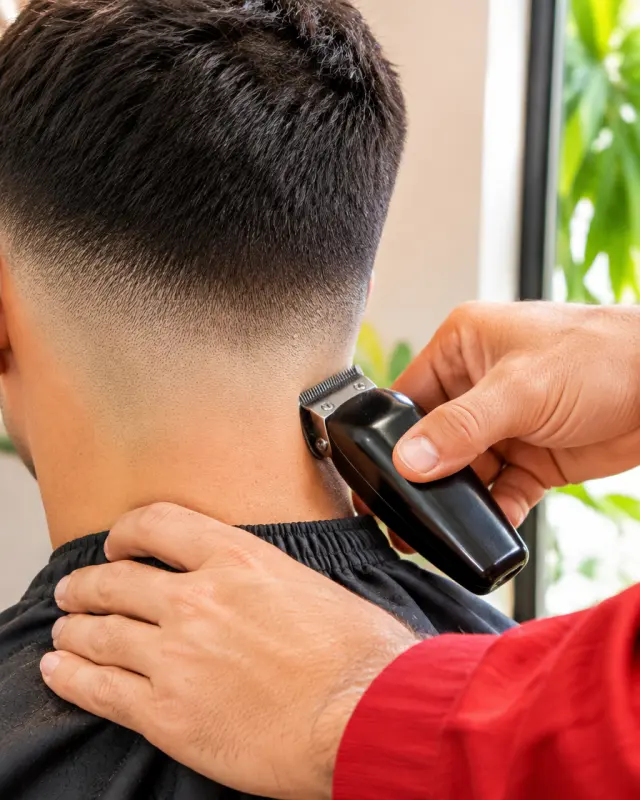
The blend is the first thing clients judge. They study each fade on your Instagram, from the neck to the top. Clients with Afro hair need to see that your barbers know their hair. With no such cuts on the grid, they keep scrolling. Parents want a barber who stays calm with a nervous child. A first haircut, shared with a parent's written consent, shows that patience.

Many clients want a fresh cut for the weekend, so Friday and Saturday fill first. Post early in the week, while Tuesday and Wednesday still have free chairs. The busiest weeks often come before school starts, before Christmas and before Eid. Share the extra hours for those weeks in advance, so regulars can plan. Put those posts on a posting calendar as soon as you know the dates.

Film cuts with the real sound of the clippers and the razor. Loud music hides the sound people enjoy. Long hair that becomes a clean fade keeps new viewers watching to the end. Some barbers paint the hairline with colour spray before a photo. If you use it, name it in the caption. The first wash shows the client the real line.

Social media post ideas for barbers

Example posts for a sample business, made with PostNext.

  1. The barber people ask for

    Regulars return for one barber. Show that barber's face, name and working days. New clients then know who to ask for.

  2. The full fade on video

    Film from behind the chair with the phone steady. The first pass and the clean finish sit in one short clip.

  3. The Saturday walk-in reminder

    Some clients never book ahead. A weekly post tells them when they can come without an appointment.

More post ideas

  1. A hot towel shave, start to finishWith written consent, film the lather, the razor and the hot towel. A calm shave clip suits YouTube and Reels.
  2. Six weeks of growth, then a fresh cutPhotograph the same side of the head at both visits, under the same lamp. Ask the client first, in writing.
  3. Clipper guard numbers, explainedShow where the 0, 1 and 2 guards sit on a team member's skin fade. Clients learn the words to ask for their cut.
  4. Cleaning the clippers between clientsFilm the brush, the spray and the fresh blade. New clients notice clean tools.
  5. How often a skin fade needs a trimAnswer it with the number of weeks you advise. Regulars then book the next cut before they leave.
  6. Fresh cuts before the local matchPost your match-day hours a few days early. Fans of the town team want a cut before the game.
  7. Extra chairs before ChristmasPost the early and late hours for the week before Christmas. Regulars pick a slot for their last cut of the year.
  8. Student cuts every WednesdayWednesday is often quiet. Post the student hours and the card they should bring.
  9. A regular's wedding morning cutFollow a regular from the morning cut to the photo by the shop door. Get his written consent first.

Fades, beards and walk-ins in one calendar

Plan Monday to Sunday

Put Tom, the fade video, the walk-in post and Jo's beard trim on the calendar. Drag one when Tom's days change.

Post the fade video

Upload the 40-second fade clip once. Write one caption for TikTok, one for Reels and one for YouTube Shorts.

Repeat the walk-in post

Write the Saturday walk-in post once. Every Friday evening it posts again, and you pause it in holiday weeks.

Check the shop's numbers

See which post got the most comments: Tom's photo, the fade or the walk-in hours. Film more of that.

Caption templates for barbers

Fill in the words in brackets, then paste the caption into PostNext.

  • Fresh cut

    [Cut name] by [barber] this morning. Guard [number] on the sides, scissors on top. Ask for [barber] on [day], or visit on Saturday with no appointment.

  • Walk-in hours

    Walk-ins this [day] from [time] to [time]. [Number] barbers in the shop. Take a seat, and the next free chair is yours.

  • New barber

    [Name] joins the shop this week. Best at [fades, beards or long cuts]. In the chair every [days] from [time].

A weekly posting plan for barbers

Five posts a week, filmed between cuts and planned on Monday before the doors open.

  1. MonWho cuts on which dayA photo of the team with each barber's working days. Regulars see which day their barber works.
  2. TueA fade in under a minuteFilm the clean neckline from behind the chair. The client agrees in writing before you post.
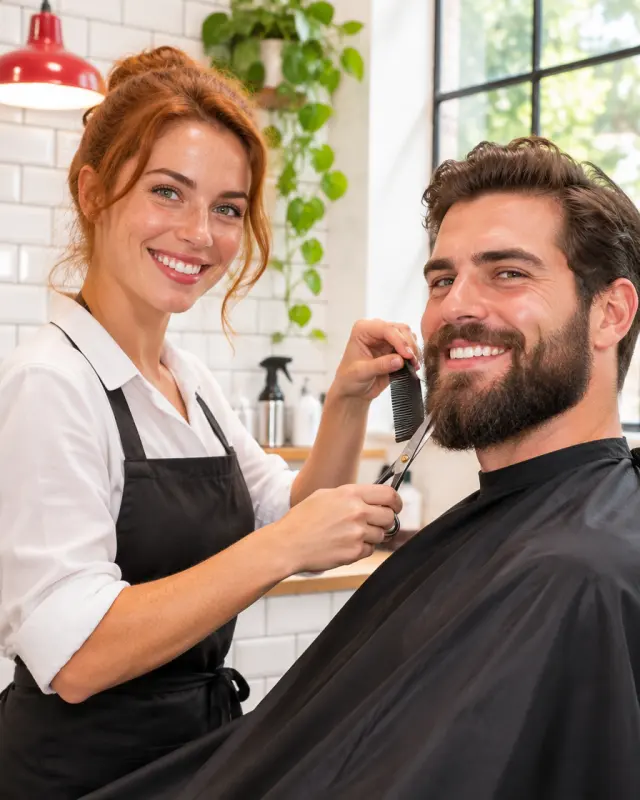
  3. ThuA full beard shape-upThe longer video: scissors, comb, razor line and towel, explained step by step. The client signs a consent form before you film.
  4. FriSaturday walk-in hoursThe repeating walk-in post, sent on Friday evening. Add an image Story with the same hours.
  5. SatSaturday in the shopA short clip of the chairs at work on a busy morning. Film from the door, with no faces in close-up.

Where barbers should post

  • InstagramClients compare fades on a shop's grid before they choose a barber. Keep the necklines sharp and the light bright in every photo.
  • TikTokClipper and razor videos are everywhere on TikTok. A clean neckline in 40 seconds shows your skill to strangers.
  • YouTubeYouTube holds full cuts and beard work, explained step by step. The same fade clips also run as Shorts.

Facebook is coming soon. Google Business Profile is not available, so keep the shop's Google listing current by hand.

PostNext for a shop with full chairs

  • Planned before the first cutPlan the shop's posts on Monday morning. They go to each app at the set hour while the chairs are full.
  • One fade, three captionsUpload a fade once. TikTok, Instagram and YouTube each get it with words that fit the app.
  • The walk-in post repeatsSet the walk-in post to repeat each Friday evening. Stop it when your opening hours change.
  • Numbers for every fadeInstagram shows likes and comments for each fade. TikTok adds views and shares for posts sent with Post directly.

What stays in your hands

  • Your own accountsYou connect your own accounts. You can disconnect any of them at any time.
  • Your wordsEvery AI draft stays editable. You decide what each caption says.
  • Your calendarMove, change or delete any post before it is published.
  • Your planYou can start on the Free plan, or try a paid plan free for 7 days.

Social media mistakes barbers make

  1. Dark photos of a fresh fadeLow light hides the blend and the line. Film near the window or under a bright lamp.
  2. Only one side of the cutClients judge the back and both sides. Turn the chair and film all three before the client stands.
  3. Walk-in hours nobody can findPeople ask in the comments when you open. Put the hours in the Friday post and on your profile.

Questions from barbers

Can the shop post to Facebook or Google Business Profile through PostNext?

No. PostNext sends posts to Instagram, TikTok, YouTube, Threads, X, LinkedIn and Bluesky. Facebook posting is coming soon; until then, post there by hand. Google Business Profile is not available, so update the shop's opening hours there yourself.

Can I post a client's haircut if his face is in it?

Yes, with his permission. Always ask for written consent before you post a client's photo or video. If a client says no, film the back and sides of the cut only.

Will my TikTok and YouTube videos publish at the time I set?

Not by themselves. PostNext sends TikTok videos to your TikTok inbox to finish in the app. With Post directly turned on, they publish at the set time. On YouTube, the shop's uploads are private at first. You make each one public in YouTube Studio.

Can I schedule a fade video from my phone between cuts?

Yes, the web app works in a phone browser in the shop. Post between two clients: film the fade, upload it and pick a time.

What does PostNext not do for a barber?

PostNext takes no bookings, answers no DMs and edits no clips. It plans the shop's week of posts and sends them when you choose.

Is there a charge when my 7-day free trial ends?

The trial asks for a card. If you cancel before it ends, you pay nothing and keep the Free plan with 1 channel and 10 posts a month. If you do not cancel, the paid plan starts when the trial ends.

Every fade on the calendar

Plan the shop's posts once a week. The clippers are waiting.