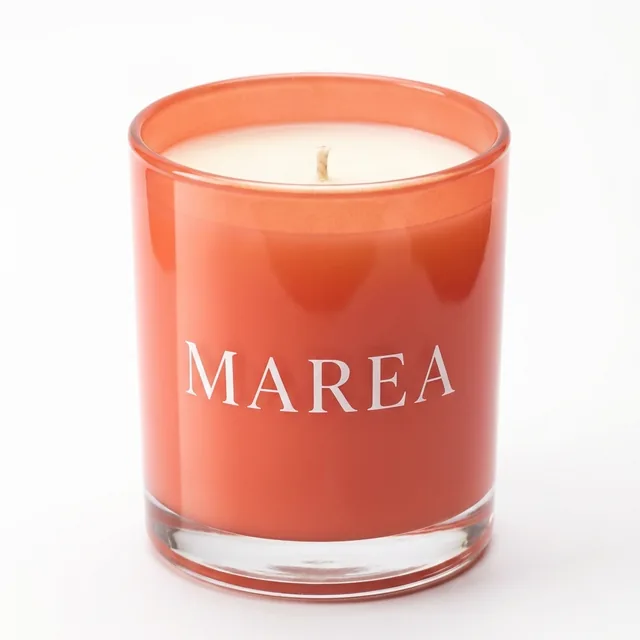
 marea.home



To sell on Instagram, post each product often in Reels, carousels and Stories, with the price and one next step. Put one link to your shop in your bio. Then answer every buying question the same day.
The path from post to sale
- 1Switch to a Business or Creator account
It is free. You get Insights, and a scheduler like PostNext can publish for you.
Done when: Your profile shows a Professional dashboard.
- 2Write a bio that says what you sell
Line one: what you sell and for whom. Line two: where you ship. Line three: what to tap.
Hand-poured candles and ceramics from the coast.
We ship to the EU, UK and Canada.
New pieces every Friday. Shop below.
Done when: A stranger can say what you sell in 3 seconds.
- 3Add one link to buy
Link to your shop, or to one page that lists your products. People cannot tap links in captions or comments.
Done when: Tapping the link opens a page with a buy button.
- 4Pick 5 products to post this week
Start with what already sells, plus one new piece. Note the price, the size and who it is for next to each one.
Done when: You have 5 products with a price and one line each.
- 5Write each post with the price and one next step
Show the product in use in the first second. Put the price in the caption, so nobody has to ask.
Done when: 5 drafts, each with a price and one action.
- 6Schedule the week
Pick Next Available, and each post takes the next free posting time of your Instagram channel.
Done when: Your calendar shows 5 posts this week.
- 7Answer buyers the same day
A question about price, size or shipping comes from someone who may buy. Answer those first.
Done when: No buying question waits longer than a day.
Formats that sell
| Format | What to show | Caption line |
|---|---|---|
| Reel | The product in use in the first second | Who it is for and the price |
| Carousel | Colours, sizes, details, then a customer photo | One slide for each question people ask |
| Story | A close look, a new arrival, a restock | A link sticker to the product page |
| Post | One clear photo on a plain background | The price and the link in bio |
Caption lines to copy
- PriceThe sea salt candle is $32. 40 hours of burn time, hand-poured. Tap the link in our bio to order.
- RestockBack in stock: the coral mug. We made 20 this week. The link is in our bio.
- QuestionNot sure about the size? Comment SIZE and we reply with the measurements.
- GiftGifts under $50, all made by hand. Swipe to see 5 ideas. The links are in our bio.
- ProofAna ordered this jug in May. Today it holds her lemons. Yours ships in 2 days.
The prices and numbers are examples. Use your own.
Instagram caption generatorFree. Writes captions from your product and tone.A product week
Mon  Reel: [product 1] in use. Price in the caption.
Tue  Carousel: [product 2], 5 slides: colours, size, detail, customer photo, price.
Wed  Story: a close look at [product 3]. Link sticker to its page.
Thu  Post: [new product] on a plain background. "New this week."
Fri  Reel: how you make [product 1]. "Order by Sunday for Tuesday delivery."
Every day: answer buying questions before 18:00.
Buyers and browsers
| Buyer comment | Browser comment | |
|---|---|---|
| Examples | How much is it? Do you ship to Canada? | Love this! So pretty |
| What it means | The person may want to buy | The person likes the post |
| What to do | Reply first, with the fact and where to buy | Thank them when you have time |
- ShippingYes, we ship to Canada in 5 to 7 days. You can order with the link in our bio.
- SizeIt is 10 cm tall and holds 300 ml. Every size is on the product page in our bio.
- Sold outThis one is sold out. The next batch is ready on Friday. Follow us to see it first.
The PostNext comment inbox shows the comments from your 25 most recent posts on each Instagram account. Your reply posts to Instagram. It works on every plan, Free included.
Mistakes to avoid
- Put the price in every product caption
- Show the product in use in the first second
- Post each product again every few weeks
- Answer buying questions first
- "DM for price" in the caption
- A bio that only says your brand name
- Five links in your bio
- More than 5 hashtags (Instagram allows 5 per post)
Numbers to check each week
| Number | Where | What to do |
|---|---|---|
| Comments with a buying question | PostNext: Comment inbox | Make more posts like the ones that got them |
| Likes, comments and reach per post | PostNext: Analytics | Repeat the top 2 posts next month |
| Orders and shop visits from Instagram | Your shop's own reports | Compare with the dates of your posts |
PostNext does not track sales or link clicks in your shop. Your shop's own reports show those.
Updated by the PostNext team
 Next guide · 8 steps · 30 minutesReply to Instagram commentsReply templates for every kind of comment and a daily routine for one comment inbox.