Key takeaways
- Native platform analytics and AI tools solve different problems; comparing them head to head misleads.
- The 2026 bar is forward-looking insight and unified data, not more dashboards.
- Vanity metrics are the default failure mode when a tool is chosen without a question to answer.
- The practical gain is moving from spreadsheet tracking to insight you can act on the same day.
Fishing With a Spear vs. Fishing With a Net: The Essential Difference in Social Media Analytics Tools
Manual vs. Automated Analytics: Two Distinct Approaches
Native platform analytics are like fishing with a spear: you select your target – such as Instagram Insights or Facebook’s dashboard – and manually track each metric that matters to your campaign. This approach is precise, but it’s also time-consuming and often leaves you with an incomplete picture.
By comparison, AI-powered analytics platforms are more like casting a net. These tools gather data from multiple platforms – Facebook, TikTok, Pinterest, and others – then use AI to identify patterns, trends, and emerging signals that would be nearly impossible to spot one metric at a time. The result isn’t just greater efficiency, but a depth and breadth of insight that manual methods can’t match.
The Real-World Challenge: Fragmented Data and Manual Reporting
In 2026, marketers face a paradox of opportunity and overwhelm. Most marketers want analytics to shape their overall strategy. Yet, many still spend hours exporting spreadsheets from each platform and assembling manual reports, struggling to connect the dots across channels. The cost is lost time and missed insights, making it difficult to keep pace with the conversation.
This challenge has only grown as brands focus on community-led growth, social commerce, and social search. Native tools can show which post performed best, but rarely explain why or what’s likely to happen next. This leaves a gap between data collection and actionable, predictive insight – a gap modern social media analytics tools are designed to close.
Why the Right Tool Makes a Difference
Choosing between manual and automated analytics isn’t just a matter of preference. For quick, channel-specific checks, native analytics might suffice. But for multi-brand oversight, predictive recommendations, or unified reporting across platforms, a comprehensive analytics platform is essential.
Understanding these differences is crucial for marketers who want to turn social data into real strategy.
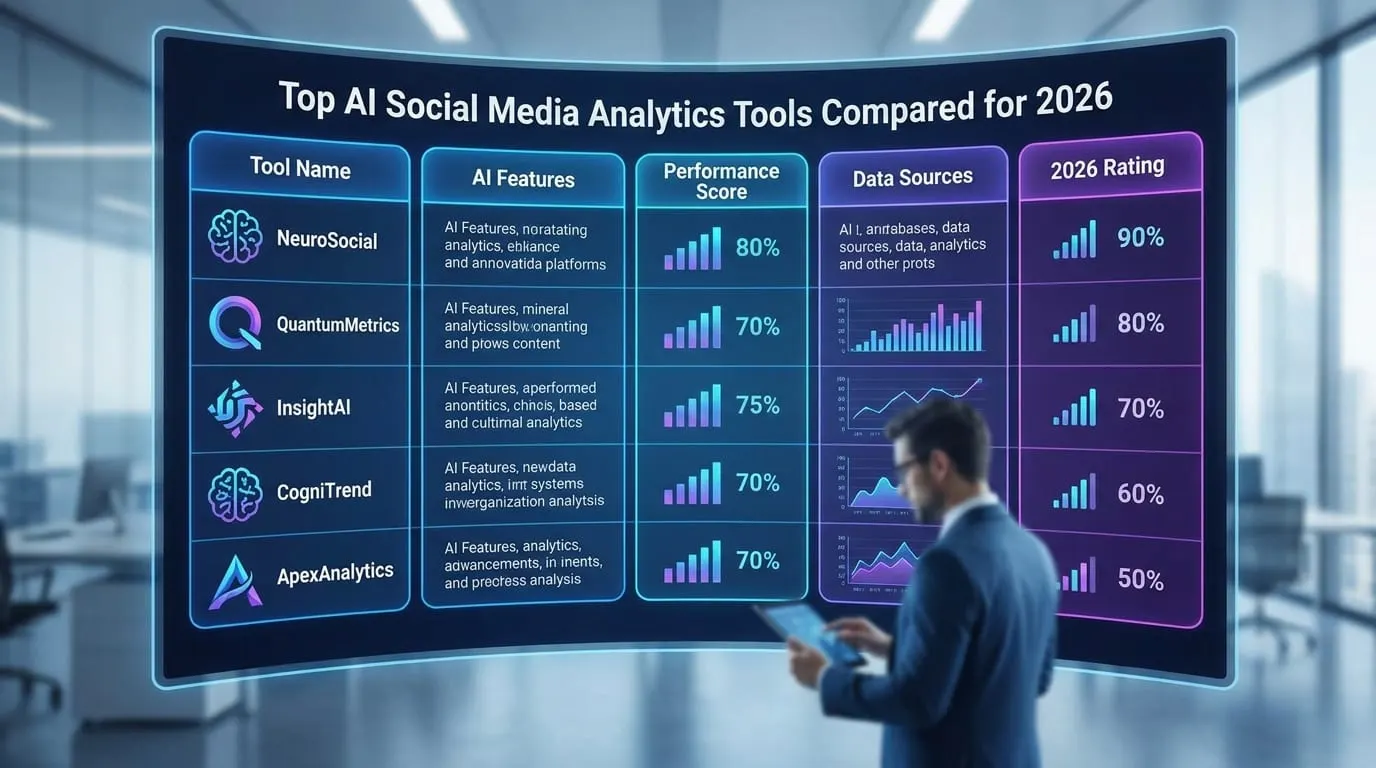
AI Social Media Analytics Tools at a Glance: 2026 Comparison Table
Selecting the right social media analytics tools can mean the difference between chasing vanity metrics and building a strategy that delivers results. In 2026, the market is crowded with platforms promising smarter insights and faster reporting. Each leading tool, however, brings distinct strengths and limitations.
Side-by-Side Comparison: Leading 2026 Solutions
| Dimension | PostNext | Whatagraph | Sprout Social | Brandwatch |
|---|---|---|---|---|
| Unique Features | AI-generated captions, visual content calendar, engagement and audience-growth analytics for creators/brands | Multi-brand dashboard, automated multi-channel reporting, white-label options for agencies | Unified publishing, listening, and analytics; advanced engagement tracking | Real-time sentiment analysis, social listening at scale, enterprise-grade reporting |
| Ease of Use | Intuitive drag-and-drop, minimal learning curve, designed for solo marketers and teams | Streamlined for agencies, quick setup for multiple brands, customizable widgets | Comprehensive but more complex, full training resources provided | Steep initial setup, built for data teams, customizable dashboards |
| Supported Platforms | Publishing: X, Instagram, LinkedIn, TikTok, YouTube, Threads, Bluesky (Facebook and Pinterest coming soon). Analytics: per-post engagement on X, Instagram, TikTok and LinkedIn, follower growth on X, Instagram, Threads and TikTok | Facebook, Instagram, TikTok, LinkedIn, X, Pinterest, YouTube | Facebook, Instagram, TikTok, LinkedIn, X, Pinterest, YouTube | Facebook, Instagram, TikTok, LinkedIn, X, Pinterest, YouTube, Reddit |
| Data Accuracy | Official platform APIs, regular refresh (not strictly real time) | Native integrations, real-time data sync, agency-grade accuracy | Direct platform APIs, advanced error checking, historical data imports | Proprietary crawling and enrichment, advanced sentiment algorithms |
| Reporting Flexibility | CSV and PDF export, scheduled report emails, best-time-to-post panel (paid plans) | Fully customizable templates, automated scheduled reports, white-labeled exports | Dynamic stakeholder dashboards, flexible reporting modules | Enterprise-level customization, API data feeds, deep export options |
Across these four social media analytics tools, you’ll find a range of approaches – from PostNext’s streamlined AI experience for creators and brands, to Whatagraph’s agency-first environment, Sprout Social’s integrated suite, and Brandwatch’s data-heavy enterprise toolkit. Differences in data accuracy, reporting customization, and pricing become more significant as you scale across brands or require predictive analytics.
Each tool is designed for a specific audience and use case. The nuances in this comparison can help you focus your evaluation and make an informed choice as you refine your social strategy in 2026.
What Makes a Social Media Analytics Tool Stand Out in 2026?
Expectations for social media analytics tools have evolved. Marketers and brands now seek forward-looking insights, unified data across channels, and actionable recommendations. The gap between what native analytics provide and what today’s strategies demand continues to widen.
Key Insight: In 2026, the best social media analytics tools don’t just report on the past – they forecast what’s next and recommend specific actions across every relevant channel.
Predictive and Prescriptive Analytics: From Reporting to Strategic Guidance
Descriptive analytics – those familiar retroactive charts – are no longer enough for brands seeking real impact. Leading platforms now use predictive models to spot patterns and forecast what’s likely to happen next. For example, a tool may analyze past campaign engagement and current audience sentiment, then alert you if your posting cadence is likely to underperform. Some platforms even recommend adjustments based on competitor activity or emerging trends.
Prescriptive analytics go further, offering concrete suggestions such as shifting content formats or collaborating with micro-influencers to boost engagement. While these advanced features are often found in premium tiers, they are quickly becoming essential for brands aiming to anticipate shifts – like the rise of social commerce or new algorithm changes – before results are affected.
Multi-Channel Integration: Essential for Modern Strategy
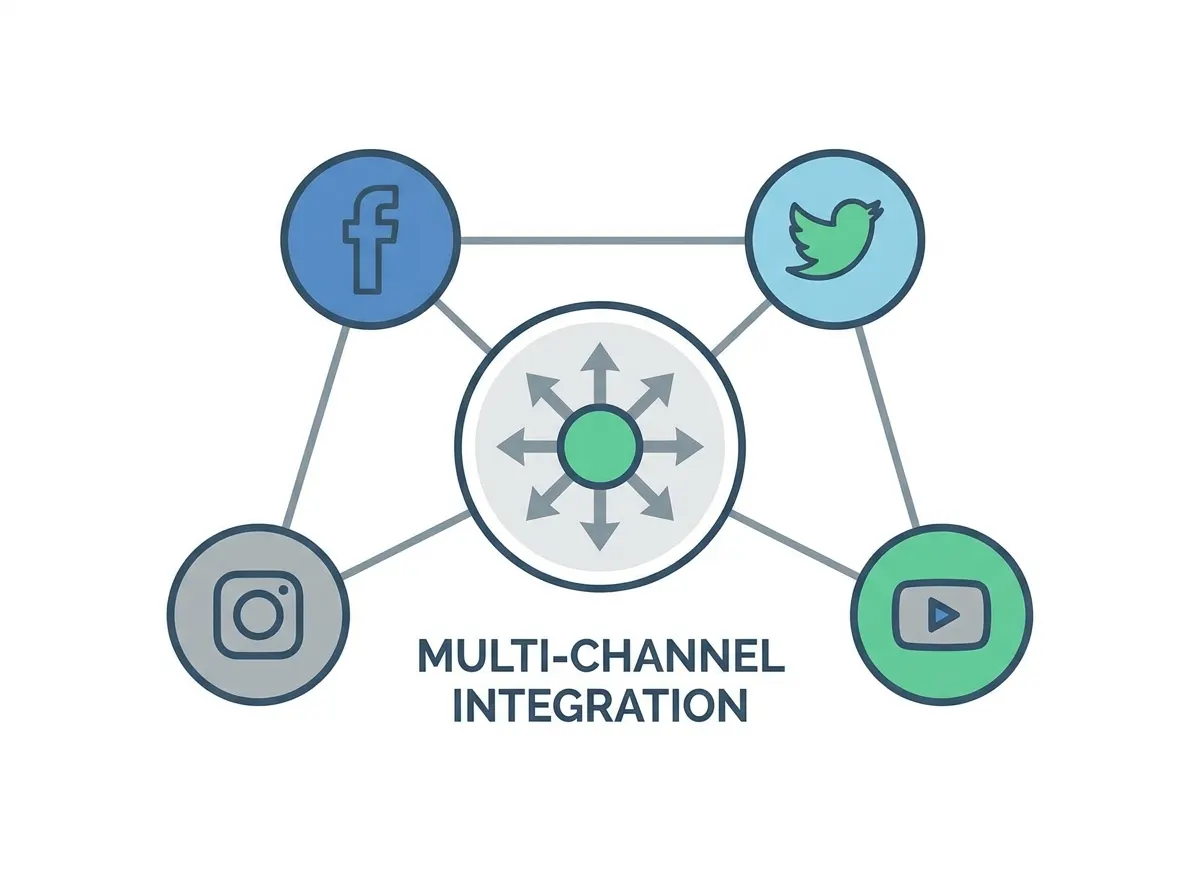
Tracking performance on a single platform is no longer sufficient. The most effective social media analytics tools now offer multi-channel coverage – including Facebook, Instagram, TikTok, Pinterest, LinkedIn, YouTube, and emerging platforms. This unified approach is critical for aligning strategy and demonstrating ROI to stakeholders.
For example, Whatagraph’s agency-focused solution enables users to track multiple brands and sources from a single dashboard, eliminating the need to switch between native tools. Similarly, platforms like Sprout Social and PostNext combine scheduling, analytics, and reporting in one place, though coverage differs: PostNext’s analytics track engagement on X, Instagram, TikTok and LinkedIn and follower growth on X, Instagram, Threads and TikTok. Unified dashboards reveal cross-channel patterns, such as how TikTok trends show up in Instagram Reels performance.
Automation and Actionable Reporting
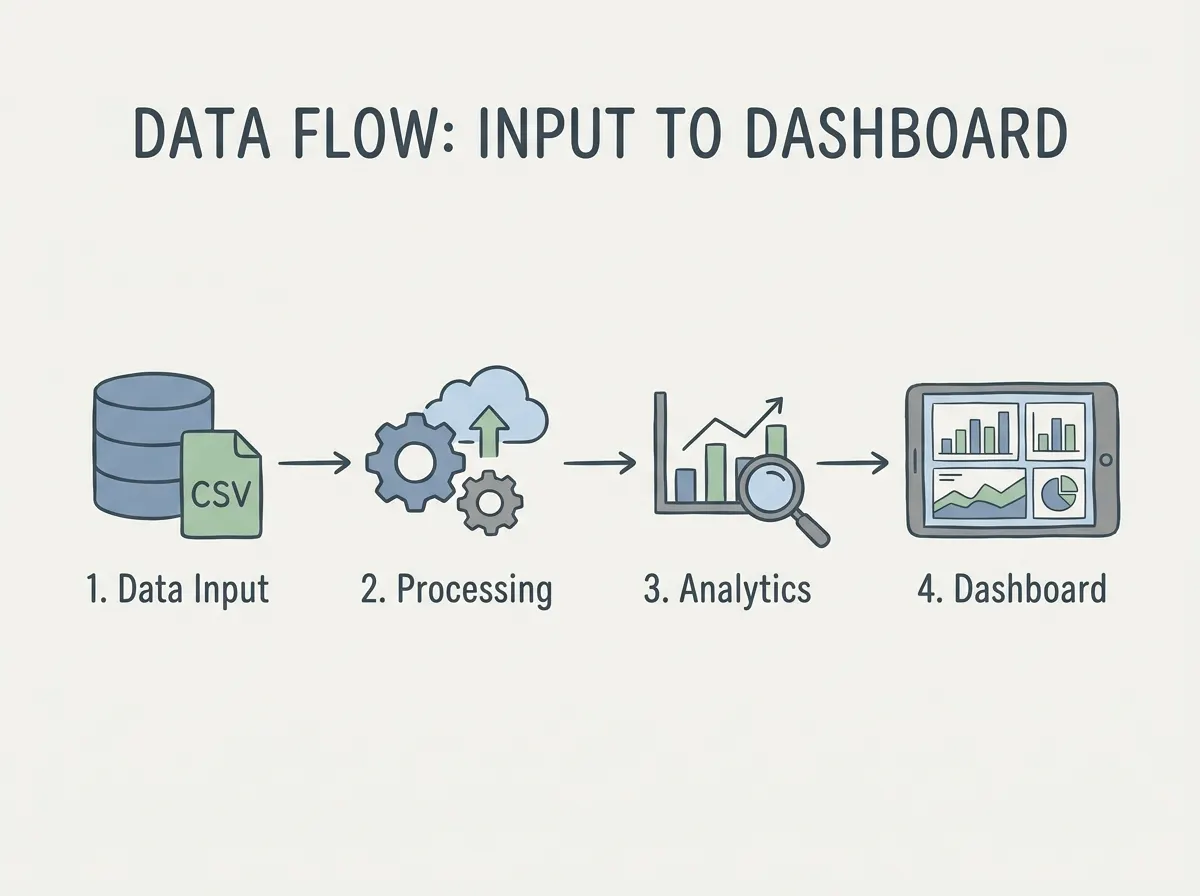
Manual reporting remains a challenge for many teams. Modern analytics platforms automate this process, generating visual reports and real-time alerts that highlight actionable insights. Instead of exporting CSV files and building presentations by hand, marketers can share tailored dashboards or schedule summary emails. This automation frees up valuable time and ensures everyone – from the social team to leadership – focuses on the metrics that matter.
Why Native Analytics Often Fall Short
Native analytics are useful for basic checks, but they’re siloed. It’s difficult to compare sentiment across platforms, benchmark against competitors, or connect social activity to sales and customer support. Third-party social media analytics tools bridge these gaps, providing the comprehensive, actionable view that modern brands require. They synthesize intent, sentiment, and ROI into insights that inform not just social, but product and customer strategy as well.
For brands serious about social media in 2026, choosing the right analytics tool is fundamental to staying visible, relevant, and ahead of the curve.
Deep Dive: PostNext’s AI Social Media Analytics Strengths
Before/After: From Manual Tracking to AI-Driven Optimization
| Before: Manual Spreadsheet Tracking | After: PostNext’s Automated AI Insights |
|---|---|
| Scenario: Managing multiple brands’ social accounts requires exporting CSV files from each platform, copying metrics into spreadsheets, and creating charts by hand. Reporting is time-consuming and prone to errors. | Scenario: With PostNext, you connect each social channel once. The platform pulls engagement and follower data from each platform’s API, shows engagement and audience-growth trends, and can email a scheduled report weekly or monthly (paid plans). You spend less time on data entry and more on interpreting the results. |
| Content Analysis: Basic metric tracking (likes, shares, comments) without context or qualitative insights. | Content Analysis: PostNext shows engagement rate, reach, impressions, likes, comments, saves and shares per post on X, Instagram, TikTok and LinkedIn, so you can compare posts side by side (the exact metrics depend on what each network’s API provides). It does not analyze image style or tone for you. |
The difference is clear. Manual tracking provides static numbers but misses the reasons behind performance changes. PostNext surfaces your top posts, your best posting times (paid plans) and growth trends, which cuts most of the spreadsheet work.
AI-Generated Captions and Post-Level Engagement
PostNext pairs AI caption writing with post-level engagement data. You can compare engagement on similar posts, use the AI writer to try a different tone – such as a conversational line instead of a direct call-to-action – and see how it lands.
It does not analyze visuals: there is no image-style or color analysis, so creative reviews stay with your team.
Reporting Automation and Scheduling Integration
Time savings are significant. While many marketers still compile reports from multiple sources, PostNext automates data collection, and you can schedule a weekly or monthly report email (paid plans), or export CSV and PDF when you need them. CSV and PDF export are on paid plans.
The integration of reporting and scheduling allows you to act on insights immediately. If certain post times outperform others, you can update your content calendar within the same workflow. This reduces manual overhead and streamlines the path from insight to action.
Intuitive Dashboards for Multi-Brand Management
Managing several brands or channels multiplies the complexity of analytics. On Business and Teams plans, PostNext’s analytics add a cross-brand view with rolled-up metrics and per-brand drill-down, within the channels its analytics cover. Instead of toggling between accounts, you get one place to check performance.
For agencies and consultants, this is especially valuable. You can deliver tailored insights and recommendations to clients without managing disconnected reports. The dashboard’s clarity supports faster, smarter decisions.
Limitations: Predictive Analytics and Enterprise Integration
While PostNext excels in automation and actionable insights, there are trade-offs. PostNext does not offer predictive analytics, deep social listening or competitor benchmarking; forecasting campaign ROI or simulating scenarios is the territory of enterprise platforms. Integration with complex enterprise stacks (like CRM or custom data warehouses) may require additional tools. For most creators and small businesses, these gaps are minor, but larger organizations with specialized needs should evaluate carefully.
PostNext is ideal for day-to-day strategy optimization, but those needing deep predictive modeling or enterprise BI integration may need to supplement with other solutions.
In 2026, social media analytics tools like PostNext provide more than vanity metrics by surfacing the drivers that matter. Manual reporting is rapidly being replaced by AI-powered platforms that deliver faster, smarter answers to marketers’ most pressing questions.
Whatagraph: The Agency Powerhouse for Multi-Brand Analytics
Key Insight: For agencies and power users, Whatagraph’s core advantage is automating multi-brand reporting while maintaining data depth and customization.
Purpose-Built for Agencies and Power Users
If you manage multiple brands or clients, you know the pain of toggling between platform dashboards and assembling reports that are outdated by the time they reach your client. Whatagraph stands out among social media analytics tools for agencies and in-house power users, offering native integrations with major networks and marketing platforms. No more juggling browser tabs or patchwork spreadsheets just to assemble a cross-channel snapshot.
Automated Multi-Brand Reporting
Whatagraph’s standout feature is automated, scalable reporting designed for agency workflows. You can set up recurring reports for each brand or client, tailored to specific KPIs, and the tool will generate and deliver them on schedule. Visualize campaign performance, audience growth, engagement, and ad ROI in a format clients can easily understand. This automation frees up teams for higher-value analysis.
Highly Customizable Dashboards
Agencies rarely have one-size-fits-all reporting needs. Whatagraph addresses this with flexible dashboards that let you pull in the data points your client cares about – whether it’s influencer engagement, social commerce conversions, or paid campaign breakdowns. Drag-and-drop widgets and white-label options make it easy to match client branding, so every report feels tailored and professional.
Limitations: Premium Pricing and Learning Curve
- Higher cost: Advanced features come at a premium. For agencies managing just a few brands, the investment can be significant compared to basic analytics tools.
- Not for beginners: The interface is built for power users and seasoned marketers. Newcomers may face a steeper learning curve, especially when configuring complex, multi-source reports.
While Whatagraph delivers on automation and depth, budget-conscious users or solo creators may find more value in lighter-weight social media analytics tools. For agencies managing multiple brands and needing to demonstrate ROI at scale, Whatagraph’s approach is hard to match.
Sprout Social: Unified Scheduling, Listening, and Analytics
All-in-One Control for the Serious Social Team
Sprout Social is designed for medium to large organizations that need everything in one place. It combines publishing, social listening, and analytics – along with team collaboration features – into a single dashboard. If you’re managing multiple brands, coordinating with a team, or handling both organic and paid content, this integration eliminates the inefficiency of switching between tools.
Team Workflows and Collaboration at Scale
Sprout Social’s platform is built for teams that need to move quickly and stay coordinated. You can assign tasks, leave internal notes, and share insights directly within the platform. The calendar and scheduling tools support batch-scheduling across platforms. For brands operating at scale, this unified workflow means less time spent on manual reporting and more on strategy.
Analytics and Listening: Beyond Vanity Metrics
Sprout Social stands out for its analytics and listening capabilities. The tool goes beyond tracking likes and impressions, pulling in advanced sentiment analysis and intent signals from social interactions to help you spot shifts in brand perception and emerging trends. With cross-channel analytics, you get a comprehensive view that native insights can’t match. The reporting tools allow deep dives into audience demographics, content performance, and competitive benchmarking – critical as brands invest more in social commerce and community-building.
Limitations: Cost and Complexity
Sprout Social’s unified suite comes with trade-offs. Advanced features and predictive analytics add up quickly, especially at enterprise scale. For solo creators or small businesses, the investment may outweigh the benefits. There’s also a learning curve – while the depth is a strength for teams, it can feel overwhelming for those seeking straightforward management.
For brands that value deep analytics, team collaboration, and a single source of truth for social strategy, Sprout Social remains a top contender among social media analytics tools.
Brandwatch: Enterprise-Grade Analytics and Social Intelligence
Unmatched Competitive Analysis at Scale
Among social media analytics tools for enterprise customers, Brandwatch stands out for its depth in competitive analysis and large-scale sentiment tracking. Brandwatch doesn’t just count mentions – it analyzes how your brand stacks up against competitors and what drives sentiment across millions of conversations.
For global brands, this means seeing how a product launch is performing in real time against category rivals. The sentiment engine parses language nuances, surfacing shifts in emotion that other platforms might miss. If negative sentiment spikes for a competitor, you’ll see it – often before it becomes a headline.
Powerful Trend Detection and Crisis Monitoring
Brandwatch’s AI-driven insights set it apart for trend detection and crisis monitoring. Its data pipeline ingests information from major social platforms, blogs, forums, and news sites, giving you a 360-degree view of conversations that matter. The system highlights emerging topics and flags potential crises before they escalate.
As brands move toward community-led growth and social commerce, this level of trend detection is essential. Brandwatch’s dashboards let you track not just your own brand, but also industry-wide shifts – whether it’s a viral meme, a sudden uptick in complaints, or the rise of a new competitor.
Best for Enterprises – With Real Tradeoffs
Brandwatch is built for advanced needs. It excels in multi-brand, multi-channel environments, supporting granular access controls and sophisticated query building. This is the kind of tool that informs not just marketing, but also product, PR, and executive strategy.
However, these strengths come with tradeoffs. Brandwatch is an enterprise product with a steep learning curve. Without dedicated analysts, some organizations may only scratch the surface of its capabilities. For those with simpler needs or limited budgets, more accessible social media analytics tools may be a better fit.
When Whatagraph, Sprout Social, or Brandwatch Is the Better Choice
Scenario 1: Multi-Brand Agencies Needing Advanced Reporting (Whatagraph)
Marketing agencies handling several clients face a unique challenge: producing clear, branded reports across dozens of social accounts. Whatagraph excels here because it’s built with multi-brand management at its core. Agencies can connect everything – Facebook, Instagram, TikTok, and more – then automate client-ready reports using native integrations. Compared to PostNext, which streamlines scheduling and analytics for in-house teams, Whatagraph’s deep report customization and white-labeling stand out for agencies needing to prove ROI at scale.
It also enables data blending from multiple sources – such as Google Analytics, ad platforms, and email – into one unified dashboard. This saves hours of manual work and provides stakeholders with actionable insights, not just raw numbers.
Scenario 2: Enterprise-Level Sentiment Analysis and Crisis Detection (Brandwatch)
For large brands monitoring millions of mentions, Brandwatch is purpose-built for enterprise sentiment analysis and crisis detection. Unlike PostNext, which focuses on content scheduling and post-level analytics, Brandwatch analyzes vast volumes of social conversations across global channels. A multinational consumer brand, for example, can use Brandwatch to track negative sentiment spikes in real time and receive alerts when a topic trends abnormally – critical for crisis communications teams who need to respond quickly.
Brandwatch’s capabilities go well beyond surface-level engagement metrics. It synthesizes intent signals, share of voice, and emerging trends to inform product, PR, and customer care strategies. For organizations where brand health monitoring is non-negotiable, Brandwatch’s advanced analytics deliver what niche scheduling tools cannot.
Scenario 3: Team Collaboration and Workflow Automation (Sprout Social)
Sprout Social is well-suited for mid-sized teams and enterprises who need to unify workflow, collaboration, and analytics in one place. Unlike PostNext, which has no social listening, Sprout Social integrates social listening, approval workflows, and reporting into a single dashboard. Teams can assign tasks, review posts, and comment on content drafts directly within the platform.
For example, a retailer’s social team can track incoming messages, assign support tickets, and route crisis-sensitive issues instantly. Combined with built-in reporting, Sprout Social reduces the friction of jumping between tools for scheduling, monitoring, and collaboration.
Where PostNext Still Shines
While these social media analytics tools excel in specialized scenarios, PostNext remains a strong choice for creators and brands seeking quick scheduling, AI-generated captions, and straightforward analytics, especially when depth of reporting or enterprise-scale sentiment analysis isn’t required. The best solution depends on your business needs, team complexity, and expectations for insight and automation.
Decision Framework: Choosing the Right Social Media Analytics Tool for Your Needs
With so many social media analytics tools available in 2026, the challenge is not finding a solution, but knowing which one fits your workflow, team, and reporting needs. Here’s a decision framework to help you select the right platform based on your core use case – not just feature checklists.
Choose PostNext if…
- AI-driven scheduling is your top priority. If you want to combine intelligent post timing, caption generation, and visual content planning in one place, PostNext is a strong choice.
- You need visual content planning beyond spreadsheets. PostNext’s calendar view suits creators and marketers focused on Instagram, TikTok and other visual channels (Pinterest is coming soon).
- Ease of use matters more than advanced customization. If you want to get up and running quickly, with automation that handles the heavy lifting, PostNext fits the bill.
Choose Whatagraph if…
- You manage multiple brands or clients. Whatagraph is purpose-built for agencies juggling multiple accounts.
- Advanced custom reports are essential. If your clients expect tailored dashboards and branded exports, Whatagraph’s flexibility stands out.
- You need native integrations with a wide array of digital marketing platforms, not just social.
Choose Sprout Social if…
- You want an all-in-one solution that combines scheduling, analytics, and social listening for team workflows.
- Your team collaborates on content approval, response management, and performance tracking within a single dashboard.
- Centralized, multi-channel coverage is essential and you prefer not to stitch together multiple tools.
Choose Brandwatch if…
- You’re part of a large enterprise or global brand requiring deep social listening and market intelligence.
- Sentiment analysis, trend detection, and competitor benchmarking inform your product or PR strategy.
- You need to tie social data to wider business intelligence and customer insights.
| Best For | Choose This Tool If… | Potential Drawbacks |
|---|---|---|
| PostNext | AI-powered scheduling, visual-first planning, and ease of use for creators or small teams | Limited advanced reporting; less suited for agencies with many clients |
| Whatagraph | Agencies managing multiple brands, requiring fully custom reports and broad integrations | Can be overkill for solo marketers |
| Sprout Social | Mid-sized teams needing unified publishing, analytics, and collaboration in one place | Can be more than a small team needs |
| Brandwatch | Enterprises demanding global social listening, sentiment tracking, and intelligence at scale | Complex setup; steep learning curve |
The Hybrid Approach: Is Using Multiple Tools Worth It?
Some organizations find that a single tool doesn’t cover every need. For example, an agency might use Whatagraph for client reporting but rely on PostNext for visual content scheduling. Or, a global brand could pair Brandwatch for high-volume sentiment analysis with Sprout Social for day-to-day publishing and engagement.
Using multiple social media analytics tools can deliver best-in-class functionality in each area, but it comes with integration challenges. Data silos, inconsistent metrics, and higher subscription costs are common issues. Before adopting a hybrid strategy, evaluate whether the platforms offer open APIs or native integrations, and whether your team can realistically manage multiple dashboards without losing the big picture.
The right decision depends on your primary goals – whether that’s client reporting, team collaboration, or deep market intelligence – and your willingness to manage the complexity that comes with stacking tools.
Accuracy, Automation, and ROI: Before and After Adopting AI Analytics
Manual Reporting vs. Automated Insights
| Before (Manual) | After (AI-Powered Analytics) |
|---|---|
| Hours spent every week exporting CSVs from multiple platforms, copy-pasting numbers into spreadsheets, and manually piecing together engagement rates. Reports are often riddled with errors and inconsistencies. | Automated, multi-channel dashboards generated in minutes. All metrics are pulled directly from source APIs, with no manual data entry required. Consistent, up-to-date, and ready to share with stakeholders. Teams reclaim hours each week – time that can be reallocated to strategy or content planning. |
The shift from manual reporting to automated analytics is about accuracy and freeing your team to focus on high-impact work instead of data drudgery. Many marketers still rely on patchwork methods that invite mistakes, even as analytics shape overall strategy.
From Vanity Metrics to Actionable Insights
| Before | After |
|---|---|
| Monthly reports list follower counts and likes, with no context or action items. Teams get stuck reporting numbers that don’t tie to business goals. | Dashboards highlight top-converting posts, sentiment trends, and engagement by audience segment. AI surfaces actionable recommendations, such as the best times to post or content formats that drive conversions. Results are tied to campaign ROI and sales outcomes, not just superficial engagement. |
This evolution allows brands to see beyond vanity metrics and identify what actually drives results. For example, shifting focus from likes to shares or click-through rates reveals what content fuels real growth.
Impact on Campaign Agility and ROI
- Before: Teams wait weeks to spot underperforming campaigns, missing critical windows to adjust.
- After: AI-powered tools provide real-time alerts and predictive analytics, flagging shifts in sentiment or engagement instantly. Marketers can make mid-campaign adjustments that improve ROI.
The bottom line: by adopting AI-powered social media analytics tools, you move from reactive to proactive strategy. The manual grind of monthly reporting gives way to always-on intelligence that supports smarter, faster decisions.
Social Media Analytics Tools: Honest Limitations and Considerations
Premium Features Come at a Premium Price
Not every insight is available at entry-level pricing. Advanced predictive analytics – such as forecasting engagement spikes or recommending trending hashtags – are reserved for higher-tier plans on most social media analytics tools. If your brand needs to go beyond basic engagement metrics, be prepared for a higher monthly commitment.
Data Delays and Aggregation Gaps
Automated reporting is a significant time-saver, but real-time data access is not universal. Third-party tools depend on API integrations, and when platforms update their policies or rate limits, even top providers can experience delays in surfacing data. For marketers tracking live campaigns, this lag can limit agility.
Coverage for Niche and Emerging Platforms
Major platforms – Facebook, Instagram, TikTok, Pinterest – are well covered. But if your audience is active on niche platforms or emerging networks, you may encounter coverage gaps. This is important for brands targeting new social spaces or younger, digitally native audiences.
Learning Curve and Onboarding Challenges
Even with intuitive dashboards, onboarding to a new analytics platform takes time. Many tools offer guided tours and help centers, but the sheer volume of metrics can overwhelm new users. Expect a ramp-up period, especially if you need to standardize reporting across channels.
Setting realistic expectations is key. Social media analytics tools deliver immense value, but limitations around cost, data lag, platform coverage, and onboarding are part of the package. Approach your selection with clear priorities and an understanding of where trade-offs are inevitable.
Frequently Asked Questions
What are social media analytics tools, and why do they matter in 2026?
Social media analytics tools track, measure, and interpret engagement across platforms like Facebook, Instagram, TikTok, and Pinterest. In 2026, these tools go beyond counting likes or followers. They provide predictive and prescriptive insights, helping marketers anticipate trends, understand sentiment, and tie social activity to business outcomes. As the volume and complexity of social data grows, relying solely on native analytics leaves major blind spots.
How do third-party analytics tools differ from native platform analytics?
Native analytics are platform-specific, offering a baseline view of engagement – impressions, reach, clicks. Third-party tools aggregate data from multiple platforms, providing a unified dashboard and advanced features like sentiment analysis, competitive benchmarking, and multi-brand management. These capabilities move beyond vanity metrics, helping brands understand why audiences engage, not just how many do.
What features should I prioritize when choosing a social media analytics tool?
- Multi-channel coverage – track all your active social platforms in one place
- Predictive analytics – forecast engagement and identify optimal posting times
- Reporting automation – save time by turning raw data into ready-to-present insights
- Integrations – connect with other apps like your CRM or project manager
- Pricing transparency – avoid hidden fees, especially for advanced features
For agencies, the ability to export data flexibly and manage multiple brands is critical. For solo creators, AI-assisted content suggestions and simple dashboards are more important.
Are AI-powered analytics tools worth the added cost?
Advanced features like predictive analytics and sentiment analysis usually come at a premium. If your goals include proving ROI, spotting trends before competitors, or managing multiple brands, these tools can be worth the investment in efficiency and insight. If your needs are basic, native analytics may suffice – just expect to spend more time compiling and interpreting data manually.
Can these tools guarantee data accuracy?
No tool is perfect. Third-party social media analytics tools rely on API access, which can change or limit available data. The best platforms are known for reliable integrations and proactive updates, but it’s wise to double-check any mission-critical metrics against native reports. Data accuracy also depends on correct channel connections and consistent tagging across campaigns.
What is the difference between analytics and reporting in social media tools?
Analytics refers to gathering, interpreting, and drawing insights from social data – such as discovering which posts drive the most engagement or which times see higher conversion rates. Reporting is about formatting this information into dashboards or presentations for stakeholders. The best social media analytics tools automate both, but understanding this distinction helps you choose a solution that fits your workflow.
Smart use of social media analytics tools in 2026 is about transforming data into strategies that drive genuine business results.
Authored with PostNext